Welcome to Superdirector
Superdirector gives you an AI Director that studies your brand, finds content ideas that fit it, and turns them into scripts you can shoot. The tour below shows where everything lives, so you know exactly which page to read first.
What your Director does for you
Your Director is the colleague you chat with on your dashboard. You ask for things in plain words — "find me five ideas," "what changed this week," "turn this into a script" — and it does the work while you watch. It already knows your brand, because the first thing it does is study your account.
You never fill out forms or learn special commands. If you can write a text message, you can direct.
The three jobs it takes off your plate
- Research. Your Director watches your account, accounts like yours, and videos you paste in. It learns what works and why.
- Ideas. It brings you content ideas with real numbers attached — views, recency, and a short note on why each one fits your brand.
- Scripts. Pick an idea, and your Director writes the script, sketches the storyboard, and builds a brief you can hand to anyone holding a camera.
Each job has its own guide in the sidebar. You don’t need to read them all today.
Pick your path: one account or several
- You manage one account. Follow the Start here pages in order: Set up your first brand, then Meet your Director, then Your first week: quick wins.
- You manage several brands or clients. Same path — but read Add and switch between brands first, set up your first brand, then add the rest. Curious what’s included? See Plans and credits.
Where everything lives
Your whole workspace is one screen, split into three areas.
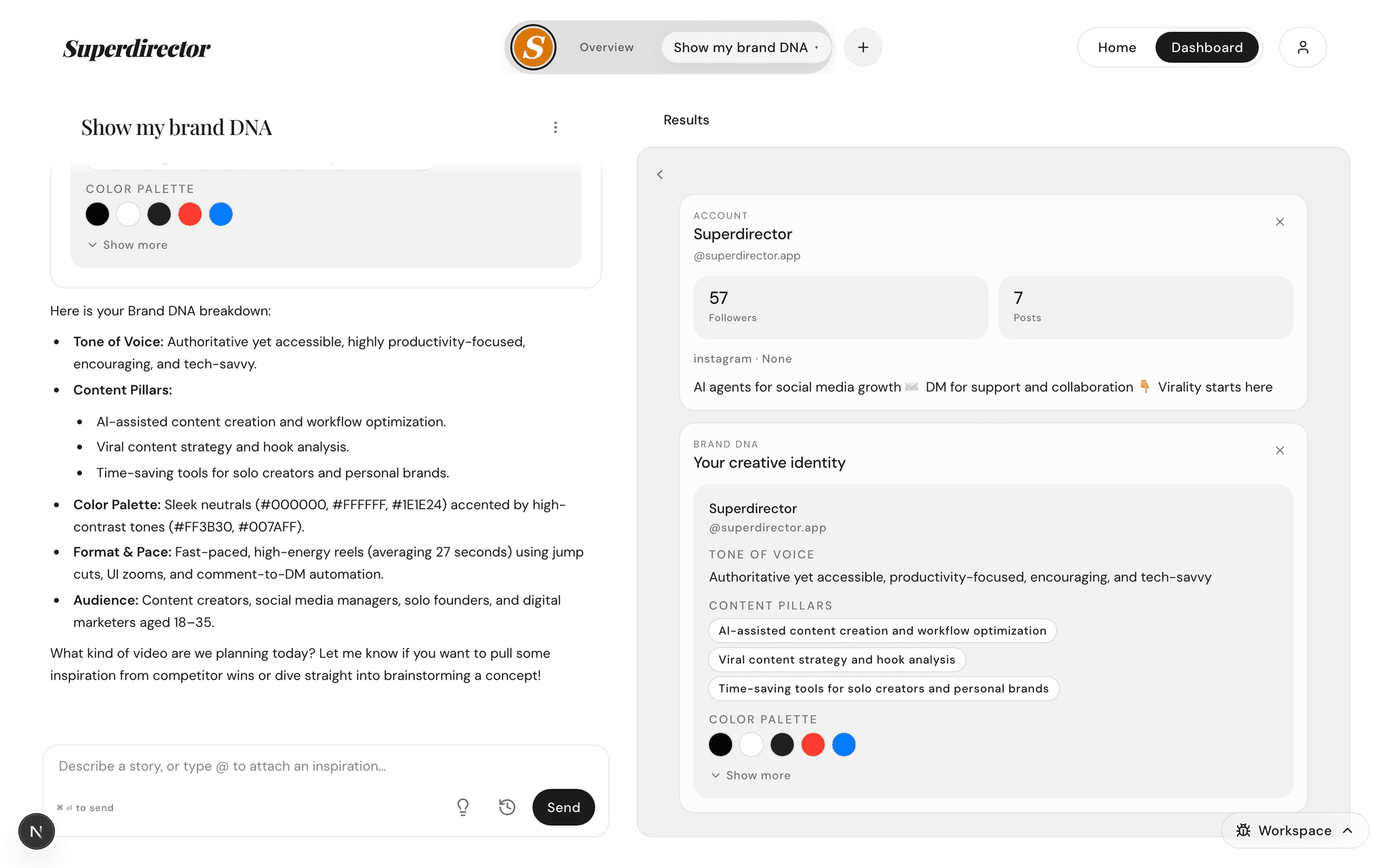
One-line map: the chat is on the left, finished work lands in the work tabs on the right — your script, storyboard, brief, and saved references — and the profile pill in the top bar shows which brand you’re on. Click Overview on the pill to open your numbers, calendar, and strategy at a glance.
That’s the whole map. Meet your Director is the full tour of each area, and the pages in "Pick your path" above tell you which one to read first.