Your first week: quick wins
Your first week is five small tasks, about five minutes each. Every one produces something you can see, and together they build the habit that makes Superdirector pay off: check in, pick an idea, ship a script.
Day 1: Read your Brand DNA card
- Open your dashboard and type: "Show my brand DNA."
- Read the Brand DNA card that appears — your voice, topics, and audience in a few lines.
- Click Show more to see the full picture.
If something reads wrong, say so in chat — "my audience is mostly small-business owners, not students" — and your Director takes it on board. Full guide: Your Brand DNA.
Day 1: Ask for five ideas
- In the same chat, type: "Find me five ideas."
- An Inspiration card appears with idea cards — each shows a thumbnail, real view counts, how recent it is, and a short note on why it fits your brand.
- Pick the one you’d actually want to make. Don’t overthink it.
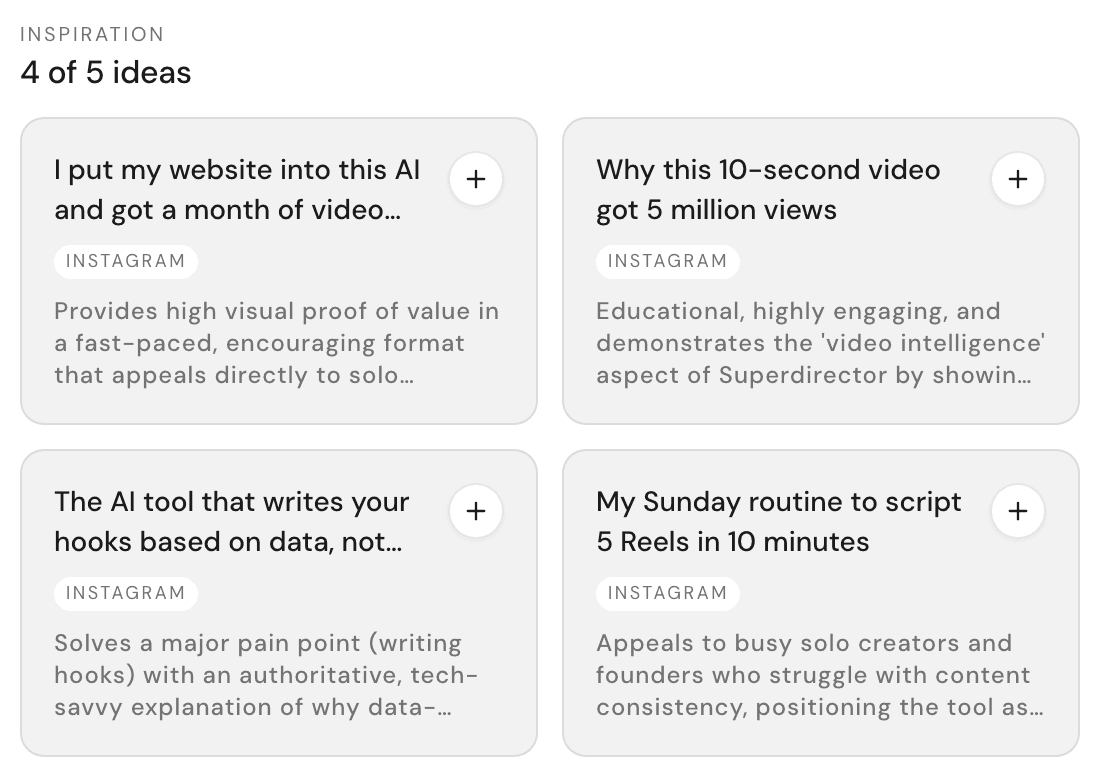
Full guide: Get ideas that fit your brand.
Day 2: Paste a video you admire
- Find a Reel or TikTok you wish you’d made.
- Paste its link into the chat and press Enter.
- Wait a few minutes — you can keep chatting while it works.
- Read the breakdown: the hook, the story beats, the shots, and why it holds attention.
The video is saved to your Results tab, so you can reuse it any time. Full guide: Learn from any video.
Day 3: Turn your favorite idea into a script
- Type @ in the message box and attach the idea you picked on Day 1.
- Type: "Turn this into a script."
- Watch your Director work in visible steps — it starts with Research and finishes with a Shot list.
- If it pauses to ask you a question, pick an answer. That’s a checkpoint, not a problem.
- When it finishes, open the Script Editor tab and read your script.
This is the flagship flow, and it has its own full guide: Turn an idea into a script.
Day 4: Ask for a week plan
- Type: "Plan my content week."
- A Week plan card appears with a day-by-day calendar strip — what to post, when, and why — and asks for your go-ahead. Click Allow to accept the plan or Reject to ask for a different one.
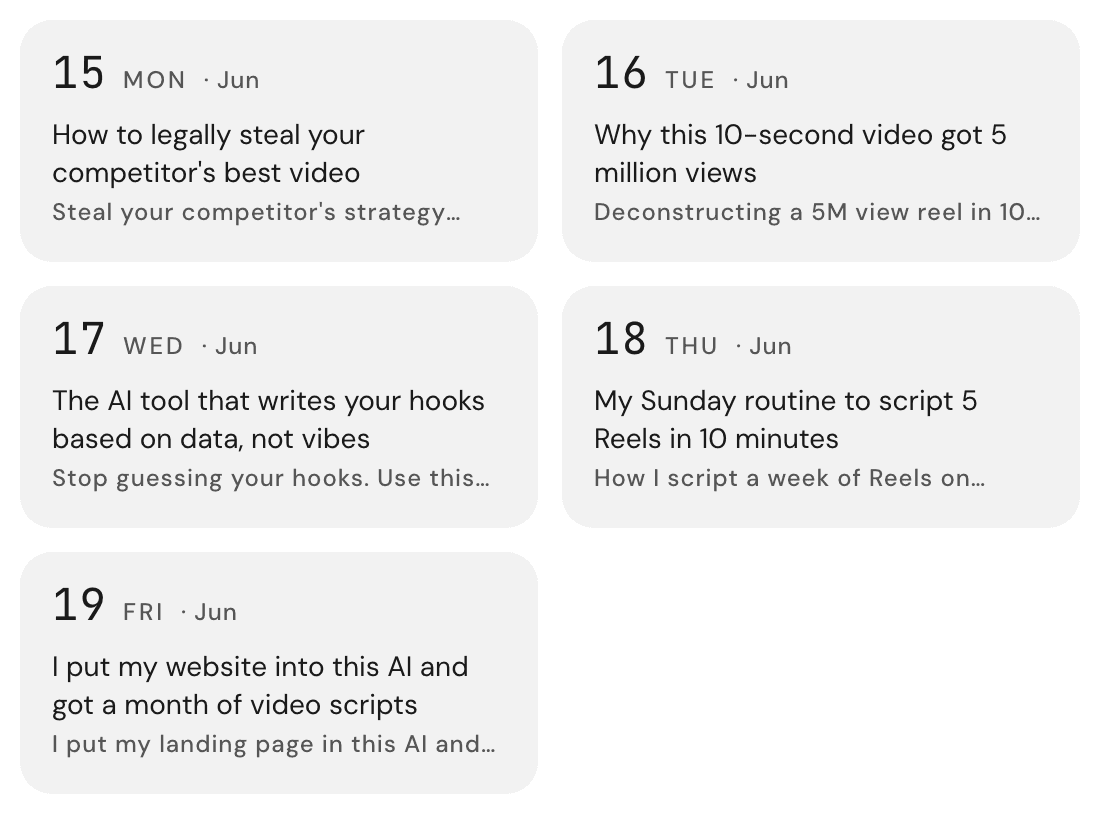
Full guide: Plan your content week.
What to do every Monday after that
Your weekly routine is three messages, in this order:
- "How did this week go?" — read the Performance card. (Track your account’s performance)
- "Find me five ideas." — pick one.
- "Plan my week." — approve the plan.
Fifteen minutes, every Monday. That’s the whole system.