Save and reuse references
Everything your Director finds, watches, or builds in a conversation collects in one place: the Results tab. Think of it as the shelf for that project — and you can pull anything off the shelf into a new request by typing @.
Your shelf: the Results tab
The work tabs sit on the right side of your dashboard. The Results tab appears as soon as a conversation has produced something worth keeping, and it gathers the results as tiles: Analyzed video cards, Video search results, Inspiration ideas, and more.
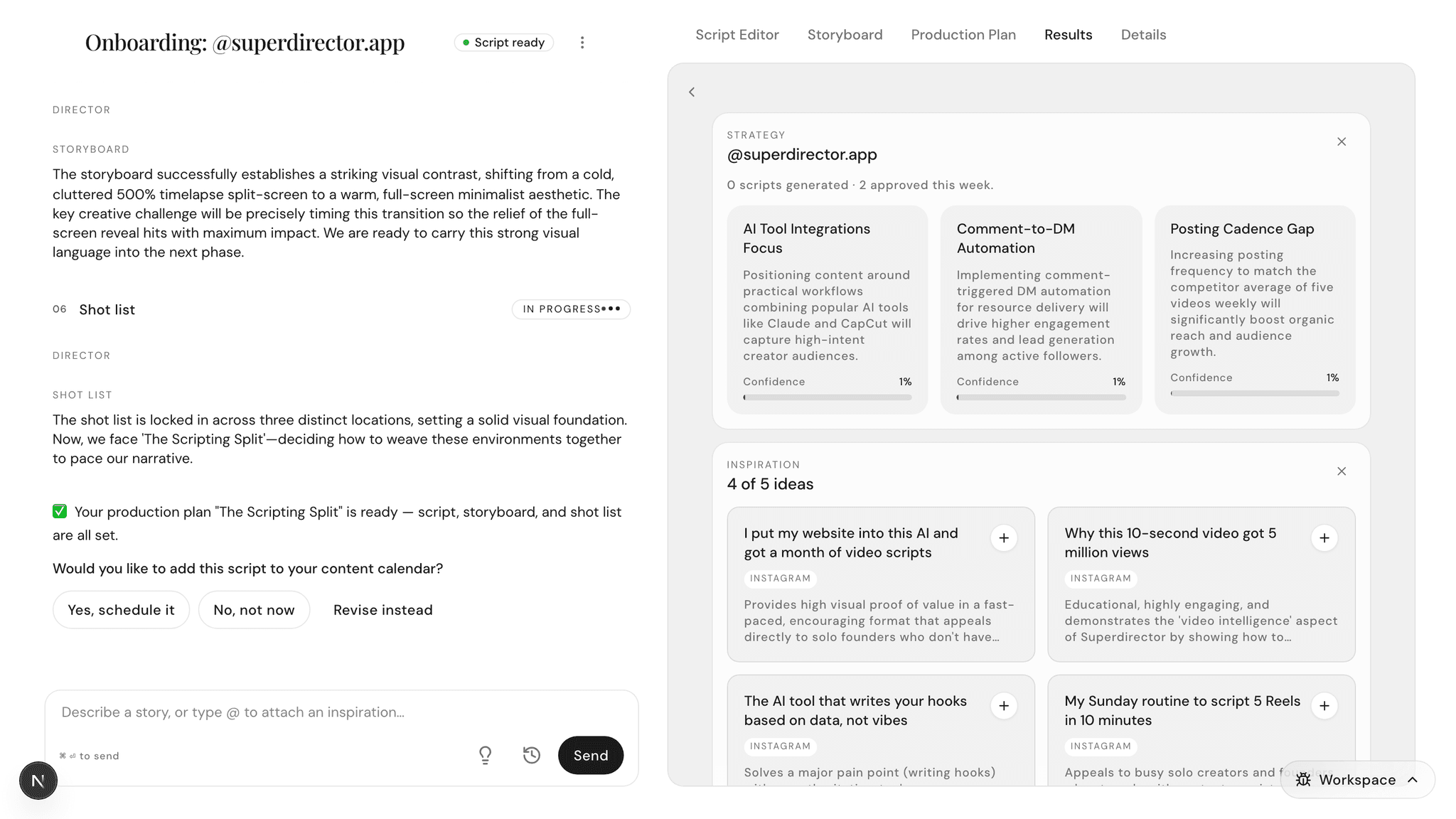
Two small controls keep the shelf tidy:
- Click the X on a tile to hide it.
- Hidden tiles move to a Hidden tiles row at the bottom — click one there to bring it back.
Mention a reference with @
- Click the message box. The hint reads "Describe a story, or type @ to attach an inspiration…" — take it literally.
- Type @. A picker opens above the message box listing your saved inspirations and past scripts.
- Keep typing to filter the list, then click the one you want (or press Enter).
- It lands in your message as a small chip. Click the chip’s X if you change your mind.
- Finish your sentence around it — "Write a script in the style of [chip]" — and press Send.
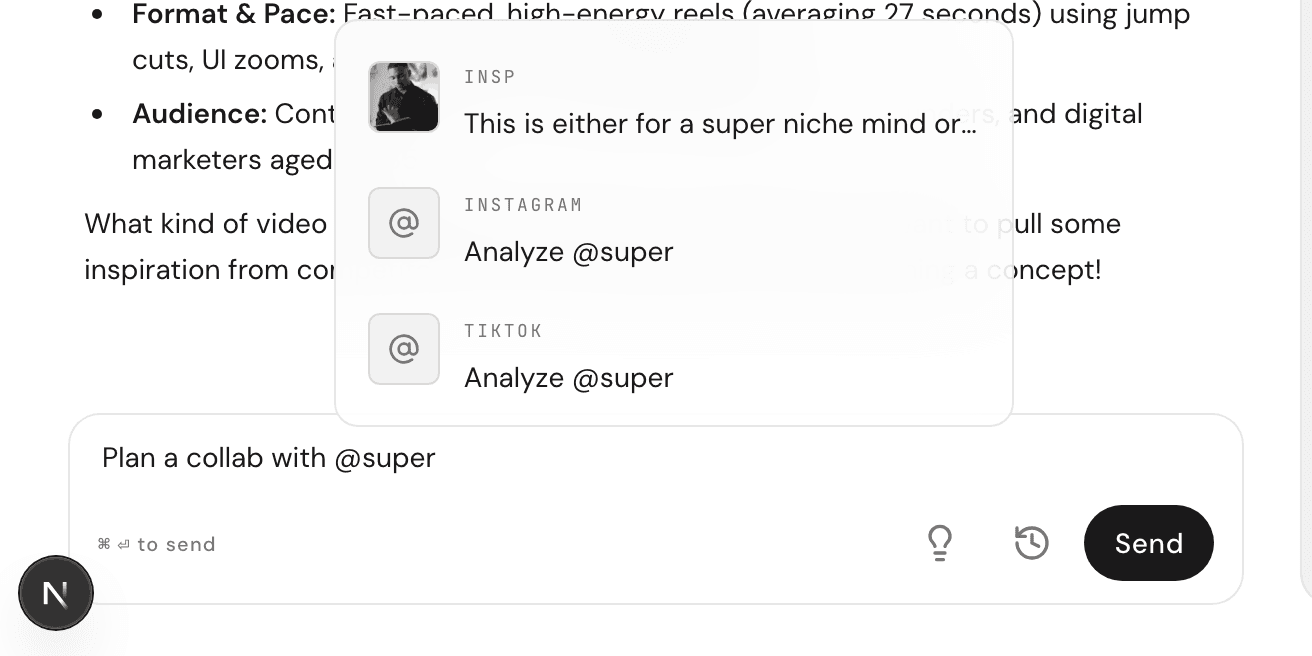

The same picker works for accounts: type @ plus a brand’s handle, and your Director can bring that account into the conversation too.
Blend two references
References get more useful in pairs. Attach two with @, then spell out how to combine them in the same message:
- Type: "Blend these two inspirations into one new concept."
- Type: "Use the first one’s hook with the second one’s topic."
- Type: "Give me a new angle that borrows from both."
Keep threads tidy: one project per thread
Each conversation (thread, from here on) holds one project — one video you’re making, with its own script, storyboard, and shelf of references. When a new direction strikes, don’t pile it into the current thread. Click New thread and start clean.
This keeps every Results tab honest: open an old thread next month, and its shelf still shows exactly the references that shaped that video — nothing else mixed in.