Search for reference videos
No link to paste? Describe what you’re looking for and your Director goes out and finds real, high-performing videos that match. A search takes 30 to 90 seconds and spends half a credit.
Ask in plain words
Type your ask straight into the message box — no special format needed:
- "Find me viral coffee-shop reels from this month."
- "Show me top POV-style TikToks about home workouts."
- "Find viral hook examples for fitness reels."
Your Director searches Instagram and TikTok. Want just one of them? Just say so: "search TikTok only" or "Instagram only."
Results arrive as they’re found
A Live search card appears in the chat and fills in as videos are found — you’ll see the first results within seconds while the rest stream in.
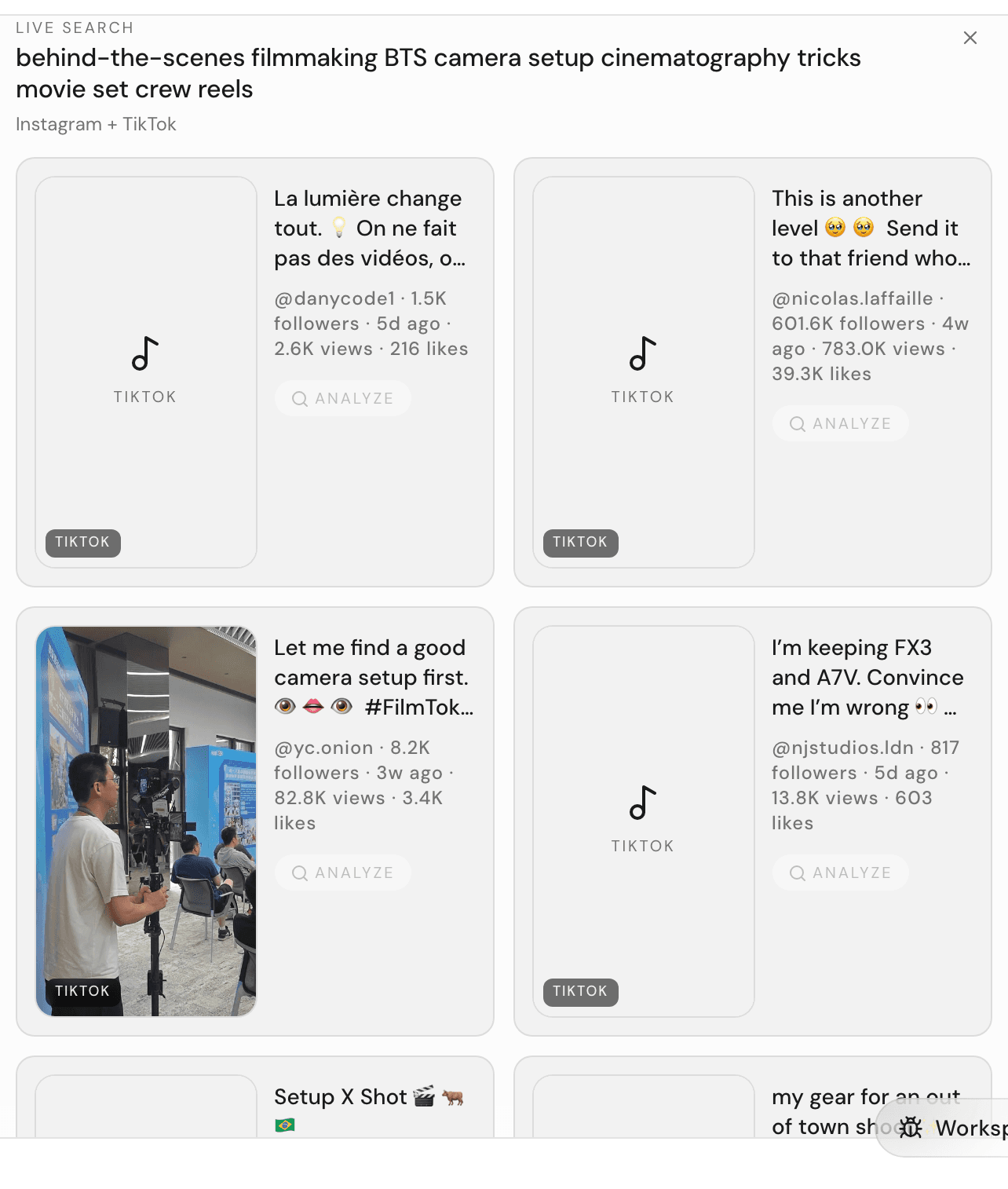
While the search runs, the cards are previews — you can look, but the buttons wake up when the search finishes. When it’s done, the card’s header changes to Inspiration search, and:
- Weaker matches appear faded — hover to bring one forward; they’re still worth a look.
- Each card shows the creator’s handle, follower count, how recent the video is, plus views and likes.
Pick winners and save them
- Click a result’s thumbnail to watch the original in a new tab.
- Click Analyze on a result you like. The label changes to Analyzing…, then Analyzed — your Director has watched it and built a full breakdown, the same one described in Learn from any video.
- Once it says Analyzed, click Insert to drop the video into your message box as a reference for your next request — or click Analyzed to read the breakdown first.
Nothing gets lost: the whole results card is also saved to the Results tab as a Video search tile, so you can come back to it any time. See Save and reuse references.
Search costs credits — here’s how many
- Running a search spends half a credit (0.5).
- Analyzing one of the found videos spends 1 credit, like any video breakdown.
- Reading results, opening originals, and inserting references are free.
For what credits are and how many your plan includes, see Plans and credits.