How-To Guide
How do you use ChatGPT or Claude for social media without generic posts?
Give ChatGPT or Claude brand facts, examples and platform constraints, then check and revise each social post before using it.
By the Superdirector editorial team.
At a glance
How do you use ChatGPT or Claude for social media without generic posts?
Give the model usable material before asking it to write: a short brand brief, a real example of the kind of post you want, and the facts the draft may use. Specify the platform, audience, format, and purpose. Ask for one draft, check it against those inputs, and revise the weak parts rather than requesting vaguely “more engaging” copy. Context and iteration make a draft easier to direct; they do not guarantee originality or results.
- Keep durable brand facts and voice guidance in a dedicated workspace or instructions.
- Use examples to explain structure and voice, not to copy another account’s wording.
- Verify claims and fit yourself before publishing.
Give the model material, not just a topic
“Write a post about our new service” leaves the model to fill in the details that make a post sound like it belongs to your business. Instead, supply the audience, a true detail, a post format, and what the reader should take away. Then review the result. OpenAI’s prompting guidance recommends clear, specific prompts with enough context and an iterative process: review the response, then refine it. Anthropic likewise recommends clearly describing the task and testing prompts. These are practical instructions, not proof that a particular prompt will make social content original or successful.
A reliable routine is: preserve useful context, show the model an example, request a platform-specific draft, and check it against the original facts. This gives you something concrete to edit instead of asking a chatbot to somehow “sound less like AI.”
Build a compact brand brief
Make a brief that a colleague could use without guessing. Include what you offer, who it is for, what is known to be true, the voice you want, and what the model must not invent. Keep confirmed details distinct from ideas or assumptions.
- Audience: name a real group and the situation your post addresses.
- Offer: describe what the business does in plain language.
- Approved facts: list only details you can substantiate.
- Voice: give a short description plus an example of language you would actually use.
- Boundaries: list prohibited claims, terms, and promises.
For recurring work, ChatGPT Projects can keep related chats, files, and instructions together and reuse context for tasks such as content drafts. Its project instructions apply within that project. Alternatively, custom instructions can apply across chats, so avoid putting narrow social-media rules there if you want them to govern only one activity. See OpenAI’s Projects guide and custom instructions guide. You can also put the brief in the conversation when using another tool.
Choose a useful example
An example helps show what you mean by a good opening, useful level of detail, or natural voice. It need not be a post with impressive metrics: without reliable comparisons, performance numbers can distract from the writing lesson. Start with your own published post, a customer question you are allowed to use, or a clearly labeled sample you created. If you use someone else’s public post, ask for a structural description—not a rewrite of its distinctive wording.
For instance, tell the model: “This post works for us because it starts with a specific question, explains one practical detail, and ends with a low-pressure invitation. Do not reuse its sentences. Apply that structure to the facts below.” Anthropic recommends providing realistic examples of desired outputs, including challenging cases. Test whether an example steers the model toward the kind of output you intend, rather than assuming it guarantees consistent voice.
When enlarged, scroll horizontally to read the diagram.
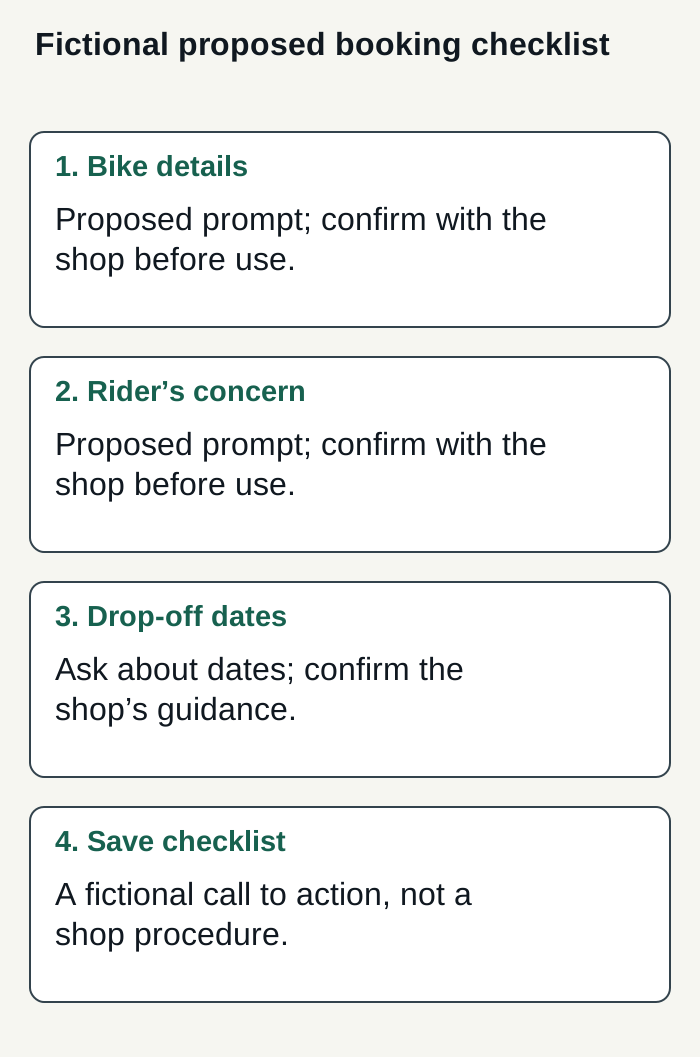
A fictional checklist proposal; confirm each prompt with the real shop before using it as booking guidance.
Condensed original editorial illustration. Read the surrounding guidance for qualifications and the complete procedure; any example is fictional and shows no verified customer outcome or product screen.
Illustrative worked example by Superdirector editorial team. Created 2026-11-09.
Request one platform-specific draft
Separate the assignment from the source material. State where the post will appear, whom it addresses, its purpose, the format, and any limits that matter. Ask the model not to fill gaps with invented details. A practical starting prompt is:
Use the brand brief and facts below to draft one [platform and format] post for [audience]. Its purpose is [purpose]. Focus on [one specific detail]. Use only the facts supplied; if something essential is missing, ask me rather than inventing it. Avoid [phrases or claims]. Return the draft, then list any statement I should verify. Brief: [paste]. Facts: [paste]. Example and what to learn from it: [paste].
Do not ask one prompt to research, strategize, write many formats, approve facts, and publish. Anthropic describes prompt chaining as dividing complex tasks into separate prompts. You can use the same practical idea: first check the facts, then draft, then ask for a critique of a particular weakness. Requests like “identify the sentence that sounds least like our example” give the next revision a defined job.
Revise with a decision worksheet
The following is a fictional example, not a real business or result. Assume a neighborhood bicycle-repair shop has confirmed these details: it repairs punctures, customers can book a repair slot, and the shop wants plain-spoken copy that does not promise a repair time. The carousel below is a proposed checklist, not a description of confirmed shop procedures. Its prompts about the bike, the rider’s concern, and preferred drop-off dates should be confirmed with the real shop before being presented as booking guidance.
| Draft or check | What to notice | Useful next move |
|---|---|---|
| Slide 1 | Booking a repair? Prepare these three details. | Opening: name the task. |
| Slide 2 | Bike make and model. | Detail one: identify the bike. |
| Slide 3 | What you noticed—without diagnosing the cause. | Detail two: describe the concern. |
| Slide 4 | Preferred drop-off dates; ask the shop to confirm availability. | Detail three: request dates, not a promise. |
| Slide 5 | Save this checklist before you book. | One action: save the checklist. |
| Check | All copy is fictional and based on the stated assumptions. | Verify real shop details before use. |
Use the worksheet on a real draft: underline a detail supported by your source material; circle claims that need verification; mark copy that could belong to any business; then revise it using a supplied fact or customer question. Before adapting this fictional example, confirm with the real shop that each checklist prompt—including the bike details, concern, and preferred drop-off dates—is appropriate booking guidance.
Check, approve, and learn
Before posting, check each factual statement against a source you trust. Confirm the offer, dates, availability, numbers, and call to action. Read the post aloud and remove language you would not use with a customer. Check that the copy fits the platform’s intended format and your own publishing requirements. The model’s draft is not evidence that its claims are true.
Decide what would make the workflow useful before you invest in it. Track your own observations: how much editing the draft needs, whether it is actually delegated, whether the review effort feels acceptable, and which business goal you hoped the post would serve. Compare like with like over time, but do not treat a change in results as proof that the prompt caused it. The sources available for this article do not establish audience growth, engagement, or commercial outcomes from these methods.
When a managed workflow makes sense
A customizable AI-run channel at about $200 a month is a buying goal, not a promise of full autonomy or results. Superdirector’s current Growth plan costs $199/month, includes two accounts and has no trial. It supports publishing only eligible Instagram image carousels and single X text posts, either with per-piece approval or an enabled account Auto-post rule. Finished video and fully autonomous channels are upcoming. Decide whether research, brand context, and creation are useful work to delegate, then measure review effort and the results you define; neither minimal oversight nor business outcomes are guaranteed.
Publishing depends on connecting an account and selecting the source cards that may publish to it. Before enabling Auto-post, manually approve the account’s first post and verify it is live; the implementation requires this. Turning Auto-post off stops unsent automatic posts; Pause posting holds posts until you resume. See the publishing setup for the controls and connection details. Finished TikTok, YouTube, and Instagram Reel videos are outside current publishing scope; video generation and fully autonomous channels are upcoming.
The publishing setup connects selected source cards to the chosen account; Instagram requires a Business or Creator account. When you enable Auto-post for that account, finished eligible posts from those cards, including posts made in chat, can publish at their calendar times without individual approval. Turning it off stops unsent posts; Pause posting holds the queue. These controls define current delegated publishing, rather than promising a fully autonomous channel or business results.