Use Case
Social Media MCP for ChatGPT and Codex: One Canvas, Four Platforms, Any MCP Client
Connect ChatGPT, Codex or another MCP client to one Canvas of Instagram, TikTok, YouTube and X sources, with quoted runs and manual publishing.
By Bell Chen, founder of Superdirector — how the analysis works.
Reference visuals
Frames and thumbnails behind this guide


A "social media MCP" is useful for the same reason a shared drive is useful: it stops every person, and now every AI app, from keeping a private copy of the facts. The Model Context Protocol (modelcontextprotocol.io) gives ChatGPT, Codex, Claude and other clients one way to call tools on a remote server, with OAuth sign-in (modelcontextprotocol.io) instead of pasted keys.
The value then depends entirely on what the server holds and what it refuses to do. This page covers one Canvas connected to several AI apps at once, what each of them can read across Instagram, TikTok, YouTube and X, and where the boundaries are.
One store of social context, many clients
The Canvas is the store. It tracks your own accounts, competitor and inspiration accounts, and keyword and hashtag sources on the platforms you work on. Completed reads save posts, collected comments and account metrics with their observation dates. Your research, notes and saved drafts live in Files beside them.
Each AI app connects to that store with its own sign-in, and the grant covers the Canvases your account owns. ChatGPT drafting a campaign brief and Codex assembling a weekly report read the same saved records and write back to the same Files, with version history. Open the Canvas in a browser and you see what both of them saved.
What stays fixed across clients is the money and the boundaries. New collection is a quoted run in every app: the AI asks for the price, you approve it, the run starts. The connection returns no images: covers are viewed on the Canvas, and videos are not watched without a video analysis report. And nothing is published by any client.
Connecting ChatGPT and Codex to the same Canvas
| Stage | When / duration | Tools | Deliverable |
|---|---|---|---|
| 1. Track the sources once | 15 to 30 minutes | the web Canvas or any connected AI | a Canvas with own, competitor and inspiration accounts plus keyword or hashtag sources |
| 2. Connect ChatGPT | about 5 minutes | ChatGPT apps or connector settings | ChatGPT reads your account status and Canvases |
| 3. Connect Codex | about 5 minutes | Codex MCP configuration, codex mcp login | Codex reads the same Canvases |
| 4. Read from either, save to one place | ongoing | knowledge_inventory, read_source_evidence, save_artifact | drafts and reports in Canvas Files |
| 5. Keep the boundaries explicit | ongoing | quote_module_run, get_module_run | approved runs with IDs and dated results |
Track the sources once
Decide which accounts and topics matter and add them to the Canvas. Adding a source starts no read by itself; the first collection is a quoted run you approve. This is the step that makes every later answer specific to your brand instead of generic.
Connect ChatGPT
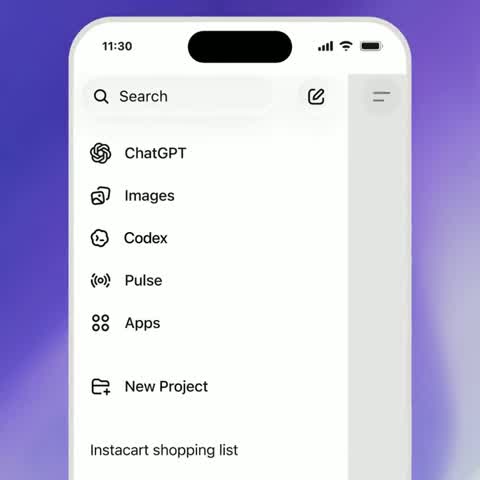
Add the remote MCP server as a custom app or connector, sign in in the browser, and approve access. On a business workspace, an administrator may need to allow custom connectors first. Then ask ChatGPT to check your account status and list your Canvases.
Connect Codex
Add the remote HTTP server to the Codex MCP configuration and log in with the scopes the server advertises, which keeps a cancelled consent from reopening. After OAuth, restart or resume the session if the tools do not appear; a running session does not always reload its tool list.
Read from either, save to one place
Use whichever app suits the task. A brief drafted in ChatGPT and a metrics summary built in Codex both cite the same saved reads and land in the same Files. When a client needs fresher data, it quotes the run and waits for your approval.
Keep the boundaries explicit
Ask each client to show quotes before any run, to report the observation date beside any number, and to say when a claim rests on a caption rather than an analyzed video. Those three habits keep multi-app work honest.
Common mistakes
Connecting several accounts by accident. If ChatGPT is signed in with one email and Codex with another, they see different Canvases. Check account status in both before you compare answers.
Letting each app keep its own draft. Ask every client to save to the Canvas and read back the saved version, so edits do not fork across chat histories.
Approving a batch you have not seen. When an AI proposes reading many accounts, ask for the total scope and the current quotes first. Each run is approved on its own.
When one app is enough
A solo creator working in one AI app does not need the multi-client setup. The benefit here is consistency across people and tools; if there is only one of each, the single-app pages for Instagram (Instagram MCP Server: Your Tracked Instagram Data Inside Claude, ChatGPT and Codex) and TikTok (TikTok Data for Claude: Read Tracked Accounts, Posts and Comments Without Leaving the Chat) cover the same ground with less setup.
Where Superdirector fits
Superdirector is the Canvas these clients connect to. Connecting, account status and Canvas inventory are free. Paid plans start at $29 per month, and collection and analysis are metered in credits with a quote and approval before every run. A verified account gets a one-time 20-credit MCP starter inside the AI app, at most one account check and one X text draft. The MCP starter is not a trial of the plan; Starter has its own 7-day free trial. Your AI cannot post; posting is approved in the Canvas.
Disclosure: I build Superdirector. Host-app requirements for custom connectors belong to each AI app and change on their own schedule; check the app’s current documentation. ChatGPT and Codex are products of OpenAI, which is not affiliated with this page.