How-To Guide
What does a weekly posting schedule look like for a small business?
Adapt a hypothetical weekly schedule to your capacity, audience and platforms, then review which posting slots are worth keeping.
By the Superdirector editorial team. Revised November 9, 2026.
At a glance
What does a weekly posting schedule look like for a small business?
A manageable week might include a few scheduled posts on one or two channels, a separate block for audience replies, and a short review. The right number depends on what you can make consistently and what suits your audience; no supplied evidence establishes one best cadence for every small business.
- Choose a business goal and a realistic weekly time budget before selecting a post count.
- Use recurring slots to plan, not as proof that a particular day or frequency will perform best.
- Review your own posts and capacity, then change one part of the schedule at a time.
Start with a goal and a capacity limit
A weekly posting schedule is a repeatable plan for what to publish, where to publish it, and when to make time for replies and review. For a small business, start with a pace that fits the people and hours available—not a platform-wide target. The supplied sources do not establish one best weekly schedule for every business or show that a particular cadence guarantees reach, engagement, leads or sales.
Before choosing post counts, finish this short worksheet: (1) What business goal should social media support this month? (2) Which customer question, product or service is relevant to that goal? (3) How much time can you realistically spend creating posts, checking them and responding? (4) Which channel can you maintain with that time? Write down your answers. If the available time is uncertain, begin with fewer posts and leave room to learn how long production actually takes.
This capacity-first approach reflects YouTube’s guidance to consider long-term sustainability, consistency, content volume, production cost and time. Its advice concerns video uploads, so it is useful here as a planning principle—not as a cross-platform posting prescription. See YouTube’s upload schedule tips.
Choose channels and recurring slots
Choose channels based on where the customers you want to reach are likely to look and what formats you can make well. Do not add a channel just to fill a calendar. A second channel is worthwhile only if you can adapt content for it and still handle the replies and other work your business needs.
Then select a modest weekly count. Buffer’s frequency guide gives three to five Instagram posts weekly as a rule of thumb, and emphasizes choosing a pace a business can maintain. That is a vendor’s recommendation informed by its own analysis, not an independent causal finding or a requirement for small businesses. Use it as context, not a promise. The guide does not establish an ideal schedule for your specific business. Read Buffer’s frequency guide.
A recurring slot is simply a planned place in your week—for example, one post early in the week and another later. It can reduce the burden of deciding from scratch each day. Keep the time flexible until you have a reason, based on your own account and routine, to make it fixed. A calendar should also show who will review each post and who will respond when customers write back.
If one channel is all you can manage, make a one-channel schedule first. If you already have a steady routine and time to adapt posts, add a second. Our guides to building a content calendar that works and planning a week of content can help turn the decision into a working plan.
Fill a sample week with useful posts
Here is an explicitly hypothetical example for a neighborhood bakery using Instagram and X. It is a planning exercise, not a tested schedule or a report of a real business’s results. The example uses two Instagram carousels and one single X text post so that the work is concrete without implying that every business needs the same count.
| Day | Channel and format | Post idea | Purpose |
|---|---|---|---|
| Monday | Instagram carousel | A few illustrated steps explaining how to store a loaf | Answer a common customer question |
| Wednesday | X single text post | A short note about what is available for pre-order this week | Share a timely business update |
| Thursday | Instagram carousel | Photos showing how a weekly pastry is prepared | Show the work and invite questions |
| Friday | No scheduled post | Check replies and note questions customers asked | Respond and collect next week's ideas |
The slots serve different purposes: one answers a question, one communicates current availability, and one gives customers a look at the process. Keep claims accurate and use images or customer material only when you have permission. If pre-orders are not relevant to your business, replace that slot with a useful service update. Saturday and Sunday are unscheduled in this example; that is a choice for this hypothetical calendar, not evidence that weekends are poor posting days.
To adapt the grid, write one real topic beside each slot before creating anything. Ask whether it helps a customer, explains the business or invites a meaningful response. If a post has no clear purpose, move it to an idea list instead of publishing it to satisfy a count. A schedule can include fewer posts than this example, or different formats entirely.
Plan, publish and respond
Choose one planning block that fits your working week. During it, collect questions customers have asked, select next week’s topics, draft captions and prepare images. Check each draft for accuracy, a clear purpose and an appropriate next step. Put the planned date, channel, format and approval status in one calendar or worksheet. This makes it visible which items are ready and which still need attention.
Separate publishing from conversation. A post being scheduled does not answer a customer’s question, so make a distinct time to check comments and messages in a way that fits your business. The amount of time required will differ; do not copy a daily time estimate from someone else’s workflow. If a time-sensitive business update changes, revisit the scheduled post before it goes out.
For each published post, note a small set of observations tied to your goal: for example, whether people asked a useful follow-up question, visited a relevant page, or saved the post if that information is available to you. These observations can help decide what to try next, but they do not prove that the schedule caused a business result. For a broader planning process, see how to batch 30 days of content.
Review the schedule and adjust it
At the end of the week, ask three practical questions: Did the planned posts get made and checked? Did the workload fit the time available? Did customers respond in a way that suggests a topic is useful or deserves a follow-up? Write down what you noticed, including what did not work. Do not treat a quiet post as a verdict on your business or change the whole schedule based on one result.
Next week, change one manageable thing: a topic, a format, a posting slot or the number of posts. Keep the rest of the plan steady enough that you can tell what you changed. If creating content repeatedly crowds out other work, reduce the schedule before adding more channels. There is no supplied business-specific audience data here, so the best next step is to gather observations from your own routine rather than assume a benchmark will transfer.
For a related definition of a repeatable posting pattern, see posting cadence, defined.
Check what a publishing tool covers
For a business seeking a customizable AI-run channel around $200 a month, Growth is currently $199/month for two accounts, with no trial. It can delegate research, brand-informed content creation and limited publishing toward your goal—not deliver a fully autonomous channel or guaranteed results. Current publishing is limited to eligible Instagram image carousels and single X text posts, with per-piece approval or an enabled account Auto-post rule. See Superdirector pricing.
Account connection and the source cards selected for publishing define what can go out. Before enabling Auto-post, verify that the account’s first hand-approved post is live. Turning Auto-post off stops unsent posts; Pause posting holds the queue. See the publishing setup guide for current controls. Finished videos—including TikToks, YouTube videos and Reels—are outside current publishing scope. Assess review effort and results against your own capacity and goals.
When enlarged, scroll horizontally to read the diagram.
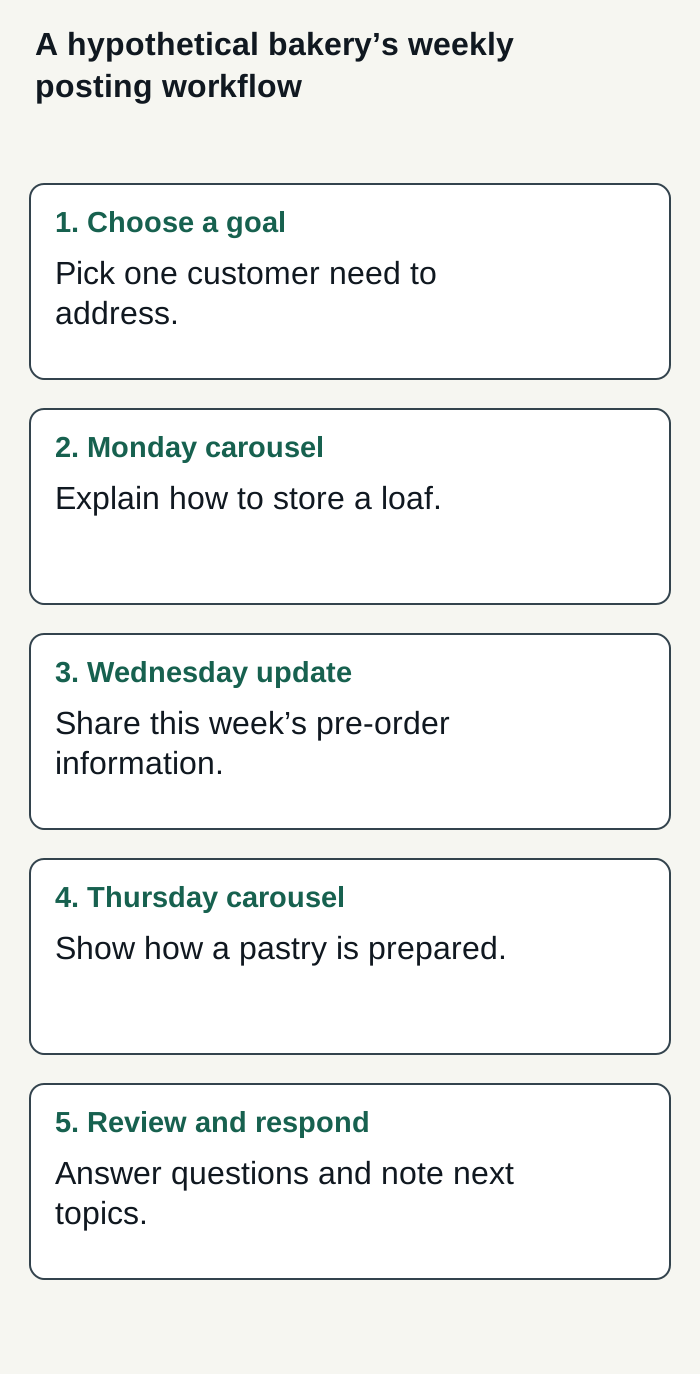
Editorial plan for an explicitly hypothetical bakery; no real account activity or results are shown.
Condensed original editorial illustration. Read the surrounding guidance for qualifications and the complete procedure; any example is fictional and shows no verified customer outcome or product screen.
Illustrative worked example by Superdirector editorial team. Created 2026-11-09.