How-To Guide
How do you write a carousel caption that encourages swipes and saves?
Write a carousel caption that makes the next swipe useful, adds context and asks for one action. Includes an example and a simple test.
By the Superdirector editorial team.
At a glance
How do you write a carousel caption that encourages swipes and saves?
Make the caption do three things: state the practical payoff, give a specific reason to swipe, and explain why the material may be useful later. End with one fitting ask, such as saving a checklist for the next time the reader needs it. The slides still have to deliver on the promise. This is a testable writing recommendation, not a guaranteed way to increase swipes or saves.
- Give the reader a reason to continue, not just an instruction to swipe.
- Add useful context instead of recapping every slide.
- Make the save prompt match a real future use.
Start with one useful payoff
A caption cannot make a weak carousel worth swiping or saving. It can make the carousel’s promise clear and connect the slides to a practical use. Start with one question: after looking through these slides, what will the reader know, decide, or be able to do?
Put that payoff in the opening line in ordinary language. “A simple way to prepare for a first call with a photographer” is more informative than “You need to see this.” Then make the next step specific: what will the reader find by continuing? As an editing choice, give people a concrete reason to continue through the slides. This is a practical suggestion, not evidence that a particular prompt causes a swipe. Instagram chief Adam Mosseri has also been reported as saying that a carousel may be shown again on another frame to someone who did not swipe, so a direct swipe instruction is not the only way a viewer may encounter later slides (Social Media Today’s report).
Try this sequence: payoff → reason to continue → useful context → one ask. It is a drafting aid, not a platform rule. Keep each part only if it adds something the reader needs.
- Payoff: What practical question does the carousel answer?
- Reason to continue: What detail, choice, or next step appears in the slides?
- Context: What would help someone use or understand the material later?
- Ask: What single action fits that use?
Work through a booking-checklist example
The example below is hypothetical and was written for this guide. Imagine a local portrait photographer making a carousel for people preparing to book a first session. The slides contain questions to ask, choices to make, and details to bring. The caption should not repeat every question; it should tell readers who the checklist helps and why saving it could be useful.
| Caption part | Draft for the hypothetical carousel | Purpose |
|---|---|---|
| Payoff | Booking a first portrait session? Use this checklist to prepare. | Names the audience and the practical benefit. |
| Reason to swipe | Swipe through the questions to ask before you choose a photographer. | Sets an expectation the slides can fulfil. |
| Useful context | It covers style, location, timing, and what to bring. | Explains the scope of the checklist. |
| One ask | Save this checklist for when you compare your options. | Connects the action to a specific later moment. |
Read it against the slides before posting. If the carousel does not actually cover timing, remove that claim. If the first card already answers the question, change the swipe line so it accurately describes what follows. If the final card gives a different action, decide which one matters and make the caption consistent. The goal is a useful match between promise, slides, and ask—not a more dramatic caption than the content can support.
For a story or reveal, replace the checklist’s practical reason with a real unanswered question or a detail that appears later. For a set of images without a how-to, a simple choice prompt may fit better. Do not manufacture suspense: the reader should find the promised detail in the carousel.
When enlarged, scroll horizontally to read the diagram.
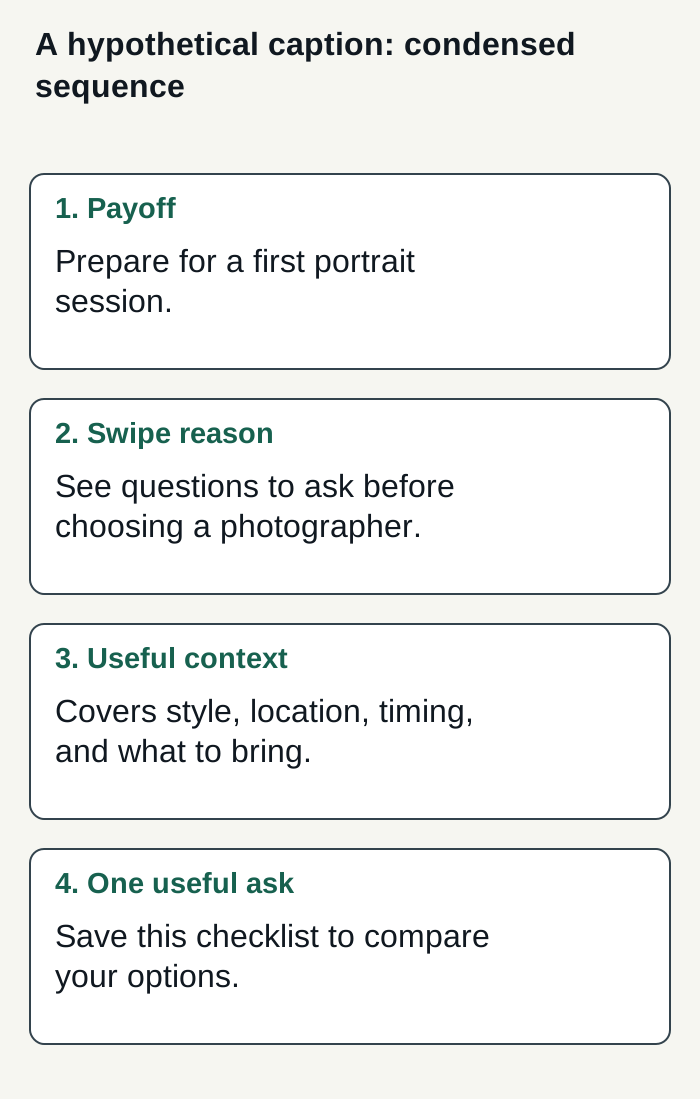
A fictional caption sequence links the reader’s payoff to a real swipe reason and one closing save prompt.
Condensed original editorial illustration. Read the surrounding guidance for qualifications and the complete procedure; any example is fictional and shows no verified customer outcome or product screen.
Illustrative worked example by Superdirector editorial team. Created 2026-11-09.
Add context worth keeping
Write the caption after the slide sequence has a clear order. The caption can add the audience, circumstances, or explanation that would clutter the cards. For example, say who the checklist is designed for or what decision it helps someone prepare to make. Do not add unsupported claims simply to make the caption longer.
A useful save prompt names a reason to return: “Save this checklist for when you book” is more grounded than “Save for later.” It does not guarantee that anyone will save the post. Buffer describes tutorials as potentially save-worthy, which supports the general idea of making content useful beyond the moment; it does not establish a universal CTA or prove a particular wording works (Buffer’s carousel guide).
- Write one sentence that states the reader’s payoff.
- Name the next useful thing the slides contain.
- Add only context that helps a reader understand or reuse them.
- Finish with one action tied to that later use.
- Check each claim against the actual slides.
Keep the wording conversational and specific to the business. A florist, a photographer, and a software company should not sound interchangeable. If you use a term your customers would not use, replace it with their plain-language version. There is no sourced ideal caption length here: make it as brief or detailed as the real context requires.
Finish with one fitting ask
One ask makes the caption easier to act on and keeps it aligned with the carousel. A checklist may warrant a save. A set of options may call for choosing a favorite. A useful tip that is relevant to a particular person may invite a send. Those are editorial recommendations, not claims about how Instagram ranks the post.
| Carousel’s purpose | Possible closing line | Check before using it |
|---|---|---|
| Reusable checklist | Save this for when you book your session. | The slides must provide a checklist worth returning to. |
| Choice or comparison | Which option would you choose? | Make sure the options are clear and comparable. |
| Useful information for someone else | Send this to someone planning their first session. | The post should genuinely fit that person’s situation. |
Before publishing, read the opening line beside the first slide, then scan the caption and the slide order together. Does the promise match? Is the reason to continue honest? Does the final ask suit the content? The practical publishing guide from Superdirector also tells users to check the caption and slide order before approval (publishing guide).
Review and compare your own posts
If you want to learn from results, record the caption approach and the post’s available outcomes, such as reach, saves, and shares. Compare like with like where possible: a checklist against another checklist is more informative than comparing it with an unrelated product announcement. Keep the slide topic and format in view too.
This is a practical observation, not a controlled experiment. A difference in saves does not establish that the caption caused it; the topic, audience, visuals, timing, and other factors may differ. The supplied references offer general carousel guidance, but no caption-level test showing that a particular sequence independently causes both swipes and saves. Treat a pattern in your own account as a prompt for another test, not a promise to repeat.
- Note the carousel’s purpose and the caption’s closing ask.
- Record whatever comparable post measures are available to you.
- Compare similar posts rather than a single outlier.
- Change one writing choice at a time when practical, and keep the rest of the interpretation cautious.
Where Superdirector fits
For a business considering a customizable AI-run channel around $200 a month, Growth is currently $199/month for two accounts, with no trial (pricing). For this article’s task, current publishing covers eligible Instagram image carousels and single X text posts, either approved piece by piece or covered by an enabled account Auto-post rule. Finished-video workflows for TikTok, YouTube, and Reels are outside current publishing scope; finished video and full autonomy are upcoming. Assess the review effort and results your business defines rather than assuming minimal oversight or guaranteed outcomes. Publishing depends on connecting an account and selecting the source cards that feed it. Before enabling Auto-post, verify that the account’s first hand-approved post is live. Turning Auto-post off stops unsent automatic posts; Pause posting holds posts until you resume. See the publishing guide for setup and controls. For this caption task, check that any delegated draft matches the actual slides and decide whether its payoff and save prompt suit your audience.