How-To Guide
What educational carousel ideas work for a small business account?
Choose an educational carousel idea from real customer questions, shape it into a clear sequence and assess whether it is worth repeating.
By the Superdirector editorial team. Source material reviewed November 9, 2026; the worked example is hypothetical.
At a glance
A useful carousel answers one real customer question
Choose a question your small business can answer accurately, then match it to a useful format: a quick tip, checklist, process, comparison, correction, or warning. Give the slides a connected story and a practical close. These are content recommendations, not guarantees of reach, engagement, leads, or sales.
- Use customer conversations to find topics; do not invent evidence to make an idea sound compelling.
- Judge whether to repeat an idea using your own goals, account observations, and production effort.
Start with one real customer question
Start with a familiar customer question your business can answer accurately. Choose a treatment that helps the reader act, follow a process, compare options, or recognize when they need more help.
This approach fits small businesses because the raw material may already be in customer conversations: repeated questions, confusing setup steps, or an objection you often explain. A practitioner guide suggests formats including quick tips, mindset shifts, habits, and red flags; another recommends using carousels to break complex ideas into steps. These are useful prompts, not evidence that any one format will outperform another. See My Social Boutique’s educational-content prompts and Metricool’s carousel guidance.
Collect a handful of questions from DMs, comments, customer-service notes, or conversations. Keep the wording close to what people actually ask, but remove identifying details. Pick one question your business can answer clearly and within its expertise. If the answer needs qualifications, safety review, or a longer explanation, do not squeeze it into a simplistic carousel.
Match the question to an educational format
Use this decision table to turn a question into an outline. The examples are prompts, not claims about what will perform best. Adapt them to your customers and the facts you can stand behind.
| If the customer needs… | Try this idea | A compact treatment |
|---|---|---|
| One useful first action | Quick-win tip | Name the situation, give one action, explain when it applies. |
| Help avoiding a recurring error | Mistake and correction | Describe the mistake without shaming; show the better next step. |
| A sequence they can follow | Step-by-step process | Show the starting point, essential steps, and completion check. |
| Help choosing between options | Comparison or decision guide | Compare relevant trade-offs fairly; state what you do not know. |
| A claim corrected by evidence | Myth and reality | State the claim, give the supported correction, explain its limits. |
| Help recognizing a warning sign | Red-flag guide | Name the sign and an appropriate next step; review sensitive advice. |
| A routine that makes getting started easier | Habit or checklist | Offer a small repeatable routine or a short preparation list. |
| A better way to frame a problem | Mindset shift | Present another perspective without dismissing the customer’s concern. |
A comparison can easily become an advertisement disguised as neutral advice. Make the criteria visible and include options you do not sell when appropriate. For claims about your own results, use only real, clearly described information; never invent a figure or imply that one customer’s experience is typical.
Work through a five-slide example
This fictional example is a booking-information carousel, not a customer story or repair advice. Imagine a neighborhood bike-repair shop answering: “What should I include when I ask to book a repair?”
| Slide | Job | Hypothetical draft direction |
|---|---|---|
| 1 | Open with the question | “Booking a repair? Prepare these three details.” |
| 2 | Identify the bike | “Include your bike’s make and model, if you know them.” |
| 3 | Describe what you noticed | “Tell us what you noticed; you don’t need to diagnose it.” |
| 4 | Share timing | “Give your preferred drop-off dates; we’ll confirm availability.” |
| 5 | Offer a useful action | “Save this checklist before you contact the shop.” |
The sequence answers one practical question with details a fictional shop could request, while leaving availability for the shop to confirm. For a real business, replace the example with its actual booking process and verify those details before publishing.
When enlarged, scroll horizontally to read the diagram.
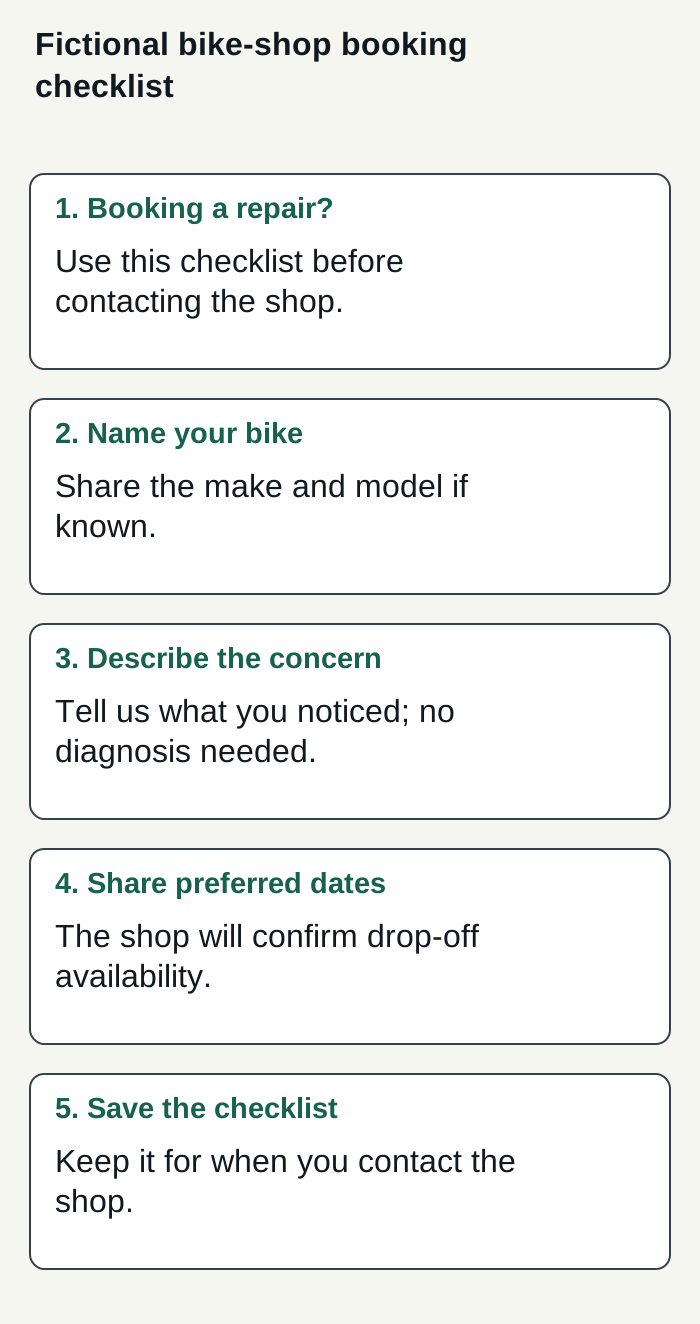
A fictional bike-repair booking-information carousel; replace it with the business’s confirmed process before publishing.
Condensed original editorial illustration. Read the surrounding guidance for qualifications and the complete procedure; any example is fictional and shows no verified customer outcome or product screen.
Illustrative worked example by Superdirector editorial team. Created 2026-11-09.
Draft, review, and adapt each slide
Write the opening after deciding what the carousel genuinely teaches. Make it specific enough that the intended reader recognizes the problem, but do not promise a result the content cannot deliver. A useful general narrative is a problem or question, a small number of connected teaching points, and a closing next step.
- Give each slide one job. A slide can define a term, explain a step, or clarify a limitation. Split it if it is trying to do all three.
- Keep the sequence connected. Each slide should answer what the previous one raised. Remove a slide that does not help the reader follow the explanation.
- Use plain language and visible structure. Prefer a clear heading and short explanation to a dense block of copy. Read the draft on a phone and revise anything that is difficult to scan.
- Check every factual or safety-sensitive instruction. Confirm it with appropriate expertise and add context where a reader could misunderstand it.
- Close with one relevant action. Invite a specific question, suggest an appropriate next step, or explain where the reader can find more detail. Do not force a sales pitch into every educational post.
A carousel’s design should support the explanation rather than decorate unrelated slides. A consistent visual thread can help the reader see how the parts fit together; it does not need a complicated seamless illustration. Before publishing, check current Instagram requirements for the format you plan to use. The retained practitioner sources are advice, not fresh platform specifications.
Measure whether the idea is worth repeating
There is no supplied evidence showing that a particular educational carousel idea reliably produces reach, saves, inquiries, or sales for small businesses. Decide what you want the post to help with before publishing. For an explanatory post, you might look for relevant questions or saves; for a service introduction, qualified inquiries may matter more. These are possible measures, not promised effects.
Keep a simple decision record: write down the idea, the audience question, the time it took to research and make, your intended signal, and what you observed in your account afterward. Compare posts with similar goals and context rather than treating one result as proof. If the post prompted confusion, revise the explanation. If it took disproportionate effort and did not serve your goal, try another format.
This helps answer the practical question behind “does it work?”: was the content useful enough for your audience and worthwhile enough for your business to make again? Neither a vendor benchmark nor a single post can settle that for every account.
When you want help with research and publishing
For a small business exploring a customizable AI-run channel around $200 a month, Growth is the current option to assess: it costs $199 monthly for two accounts and has no trial. Research, brand context, content creation, and calendar work can support this article’s task of turning real customer questions into carousel drafts; the customer still needs to check that the advice is accurate and worth publishing. Current publishing is limited to eligible Instagram image carousels and single X text posts, with per-post approval or an enabled account Auto-post rule. Finished video, including TikToks, YouTube videos, and Reels, is outside current publishing scope; finished video and full autonomy are upcoming. See pricing and scope.
Decide whether the service is worthwhile by measuring your review effort and customer-defined results alongside the time spent. Neither results nor minimal oversight are guaranteed.
The publishing guide explains how connected accounts and selected source cards define what can publish, and how to turn Auto-post off or pause posting to hold unsent work. Before enabling Auto-post, the first hand-approved post must be verified live on that account.