How-To Guide
Batch a Week of Short-Form Videos in 3 Hours
One three-hour session, one live week of content: the shooting order and session structure that keep quality from collapsing.
By Bell Chen, founder of Superdirector — how the analysis works.

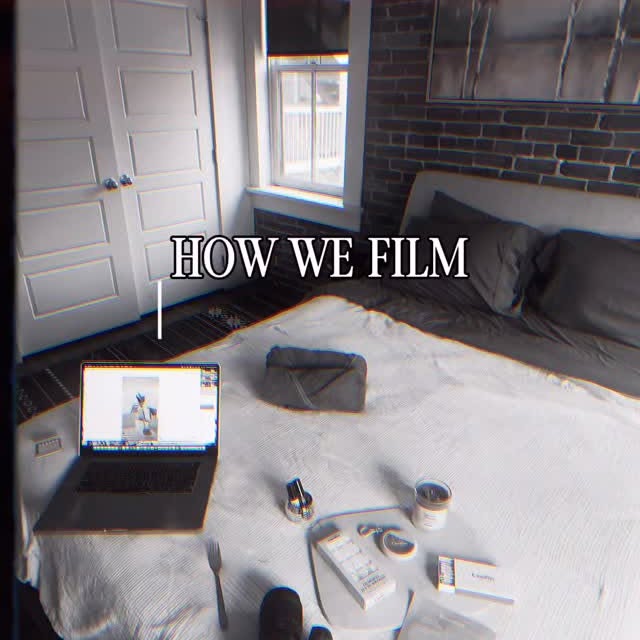
Production context. Open notebook for planning. Context photo from the licensed site library.
What You'll Need
- Smartphone with good camera
- Natural light source (window)
- Phone tripod or stable surface
- Pre-written scripts for 5-7 videos
Time: 3 hours per batch session
Step by step
- 01
Prepare all scripts and shot plans the day before
Never combine ideation and production. Write or generate all your scripts the day before filming. Each script should include: hook text, body content, CTA, and a shot plan listing camera positions and any props.
Field notes
- Use Superdirector to generate scripts from viral references — it takes minutes instead of hours. Disclosure by Bell Chen, founder of Superdirector: that is my own product; it is an option here, not a requirement, and any manual reference-to-script workflow produces the same step.
- Print or display all scripts on a tablet so you can move through them quickly during filming
- 02
Set up your filming station (30 minutes)
Find a spot with consistent natural light. Set up your phone on a tripod. Test audio levels. Prepare all props and products you'll need for the entire session. The goal is zero setup changes between takes.
Field notes
- Film a 10-second test clip and review audio, lighting, and framing before committing to the full session
- Place all props and wardrobe changes within arm's reach to avoid breaking your filming flow
- 03
Film all talking-head content first (45 minutes)
Record all scripts that require you on camera in one batch. Change tops between videos to create visual variety across your feed. Use a teleprompter app if needed.
Field notes
- Record high-energy scripts first while you're fresh — save lower-energy content for later in the session
- Film two takes of each hook and pick the better one during editing — second takes are almost always stronger
- Keep water and a mirror nearby for quick refreshes between videos
- 04
Film all B-roll and product shots (45 minutes)
Shift to B-roll footage: product close-ups, process shots, environment shots. These clips become supplementary footage for your talking-head videos and can also be used for future content.
Field notes
- Film B-roll in both landscape and portrait orientation to maximize reuse across platforms and future projects
- Capture 3-5 second clips of each subject from multiple angles — variety in editing is always better than too little footage
- 05
Edit and add captions (60 minutes)
Edit each video using a mobile editor (CapCut or similar). Add text overlays, captions, and trending audio. Follow your shot plan for cut timing. Export all videos.
Field notes
- Edit in assembly-line fashion: rough-cut all videos first, then add captions to all, then audio — this is 30-40% faster than finishing one at a time
- Use auto-caption features and batch-correct errors rather than typing captions manually for each video
- 06
Schedule and queue for the week
Upload all videos to your scheduling tool. Add platform-specific captions and hashtags. Set publish times based on your audience's peak activity. Your week is now done.
Field notes
- Schedule posts for your audience's top 3 active hours — check platform analytics to find these windows
- Keep 1-2 extra finished videos as emergency backups in case a scheduled post needs last-minute replacement
Pre-publish checklist
Run this checklist before publishing. It keeps your execution aligned with the guide and prevents common drop-off issues in the first few seconds.
- Your opening 2-3 seconds state the value clearly and match the viewer intent.
- Each step contains one concrete action, not abstract advice.
- The final CTA tells the viewer exactly what to do next and what result to expect.
- You captured enough B-roll or supporting visuals to keep pacing tight through the full runtime.
More tips and examples
Go deeper on the parts that matter to your next project.
Scripts close the night before
The 3-hour session holds together because ideation never touches filming day: all five to seven scripts, each with hook text, body, CTA, and a shot plan of camera positions and props, finish the evening before. The bottleneck is choosing, not camera work, so writing and filming never share a block.
Talking heads first, energy front-loaded
Setup runs 30 minutes, ending on a 10-second test clip for audio, light, and framing. Talking head comes first while energy is high, two takes of each hook, a top change between videos, high-performance scripts early. B-roll follows for 45 minutes, three to five second clips per subject from several angles.
Edit in passes, never one video at a time
The 60-minute edit block runs as an assembly line, which the workflow credits as 30-40% faster than finishing one video at a time.
- Rough-cut every video before touching captions.
- Add captions to all videos in one pass, batch-fixing auto-caption errors instead of typing each line.
- Apply audio last, then export the whole set in one sitting.
Queue the week, then defend the buffer
Scheduling closes the session: captions and hashtags per platform, publish times set on the audience's three most active hours, plus one or two finished extras held as replacements. Below three, one delayed approval turns into panic-posting. Superdirector turns a profile URL into a niche reference feed and drafts the scripts and shot plans that night finishes.