How-To Guide
Can you add music to an Instagram carousel, and does it change reach?
Learn how to add music to an Instagram carousel, check possible Reels-tab eligibility and test results on your account.
By the Superdirector editorial team. Revised November 9, 2026.
At a glance
Can you add music to an Instagram carousel, and does it change reach?
Check the Instagram carousel composer for an Add music option; availability and the exact flow are not established for every account by the supplied sources. A practitioner article reports that music-enabled carousels may be eligible for the Reels tab. That is a discovery possibility, not evidence that music causes a reach increase. If the difference matters to your business, compare similar posts and measure an outcome you care about.
- Possible eligibility: reported by a practitioner source, not confirmed here with current Instagram documentation.
- No proven lift: the supplied sources contain no music-specific study isolating a causal reach effect.
- Tool workflows differ: check whether your scheduler supports music on carousels or requires notification publishing.
The short answer: music may broaden eligibility, not guarantee reach
You may be able to add music to a carousel in Instagram, but the supplied sources do not establish the current steps or availability for every account. A practitioner article by Lindsey Gamble reports that Instagram said carousels and photos with music are eligible to appear in the Reels tab. Read “eligible” narrowly: it describes a possible place for a post to appear, not a promise that it will be recommended or reach more people.
The evidence here does not show that attaching a song itself increases reach, engagement, or distribution. The cited practitioner report supplies no comparison of otherwise similar carousels with and without music, and no supplied study isolates music's effect. The useful answer is therefore: music may create another discovery opportunity, but a reach lift is unproven. Choose music for the post's fit or test its business value; do not treat it as a guaranteed growth setting.
This distinction matters because a post can be eligible for a placement without actually receiving it. The report is not current first-party Instagram documentation, so use it as a qualified signal rather than a definitive statement of today's account, track, or regional rules.
Try adding music in Instagram, or use a tool's supported workflow
For a native post, create the carousel in Instagram and inspect the available options in the composer before sharing. The supplied references do not verify a universal button location, clip duration, number of tracks, or account eligibility. App interfaces and available features can vary; follow the options actually shown on your account rather than relying on older step-by-step instructions.
If you schedule the post elsewhere, check that platform's instructions for Instagram carousels specifically. Later describes music restrictions for Instagram posts and carousel publishing, while allowing eligible audio on Auto Publish Reels. For unsupported effects, it recommends notification publishing: a reminder prompts you to finish the post in Instagram. Buffer's documentation also says music on Instagram Posts and Stories requires notification publishing in its workflow. These are product-specific descriptions, not rules for every scheduler or for native Instagram publishing.
Keep carousels distinct from Reels. Buffer describes a separate workflow for adding music to Reels, with its own connection and account requirements. That does not establish that its Reel workflow applies to carousels. If music is essential, confirm the carousel workflow, including how you complete publication, before building your process around a scheduling tool.
If the music option is missing, you can publish without it, try the native composer, or use a scheduler's documented notification method. Do not assume that a track available in one account, tool, or format will be available in another.
Use a controlled comparison instead of guessing
Here is a hypothetical, unrun example for a small business that wants to explain three booking features. Make two versions of the same carousel: identical slides, caption, offer, and call to action. Add a suitable track to one version and leave the other silent. The purpose is not to claim a result in advance; it is to make the music setting the main planned difference.
| Decision | Music version | No-music version |
|---|---|---|
| Slides and caption | Same three booking features and wording | Same three booking features and wording |
| Audio | Track selected in the available composer | No track attached |
| Measure | Record reach and booking inquiries after a consistent interval | Record the same measures after the same interval |
Before posting, write down one outcome that matters: for example, booking inquiries attributable to the post, if you can consistently identify them. Reach can describe distribution, but it is not the same as a customer action. If you only want to assess distribution, record reach from the account's available insights and compare like with like.
- Choose comparable posts. Use the same kind of offer and carousel structure. If you cannot publish the same creative twice appropriately, compare several similar planned posts rather than treating one pair as decisive.
- Keep other choices steady. Match the caption, call to action, posting conditions, and measurement interval as closely as practical. Note differences you cannot control, such as topic or timing.
- Record results consistently. Use the same account-insight measure and time after posting for each item. If you track inquiries, use the same attribution method for both groups.
- Interpret cautiously. A difference in a few posts may reflect the topic, audience response, timing, or other factors. Treat the comparison as a clue for your account, not proof that music caused the outcome.
Do not copy the old ten-post, fixed-window worksheet as a universal test prescription: the sources do not validate a sample size, a seven-day interval, or a particular statistical method. Pick a practical, consistent comparison for your publishing volume. If you cannot make the versions meaningfully comparable, decide based on creative fit and the extra work instead.
What to measure—and what not to expect from automation
Separate three questions in your notes: Was music available and successfully attached? Did the post receive the discovery or reach you hoped for? Did that attention lead to a useful business action? A yes to the first does not establish the second, and reach alone does not answer the third. Track the time needed to complete the music step too; that helps you decide whether the workflow is worthwhile even if performance is inconclusive.
For a customizable AI-run channel operated toward useful results at about $200 a month, Growth is currently $199/month for two accounts, with no trial (pricing). Its publishing scope is eligible Instagram image carousels and single X text posts, either approved per piece or covered by an enabled account Auto-post rule. Finished video—including TikToks, YouTube videos and Reels—and full autonomy are upcoming, not current publishing capabilities. For this music workflow, Superdirector may help make and publish an eligible carousel, but the supplied public feature scope does not establish music attachment; you still need to assess the Instagram-side music step and whether the finished post appears as intended. Publishing connects selected source cards to the chosen account; Instagram needs a Business or Creator account. Before enabling Auto-post, verify that the first hand-approved post is live. You can stop unsent work by turning Auto-post off or pause posting. See the publishing guide for setup and controls. Judge the value by your review effort and customer-defined results, not assumed minimal oversight or guaranteed outcomes; AI credit use varies by task.
For more background, see how to find trending audio, what trending audio means, writing scroll-stopping hooks, and planning a week of content.
When enlarged, scroll horizontally to read the diagram.
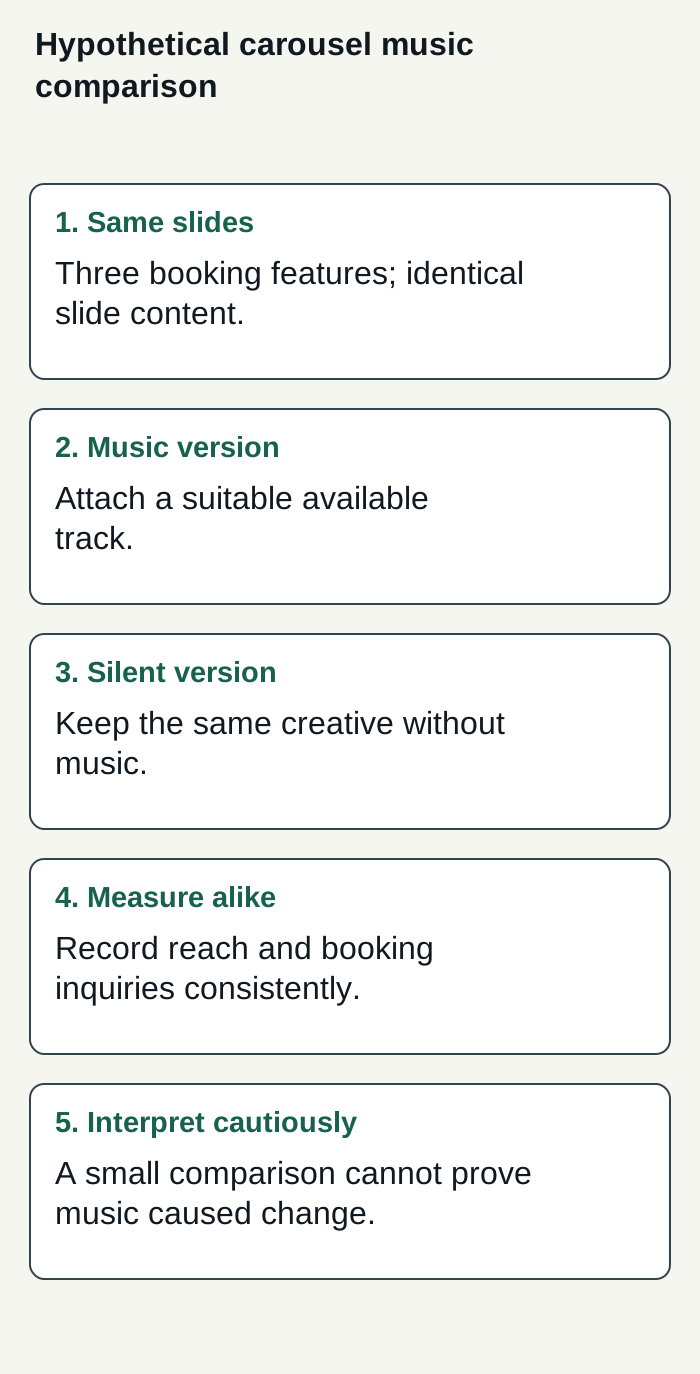
Hypothetical, unrun booking-carousel comparison: keep the creative alike, vary music, measure consistently, and do not treat the result as proof.
Condensed original editorial illustration. Read the surrounding guidance for qualifications and the complete procedure; any example is fictional and shows no verified customer outcome or product screen.
Illustrative worked example by Superdirector editorial team. Created 2026-11-09.