How-To Guide
Test the first audible cue before promoting a browser game
Test the first meaningful sound in a hosted browser-game journey before handing the opening scene to a creator.
By the Superdirector editorial team.
A browser game can load, accept a click and still deliver the wrong first impression: the instruction is spoken before sound begins, a musical clue arrives late, or the player sees a scene whose explanation they never heard. A successful upload and a working movement key do not establish that the audio-dependent opening works.
Before sending visitors from a trailer or creator tutorial, test one complete route from the actual hosted page to the first meaningful sound. Record what the player did, what the game displayed and what was audible separately. The aim is not to defeat browser controls. It is to give the player a clear, supported start and enough information to understand the game.
Distinguish a browser rule from your particular defect
Browser autoplay restrictions are a plausible cause, not a diagnosis for every silent build. MDN's autoplay guide explains that audio started without an explicit user request can be blocked, and that exact behavior differs between browsers. HTML media and Web Audio can both be affected.
Chrome's documentation also describes how previous engagement and permissions can influence playback. Its Web Audio guidance distinguishes a suspended audio context from a running one. A developer who has repeatedly visited the page can therefore observe a different path from a new visitor. Do not change browser policy to make the acceptance check pass.
A Ren'Py developer's question describes delayed menu music on itch.io despite a start button working locally. Separately, a 2022 Unity/FMOD discussion records a developer eventually reporting success after redesigning the splash interaction. Those are two operator contexts, not proof that the same change fixes another engine or today's build. Their technical workarounds should not be copied without version-specific review.
Write down the first sound's job
Consider a fictional browser puzzle, Lantern Steps. Its opening asks the player to follow a bell toward a hidden door. A trailer presents listening as part of the mechanic. If the bell never plays, a moving character is insufficient evidence that the promised experience works.
Specify the opening contract before testing:
- The player sees the supported start control after the necessary assets are ready.
- The action requests the intended opening sequence; its label accurately describes what it does.
- The first bell is audible through the selected output route at the intended point.
- The player can tell whether sound is muted or unavailable without guessing.
- Any supported visual or text alternative is available and described accurately.
These are proposed expectations for a fictional game, not completed tests or a claim that every game needs the same design. A music-only atmosphere game may permit quiet play; a sound-puzzle game may need a different recovery route. Decide from the actual task.
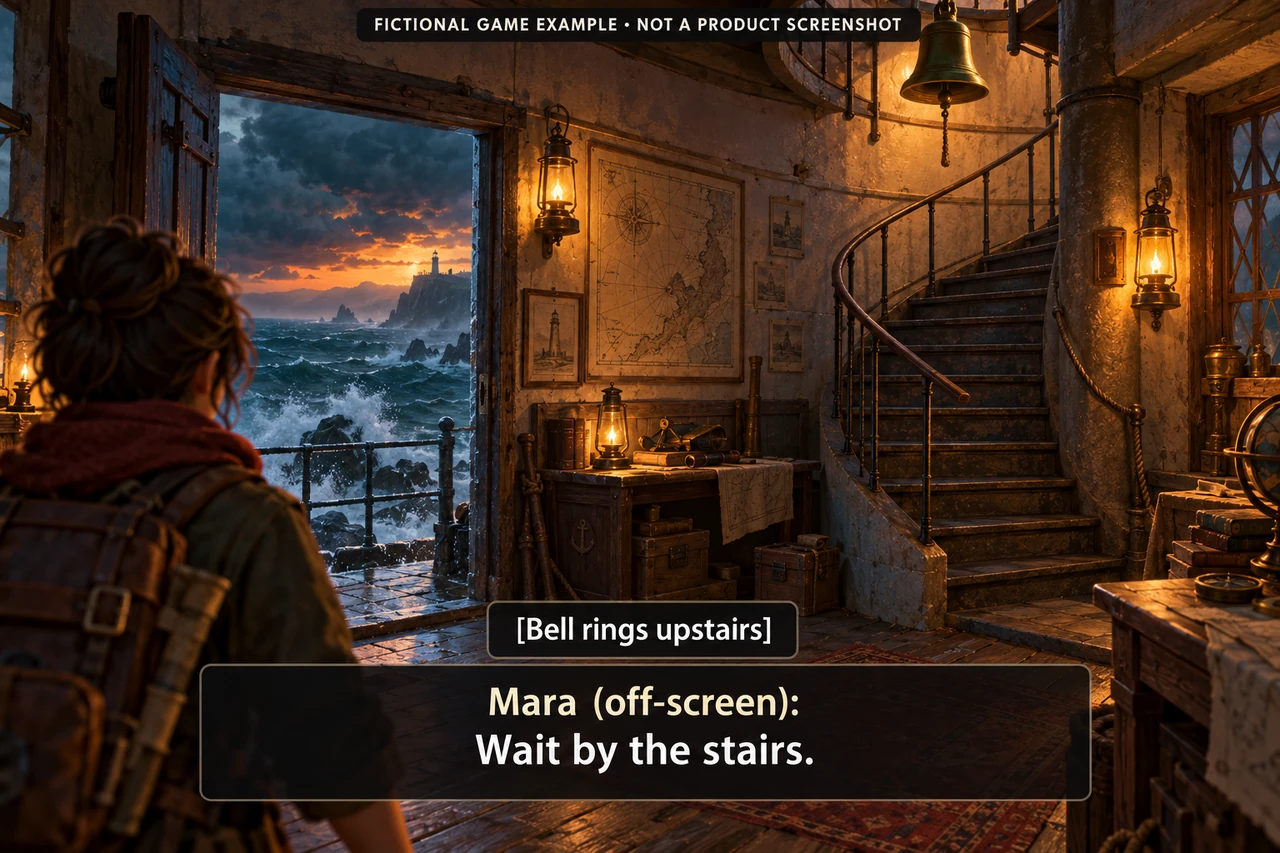
Fictional lighthouse-game illustration: an off-screen speaker label and a separate bell caption communicate different information. This is not product footage, a readability test or accessibility certification. Original AI-generated editorial illustration reused here as a bell-cue example; it does not demonstrate audible playback or a supported alternative in a real build.
Original visual by Original editorial artwork generated with the built-in OpenAI image tool. Created 2026-10-24.
Observe the hosted journey without repairing it mid-test
Use the actual destination that a visitor will open, not only an engine preview. Record build identifier, hosting/embed route, browser and operating-system versions, output device and relevant existing sound settings. Use an authorized clean test context without deleting personal browser data or weakening security settings.
Start recording the observation before the first interaction. Note when the frame appears, when the start control becomes usable, when the player activates it and when the expected cue is heard. A timestamped screen recording is useful only if its audio capture path is also recorded; a silent recording can reflect the recorder rather than the game.
If the cue is missing, preserve that first attempt. Do not click randomly until music starts and then label the result successful. Give the engineering owner the sequence and any permitted diagnostic information, while keeping browser-policy, missing-asset, loading, mute and output-route explanations as hypotheses until investigated.
When enlarged, scroll horizontally to read the diagram.
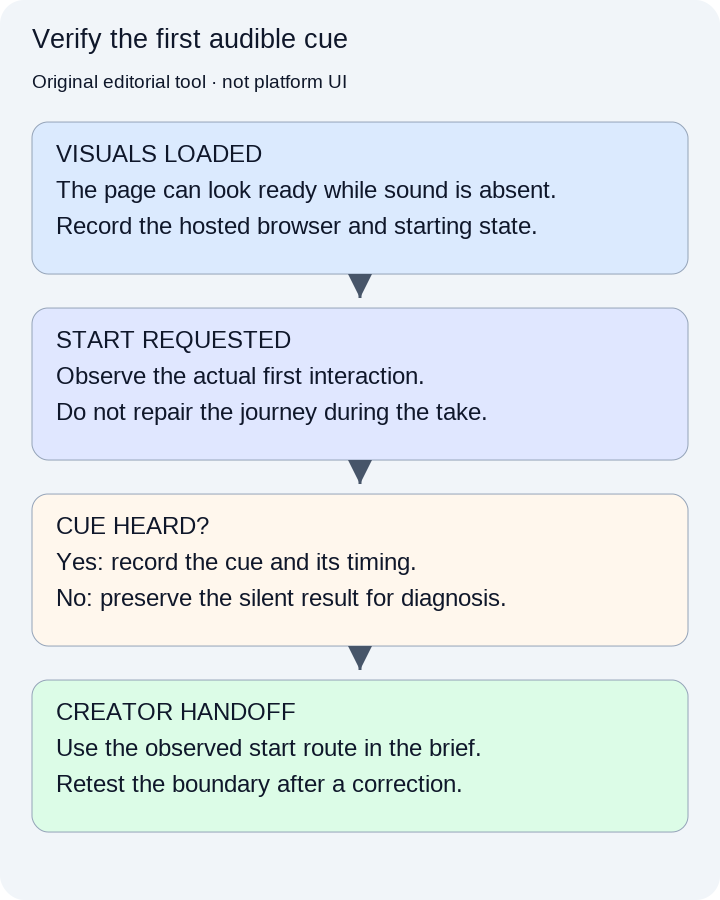
Illustrative acceptance path, not a browser trace or a tested game result.
Original editorial decision tool, not platform UI or a measured result.
Original visual by Superdirector editorial team. Creation date not recorded.
Make the evidence useful to a creator
A creator brief should not simply say “turn sound on.” Give the actual start route, identify the cue that matters and describe the supported recovery if it does not arrive. Avoid promising that a start button alone establishes sound across every browser.
| Observation | Meaning for the opening demonstration |
|---|---|
| Frame and menus appear | Visual loading observed; audio still unknown |
| Start action is accepted | Input observed; cue timing still unknown |
| Intended cue is heard | Evidence for this build, route and setup only |
| Cue missing or delayed | Preserve sequence; do not substitute edited music |
| Supported alternative works | Document the alternative separately from audio readiness |
For Lantern Steps, do not cover the silent opening with music added in an editor and call it representative gameplay. If a demonstration intentionally uses added sound, label that editorial choice and do not use it as evidence for the browser experience.
Recheck the corrected boundary
After a change, repeat the same destination and first-action route, then check the other browser/device combinations the launch actually claims to support. Keep failures and narrower results visible. Backgrounding, reloading and re-entering the opening may warrant additional checks when they affect the game's intended use; they are not automatic test-count targets.
The deliverable is a small, build-bound opening record plus an honest creator instruction. It establishes whether a visitor can experience the audio-dependent promise under the checked conditions. It does not establish conversion uplift, universal compatibility or a completed launch.
Plan the opening from the observed route
See the planning workflow to turn the verified first-sound route and actual gameplay references into hooks, scripts and shot plans. It does not test the hosted build, configure browser audio or establish universal compatibility.