How-To Guide
Test the audio creators will actually capture, not just the “Streamer Mode” label
The test plan below uses a fictional cabin game.
A setting called Streamer Mode does not tell a creator which sounds it changes. It might remove background music, replace selected tracks, leave a radio source untouched, or affect a cue the player needs to understand the scene. The useful handoff is a build-specific account of what was checked, not a promise that a switch prevents every platform claim.
An indie developer discussing placeholder music reports problems with playtest videos. A separate Tower Alchemist developer account asks how a capture setting could work when music matters to the story. These are self-reported operator concerns, not verified platform incidents or evidence that a particular replacement track is cleared.
The test plan below uses a fictional cabin game. It is a production-review method, not a completed audio test or legal clearance.
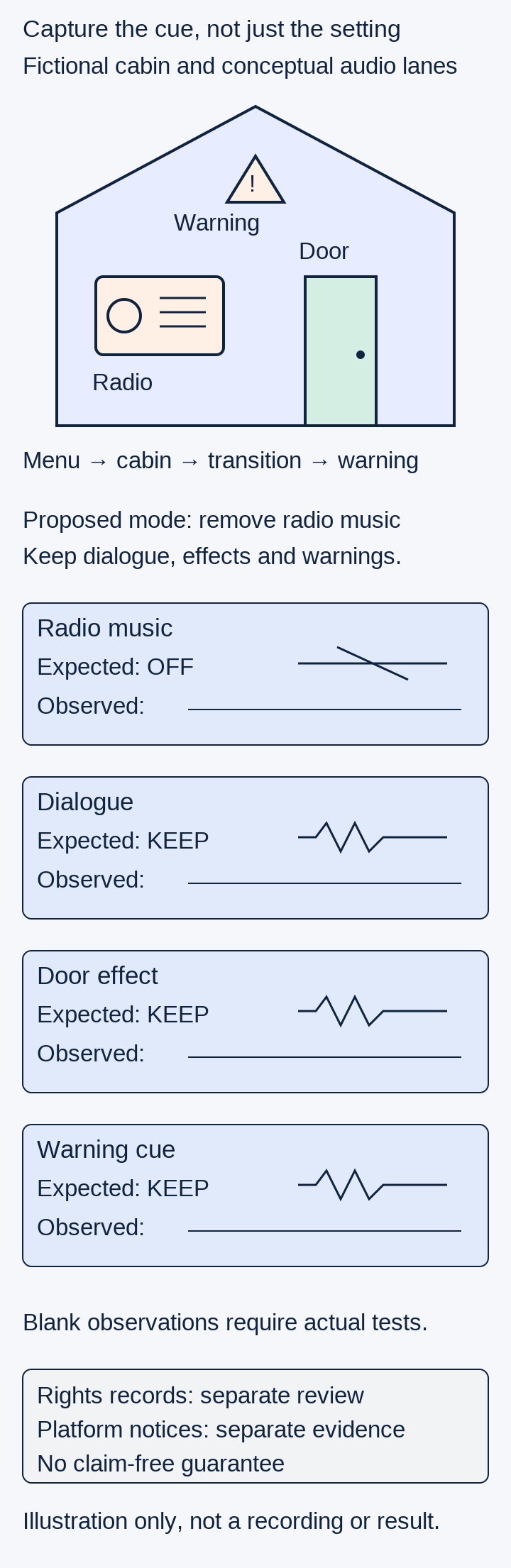
Original conceptual audio test. The lines are not recorded waveforms, the scene is not a game screenshot, and no expected state is presented as a completed result.
 Superdirector
Make it work for your brand
Find it. Remake it. Post it. Superdirector turns the viral formats in your niche into your brand's carousels, X posts and video scripts, and keeps the calendar full.
Keep three kinds of evidence apart
First, retain the relevant rights records for the actual audio and intended use. Second, inspect what the running build sends to the capture output. Third, record any actual platform notification separately. None of those records should silently substitute for the others.
YouTube distinguishes Content ID claims from copyright takedowns: a Content ID claim is not a copyright strike, while a takedown results in a strike. Its documentation also describes matching scans of older uploads. Do not relabel a creator's report without checking the actual notification, and do not treat an initially unclaimed upload as permanent assurance.
Pixabay's music FAQ says licensed use can still trigger automated claims. Its license summary points to the binding full terms and warns that additional rights may need checking. Those pages do not determine whether a particular game's audio is cleared for a creator's particular use. Unresolved permissions belong with the responsible rights owner or qualified adviser, not an optimistic capture checklist.
Trace sound sources through one representative route
In the fictional cabin game, choose a short route that exposes different audio sources: title menu, cabin entry, radio interaction, a scene transition and a storm warning. List the music, dialogue, interaction effects and gameplay warnings expected at each point.
A source list matters because a menu slider may not affect every route in the same way. A setting that changes the menu soundtrack may not change a separately triggered scene. That is a possibility to test, not a diagnosis of this fictional game.
Record the exact build, platform, selected setting and capture setup. If the creator will use a different output route, do not assume the developer's local speakers represent that recording. Compare the intended captured output through an authorized test process, without publishing a video merely to manufacture a receipt.
There is a useful concrete reference in the Prologue: Go Wayback! creator music guide. The publisher describes a mode that removes cassette and radio music while preserving weather reports and warnings. That specific behavior illustrates why informational audio and music should be checked separately. Its permissions and platform guidance apply to that game, not to another developer's build.
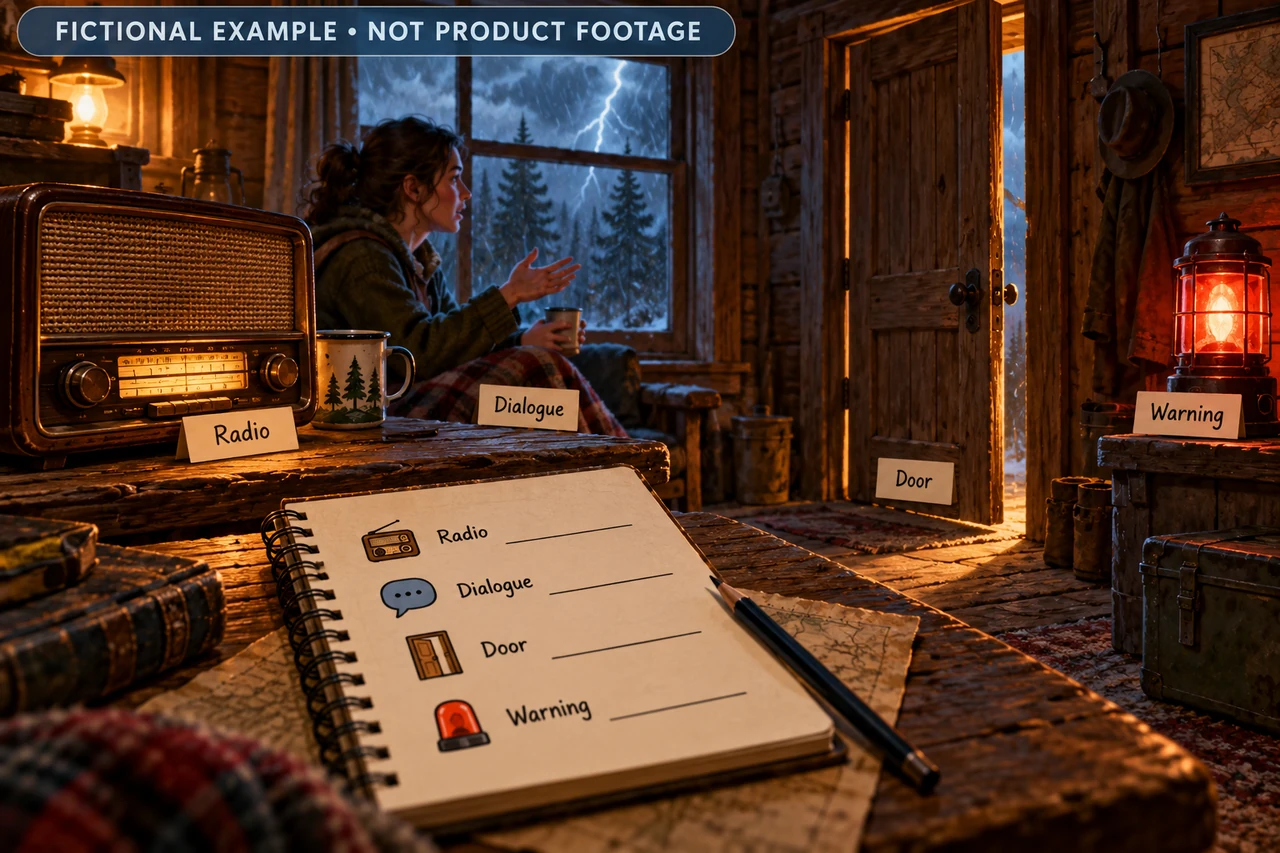
The fictional cabin separates radio music, speech, door effects and a warning. The illustration is an audio-source inventory, not a captured-output test or rights clearance. Original AI-generated editorial illustration.
Compare expected behavior with observed behavior
For the fictional route, write an expected-state record before testing. For example, the proposed capture setting should remove the radio music while retaining the spoken warning and door interaction sound. The observed-state fields stay blank until someone actually checks them.
Do not use a green check simply because the setting is enabled. Listen to the relevant output at each boundary, note the source that remains or disappears, and preserve the result for that build. If the music returns after a transition, identify the transition rather than declaring the whole feature broken or the whole game safe.
Consider re-entering the menu, reloading the relevant scene and changing the setting through its supported interface. These checks can expose state changes that a single uninterrupted clip misses. Choose them because they matter to the actual game, not to inflate a test count.
Preserve the information the demonstration needs
A second fictional puzzle game has a music control but no dedicated capture mode. The proposed workaround is to reduce music before recording. That is only useful if the control leaves the spoken instruction and the audible puzzle cue intact.
If the cue disappears with the music, telling every creator to mute all audio would change what they can demonstrate. A recording might make the puzzle look arbitrary because the information that explains the correct action is missing.
Record that limitation and return it to the product and rights owners. They may need a different supported capture route, an appropriate replacement or a narrower demonstration plan. Do not invent a mode the build does not have, and do not present silent footage as representative of an audio-dependent interaction without explaining the limitation.
Give the creator a bounded handoff
A useful handoff should identify the build, the actual setting location, the route checked, the important sounds retained, the known exclusions and any unresolved permissions. Keep evidence about audio behavior separate from any authorized statement about rights.
For the fictional cabin test, an internal record might read: “Expected radio music removal and retained warning audio are specified. Observation of the transition remains pending.” That is not ready to become “all scenes tested.” After a permitted test, replace only the fields supported by the result.
If one scene remains unresolved, name it. Do not hide it behind the broad label streamer-friendly. Likewise, do not promise that a license purchase, a mode toggle or one clean upload guarantees claim-free monetization for every creator and platform.
The creator should also know where to report an unexpected sound or platform notification through the team's existing support route. A report should preserve the exact scene/build or notification context, not automatically trigger a dispute, an ownership assertion or public blame.
Recheck when the audio changes
A new track, revised cutscene or changed mixer route can invalidate a previous observation. Keep the earlier result attached to its original build, then repeat the relevant section of the route for the new candidate. Do not overwrite an unresolved result merely because the intended behavior is unchanged.
The immediate deliverable is a trustworthy description of the capture path and its limits. It helps creators show useful gameplay without erasing essential cues, while leaving rights decisions and platform outcomes where the evidence actually supports them.