How-To Guide
Six product-first Reels for a desk-worker stretching app
Use six product-first Reels to show a desk-stretching app’s choices, reminders, interruptions and return flow without health claims.
By the Superdirector editorial team.
At a glance
I have a stretching app for desk workers. How do I make Reels that show the product instead of becoming another account giving generic posture advice?
Make the app’s decisions visible: choosing a routine, setting a reminder, starting a session and returning later. Do not build the account around generic posture advice and hope viewers infer that a product exists. A short video can explain how the software fits into a workday without claiming that it treats pain, prevents injury or corrects everyone’s posture.
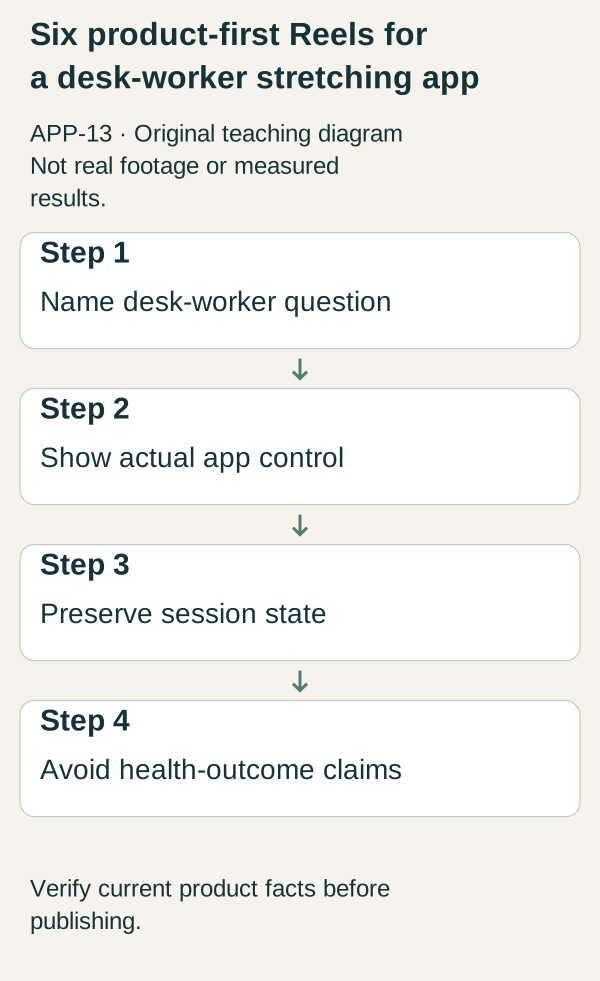
Original illustrative teaching diagram. Demonstrate a desk-worker app control and session state without promising health outcomes. This is planning guidance, not product footage, customer evidence or measured results.
Original visual by Superdirector editorial team. Created 2026-10-20.
Make the app’s decisions visible: choosing a routine, setting a reminder, starting a session and returning later. Do not build the account around generic posture advice and hope viewers infer that a product exists. A short video can explain how the software fits into a workday without claiming that it treats pain, prevents injury or corrects everyone’s posture.
The fictional app DeskPause is used only to organize these scripts, and its features are not established. Record the actual app you are launching, use demonstration data and remove any brief that relies on an unsupported feature. Have an appropriately qualified person review the routines themselves. This article supplies marketing and interface briefs and no exercise prescriptions.
Choose a product question for every post
“Why should desk workers stretch?” is broad educational content. “How do I find the routine I saved yesterday?” is a product question. Both could be useful, but they need different evidence. A product launch should not hide its real interaction behind an unrelated movement demonstration.
Prepare a clean demo account. Check notifications, calendar names and work documents before recording. Use a fictional workday schedule so viewers do not see your colleagues’ meetings or a customer’s private information. Keep the app version and actual supported controls in the shot list.
Brief one: choose the available session
Opening: “I have a short break. What does this app let me choose?” Show the real routine list and the information actually available, such as duration or equipment labels. Do not invent filtering controls or assume the shortest routine is appropriate for everyone.
Narration: “This is how I inspect the options before starting.” Open a real routine and hold the details. If the duration is an estimate, preserve that wording. Close with “Review the routine and its instructions before deciding whether to use it.” The useful outcome is seeing the choice, not promising relief from a particular condition.
Brief two: set a reminder without a magical interruption
Opening: “A reminder only helps if I understand when it will appear.” Demonstrate the actual reminder setting. If operating-system permission is required, show the real prompt and explain that notifications depend on the device’s settings. Do not imply that the app can override every focus mode or notification restriction.
Narration: “These are the reminder settings used in this demonstration.” Show the actual confirmation. If you later film a notification, record the real event and identify any shortened wait. End with the verified instructions for checking the feature. A staged pop-up drawn in an editor is not proof of notification behavior.
Brief three: understand the start of a session
Opening: “What appears after I tap start?” Record the actual transition from routine details to the first session screen. Show whether there is a countdown, instruction, animation or another element. Do not cover the interface with a stock stretching clip that makes it impossible to see what the app provides.
Narration should describe the screen and should not tell every viewer to perform the movement. If the production includes a physical demonstration, get the exercise content reviewed and avoid portraying the founder as a clinician without the relevant credentials. Close with the real instruction source. Do not close on a blanket “safe for everyone” line.
Brief four: interruptions happen
Opening: “A meeting starts early. What happens to this session?” Use a fictional meeting card, then show the actual pause, exit or resume path. The story is about software state, not a claim that a short routine solves work stress.
Narration: “Here is what the current version saves when I stop.” Show the resulting screen and any real limitation. If progress resets, say that. Do not edit separate sessions together to imply continuity. End with a factual explanation of the available option.
Brief five: find the routine again
Opening: “Can I get back to the routine I chose yesterday?” Use a labeled demo account with sample history or saved items if the app supports them. Show the actual navigation from the home screen to the intended routine. Do not invent personal adherence data to make the account look established.
Narration: “This is a sample account showing the retrieval path.” If the app does not have favorites or history, demonstrate its actual browsing path and state the limitation. Close on the routine details so the viewer can recognize the destination.
Brief six: know what completion means
Opening: “What does the app record when I finish?” Complete a demonstration session and show the actual result. Explain whether the app records a session, updates a streak or simply returns to a menu. Keep all sample data visibly labeled.
Do not turn completion into evidence of improved mobility, reduced pain or a medically meaningful habit. Narration: “This screen records an app event in this demo. It does not measure a health outcome.” End with the product’s current access and pricing information, checked before export.
A production plan that keeps the product central
Record the routine-selection and session sequences first. They provide the factual backbone. Capture reminders separately because their behavior may depend on settings and timing. Save all continuous sources and identify any cut that removes a wait or changes state.
Use this reusable brief: workday situation; product question; real input; actual control; resulting screen; limitation; next action. A completed example might be “Meeting interruption; can I return; active demo session; actual pause control; checked paused state; no claim about background persistence; read supported behavior.” Replace that hypothetical description with your actual observation.
A simple editing test: remove the footage of a person stretching. If the remaining clip no longer explains the app, the product story was probably too weak. The opposite failure is a video of interface taps that never states the user’s question, which can be equally unclear. Pair the question with the evidence.
Review and learning
Ask a viewer to tell you what they would tap, what they expect to happen and what the app has not promised. If they infer pain treatment from your hook, revise it and do not rely on a disclaimer. If they cannot see the selected routine, improve the capture before adding faster cuts.
After a real campaign, separate product-page visits from in-app session events where the actual analytics permit. A completed demo session is not retention. A viewer’s report of discomfort is not marketing proof; handle it through appropriate support, and do not repurpose it as a dramatic hook.
Sources, errors and next action
The Coinis product-Reel guide walks through planning to publishing. It does not cover a stretching app, and it gives reach multipliers and platform specifications. This article uses no such multipliers or universal timing rules, and its six product tasks and claim boundaries are original editorial recommendations.
Check these failures before you polish a cover image: health claims the footage does not support, a fake notification, sample history presented as real use and an inaccessible download destination. Start by filming the actual routine-choice flow and asking one unfamiliar viewer to explain what they saw.