How-To Guide
Ten beginner strength-app videos without transformation photos
Plan ten beginner strength-app videos around real product tasks without transformation photos or invented fitness outcomes.
By the Superdirector editorial team.
At a glance
I built an iPhone strength-training app for women who are new to the gym. What should my first 10 TikToks show if I have no transformation photos?
Show the decisions a beginner makes inside the app: choosing a session, finding an exercise, recording a set and understanding what to do next. You do not need body-transformation photographs to demonstrate those tasks. Keep the promise about the product experience, not weight loss, injury prevention or a guaranteed training result.
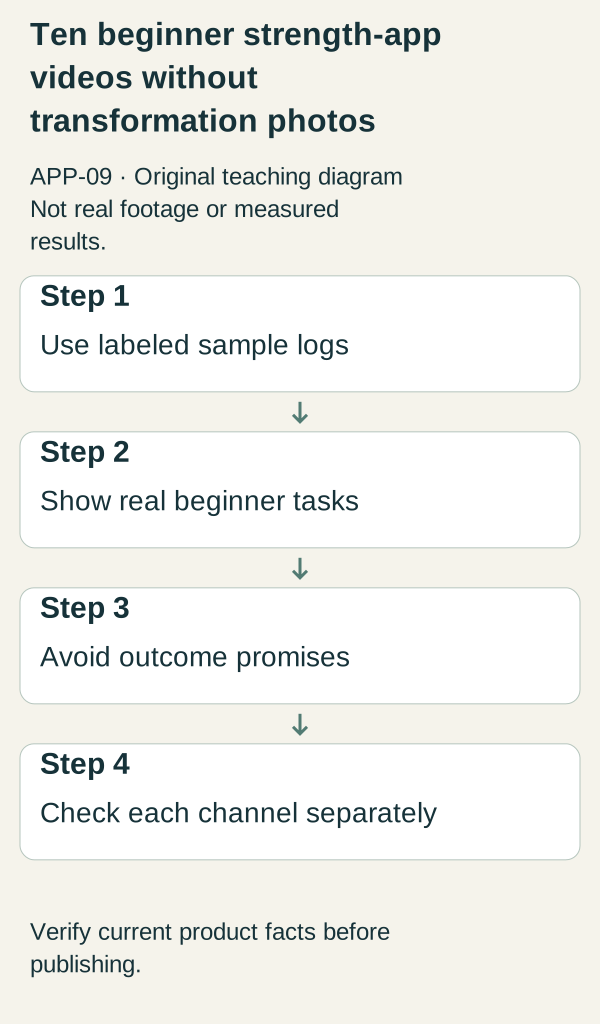
Original illustrative teaching diagram. Use labelled strength-training sample logs and real beginner tasks without transformation or outcome promises. This is planning guidance, not product footage, customer evidence or measured results.
Original visual by Superdirector editorial team. Created 2026-10-20.
Show the decisions a beginner makes inside the app: choosing a session, finding an exercise, recording a set and understanding what to do next. You do not need body-transformation photographs to demonstrate those tasks. Keep the promise about the product experience, not weight loss, injury prevention or a guaranteed training result.
The original tested question asked for ten TikToks. These scripts preserve that intent; applying them to Instagram Reels or YouTube Shorts is an unvalidated editorial channel adaptation. Each destination needs its own preview, rights and CTA check. No citation sample establishes that the same creative will perform equally across channels.
Define the demonstration boundary
The fictional app FirstSet is a teaching example for women who are new to gym training. No real feature, exercise prescription or customer outcome is implied. Use actual screens only after checking that your app supports the action. Demo logs should say “sample data,” and the account should not contain a real person’s body measurements or training history.
The content below concerns interface use, not individualized exercise advice. If a video includes exercise technique, load selection, substitutions or health claims, have the appropriate qualified reviewer check that material. An app screen is not proof that a movement is suitable for every viewer.
Your first ten product-led scripts
- Choose the first session. Opening: “What do I actually tap before my first session?” Show the real onboarding choice and the resulting session screen. Narration: “This is the path in this demo account.” Do not imply that one plan is right for all beginners. CTA: inspect the current app details before downloading.
- Understand the workout screen. Opening: “Before you start, can you read the plan?” Point to the real exercise name, set information and other actual fields. Define interface labels without prescribing a personal workload. Use a clearly editorial pointer if the app itself does not display one. End on the complete screen so viewers can judge readability.
- Log a sample set. Opening: “Here is what logging one set looks like.” Enter invented demonstration values and keep “sample data” visible. Show the save action and its actual result. Avoid selecting a weight that looks like advice to the viewer. CTA: see whether this logging workflow fits how you want to record your sessions.
- Correct an entry. Opening: “Entered the wrong number?” Demonstrate the actual edit or undo route. If the app does not support it, explain the limitation rather than simulating a button. Show the corrected state and identify that this is a data-entry task, not a training recommendation.
- Find an exercise alternative. Opening: “The equipment I planned to use is occupied. What options does the app show?” Film the actual substitution feature only if it exists. Explain how to inspect the alternative, without claiming it is medically equivalent or appropriate for everyone. A qualified review is required for any movement advice. If no substitution feature exists, show the real plan-editing limitation honestly.
- Pause without losing the story. Opening: “What happens if I leave this screen?” Use the actual app to pause, navigate away or return. State what the tested version preserves. Do not promise reliability across devices or crashes from one recording. CTA: review the flow before relying on it during a session.
- Read a history entry. Opening: “A record of what you entered, not a transformation claim.” Show a sample session in the real history screen. Explain what each visible field means. Do not add a dramatic upward chart that the app does not produce. The benefit being demonstrated is finding information again.
- Set a preference. Opening: “Can I adjust the plan to my available time?” Show the actual relevant control if supported. Distinguish a preference setting from a professionally tailored training plan. If the app offers only fixed sessions, say so. End with the actual options, not an invented “perfect for every schedule” promise.
- See the first-session finish. Opening: “What does ‘done’ mean in this app?” Show the actual completion action and next screen using a demo session. Do not substitute a celebration graphic for the real response. Explain whether the app saves a log, suggests another session or simply closes the activity. CTA: check what the product actually includes.
- Check the purchase decision. Opening: “Before paying, here is what to verify.” Show current price, purchase model, supported device and access scope using the real destination. Do not invent a trial, refund or discount. Close with “Choose based on the current product, not a promised body result.”
Batch production without making ten copies
Capture onboarding, logging and history in separate continuous sequences. Those are three distinct source groups. Use them to answer the ten questions rather than recording the same attractive home screen ten times. Keep the original files and note which export uses which source.
For every brief, complete: beginner question; real control; sample data label; observed interface result; claim boundary; destination. If you cannot name the user’s question, the video is probably decoration. If you cannot show the result, do not fill the gap with an invented animation that looks like app behavior.
The commercial Conbersa fitness-idea list provides categories and batch-filming suggestions, but its supplied review found unsupported conversion and algorithm claims. Reelry’s faceless fitness ideas supplies format concepts, not qualified evidence for its health-oriented hooks. This plan deliberately excludes unsupported hormonal, injury-prevention and transformation claims from those sources.
Review for a beginner’s understanding
Show the export to someone unfamiliar with the app. Ask what they think the control does and whether the sample numbers look like a recommendation. If they infer a workout prescription where you intended a logging example, change the labels and narration. Do not assume that a small disclaimer at the end repairs an instructional-looking demonstration.
Review the actual upload surface with sound off. Make sure interface labels, sample-data notices and the final action remain readable. Test the route from the video’s stated CTA to the actual product. Do not carry a platform-specific link instruction into another channel without checking it.
Learn without inventing results
Track available observations separately: relevant questions, product-page visits, installations and first logged sessions where actual instrumentation supports them. A successful save in a demo account is a feature observation, not evidence of user retention. Missing attribution remains unknown.
If people ask how to correct an entry, elevate script four. If they expect a personal training service, correct the positioning. If the download route fails, fix it before creating more content. None of these decisions requires transformation photos.
Next action
Record the sample-set workflow and the correction path in one sitting. Label the values as fictional, inspect the final state and test whether a new viewer can explain the two actions. That gives you credible product proof without borrowing anyone’s body or manufacturing a result.