How-To Guide
Market a privacy-first LGBTQ+ dating app without exposing early users
Plan six privacy-conscious dating-app videos using fictional inputs, a claim-evidence sheet and an optional private-feedback invitation.
How do I market a privacy-first LGBTQ+ dating app without asking early users to reveal their identity or location publicly?
Show the choices your product gives a person without asking that person to become public proof. Use clearly labeled fictional scenarios, demonstration accounts and actual settings walkthroughs. Invite private, optional feedback through a process whose data handling you can explain. “Privacy-first” should introduce specific verified controls, not substitute for evidence or imply that using the service is risk-free.
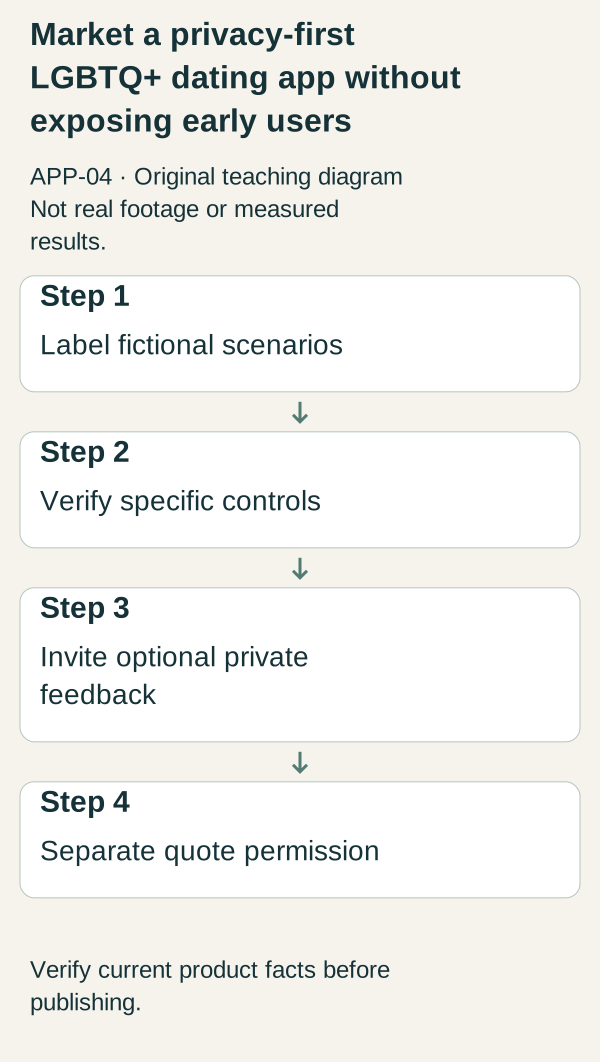
Original illustrative teaching diagram. Separate fictional dating scenarios, verified privacy controls, optional feedback and quote permission. This is planning guidance, not product footage, customer evidence or measured results.
Show the choices your product gives a person without asking that person to become public proof. Use clearly labeled fictional scenarios, demonstration accounts and actual settings walkthroughs. Invite private, optional feedback through a process whose data handling you can explain. “Privacy-first” should introduce specific verified controls, not substitute for evidence or imply that using the service is risk-free.
 Superdirector
Make it work for your brand
Find it. Remake it. Post it. Superdirector turns the viral formats in your niche into your brand's carousels, X posts and video scripts, and keeps the calendar full.
Separate three kinds of material
A fictional scenario illustrates a need. A real interface recording demonstrates what a control does in the tested version. A user quote describes one person’s experience, but only with permission for the exact use. Mixing these categories creates misleading proof: a fictional profile beside a real interface can look like an actual member unless the label stays visible.
Use an adult demo account named “Example profile.” Do not invent an identity story and present it as a customer. Keep exact locations, workplaces, contact lists, private messages and real profile images out of the production environment. An apparently anonymous screenshot can still contain identifying combinations of details.
Our fictional teaching app, QuietCircle, has no real members or demonstrated security properties. Each proposed control below is conditional. If the real app lacks a control, explain the actual limitation or choose a different scenario rather than drawing a convincing button.
Six scenario-led videos
- Choosing visibility. Opening: “Before joining, know who can see your profile.” Display “Fictional scenario; demonstration account” throughout. Show the actual visibility setting and explain its checked effect in plain language. If a toggle hides a field but not the profile, say exactly that. Close with “Read the current visibility explanation before deciding.” Do not call the profile invisible unless that claim has been verified across the relevant surfaces.
- Sharing location. Opening: “A city label and an exact location are different things.” Use an abstract location card, not a map pin on a real home. Show the real information requested and displayed in the product. Distinguish collection from display: not showing a location publicly does not mean the service never receives it. End by pointing to the actual data explanation. This clip should not make an unverified technical privacy claim.
- Taking a break. Opening: “What happens when you want to stop being visible?” Record the real pause, hide or account-control path, if supported. Explain any difference between pausing discovery and deleting an account. Do not collapse those into a single “leave anytime” promise. Use sample data and describe only the behavior observed in the tested version.
- Handling unwanted contact. Opening: “Here is the actual route for an unwanted interaction.” Use a labeled fictional conversation that contains no real harassment account. Show the working block or report flow if it exists. State what the interface confirms, not an unverified response time or guaranteed resolution. If reporting is planned rather than functional, the video must say so and should not invite people into a live service on that basis.
- Keeping feedback private. Opening: “You do not need to post your story to tell us what is unclear.” Show a general feedback prompt that asks about the product, not someone’s sexual orientation, relationship history or location. Explain the actual contact route and whether follow-up is optional. Do not call a form anonymous merely because it omits a name field; its actual data handling must support the claim.
- Understanding the invitation. Opening: “Joining for updates is not creating a public dating profile.” Use this only if it accurately describes your waitlist. Show the real signup form and confirmation with test data. Explain what information is requested, what messages will follow and whether beta access is available. Never imply active local membership through fictional profile cards or a sample map.
An optional-feedback consent template
Use the following as an operational starting point, not legal language or proof of compliance:
“Optional product feedback: Which part of this explanation was unclear? Please do not include names, exact locations, screenshots of private conversations or other people’s information. We will use your response for [specific internal product-review purpose]. The response will be accessible to [actual team or role] and retained under [actual applicable policy or period]. You may leave contact details separately if you want a reply. We will not publish your response or identify you in marketing without separate permission for that exact use. Current privacy information: [verified destination].”
Every bracket needs a real answer before use. If the team cannot explain who can access responses, resolve that before soliciting sensitive feedback. A general-purpose form with unknown settings is not made private by adding reassuring words.
If someone offers a testimonial, treat publication as a separate decision. Explain the proposed wording, attribution, channel and permanence concerns. Do not infer permission to publish from a private message, beta participation or a request for support. Declining a quote should not affect access to ordinary help.
A review worksheet for each claim
Record the exact sentence, the product behavior supporting it, the version and date checked, surfaces covered, unresolved limitations and the person responsible for review. A narrow example is “This sample profile does not display the neighborhood field on this screen.” A much broader claim is “No one can locate you.” The first may be demonstrable; the second requires evidence far beyond a short video.
Have a reviewer inspect the interface and final export separately. Verify that names and data are fictional, labels remain visible, and the video does not expose notifications or administrative tools. Check the destination as well: a careful video pointing to an exaggerated landing page still creates the wrong expectation.
Measure understanding without extracting identity
For an early content test, ask general questions: “What does this setting change?” and “What would you check before joining?” You do not need a participant’s identity history to learn whether a setting is explained clearly. Record aggregate comprehension notes where useful and avoid turning sensitive comments into content ideas without consent.
If viewers misunderstand a control, rewrite that explanation. If the actual control is inadequate for the claimed use, change the claim or product before promoting it. Do not cover the gap with more confident language.
Source scope and next action
The supplied study contains no exact APP-04 source-body reading. The adjacent DatingPro acquisition guide discusses niche and hyper-local recruitment; it does not establish privacy safeguards, security guarantees or an LGBTQ+-specific safety standard. This article’s scenarios and consent worksheet are original editorial proposals requiring product, privacy and appropriate legal review.
Start by auditing the visibility claim in your current landing page. Record the actual behavior and choose one scenario you can demonstrate truthfully without involving a real member.