How-To Guide
Explain a manual subscription tracker in a truthful 15-second video
Use three timed scripts to explain a manual iPhone subscription tracker, including entry effort, renewal dates and reminder limits.
I built an iPhone subscription tracker that does not connect to bank accounts. How do I explain why someone should install it in a 15-second video?
Show the manual entry, the organised record and the reminder in that order. State “no bank connection” alongside the fact that the user enters and maintains the details. The reason to install is a visible workflow, not a promise that the app will automatically discover subscriptions, cancel them or save a particular amount.
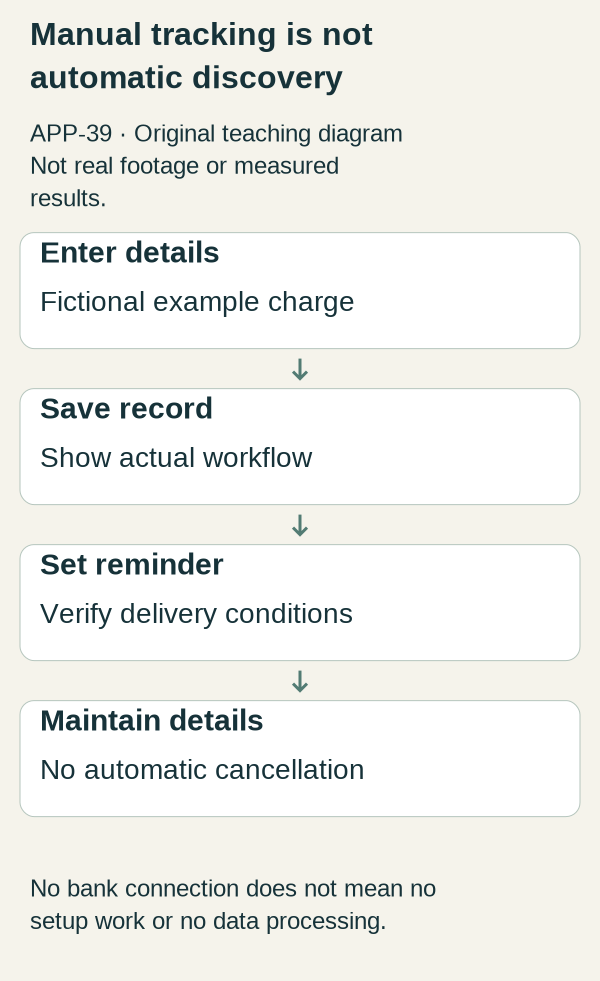
Original illustrative teaching diagram. Make manual entry, saving, reminder conditions and ongoing upkeep visible without implying bank discovery or cancellation. This is planning guidance, not product footage, customer evidence or measured results.
Show the manual entry, the organised record and the reminder in that order. State “no bank connection” alongside the fact that the user enters and maintains the details. The reason to install is a visible workflow, not a promise that the app will automatically discover subscriptions, cancel them or save a particular amount.
Fifteen seconds is a creative constraint, not a requirement to conceal setup work. If the actual flow needs more explanation, make the short video an accurate summary and link to a complete walkthrough. A slightly less impressive but truthful demonstration is better than attracting users who expect a different product.
 Superdirector
Make it work for your brand
Find it. Remake it. Post it. Superdirector turns the viral formats in your niche into your brand's carousels, X posts and video scripts, and keeps the calendar full.
Choose one use case
Our fictional iPhone app, RenewNote, lets users enter a service name, amount and renewal date, then view the record and configure an available reminder. It does not connect to banks, scan receipts, negotiate prices or cancel services. These are illustrative assumptions to replace with verified product behaviour.
Use fictional charges in a clean demo account. Do not display a real statement or imply that a familiar service currently costs the invented amount. “Example Service, £8, monthly” is enough to explain the interface. Label it “fictional entry” whenever the amount is visible.
Before scripting, test the complete reminder path, including any permission or setting the real app requires. A reminder preview is not proof that a notification will arrive. Describe only what the current demonstration establishes.
Three complete 15-second scripts
Script A: The entry-to-reminder explanation
Seconds 0–3: Show the empty entry form. On-screen text: “Track a renewal you enter yourself.” Voiceover: “No bank connection. You add the details.”
Seconds 3–7: Show the fictional service name, amount and renewal date being entered. If typing is shortened, label it “entry shortened.” Keep the manual step unmistakable rather than jumping from an empty screen to a perfect list.
Seconds 7–11: Show the saved record and the real reminder control. Voiceover: “Keep the date here and set the available reminder.” Do not show a delivered notification unless it actually arrived under the stated conditions.
Seconds 11–15: Hold the saved record. Text: “Manual tracking. No cancellation service.” Call to action: “See the full setup before installing.” Replace that destination if only a beta is available.
Script B: The renewal-date job
Seconds 0–3: Text: “When does this renew?” Show a fictional entry already saved, clearly labelled as sample data.
Seconds 3–8: Open the record and reveal the date field. Voiceover: “I entered this renewal date so I can find it in one place.” If the app calculates a future date from a cadence, show the actual rule rather than implying it reads the merchant's account.
Seconds 8–12: Show editing the date. Text: “Update details when they change.” This matters because a manual tracker can become wrong after a price or plan change.
Seconds 12–15: Text: “You maintain the record. The app does not cancel it.” Call to action: “Try a sample entry in the available version.” Use that invitation only if the destination supports it.
Script C: The bank-connection boundary
Seconds 0–4: Text: “Prefer entering a few subscriptions yourself?” Show the real manual-add screen. Avoid fear-based claims about bank-connected competitors.
Seconds 4–9: Show a fictional entry saved into the list. Voiceover: “This tracker organises the details you provide. It does not discover charges automatically.”
Seconds 9–12: Show the actual settings or information page that explains the product's data handling, if available. Say only what the verified page supports. “No bank connection” does not establish that no data leaves the device.
Seconds 12–15: Text: “Check features and privacy details before installing.” End with the current product destination and truthful availability.
Do not compress away the cost of adoption
Manual entry is both a product boundary and a user effort. Your video should make that effort legible without apologising for it. Some people want a small, deliberate list; others want automated detection. The video should help them choose rather than pretending those preferences are interchangeable.
Do not label accelerated typing as real-time setup. Do not claim “takes five seconds” based on a rehearsed founder recording. If you want to discuss setup time, measure a clearly defined task with appropriate participants and report its limits instead of deriving it from the edited clip.
Likewise, a total in the app is only as complete as its entries. “Your monthly subscriptions” may imply a full account audit. “Total of these entered monthly items” is narrower. If annual and monthly amounts are normalised, verify the calculation and label the basis.
A complete production worksheet
Worked record: fictional Example Service; illustrative £8 amount; manually entered renewal date; real save action; reminder configuration shown but no delivery claim; shortened typing disclosed; no bank, cancellation or savings claim; destination contains full setup and data-handling information.
Blank record: user task ___; fictional data ___; manual steps shown ___; accelerated or omitted steps ___; actual reminder behaviour tested ___; permission dependencies ___; unsupported implications removed ___; destination ___; final comprehension check ___.
Keep the original capture and a list of cuts. This makes it easier to answer a reviewer's practical question: “What did the app actually do, and what did the edit merely imply?”
Test the explanation with three questions
Ask a viewer: “Where did the subscription details come from?” “What happens if the merchant changes the price?” and “Can the app cancel the service?” A correct understanding is more important at this stage than whether the viewer finds the animation exciting.
If they expect automatic bank imports, put manual entry in the opening rather than in small print. If they think the reminder performs cancellation, change the button framing and closing line. If they understand the limits but do not want manual work, they may simply not be your intended user.
For this worked example, assume a $100 ceiling and start with screen capture, clear text and an owned voiceover. Spend only on a verified bottleneck such as legibility or editing, not on stock financial imagery that makes the product look more automated than it is.
Next action and supporting reference
Record a complete manual entry before making the 15-second edit. Then cut a summary that preserves all meaningful steps and limitations. The full capture becomes a useful destination walkthrough and a check against misleading compression.
Shipteaser's short-video script guide, inspected in the supplied source study, uses timed scenes and silent-readable meaning. Its fixed scene count and performance suggestions are not treated as universal rules here. The scripts above are original, product-specific examples, not evidence that this duration or format increases installations.