How-To Guide
Faceless Reels for an Etsy birth-flower necklace shop: nine ideas aimed at gift buyers
Create nine faceless Reels for Etsy birth-flower necklaces, with hooks for gift buyers, shots showing size and prompts for choosing and ordering.
By the Superdirector editorial team.
At a glance
What faceless Reels could bring buyers, not just other makers, to my Etsy birth-flower necklace shop?
To attract potential buyers rather than only fellow makers, build faceless Reels around choosing and giving the necklace. Show flower options, pendant scale, chain choices, packaging, and ordering decisions. Keep craftsmanship as supporting evidence instead of making every opening a close-up of tools.
Closed package
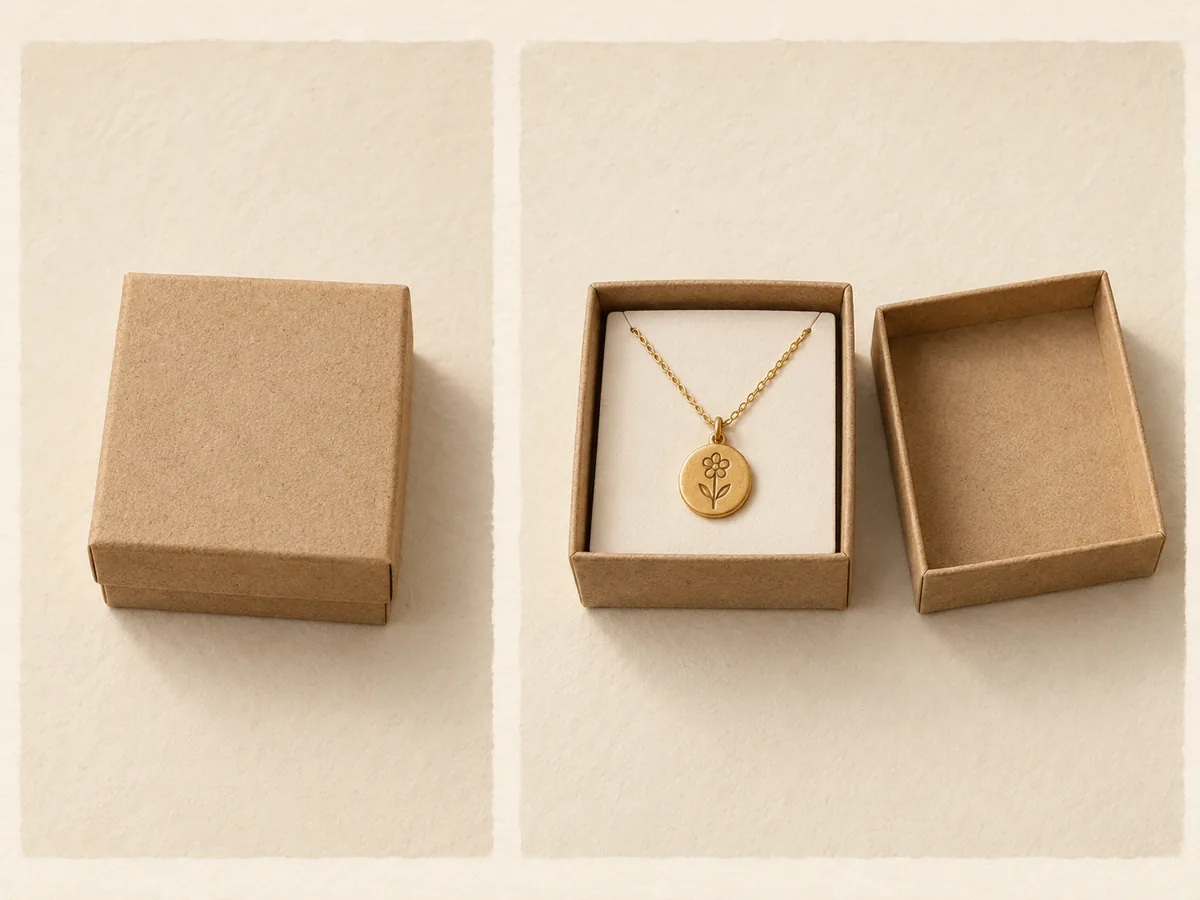
Open package and contents
Show the closed package and the contents inside, without styling props that could look included. This original fictional packaging illustration is not to scale and is not shop inventory or evidence of packaging protection. Use the actual packaging and contents supplied with the item being sold.
 Superdirector
Make it work for your brand
Find it. Remake it. Post it. Superdirector turns the viral formats in your niche into your brand's carousels, X posts and video scripts, and keeps the calendar full.
To attract potential buyers rather than only fellow makers, build faceless Reels around choosing and giving the necklace. Show flower options, pendant scale, chain choices, packaging, and ordering decisions. Keep craftsmanship as supporting evidence instead of making every opening a close-up of tools.
This is an original content-reset plan for a fictional shop selling birth-flower necklaces on Etsy. It does not assume that all designs, materials, engraving, or delivery options are available. Use only the choices your shop actually offers.
Diagnose the question your existing videos invite
A soldering clip naturally invites questions about soldering. A video opening with “Choosing a necklace for someone born in June?” invites a different conversation. Neither audience is wrong; the opening tells viewers what the content is for.
Review your latest posts without judging followers by job title or profile appearance. Label only the content of actual comments:
- Technique: tools, suppliers, production method.
- Gift choice: recipient, month, flower, occasion.
- Product fit: size, chain, material, finish.
- Purchase logistics: price, availability, ordering, delivery.
- General appreciation or unclear intent.
Do not count “beautiful” as a purchase inquiry. A maker can also be a customer, so classify the question, not the person.
CraftPilot's Instagram guide discusses lifestyle context and buying objections. Craftybase's Etsy promotion guide connects promotion with stock and gift-occasion language. The useful application here is to organise posts around gift decisions, not to adopt their unsupported reach or algorithm prescriptions.
Build a five-object filming kit
Use a necklace, a plain neckline display or flat-lay card, a ruler, the actual packaging, and a printed selection sheet. Hands can appear without showing a face. A worn crop is optional and should not be used if you lack a willing model or suitable permissions.
Photograph each available flower with its exact listing name. Birth-flower conventions vary, so say “the June design in this collection” rather than presenting your choice as the only valid flower for that month. Verify the collection's material and care wording before adding it to captions.
Nine complete Reel concepts
1. The recipient-first choice
Opening: “Choosing a birthday necklace without guessing their whole jewellery collection?”
Lay the available flower design next to its month label, then show the pendant with a plain everyday top or neutral display. Explain the choices the buyer can make and the choices they cannot.
CTA: “See the month designs and necklace details in the listing.” The video offers a decision aid, not a claim that everyone will like the gift.
2. The size check
Opening: “Before you order, here is the pendant next to a ruler.”
Show the full pendant, ruler, and chain connection. Add a second view on the display. Avoid tight macro footage as the only proof; it can make small pieces appear much larger.
CTA: “Compare these dimensions with a necklace they already wear.”
3. The chain choice
Opening: “The flower is one choice. The chain is another.”
Lay the actual chain options beside each other. Label lengths and fastening types accurately. If only one chain is available, show that option rather than inventing a selection menu.
CTA: “Check the included chain and any optional changes before ordering.”
4. Two recipients, two designs
Opening: “Buying for two birthdays? Keep the designs easy to identify.”
Show two necklaces with different month labels and separate packaging. Use fictional recipient cards, such as “A” and “B,” not real customer details. Explain any genuine option for keeping gifts separately packed.
CTA: “Choose each design using the listing's option names.”
5. What the gift actually looks like
Opening: “Here is what arrives, before you add your own message.”
Show packaging closed, opening, and the necklace inside. Label any styling props that are not included. Do not include a premium gift box in the shot unless the buyer receives it or can clearly select it.
CTA: “See the included packaging in the product details.”
6. The personalisation boundary
Opening: “What can you personalise on this necklace?”
Place “available” and “not offered” cards beside the piece. Show the actual customisation, if any. If the item is a fixed design with no engraving, say so directly; choosing a flower is still a meaningful selection.
CTA: “Check the options before leaving a custom request.” This can reduce orders that cannot be fulfilled as expected.
7. A deadline without pressure
Opening: “Buying for a date? Check these two timings first.”
Show separate cards for preparation and shipping. Point to the listing's current estimate rather than recording an evergreen delivery promise. Use a sample calendar with no customer information.
CTA: “Ask about your date before ordering if timing is essential.” Do not promise arrival based only on the seller's dispatch target.
8. The everyday-detail view
Opening: “A closer look at the parts a gift photo can hide.”
Show the clasp, back of the pendant, finish, and chain connection. Keep the light consistent so the finish is represented fairly. Mention materials only when verified, and avoid universal skin-safety claims.
CTA: “Read the materials and care details to decide whether it suits the recipient.”
9. The ordering walkthrough
Opening: “How to choose the same flower you saw in this video.”
Use a clearly labelled diagram of the choices rather than a fake checkout screenshot: select the design, select any real options, review the details. Explain the exact option name associated with the shown piece.
CTA: “Use the design name shown here when checking the listing.”
A finished buyer-focused caption
“Choosing the June design? This clip shows the pendant size, the back, and the chain included with this option. The flower detail is small enough that close-up photos can be misleading, so I have included a ruler view. Check the listing for materials, available options, and current dispatch information before choosing your gift.”
Compare that with “Watch me make a pendant.” The second can be an excellent craft video, but it leaves the buyer's decision unanswered. You do not have to abandon making footage; place a short process shot after the decision-oriented opening.
Run a small content reset
Choose three concepts addressing questions your listing can already answer. Use one consistent destination and publish at a pace you can manage. Record the opening, buying question, footage reused, available visits, relevant inquiries, and editing time.
Then compare comment categories with the earlier posts. The useful question is not “Did makers disappear?” It is “Did more of the conversation concern choosing or buying the necklace?” Changes in distribution make this directional evidence rather than a controlled experiment.
Your reusable planning row is: “Recipient or occasion: __. Decision: __. Proof shot: __. Verified fact: __. Listing section: __. CTA: __. Question received: __.”
Start with the size check. It is simple to film, directly useful before purchase, and exposes a common gap between beautiful close-ups and an informed gift decision.