How-To Guide
Explain a $4.99 gym-planning app to college students with a $100 content budget
Explain a $4.99 gym-planning offer with three demonstrations, a checked purchase card and an illustrative $100 content budget.
How do I promote a gym-planning app to college students when the app costs $4.99 and I only have $100 to make launch content?
Spend the launch budget on making the purchase decision clear, not on pretending to have a large campaign. Show three concrete jobs the app performs, explain exactly what the $4.99 buys and use owned screen recordings and simple props. The plan below allocates at most $100 for production, but it does not assume that spending the full amount will produce installs.
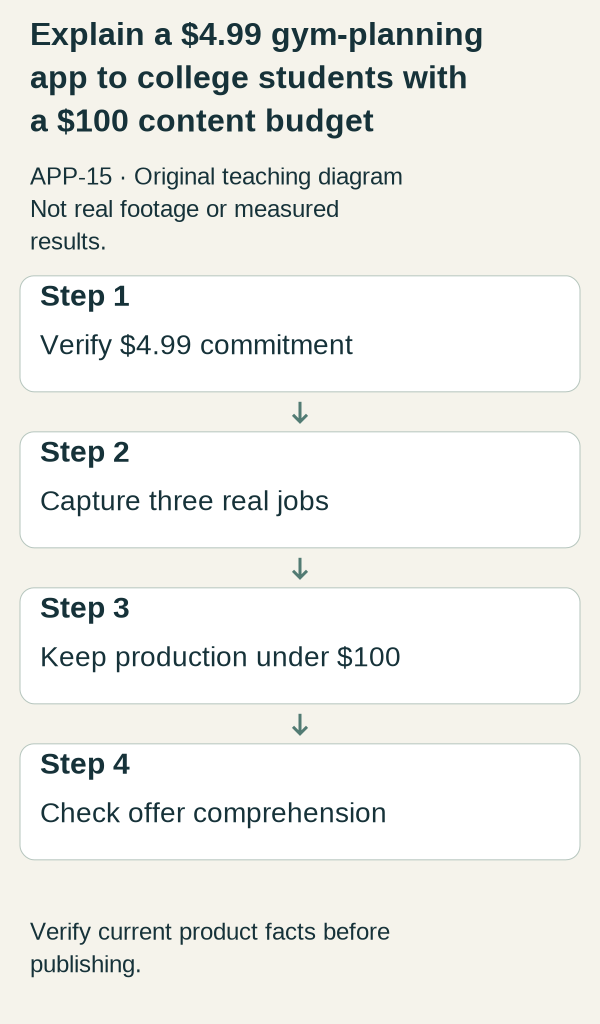
Original illustrative teaching diagram. Check the $4.99 commitment, three real gym-planning jobs, the $100 production ceiling and offer comprehension. This is planning guidance, not product footage, customer evidence or measured results.
Spend the launch budget on making the purchase decision clear, not on pretending to have a large campaign. Show three concrete jobs the app performs, explain exactly what the $4.99 buys and use owned screen recordings and simple props. The plan below allocates at most $100 for production, but it does not assume that spending the full amount will produce installs.
 Superdirector
Make it work for your brand
Find it. Remake it. Post it. Superdirector turns the viral formats in your niche into your brand's carousels, X posts and video scripts, and keeps the calendar full.
Verify the offer before writing “only $4.99”
The query supplies a $4.99 price; it does not establish currency, purchase type, taxes, platform, included features or regional availability. Check those in the actual store or purchase flow before filming. A one-time payment and a monthly subscription are different offers. Do not let a small number obscure a recurring commitment.
The fictional app CampusPlan is a teaching example. Assume only that the real product helps users organize gym sessions. All controls in the scripts must be checked against the actual build. No campus partnership, student discount or user result is claimed.
Write a purchase card with actual price and currency, one-time or recurring structure, what is included, important limits, supported devices and destination. If you cannot fill a field, do not publish the offer yet. This is an accuracy checklist, not a statement about refund or cancellation rights.
A budget that leaves room for correction
An illustrative allocation is $0 for founder-owned screen recordings and an existing phone, up to $20 for simple reusable filming support if needed, up to $30 for a review of the script and purchase explanation, up to $20 for permitted props or a neutral background, and $30 held for recapture or another concrete need. The total ceiling is $100. These are spending limits for a hypothetical plan, not vendor quotes or claims that those services are available at those prices.
You may spend less. If the phone can be supported safely with equipment you already own and a trusted reviewer volunteers, keep the money. Do not buy an asset simply to exhaust the budget. Do not treat a paid reviewer’s fee as permission to film them, quote them publicly or claim they endorse the product.
Avoid filming inside a gym unless you have the necessary permission and can keep other people out of the footage. The three core videos can be made at a desk with the app, a notebook and fictional schedule cards. No transformation photos or workout advice are needed.
Demo one: plan around a real constraint
Opening: “Classes move. Can your gym plan move too?” Show a fictional weekly timetable with a lecture and a free slot. Label it as a sample schedule. Open the real app and show how a user creates or moves a session, if supported.
Narration: “This is the planning action in the app, using a sample week.” Keep the actual steps visible. If the app does not integrate with a calendar, do not animate a connection that implies synchronization. If the user must enter times manually, show that work.
Finish with a factual summary: “This feature lets you [verified action]. The current offer is [checked purchase statement].” Do not claim that planning guarantees consistency, better grades or fitness results. The video answers whether the tool can accommodate a scheduling task.
Demo two: arrive with a visible plan
Opening: “What is on screen when you get to the gym?” Start with the actual session view using sample data. Show how the user checks the planned items and records or marks progress only if those features exist. Explain interface labels without prescribing exercises, loads or frequency to every student.
Narration: “These are demonstration entries, not a workout recommendation.” Show the real completion or save state. If the app only plans and does not log workouts, say so. Do not add a tracking chart from a different product to make the offer seem larger.
Close with “Check the current feature list before paying.” The purchase explanation should identify what the app does not include when that limit is likely to matter, such as coaching, equipment access or automatic calendar integration. Use only relevant actual limitations, not invented exclusions.
Demo three: what does $4.99 buy?
Opening: “Before spending $4.99, here is what to check.” Show the actual offer and three verified included capabilities, using short clips from the first two demos where appropriate. Do not turn a feature list into a price-comparison claim against products you have not researched.
Narration: “This is [one-time or recurring, as verified], in [actual currency and region]. It includes [checked scope].” Explain any important known restriction visible in the offer. If the price is different for the intended viewer, update the creative or direct them to current pricing without repeating the outdated amount.
End with the verified product destination. Do not promise a trial, student rate, lifetime access or refund unless the actual terms support it. A launch video should reduce uncertainty, not rush someone past the purchase details.
A seven-day production and posting sequence
Day one: verify the offer and build the sample timetable. Day two: record the scheduling flow. Day three: record the session view and review both source files. Day four: finish the purchase explainer and check its wording against the current destination. Day five: post the scheduling video only after the upload preview and destination pass. Day six: post the session-view video if it answers a distinct question; otherwise use the day to fix the first. Day seven: publish the purchase explanation or hold it if any price detail remains unresolved.
This is an optional work sequence, not a required cadence or performance formula. Do not post a known error to keep the calendar full. Keep a correction log so a changed price does not remain in an old scheduled export.
Reach students without inventing campus access
Research actual student organizations or relevant creators through their public activity and posting rules. Ask permission before placing promotional material in a community. Do not imply university endorsement because a student volunteered feedback. Keep any paid collaboration clearly separate from an independent recommendation, and verify disclosure requirements before using it.
For the first review, ask someone in the intended audience to explain what they believe the payment includes. If they expect coaching but the product only plans sessions, rewrite the offer. That comprehension finding is more useful than a vague “looks good.”
Source scope and next action
No exact APP-15 source-body study was supplied. The adjacent Coinis product-Reel checklist supplies general production stages, not evidence about student willingness to pay, this budget or a $4.99 price point. The allocation, scripts and schedule here are original illustrative planning work. No spend or acquisition result has occurred.
Your next action is to capture the actual purchase screen and complete the offer card. If the price model is unclear, fix that before spending any of the $100 on creative.