Category Guide
AI Marketing Workspace for Organic Campaign Planning
Keep brand context, selected references and reviewed script work together while preparing an organic campaign brief.
By Bell Chen, founder of Superdirector — how the analysis works.
Campaign preparation becomes harder when the sources and decisions are scattered across chats and documents. Keep the account context and selected references with your Agent, then review the available work and result before making the production handoff.
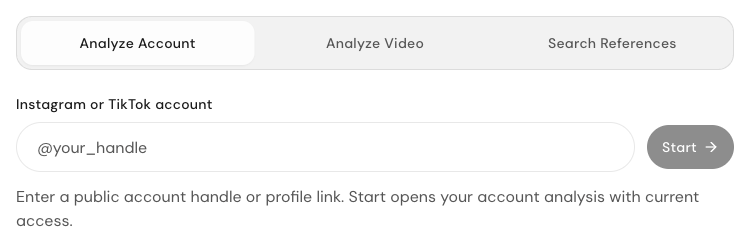
Superdirector. Public reference intake with account, video and reference-search tabs.
A workspace for decisions, not only storage
A normal marketing workspace stores tasks, files, and calendars. A better AI marketing workspace helps the team decide what campaign to run next, why the audience should care, which examples are useful, and what the filming brief needs to say.
Superdirector focuses on that decision layer: turning context into campaign direction before the work moves into production, creator outreach, or publishing tools.
The agent keeps the thread and work together
Use the Agent conversation and its connected sources to prepare a specific task. Review the available analysis, script drafts and saved results, then agree the next production step with your team.
That makes the product feel less like a one-off generator. Superdirector preserves the reasoning behind the campaign while the team revises the idea and turns it into usable materials.
Reduce the handoff loss between idea and execution
Weak campaigns often fail between idea and execution. The brief loses the original reasoning, the hook no longer matches the product proof, or the creator receives generic direction that could apply to any brand.
Keep the selected reference, campaign goal, script direction and review decisions with the work. Use that record when agreeing what a creator or teammate should film and what still needs confirmation.
A better fit than calendar-first tools
Calendar-first platforms are useful once the team has approved content. Superdirector belongs earlier, when the team is still deciding whether an idea deserves founder filming, internal production, UGC, or micro-influencer effort.
The workspace is not a scheduler with AI attached. It is the place where the campaign becomes specific enough to execute.
Best-fit teams
The strongest buyers are founder-led brands, ecommerce sellers, Amazon sellers, personal brands, social media managers, and fractional marketers who already know organic social matters but need a sharper planning system.
They may still use schedulers, analytics tools, marketplaces, or agencies. Superdirector fits before those systems by clarifying the campaign angle, proof, hook, script, shot plan, and creator brief.
What stays in the workspace
A useful campaign workspace keeps the source material close to the final brief: the brand or product URL, the reference examples, the audience assumption, the hook options, the script draft, the storyboard notes, and the final handoff.
That continuity matters when a team revises the idea. The brief is easier to trust when the reasoning, references, and production notes are still visible instead of buried in a chat transcript or a separate document.