How-To Guide
Test fullscreen and rotation before showing a mobile browser game without the browser
Treat fullscreen and orientation as separate behaviors.
A landscape gameplay recording can hide the part of a mobile browser launch that fails: getting into that layout. If the real visitor sees a large address bar, an unsupported fullscreen request or controls outside the visible area, a tightly cropped promotional video does not demonstrate the experience they can reach.
Treat fullscreen and orientation as separate behaviors. Then test the ordinary browser layout as well as the preferred presentation. This guide proposes a small evidence record and capture plan, not a universal fix for every browser or engine.
The two games below are fictional examples. No real device test, compatibility approval or improvement is claimed.
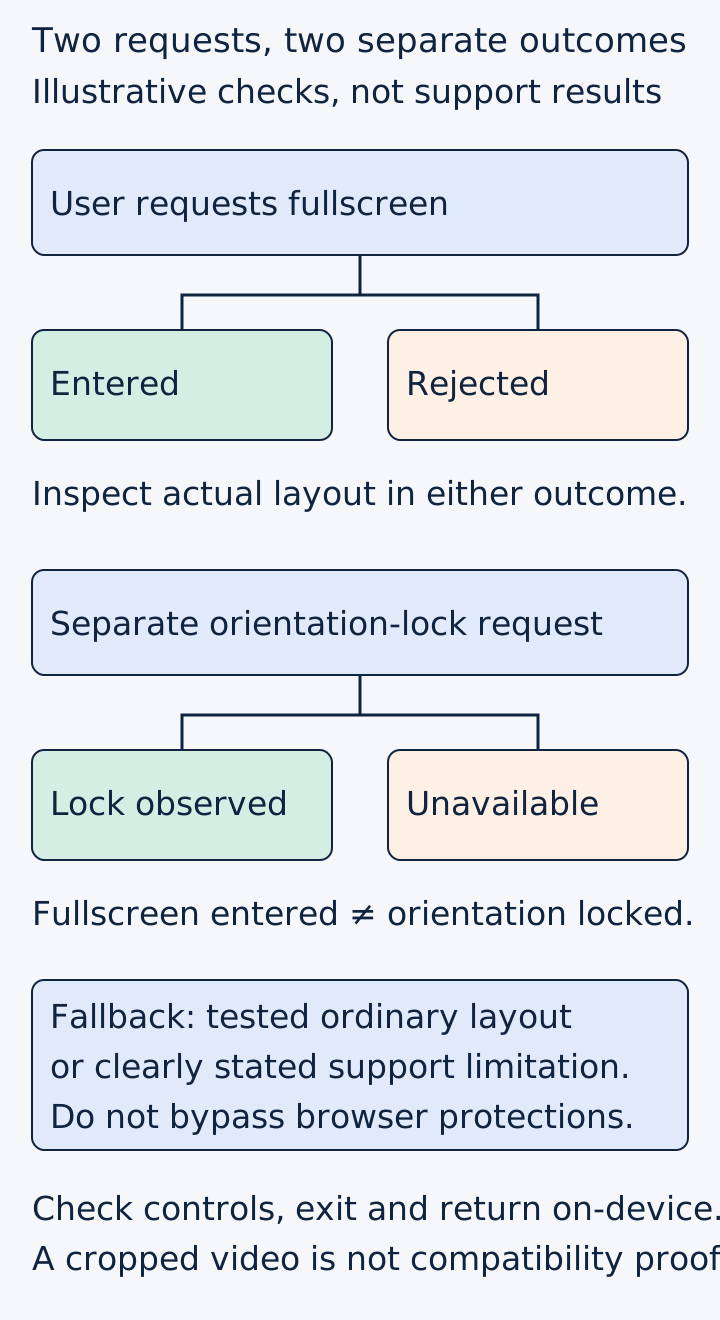
Original capability map. It shows checks to perform, not compatibility results for any browser.
 Superdirector
Make it work for your brand
Find it. Remake it. Post it. Superdirector turns the viral formats in your niche into your brand's carousels, X posts and video scripts, and keeps the calendar full.
Define the playable area before removing the browser frame
Imagine a two-player board designed for people holding opposite ends of one phone. Each player has a control area near their end. The preferred presentation is landscape fullscreen, but the actual browser tab may leave less room.
The important question is not simply whether the board appears. Can both players see and reach the controls that the game requires? Can they distinguish the board from the buttons? Does rotating the device place a critical control behind browser chrome or outside the visible area?
A Godot developer describes a closely related problem: a shared-phone game whose browser address bar consumed too much space. The later discussion also corrects a misunderstanding between a custom HTML shell and export templates. That is an actual reported task, not evidence that one posted shell or plugin solves all mobile browsers.
Write the requirements in the capture record: game build, browser and version, device, hosting route, orientation at entry, controls needed and whether fullscreen is necessary or merely preferred. A host-embedded game and the same file opened directly are not automatically equivalent test environments.
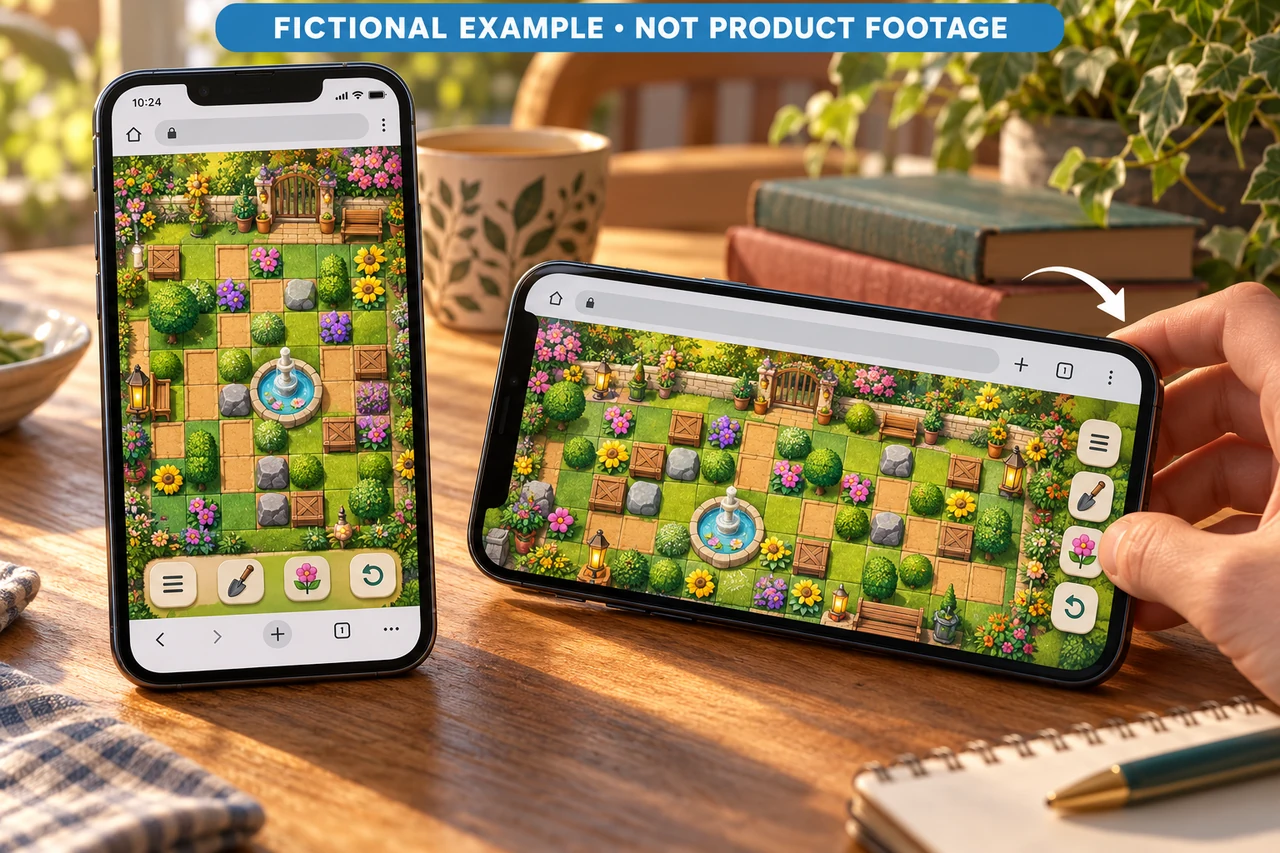
Two fictional phone layouts separate orientation from fullscreen. Actual request results and usable controls still need device testing. Original AI-generated editorial illustration.
Test orientation independently
Now consider a fictional portrait puzzle. It successfully enters fullscreen, but the team wants to prevent rotation while a move is in progress. Those are two different capabilities.
MDN's orientation-lock reference labels the feature as having limited availability. It notes that locking is typically enabled on mobile devices in fullscreen contexts and that requests can reject for unsupported or disallowed conditions. A successful fullscreen request therefore does not establish that orientation locking worked.
Record the observed lock outcome separately. Then rotate the device and inspect the game state. If locking is unavailable, does the layout adapt without losing important controls? If the game requires one orientation, does it provide a usable explanation and recovery route? Do not label a configuration supported until its actual interaction can be completed.
Include leaving and returning in the capture rehearsal
A usable presentation must survive ordinary navigation, not only entry. Leave fullscreen through the browser's supported controls, return to the game and inspect the layout again. On the tested device, check the documented exit path rather than assuming a desktop keyboard instruction is useful on a phone.
Record whether the current move, menus and control areas remain usable after the transition. This is not permission to promise progress persistence: saving and restoration are separate behaviors that need their own evidence.
An independent developer discussion about web builds includes an operator describing the cost of testing primarily on desktop before addressing mobile behavior. That supports testing the intended context early. Browser-wide assertions and performance claims in its replies are not adopted here.
Turn the findings into an honest launch asset
Use one record per tested setup: expected presentation; requested action; actual fullscreen result; orientation result; visible controls; completed player action; exit-and-return result; unresolved limitation; capture file and build.
For a successful setup, an uninterrupted demonstration can show the entry action and one real interaction before moving to an edited highlight. For a setup with a limitation, revise the invitation or support description instead of implying that the limitation disappeared because the video omits it.
The next small action is to rehearse the current public route on one intended mobile configuration, including a rejected or unavailable preferred mode where relevant. Keep the result bounded to what was observed. A clear explanation of the tested route is useful launch evidence; an attractive crop is not a compatibility test.