How-To Guide
Show widget freshness without mistaking a moving countdown for new data
A countdown moves from twelve minutes to eleven while the task count beside it stays at three. Has the widget refreshed, or only the clock?
A countdown moves from twelve minutes to eleven. The task count beside it stays at three. Has the widget refreshed?
Not necessarily. Time-based text can change while the underlying record remains the same. For an iOS utility launch, show what each visible value represents before calling the widget live. A moving clock, an updated app screen and fresh widget data are three different pieces of evidence.
Use a neutral task or event fixture, not private appointments, health readings or safety-critical weather information. For a photo widget, use a demonstration library rather than personal photos before recording. The method below creates a recording plan and a data-age comparison. It does not claim that any real widget was tested.
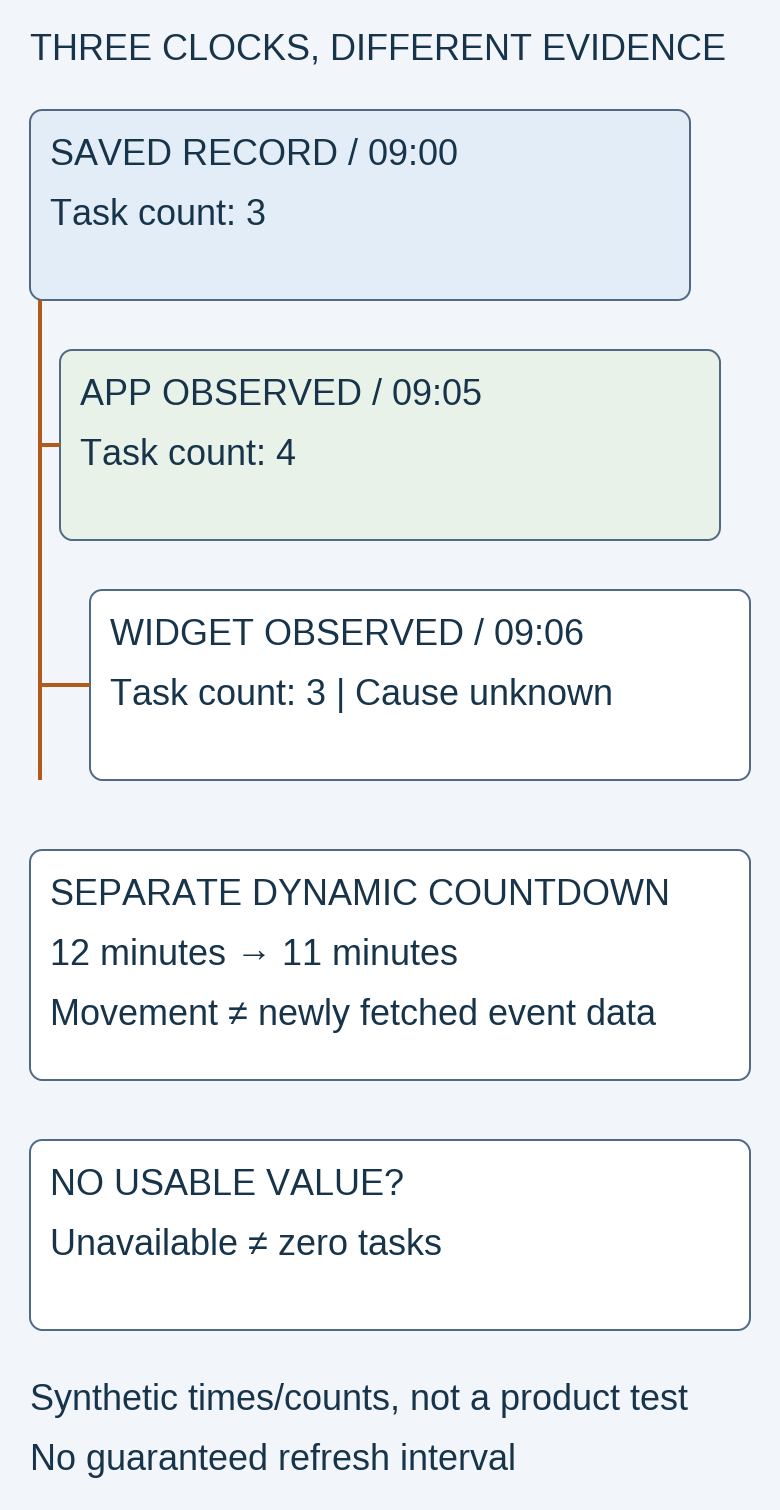
The times and values are fictional teaching fixtures. No actual refresh interval or product outcome is represented.
 Superdirector
Make it work for your brand
Find it. Remake it. Post it. Superdirector turns the viral formats in your niche into your brand's carousels, X posts and video scripts, and keeps the calendar full.
How can an iOS founder demonstrate widget freshness without mistaking a ticking countdown or an updated app screen for fresh widget data?
Pin the candidate build, device, widget configuration and a harmless source fixture. Preserve the source value with a trusted revision or timestamp if the product exposes one; separately record when the app and widget show it and whether anyone opened the app or otherwise intervened. A matching widget value supports only the observation made under those conditions. If the source time is unavailable, leave it unknown rather than turning a screenshot or countdown into a refresh timestamp.
Separate the three layers
First is the underlying record: the saved task list or event information the widget can use. Second is the widget view observed on the screen at a particular time. Third is any dynamic date text calculated from a known time, such as a countdown.
Apple's WidgetKit guidance explains that the system renders widget views separately and the extension is not continually active, even while visible. It also describes countdown text that can keep changing without the extension running. A server fetch may be another separate step before a new timeline is supplied. Those mechanisms are enough to reject the claim that a ticking countdown proves a recent network check.
For each layer, record what is known and what is not. Do not replace an unknown data timestamp with the time you took the screenshot. “Observed at 09:06” describes your observation; it does not mean “data refreshed at 09:06.”
Start with one simple, inspectable fixture
Make a fictional task list with three harmless items, such as “sort sample cards,” “label demo folder” and “review sample note.” Give the fixture an identifier so the app view and widget can be compared without using personal content.
Before a future authorized test, specify the candidate build, device, widget configuration and the source record you expect it to display. Ask the implementation owner where the relevant value and timestamp come from. A label that says Updated may refer to retrieval, persistence or rendering; determine which before repeating it in marketing.
The evidence worksheet should include:
- The fixture identifier and saved record value.
- The record timestamp, or an explicit unknown.
- The app value and time it was observed.
- The widget value and time it was observed.
- Any dynamic clock text and the stored time on which it depends.
- Actions that could affect refresh, including opening the app.
This is an original proposed evidence method, not a platform-mandated testing protocol.
Example one: the app says four, the widget still says three
In a synthetic scenario, the saved task count is three at 09:00. A fourth item is added in the app at 09:05. At 09:06, the home-screen widget still displays three.
The honest comparison preserves both values and their observation times. It does not splice the app's four into the widget capture. Nor does the difference establish a particular bug, cache fault or operating-system cause. Keep the discrepancy as the finding until the implementation is investigated.
If a later capture shows four, record when it was observed and what happened between captures. Did someone open the app, change the widget configuration or restart anything? Those actions belong in the test record. A successful result immediately after opening the app is not the same demonstration as an untouched home-screen update.
One independent user discussion describes the app updating while its widget or complication remains stale. A developer reply says a fix was prepared and awaiting review and publication. That reply is not proof of a deployed fix, and its proposed timing is not a general WidgetKit promise. The example supports asking for separate app and widget evidence, not diagnosing your product from another user's report.
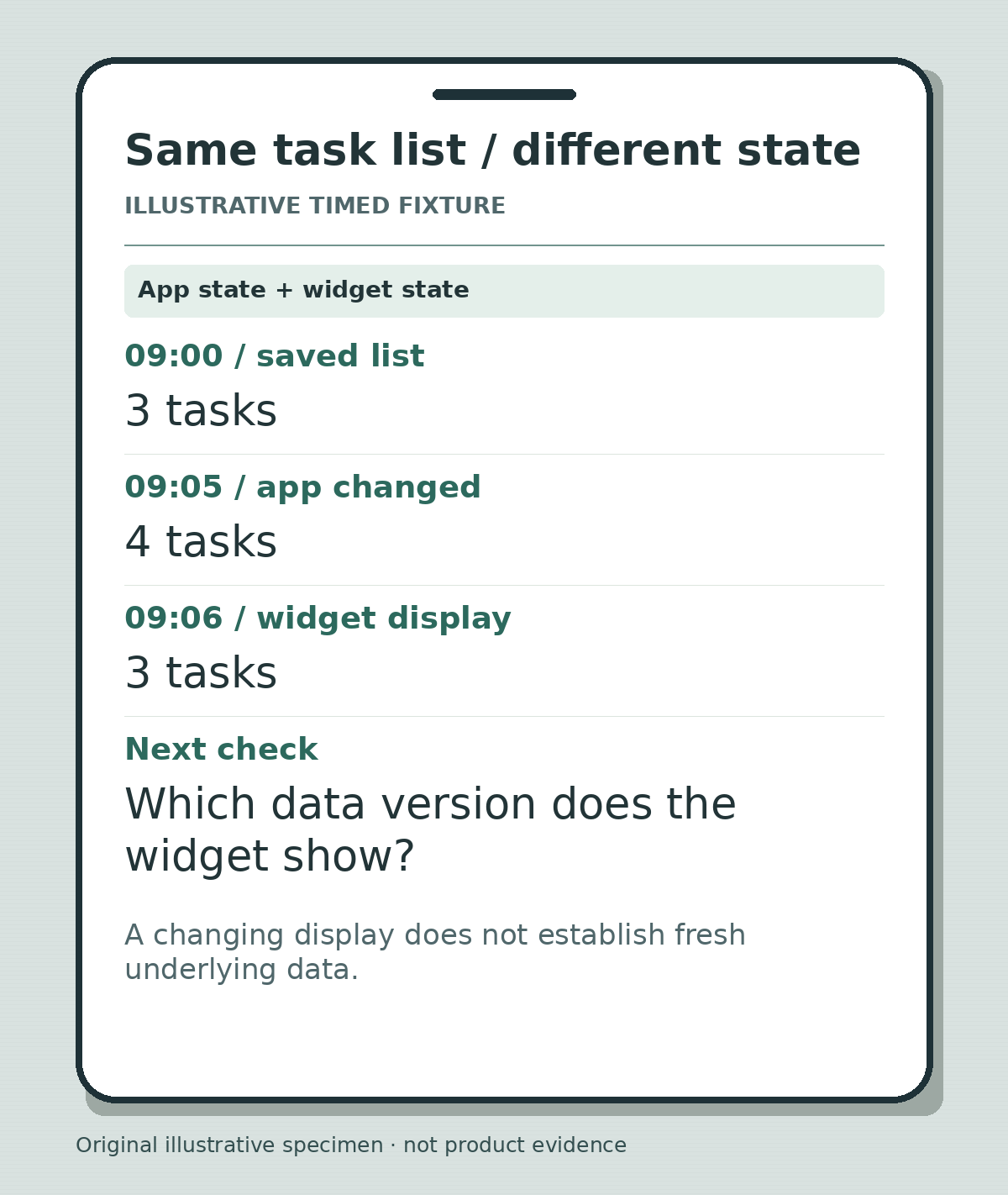
Original mock app-and-widget record using the article’s fictional times and counts. It is not a measured refresh interval or a screenshot of an actual device.
Synthetic positive comparison: the widget shows the new value
In a separate, entirely synthetic continuation, an authorized source record for the harmless task fixture changes from three items to four at 09:05 and records revision R2. The filmed device remains on its home screen. An uninterrupted capture shows the widget displaying three at 09:06 and four at 09:11; only after that capture does the reviewer open the app and observe four. Record the source change, both widget observations and the absence of interventions on the filmed device. This is a demonstration plan, not an observed product result or a WidgetKit timing promise.
The bounded conclusion is that the widget displayed a value matching the R2 source record by 09:11 under the recorded conditions. Unless the widget exposes the revision, the video does not prove that it displayed the R2 identifier; it also does not show the exact fetch moment or establish a six-minute refresh guarantee. Without a trusted source revision or time, report only that four was observed in the widget at 09:11. If opening the app or another intervention preceded the change, record that different condition instead of calling it an untouched home-screen update.
Example two: the countdown changes, the event record does not
A second synthetic fixture stores an event time at 09:00. Later, its countdown changes from twelve to eleven minutes. The video may show that time-based display changing, but the event's underlying information has not thereby been shown to refresh.
Caption the mechanism accurately: “Countdown based on the saved event time.” If you want to claim the event details were fetched again, supply separate evidence for that claim. A smooth animation is not a receipt.
For a launch scene, retain an uninterrupted segment that shows the clock movement and the associated data-age label, if the real product implements one. Do not add a convincing Updated now badge in editing. An explanatory overlay can identify the distinction, but must remain visibly editorial rather than impersonating the interface.
Review the footage before saying live
Watch the export without sound. Can someone distinguish a saved value from the moving clock? Are omitted waits and app openings disclosed? Then listen to the narration alone. Remove any promise of continuous updates, fixed refresh timing or always-current information unless a separate, valid basis supports it.
Use the widget-freshness worksheet to record a bounded observation. Ask a reviewer what each timestamp means. If they mistake capture time for data age, revise the labels rather than making the animation faster.
The next small action is to identify the source of one displayed value and one time label. That gives you a useful first scene without promising a refresh rate you have not measured. Keep actual device behavior, video publication approval and customer outcomes as separate later checks.
References and limits
- Apple: keeping a widget up to date, for extension lifecycle, timelines and dynamic date text.
- Apple: widget design guidance, for updating content and distinguishing previews from placeholders.
- Developer request about stale and offline states, vendor-authored context only; no test invitation joined.
- User report of stale widget data, unverified individual report; no health reliability conclusion or deployed-fix claim.
The examples illustrate a test plan; they do not establish an actual refresh interval or product result.