How-To Guide
Show what a voice-practice app can do when the user cannot speak
A silent alternative is useful only if it produces a real, understandable result.
A silent alternative is useful only if it produces a real, understandable result. Skipping a speaking exercise may let a person move on, but it does not establish that they practiced pronunciation. Before promoting a voice-practice app to people in shared spaces, show which task they can complete quietly and which evidence still requires speech.
The launch deliverable is a task-modality map: the same harmless practice input, different supported actions, and different kinds of output. This is not a microphone troubleshooting guide or a promise that typing teaches the same skill as speaking.
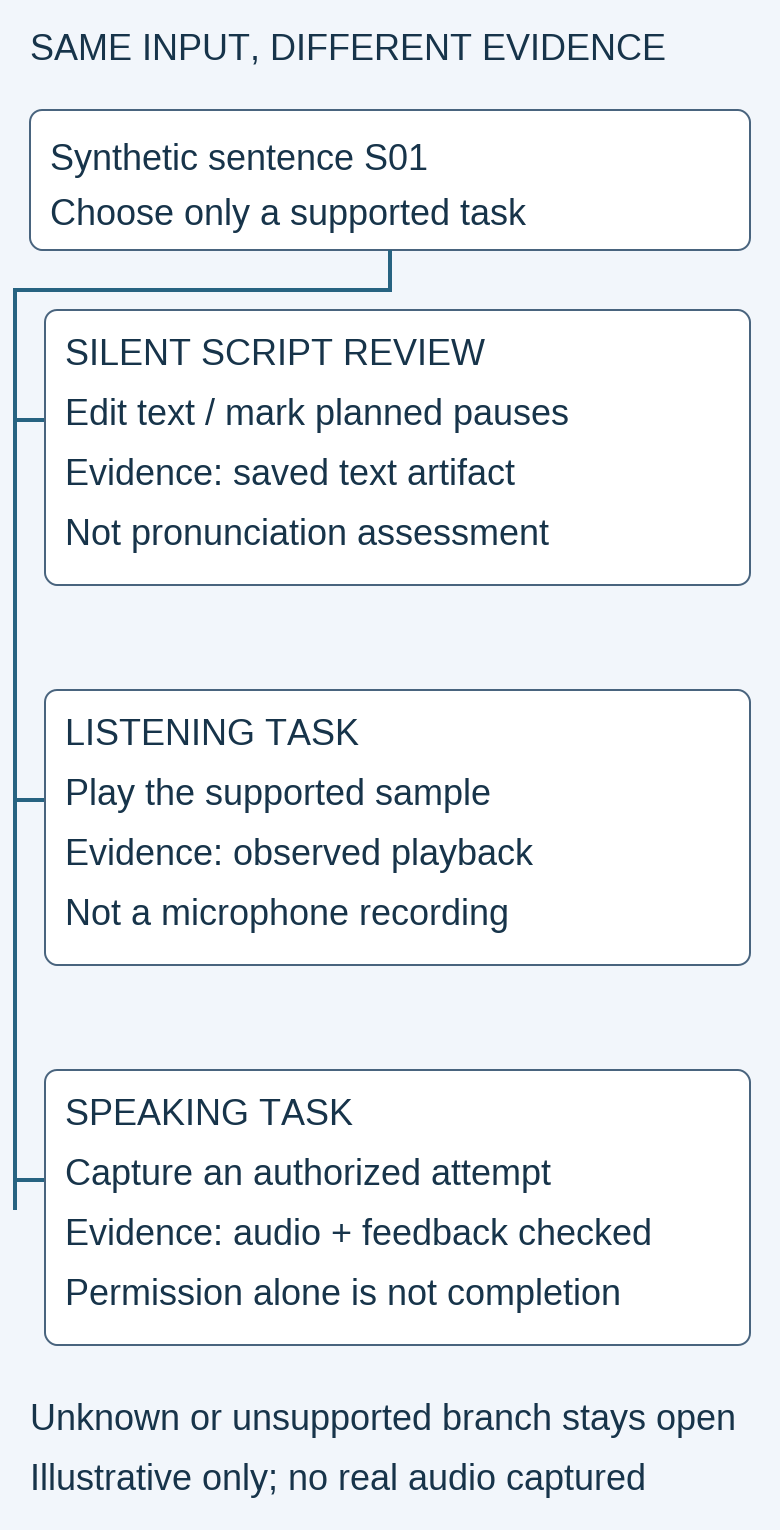
The branches are proposed inspection paths, not recordings or results obtained from a live app.
 Superdirector
Make it work for your brand
Find it. Remake it. Post it. Superdirector turns the viral formats in your niche into your brand's carousels, X posts and video scripts, and keeps the calendar full.
Name the result before choosing the interface
Start with one synthetic sentence, such as “The blue folder is beside the window.” It is an original test fixture, not a user's private message or recording. Ask the product owner what the current build actually lets someone do with it.
A silent task might let the person edit a script, mark planned pauses or answer a written question. A listening task might play a model phrase. A speaking task might record the person's voice and produce feedback. These are possible categories, not features to add to a storyboard before checking the app.
For each supported action, write its observable result. “Saved a revised script” is different from “recorded a spoken attempt,” which is different again from “received meaningful feedback.” Do not use a single completed badge in the launch explanation to make all three look equivalent.
Do not confuse listening, speaking and permission
Duolingo's Practice tab guide separates Words, Speak and Listen activities. Its hearing-access guide describes controls for listening tasks, including temporarily skipping them. A documented “Can't listen now” option does not establish a universal way to skip a speaking task, and these product-specific examples do not prove the features of a new app.
Apple's hardware-access guide explains microphone permission and how users can review it. Permission is an input condition, not proof that a recording exists or a task succeeded. Playback of an existing sample is also not the same observation as capturing a person's voice.
Two public reports illustrate different uncertainties. One learner initially asks how to skip a speaking segment after recognition trouble, then reports finding “Do this later.” That resolves their navigation question, not whether a skipped task produces speaking evidence. Another reports a speaking task failing despite microphone permission. These are unverified individual accounts with historical or relative dates, not a diagnosis of the service or measured demand from people in shared housing.
Storyboard one: an honestly silent task
If the current build supports script review, show the synthetic sentence and the actual editing action. For example, the user might revise wording or mark a planned pause. Record the saved text artifact and show it at readable scale. Caption the result as script preparation, not pronunciation feedback.
Keep the limitation in the main story: no voice was captured in this path, so it supplies no evidence of how the sentence sounded. Do not add a decorative waveform or a fabricated score. If the product has no useful silent task, say so. A founder can prepare a feature proposal separately, but cannot advertise a concept as an existing alternative.
Check that the task genuinely works under the demonstrated conditions. A typed field that still blocks completion until the user speaks is not a complete silent route. A screen reached after skipping may be useful navigation, but its existence alone does not establish a saved result.
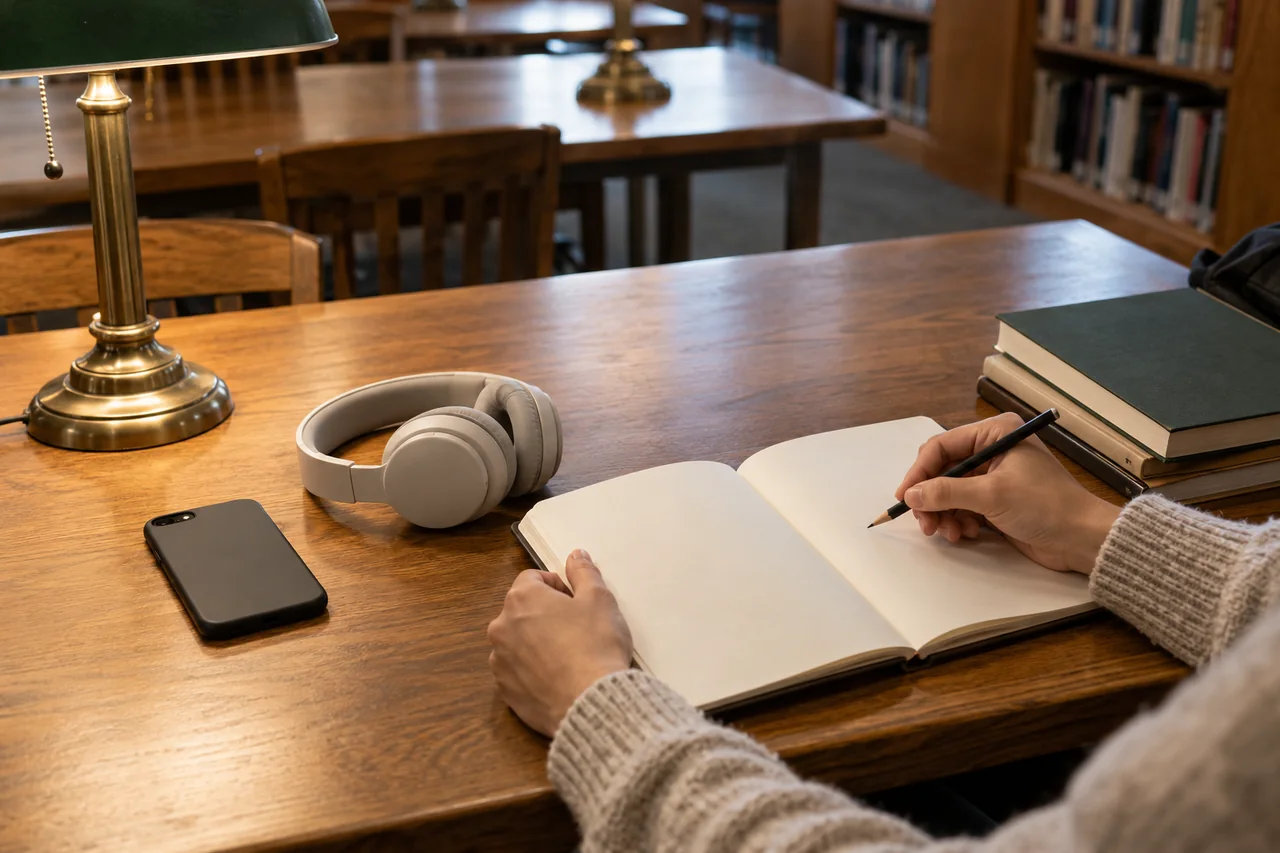
Original AI-generated editorial illustration. A shared quiet space gives a silent practice route a real purpose, but does not turn that route into pronunciation evidence. This is not a product capture, customer scene or completed test.
Storyboard two: the spoken task remains different
Use the same synthetic input for a proposed spoken example, but obtain the appropriate authorization before any real capture. Record the candidate build, task, permission state and actual attempt. Keep capture and feedback as separate observations. If the app records audio but feedback never arrives, do not label the full exercise complete.
A microphone icon changing color is insufficient evidence of usable audio. A progress event is insufficient evidence of pronunciation quality. The eventual demonstration should show only the result the actual product supports and leave uncertain states visible.
If a user declines access or cannot speak at that moment, show the real supported next action without treating the choice as a mistake. Apple's review guidance on access calls for respecting permission settings and providing alternatives where possible. That does not require inventing a silent equivalent for an inherently spoken assessment.
Make the distinction visible in short content
For a brief acquisition clip, show the practice input once, then clearly separate the quiet task and spoken task. Preserve each output label in the crop. “Prepare your script quietly” may be an accurate description after testing; “complete all voice practice silently” expands the claim and needs different evidence.
Avoid implying that headphones eliminate the need to speak, or that disabling the microphone disables all playback. The relevant question is what the actual task consumes and produces. Test the specific supported setup rather than applying a generic device-setting fix from a forum reply.
Use the task-modality worksheet to retain the input, action, output and limitation for every branch. Keep original recordings or text artifacts when they are created, with the authorization and version information appropriate to them.
Validate comprehension, then useful work
Ask a reviewer which path produced text, which played audio, and which captured a spoken attempt. Ask what each result does not establish. If they infer a pronunciation assessment from the silent path, change the wording or imagery before release.
After publishing the demonstration, measure completed useful tasks by their actual output definitions. Keep silent preparation, spoken attempts and repeated work separate rather than pooling them into an unsupported learning-success number. No learning improvement, retention lift or popularity score is claimed here.
The next action is to inspect one supported quiet task in the real build and record its output boundary. If no such task exists, the honest deliverable is a clear limitation, not a fictional fallback.