How-To Guide
Show what a notes import preserves before asking users to switch
A migration demonstration should answer the question behind the install button: what will I be able to keep using after I move?
A migration demonstration should answer the question behind the install button: what will I be able to keep using after I move? A matching note count is useful, but it cannot prove that attachments open, links still work or the organization makes sense.
For a notes-app launch, show a small representative import and its limits. This guide proposes a fidelity demonstration, not a claim that a particular app successfully migrated a real customer's collection.
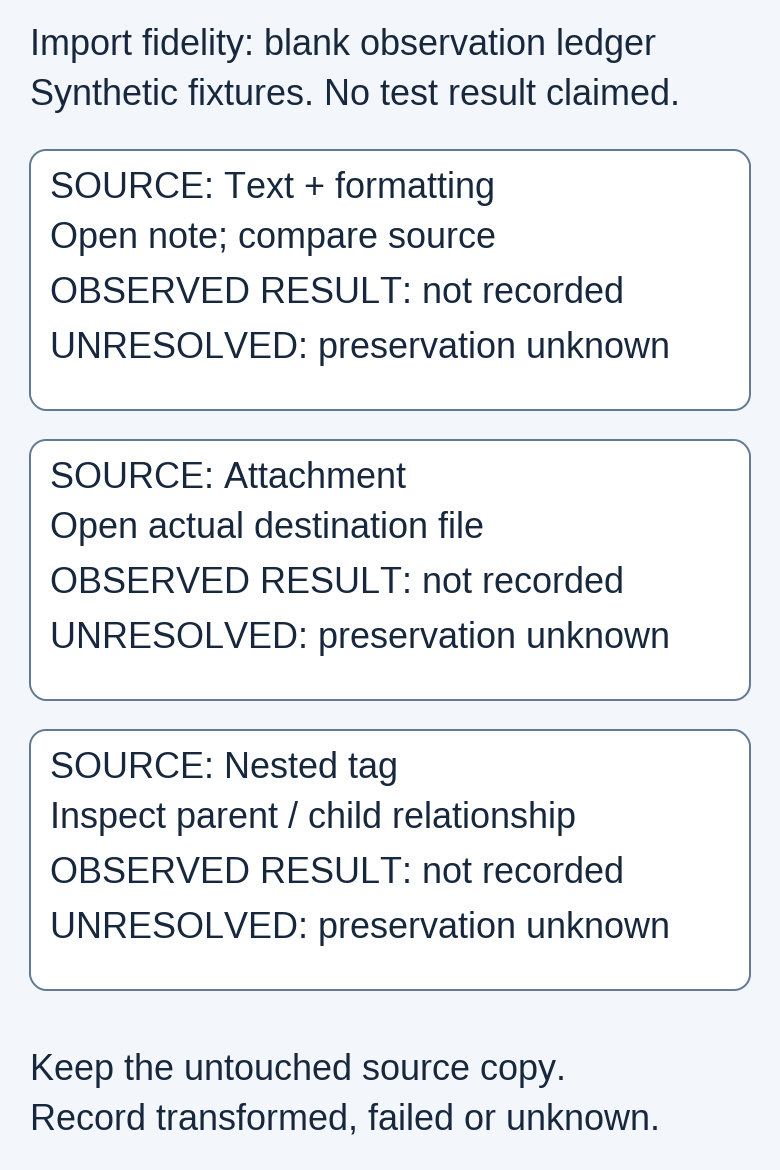
The ledger is blank verification logic, not a set of claimed migration results.
 Superdirector
Make it work for your brand
Find it. Remake it. Post it. Superdirector turns the viral formats in your niche into your brand's carousels, X posts and video scripts, and keeps the calendar full.
Choose a fixture that can expose loss
Create a few synthetic notes covering the features the target importer claims to support. A useful starting set includes a plain-text note, a note with an attachment link, and a note organized with nested tags or folders. Add another feature only when it is relevant to the source format and product claim. Do not make the fixture comprehensive by simply adding more identical notes.
Keep a source copy and record what each note should contain. Identify the source application and version, export format, destination app build, device and OS. If conversion happens on a Mac before content appears on an iPhone, show that boundary instead of presenting the whole process as a one-tap phone feature.
Apple's Notes import guidance separates Mac import from mobile sharing and identifies OS requirements for Markdown conversion. It also warns that unsupported ENEX attachments or features are omitted. Those are Apple Notes rules, not evidence that your app accepts the same formats or preserves the same fields.
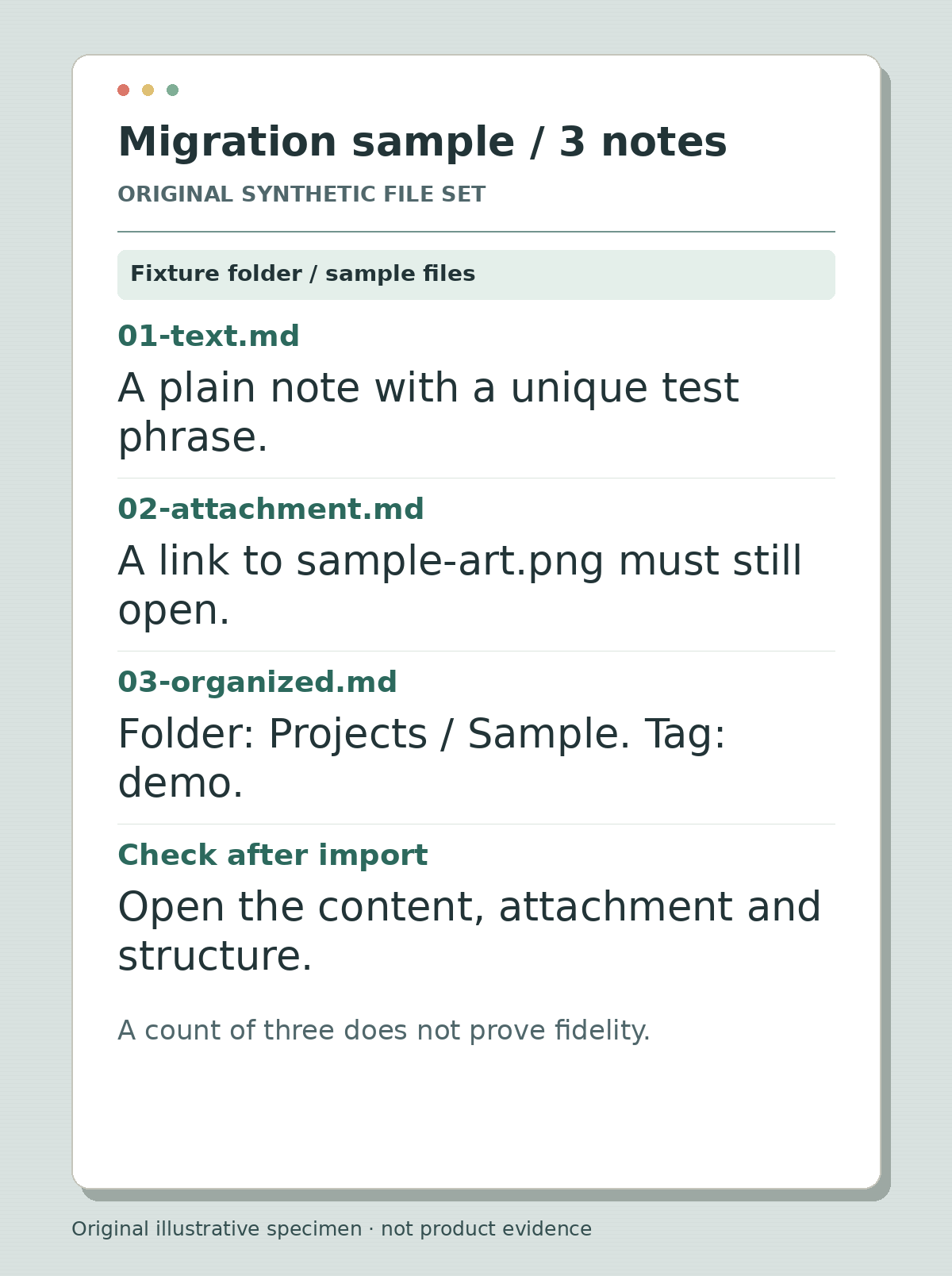
Original synthetic note-set specimen. It illustrates content to inspect after migration, not an executed import or a claim about any importer’s supported format.
Inspect structure, not just totals
Use a source-to-destination ledger for each fixture feature. After import, open the note and verify the text. Open the attachment rather than assuming that a visible filename is enough. Follow any supported internal link and inspect the destination. Look at tag and folder relationships instead of comparing only their names.
Obsidian's Evernote import documentation explains that Evernote exports do not preserve tag hierarchy and notebook stacks in the same way, and describes importer-specific conventions for those cases. That is a reason to test structural meaning. It is not a universal instruction to rename every export or a guarantee for a different importer.
Separate historical warnings from current product behavior
A closed Obsidian importer issue describes historical attachment and formatting concerns, with later maintainer discussion and fixes. Another user discussion concerns different attachment organization for imported and newly created notes. These independent reports make fidelity a useful question, but do not establish a current defect or its prevalence. Some reported behavior may reflect destination-app conventions rather than an importer fault.
For your demonstration, record only what the tested candidate actually does. Label each feature preserved, transformed with an explanation, unsupported, failed or unknown. If a nested tag becomes a flat label, say so even if all note bodies arrived. A transformation can be usable without being identical.
Put the limitation beside the switching promise
Film the source feature, the supported import step and the opened destination result. Keep the unsupported case in the explanation rather than cutting it away. Avoid “bring everything with you” unless the actual scope and evidence justify it.
A useful bounded caption identifies the tested source format and build and names the demonstrated features. If a desktop conversion or particular OS is required, state that before the migration call to action. Do not make a visitor discover the requirement only after they have paid or supplied private notes.
Retain the original export and source collection. A demonstration is not permission to delete or overwrite someone's only copy. Where a format or feature is unsupported, explain the existing documented alternative, if one has been verified, or state that the path is unavailable. Do not invent a converter, recovery guarantee or future feature commitment.
Verify the handoff remains useful
After inspecting the imported sample, create a new synthetic note and attachment using the destination app's normal workflow. Check whether the user can understand where the content goes and find it again. This addresses a different problem from successful initial conversion: a person must be able to continue working with the new collection.
Use the blank fidelity worksheet to retain the feature expectations, observed transformations, unresolved items and proposed disclosure. Ask a practitioner to locate an imported attachment and explain one limitation without coaching. Record confusion and revise the demonstration. No practitioner result is claimed here.
After separately authorized publication, track migration-task attempts and verified usable collections rather than only uploads. Keep sample size, format and observation window explicit. A small synthetic fixture cannot establish large-library performance, complete historical compatibility or conversion lift.
Evidence and limits
The references describe Apple Notes and Obsidian, not the app you are testing. The linked historical reports illustrate migration-fidelity concerns but do not establish a current defect. Validate the supported source format and each promised feature in your own build.