How-To Guide
Show that your spreadsheet template performs the buyer’s task, not just that it opens
Identify the exact file, application and environment.
A polished dashboard is a preview of a spreadsheet, not proof that its promised workflow works in the buyer’s software. A workbook can display familiar cells while a button does nothing, a calculation fails after a new row, or a saved copy behaves differently from the file used in the promotional video.
For a template seller, the useful demonstration begins with an ordinary buyer action and follows it to a result. Identify the exact file, application and environment. Enter a small example, check the expected calculation, change an input, then save and reopen the delivered format. Keep automation separate from ordinary cell editing.
This is a proposed acceptance and creative-production method. No seller workbook has been tested for this article, and the illustrative arithmetic below is not a recorded product result. Primary references were checked on October 24, 2026.
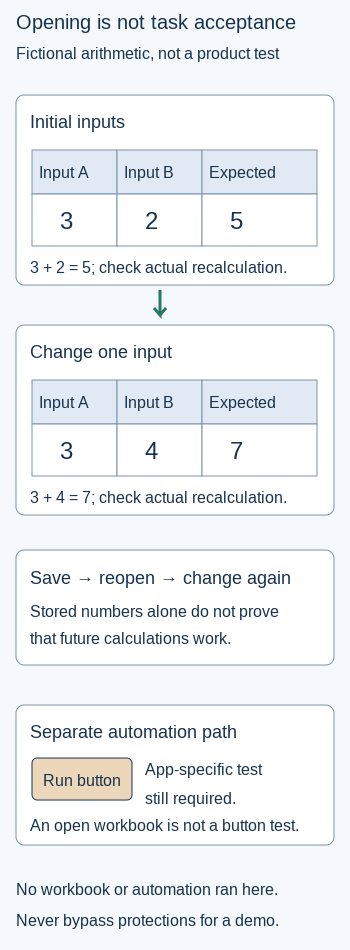
Original mechanism diagram. The arithmetic shows a proposed check, not a screenshot of a tested workbook or a compatibility certification.
 Superdirector
Have your AI do this for your brand.
7 days free, then $29 a month.
Name the task before choosing the screenshot
Write the paid outcome in a sentence a buyer could check. For a fictional materials tracker, that might be: enter received and used quantities, see the remaining quantity, and retain the record for the next session. “Beautiful inventory dashboard” describes appearance, not that outcome.
Choose a small, non-sensitive example. Avoid using a real customer’s order history merely to make a demonstration look authentic. Record the input values and expected answer before opening the file, so a visually plausible total does not become its own evidence.
Separate essential actions from optional conveniences. A template might support direct entry but offer an additional import button only in a particular environment. That difference belongs in the product explanation. Do not demonstrate the button in one application and advertise the whole sequence as if it were identical everywhere.
Treat the file extension as a starting point
An XLSX or another workbook extension identifies a format, not every capability available in each application. Record the application, desktop or browser surface, relevant version information, and the exact delivered file revision. If you sell separate editions, give each edition its own review record.
Microsoft explicitly distinguishes opening a macro-containing workbook from executing its VBA: Excel for the web cannot create, run or edit VBA macros, although it can open and edit such workbooks. A screenshot of an open file therefore cannot support a claim that its VBA button works in the browser. Microsoft’s Excel for the web guidance
Google likewise describes recreating Excel macros using Apps Script for Sheets. That is development work, not evidence that an ordinary file conversion has preserved the automation. Do not rename an extension or show a successful import as a substitute for checking the promised action. Google’s macro migration guidance
These references define useful boundaries. They do not tell us whether a particular seller’s formulas, buttons or scripts work. That requires the actual deliverable and the environment being claimed.
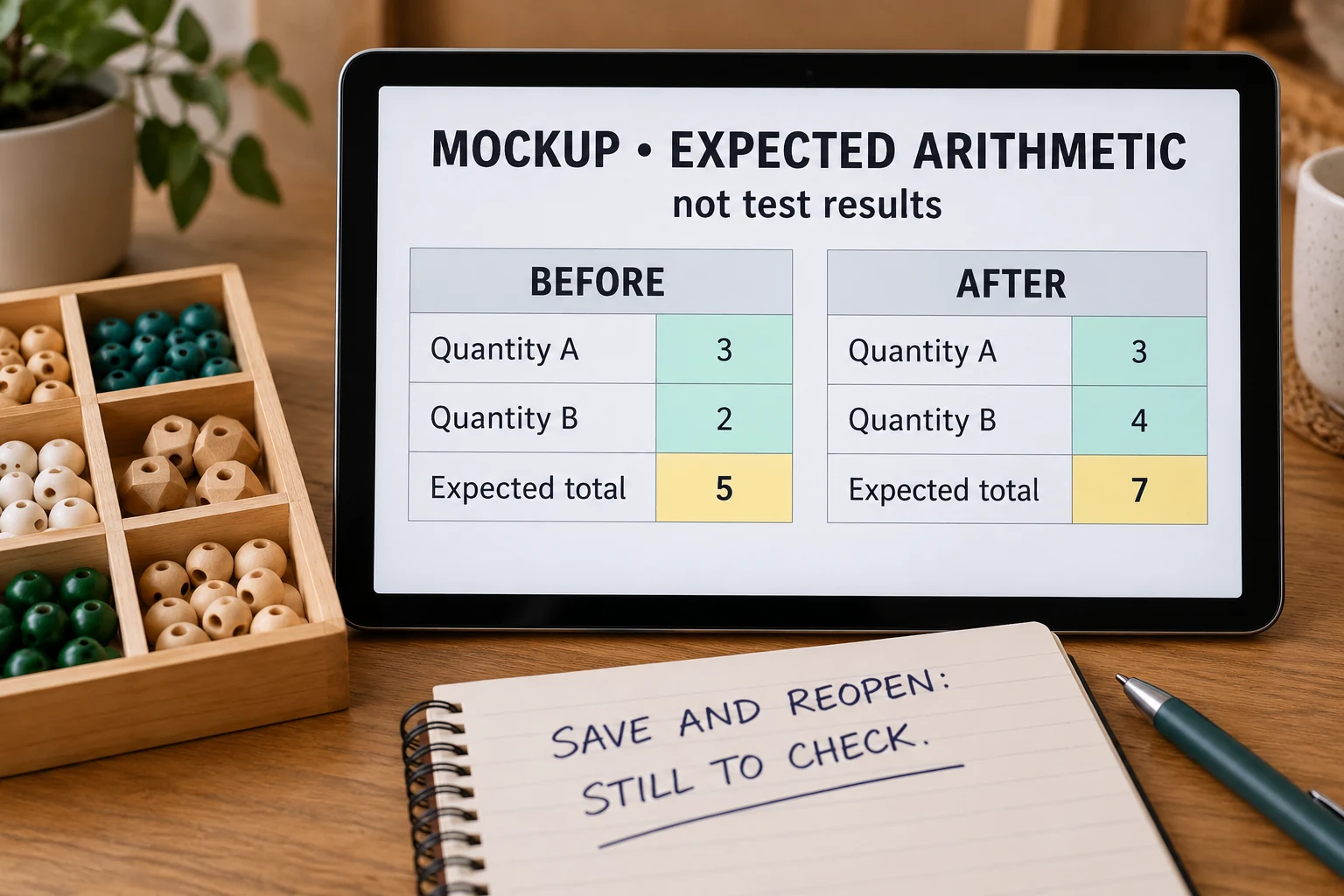
AI-generated illustrative mockup. The arithmetic is a teaching example, not a tested seller workbook. Calculation, automation and save-and-reopen behavior require separate checks in the claimed application.
Demonstrate a change, not just a finished total
Use a short sequence with a result that is easy to verify. In a fictional incoming-materials log, enter quantities three and two. The expected sum is five. Change the second quantity to four; the expected sum is seven. These values are an original teaching example, not a benchmark or a substitute for testing a real inventory model.
Show which cells are intended for entry and which display the calculated result. If the output is manually typed for filming, it is not a calculation demonstration. Keep enough of the interaction visible for a reviewer to see the input change and the resulting output without relying on narration alone.
Then add the changes that matter to the paid task. Does adding a row include it in the intended total? Does a permitted blank or corrected entry behave as the product explains? Does a dropdown affect the expected output? Test charts, filters and refresh actions separately when they are part of the offer. A passing sum does not validate every other feature.
Follow the delivered copy through save and reopen
The file in the seller’s working folder may not be the file a buyer receives. Use the exact export or copy offered for delivery, and record its revision. Run the small task, save through the supported route, close it, then reopen it in the claimed environment.
Check both the stored input and the behavior after another change. A previously calculated number still visible on reopening does not, by itself, establish that future calculations work. Also distinguish preserving the current data from preserving the intended formulas or automation.
Microsoft’s compatibility guidance notes that differences can involve formulas, features and formatting, and that its web-specific automated compatibility process can leave issues needing manual attention. Treat a conversion or compatibility message as something to inspect, not a final acceptance certificate. Microsoft’s compatibility guidance
Do not tell buyers to disable security protections to rescue an unsupported automation path. If the tested route requires a different supported edition or a separately prepared implementation, state that requirement accurately. If the route has not been tested, label it untested rather than inventing a workaround.
Keep three result states visible
For each important action and claimed environment, record one of three states: observed working in the stated test, documented unsupported, or not yet established. Attach the exact file revision and evidence to the first state. Attach the relevant primary reference to a platform limitation. Keep missing observations in the third state.
Avoid turning this into a wall of reassuring check marks. A row called “compatible” is too broad if it hides different results for editing, calculation, automation and persistence. A narrow statement about a tested task is more useful than an all-app promise.
When a fix changes the file, repeat the affected checks on the new deliverable. Preserve the previous result as history rather than silently moving its approval to a different revision.
Make the sales demonstration match the evidence
Build the video around the observed task: starting inputs, an ordinary change, the resulting calculation, and the saved copy when persistence is part of the promise. Name the environment beside the demonstration. Show any supported manual route as manual, not as automatic processing.
Ask a reviewer to explain what the buyer can do, where it works, and which actions remain untested. If they infer that an unsupported button works everywhere, revise the labels and sequence. This comprehension review is separate from running the workbook itself.
An Excel-to-Sheets discussion raises questions about preserving a workflow across applications. A prospective Etsy buyer discussion asks about useful function beyond appearance. These individual questions do not establish how frequently the problem occurs or whether a demonstration increases sales.
The finished asset should let a buyer understand the supported workflow and its limits. Actual execution, reader understanding, publication and later commercial results remain different things to verify.
Frequently asked questions
If a spreadsheet total is correct, have I validated the whole template?
SuperdirectorHave your AI do this for your brand.
7 days free, then $29 a month.