How-To Guide
Show tactical pause without promising controls your strategy game does not have
A player sees a battlefield stop in your trailer. Can they now inspect units, choose destinations, queue several orders, or only open the settings menu?
A player sees a battlefield stop in your trailer. Can they now inspect units, choose destinations, queue several orders, or only open the settings menu? Those are different promises. A cinematic pause and a dramatic slow-motion edit cannot answer them.
For a single-player strategy launch, build one short demonstration around the exact actions the released build supports. Show the control, the stopped scene, the permitted interaction and what happens after resuming. Keep restrictions close to the demonstration rather than hiding them in a general features list.
This is a proposed capture and review method, not a report of tests performed on your game. All scenes below are fictional. A developer's tactical-pause interface question and a separate player discussion about active pause motivate the distinction. They do not establish search volume or a universal preference. The research record preserves conflicting search dates and relative body timestamps; neither thread establishes what another game's current build supports.
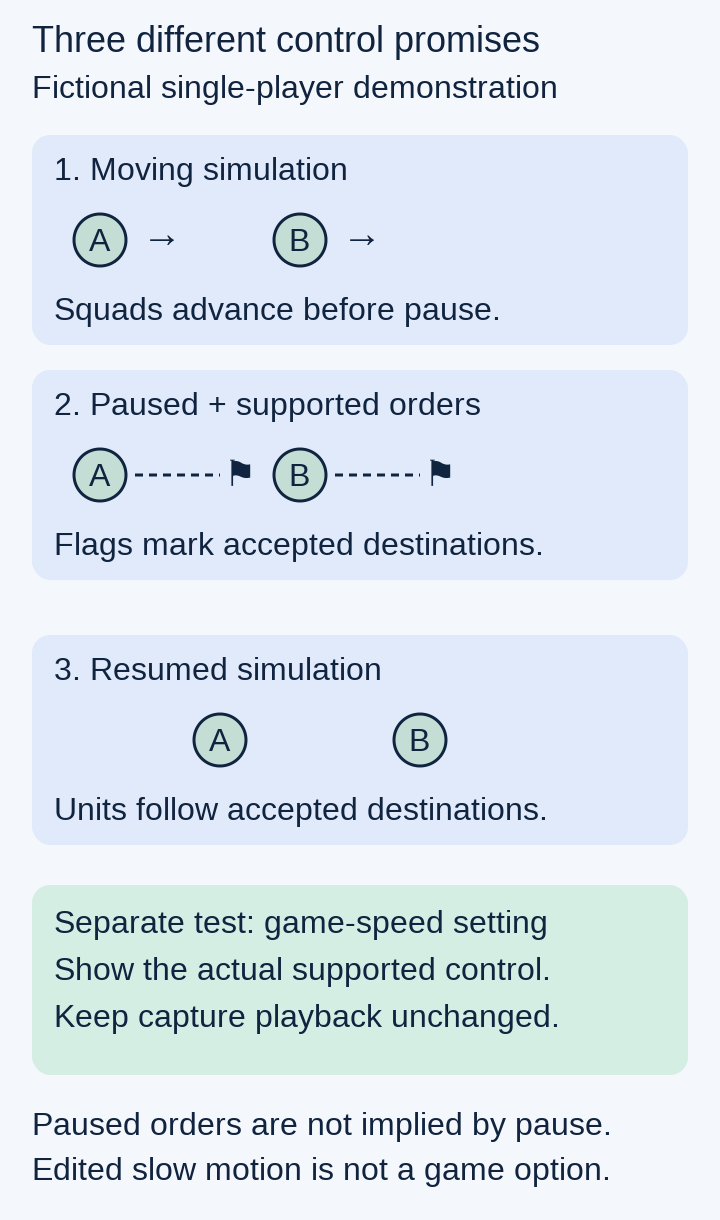
Original explanatory diagram. The illustrated order behavior is hypothetical, not a tested feature of a named game.
 Superdirector
Make it work for your brand
Find it. Remake it. Post it. Superdirector turns the viral formats in your niche into your brand's carousels, X posts and video scripts, and keeps the calendar full.
Write the behavior card before recording
Answer four questions for the specific mode and build:
- What stops: unit movement, combat, timers, animations, or only part of the simulation?
- What remains interactive: selection, camera, information panels, destinations, or settings only?
- What happens to an accepted order: does it replace an earlier order, enter a queue, or execute immediately in some subsystem?
- What resumes, and which action resumes it?
Leave an unknown as unknown until tested. If the demonstration is single-player only, put that qualification beside the feature. Do not transfer the result to cooperative or competitive modes because their menus look similar.
Engine support is not a complete answer. Godot's pausing documentation distinguishes the scene pause state from node process modes and explains how a menu can remain interactive. That supports a technical distinction, not a promise that arbitrary paused orders will work. Your game's command acceptance, simulation rules and feedback still need inspection.
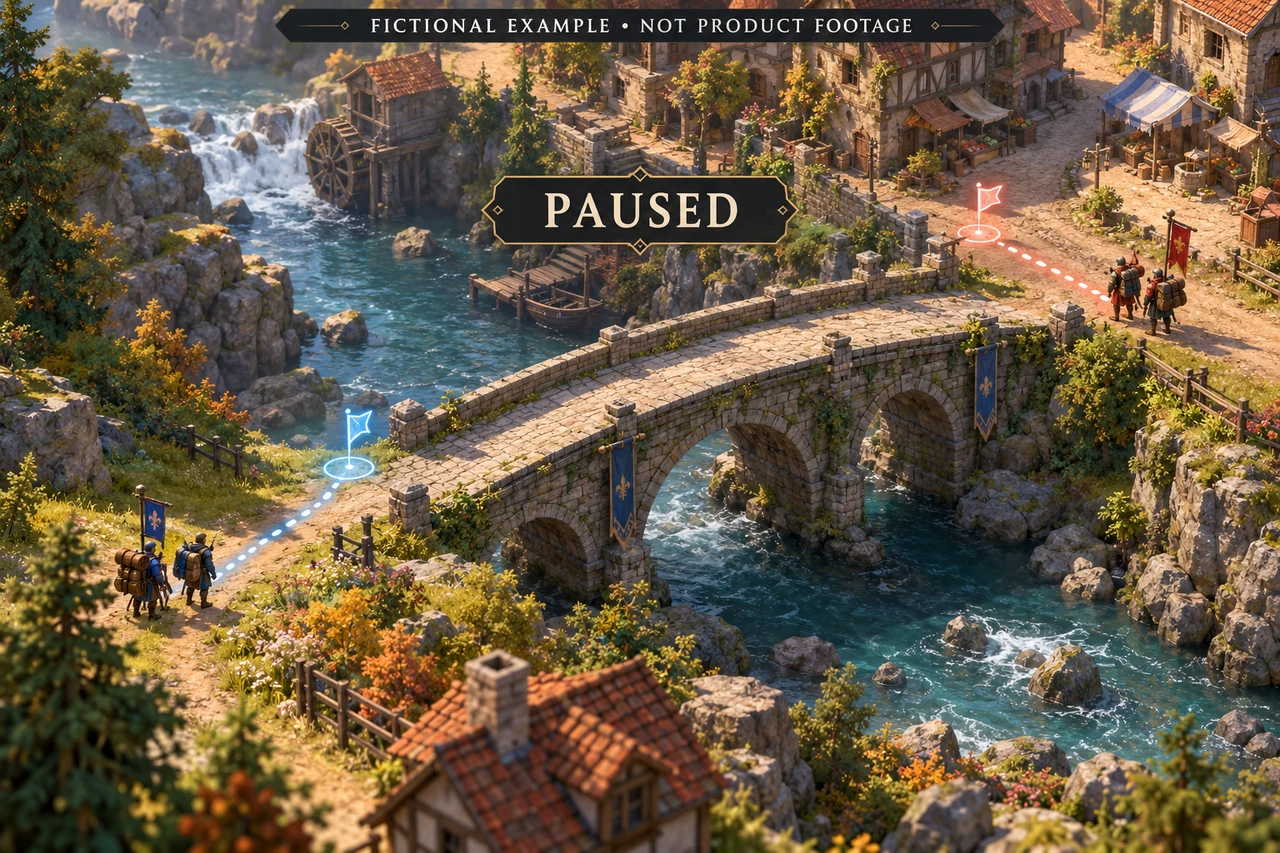
A fictional paused tactics scene shows proposed destinations for two courier squads. The actual build must demonstrate whether it accepts and executes those orders. Original AI-generated editorial illustration.
Record one continuous pause-to-resume scene
Imagine a fictional game with two courier squads approaching a bridge. Assume this fictional build supports paused orders and lets each squad receive a destination. A useful capture would show:
- Both squads moving, with the pause control visible or explained.
- The player activating pause. Their positions stop changing.
- The player selecting the first squad and assigning a destination. A labeled route marker appears while the squad stays still.
- The player selecting the second squad and assigning its destination.
- The player resuming. Movement follows the accepted orders.
Do not substitute this sequence for evidence from your own build. If your game replaces a destination rather than maintaining an order queue, demonstrate replacement and call it that. If selection is possible but destination entry is not, that can still be useful information. Remove the unsupported promise instead of staging it in an editor.
Keep the first evidentiary version continuous. A polished edit may come later, but cuts between paused input and resumed movement can conceal a reset or a different game state. Retain the uncut source with the build identifier so a reviewer can check what the audience is being told.
Make accepted and rejected orders legible
A cursor moving across the battlefield is weak evidence that the game accepted an order. Show the actual feedback your build provides: a destination marker, a command list, a changed target label or another clear signal. The viewer should distinguish an accepted instruction from a hover preview.
Try an invalid action during internal review. For example, select an unreachable destination or issue a command unavailable to that unit. What feedback explains the rejection? Do not add a friendly error caption in post-production if players receive no corresponding explanation in the game. Record the gap as a product issue, or explicitly distinguish an editorial explanation from the interface.
Use labels and marker shapes as well as color in the demonstration. This makes the intended meaning easier to inspect without implying that a single video proves the entire game accessible.
Separate game speed from video speed
A slower video can show detail, but it does not prove that a player can slow the game. For a genuine adjustable-speed feature, show the actual setting and its supported value, then continue recording at normal playback speed. Keep any later editorial slowdown visibly labeled.
Game Accessibility Guidelines identifies adjustable game speed as potentially useful for timing and processing demands. That is a reason to examine the feature with intended players, not a guarantee that every player benefits or that your implementation meets every need.
A pause-only game should not inherit a slow-mode claim. Equally, a game with slower simulation may still require continuous input and may not accept paused commands. Write these as separate capabilities. If a speed option is restricted by mode or difficulty, show the restriction where the setting is demonstrated.
Review understanding, not just visual polish
Before approving the clip, ask a reviewer unfamiliar with the feature to describe what they believe they can do while paused. Ask whether orders execute immediately or after resuming, and whether the slower scene is a game setting or an editing effect. Record their answers before explaining the intended meaning.
A misunderstanding is a concrete revision target. Perhaps the queue marker needs a label, the resume action disappears in a cut, or a caption implies every mode supports the feature. Fix that specific ambiguity, then repeat the same questions with a fresh reviewer. Do not report an improvement without recording the observations and the number of people involved.
Keep a small release receipt: build and mode, exact feature wording, uncut capture filename, supported inputs, known restrictions, reviewer observations and unresolved behavior. Recheck the scene when command handling or pause behavior changes. A technically impressive shot is not ready if the release build no longer matches its promise.
What this method does not establish
This workflow has not been executed on a supplied game. It does not establish accessibility certification, demand volume, conversion lift or compatibility across modes. Its immediate outcome is narrower: a reviewable explanation of the controls players will actually receive, with a clear boundary between demonstrated behavior and attractive editing.