How-To Guide
Show Remote Play Together working without promising native online multiplayer
The host owns and runs the game; guests participate through streaming.
A clip of two people playing from different homes does not tell the viewer how the game connects them. They might expect separate game installations, independent cameras, matchmaking or a persistent server. If your actual product is local co-op streamed through Steam Remote Play Together, that missing explanation becomes part of the purchase decision.
Build the demonstration around the connection model and a completed cooperative action, not an invitation notification. This article proposes a proof sequence for an indie developer preparing a launch video or store-page explanation. It is not a claim that a particular game, controller or network has passed testing.
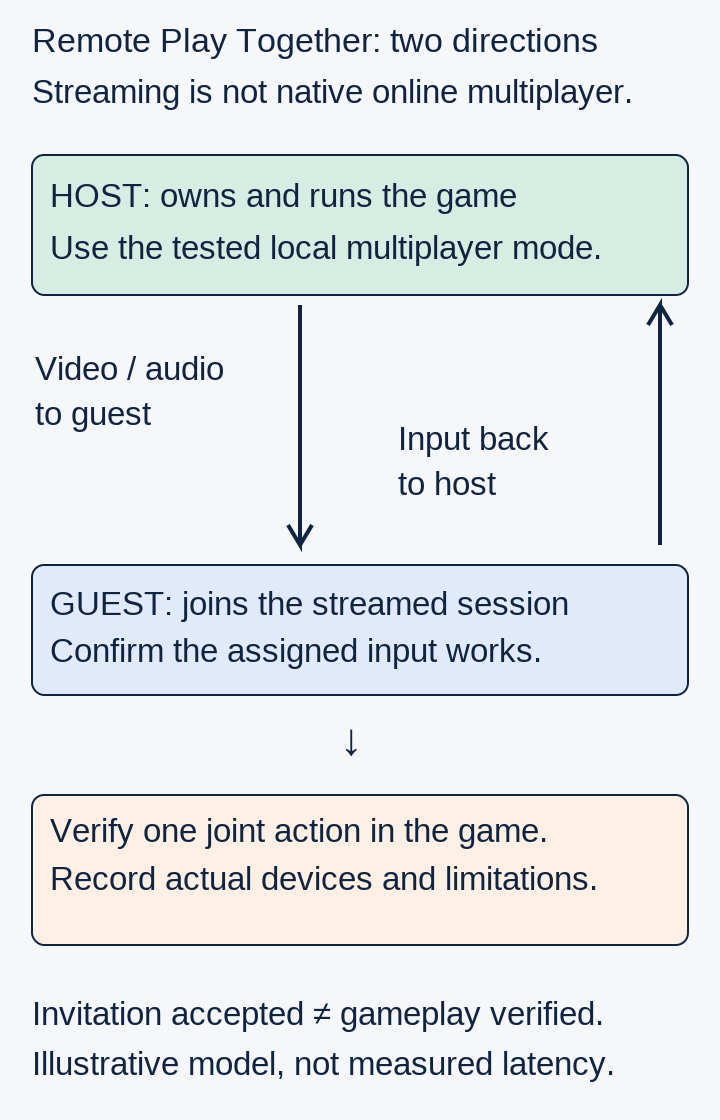
Original explanatory diagram. It shows a connection model, not measured network performance or a tested product configuration.
 Superdirector
Make it work for your brand
Find it. Remake it. Post it. Superdirector turns the viral formats in your niche into your brand's carousels, X posts and video scripts, and keeps the calendar full.
First decide which promise the footage is making
Valve describes Remote Play Together as a way to share local multiplayer over the internet. The host owns and runs the game; guests participate through streaming. This is different from proving that your game implements its own networked multiplayer. Keep your description tied to the feature you actually ship. Steamworks Remote Play documentation
For a fictional two-player heist game, a useful working caption would be: “Local co-op, shown here with one remote guest through Steam Remote Play Together.” That is an illustrative caption, not approved copy for your product. Add the actual tested configuration nearby. Do not append “works on any device” because one demonstration succeeds.
The question is not hypothetical in developer discussions. A solo developer asked how players would receive a couch-play heist game relying on Remote Play Together, then discussed how to describe it. The author later reported abandoning that approach in favor of self-hosted multiplayer. That is one directly read developer conversation and a reported change of direction, not evidence of a successful Remote Play-only launch, measured search demand or proof of what all buyers prefer. Developer discussion
Record the setup before recording the hero moment
Use a small evidence sheet with these fields:
- Game build and branch, test date, and selected local multiplayer mode.
- Host operating system and input device.
- Guest operating system, client route and input device.
- Which keyboard, mouse or controller permissions were enabled.
- Connection conditions you actually observed, without inventing a bandwidth or latency figure.
- First completed joint action, observed problem and retest result.
The sheet prevents footage from becoming detached from its limits. “Two controllers tested on this build” is useful information. “Universal controller support” is a different claim that this sheet does not establish.
Shoot one continuous proof sequence
For the fictional heist example, use a simple cooperative interaction that requires both players. The host holds a switch while the guest walks through an opened door. Record these steps without editing out setup failures:
- Launch the tested local mode on the host.
- Show the Remote Play Together invitation and the guest joining.
- Identify which character each person controls.
- Have the host operate the switch and the guest cross the threshold.
- Swap roles and repeat, if the game permits it.
- Return to a menu and confirm that the intended player can navigate it.
The switch is an example of a strong proof moment because merely seeing a second character is insufficient. A prerecorded character animation could look similar. The interaction demonstrates distinct inputs affecting the same game state, while the setup caption explains how the remote participant got there.
Keep a full uncut recording for review. A shorter public edit can remove dead time, but should not imply that a failed setup was effortless. Avoid using a split-screen composition to suggest independent cameras if the actual game presents a shared view.
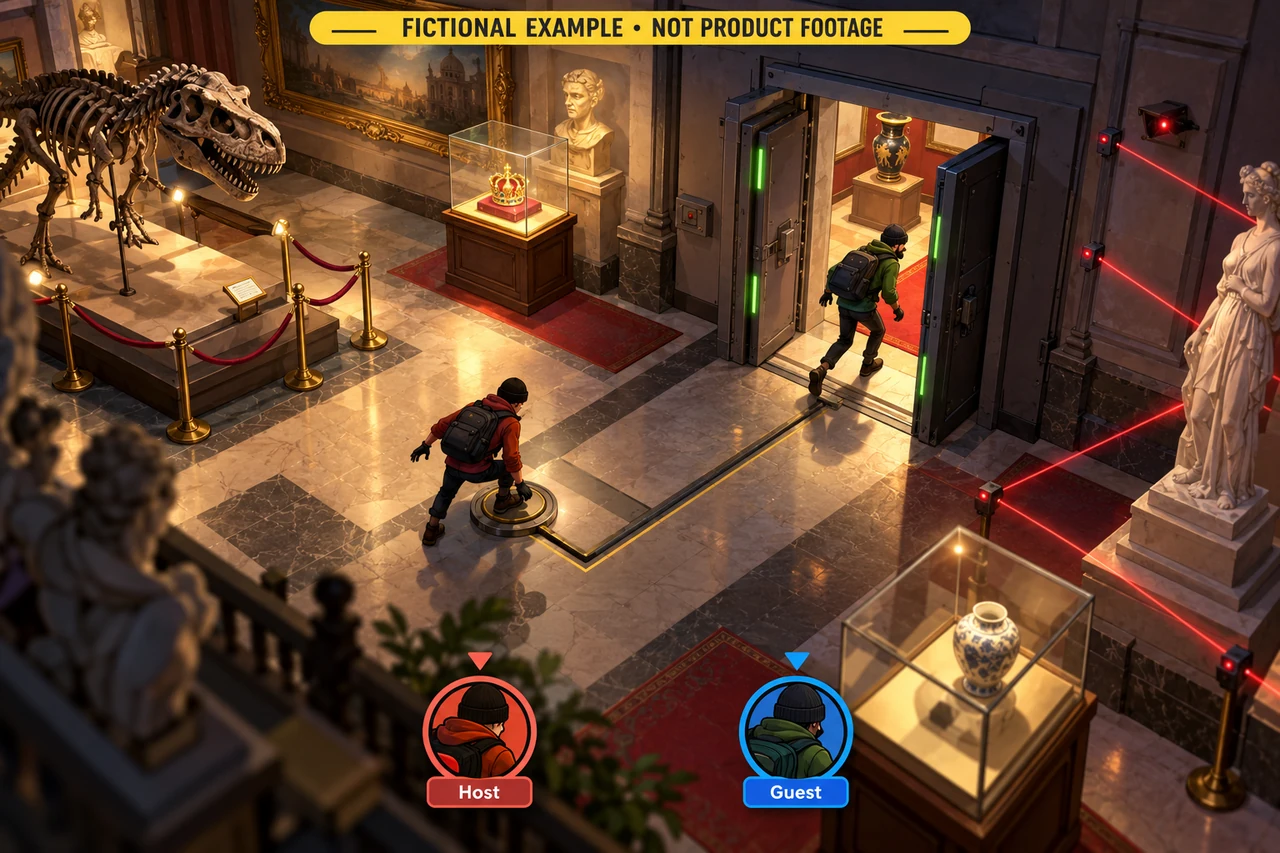
The fictional heist’s switch-and-door interaction gives host and guest separate jobs. It is not evidence that a particular Remote Play setup works. Original AI-generated editorial illustration.
Test input access, not just connection
Valve's player explanation says participants can use controllers and that the host can share or limit keyboard and mouse access. Verify the particular arrangement you plan to show instead of treating the platform's options as a guarantee for your game. Steam Remote Play player guide
For a keyboard-sharing example, record the guest performing the permitted action, then the host removing the relevant access and observing the result. If both players accidentally control the same character, preserve that failure in the private receipt. Diagnose input assignment before publishing a “play together” walkthrough.
A successful invitation overlay is not the acceptance test. Neither is audio arriving while the guest cannot control anything. Classify the failure precisely: connection, image, sound, input assignment, menu navigation or gameplay interaction. That gives the developer a reproducible issue instead of a vague “Remote Play is broken” report.
Check the explanation with a prospective player
Show the draft video and caption without giving an extra verbal explanation. Ask the viewer:
- Who runs the game in this demonstration?
- What would the guest need to do before playing?
- Does the clip promise native online matchmaking?
- Which device and input combination was actually tested?
Record their answers rather than interpreting likes as comprehension. If they infer matchmaking or universal compatibility, revise the explanation and try again. This is a proposed small qualitative test, not an already measured result or a statistically representative study.
The completed deliverable is a truthful short video, a configuration note and an uncut test receipt. It is not proof that Remote Play will feel good on every connection. Retest after changes that affect inputs, local multiplayer or the demonstrated setup. Keep network-quality observations separate from purchase, wishlist and retention outcomes.