How-To Guide
Show exactly what leaves an expense-scanner app when users export
A person who needs a readable PDF has not necessarily asked for a spreadsheet.
“Export your receipts” can describe several different outputs: structured expense data, a readable document, links to stored images, or the image files themselves. For a receipt-scanner founder preparing a first release, the launch demonstration should make that difference visible before asking someone to depend on the app.
Start with the recipient's required artifact. A person who needs a readable PDF has not necessarily asked for a spreadsheet. A person moving records into another tool may need structured fields plus supporting images. This guide proposes a synthetic export demonstration, not tax advice, financial advice or a guarantee that a recipient will accept the result.
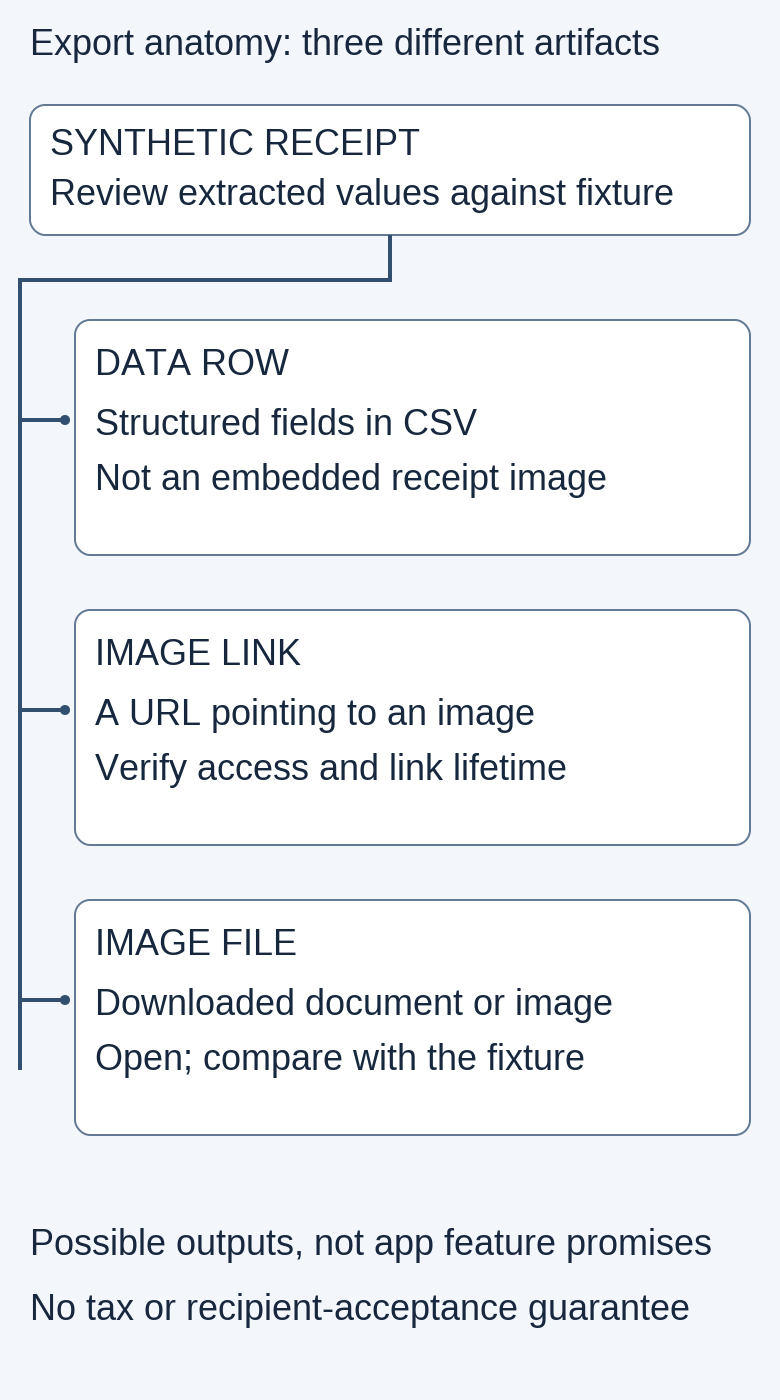
The diagram is a verification plan. Its branches are possible artifact categories, not a claim that every app supports all three.
 Superdirector
Make it work for your brand
Find it. Remake it. Post it. Superdirector turns the viral formats in your niche into your brand's carousels, X posts and video scripts, and keeps the calendar full.
Name the output before recording the workflow
Write a one-sentence promise that can be checked by opening a file. For example: “This example exports the reviewed date and total as CSV data, with a separate receipt image.” Use that sentence only if the inspected product actually produces both artifacts.
The distinction is explicit in Dext's export guide: a CSV contains extracted data rather than the images themselves; image-sharing settings can add links, while other export options provide documents. Its current guide also limits exporting to the web app. These are Dext-specific behaviors, not automatic features of a new mobile scanner.
New Expensify's guide separately describes CSV, PDF and receipt ZIP options, with web and mobile workflows. Keep the edition and surface attached to that reference. Two products using “export” does not mean they produce the same artifact or support the same place of use.
Build a small synthetic receipt fixture
Create an obviously fictional receipt with a known date, currency and total. Avoid real names, account details or transaction records. Put a fixture label on the source so nobody mistakes it for a customer result or business expense.
Record the input values before scanning. Then inspect what the app extracted. If OCR produces a wrong date or amount, show the correction workflow if it exists; do not replace the screen with a perfect row and call that an observed result. If a field is unsupported, record unsupported rather than silently adding it to the export.
Use at least one potentially ambiguous presentation, such as a date that could be read in two orders, but document the intended interpretation. The aim is to inspect what the app does, not to make a sweeping claim about all currencies or locales from one example.
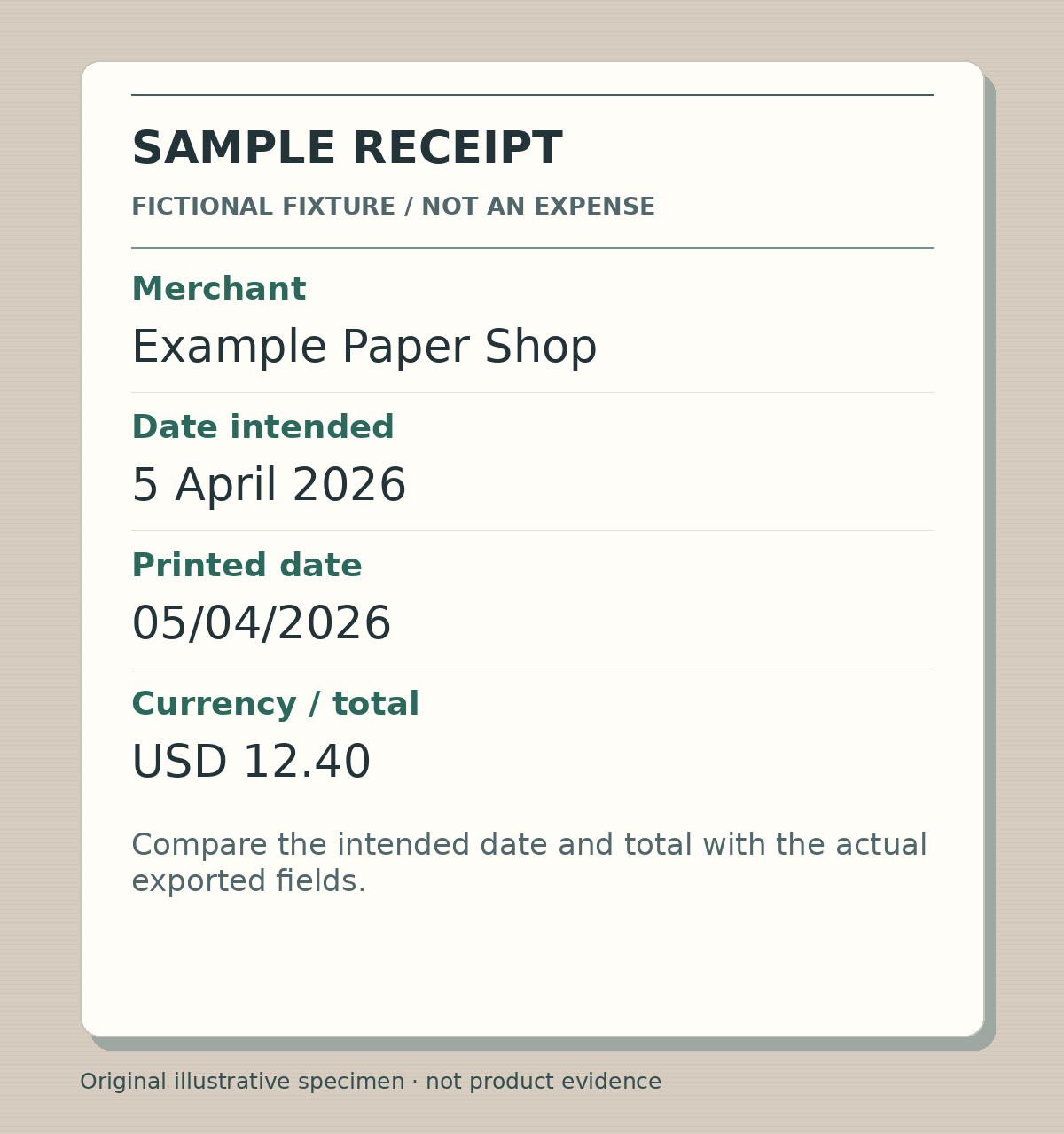
Original fictional receipt fixture. The printed date is deliberately ambiguous; the intended date is 5 April 2026. It is not a real transaction, OCR result or tax document.
Follow three different paths out of the app
First, open the structured data output in the intended supported viewer. Check the actual column names, date presentation, currency context and whether each row represents a receipt, line item or summary. A successful download notification does not answer those questions.
Second, inspect any image link as a link. Record its documented access conditions and whether the authorized recipient can open it. Do not assume it works offline, remains available forever or grants permission to redistribute the image. Do not broaden sharing just to make a demonstration pass.
Third, if the product offers an image-file export, open the downloaded file itself. Confirm it is readable and corresponds to the synthetic source. A URL in a spreadsheet is not that file. A PDF may contain a useful image without containing editable structured line items; describe the actual output rather than the file extension alone.
Make the limitation part of the acquisition story
Imagine a fictional scanner that exports a readable PDF but no structured line items. Its honest demonstration ends by opening the PDF and naming that output. A spreadsheet user's needs remain unmet unless there is a documented alternative. The correct response is a clear limit, not “works with every accounting system.”
Public questions support the distinction: one buyer asks for a simple readable receipt PDF, while another asks for a scan, categorization and extraction workflow. Those are two separate requests, not measured demand volume. Vendor replies are not independent buyer evidence, and a buyer mentioning taxes does not establish compliance or deductibility.
Finish with a usable handoff, not an export animation
Use the blank export worksheet to attach the fixture, build, supported surface and observed output. Keep reviewed values, generated files and recipient acceptance as distinct checks. Leave the recipient's format requirements unresolved until verified by the appropriate person or documented specification.
Before publication, have a practitioner follow the same safe example, inspect the rendered page and confirm that the final social crop preserves the output labels. Record the actual result, including failures. After release, distinguish export-button clicks from opened usable artifacts, repeated useful work and paid adoption.