How-To Guide
Review Steam capsules and gameplay screenshots in two separate lanes
A gameplay screenshot helps them understand what playing it looks like.
A capsule helps someone recognize your game. A gameplay screenshot helps them understand what playing it looks like. Treating both as interchangeable promotional images can leave you with a readable logo but no useful gameplay evidence, or a striking screenshot whose title disappears at thumbnail size.
For a first Steam store page, keep separate source files and review questions for these two jobs. The process below is an original production checklist, not a guarantee of store approval or higher click-through rates.
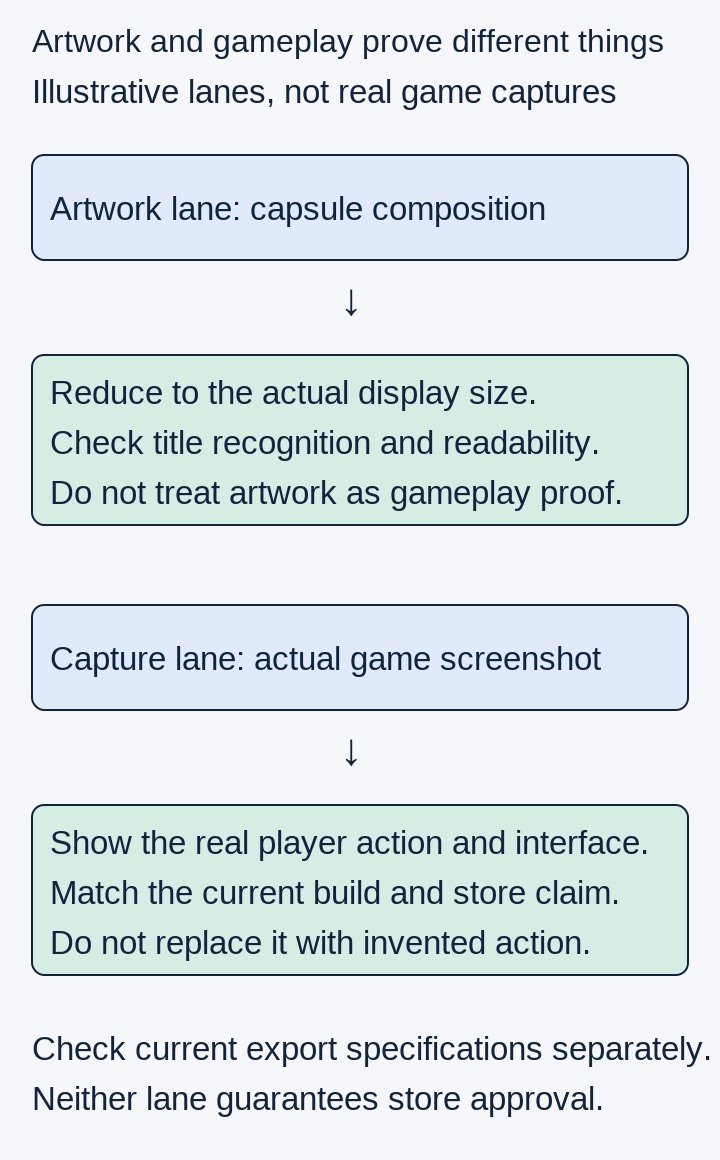
Original workflow schematic, not game art or a Steam UI screenshot. Each lane has a different acceptance question.
 Superdirector
Make it work for your brand
Find it. Remake it. Post it. Superdirector turns the viral formats in your niche into your brand's carousels, X posts and video scripts, and keeps the calendar full.
Lane one: recognition artwork
Steam’s base capsule rules limit content to game artwork, the game name and any official subtitle. Review scores, awards, discounts and unrelated calls to action do not belong on the base capsule. Temporary artwork overrides have their own constraints; they are not a general exemption for promotional text. Steam graphical asset rules
Begin with the exact asset type and its current specification. Do not let a generic “social image” export become the source of every store asset. Preserve an editable master, then create the required layouts with intentional logo placement and safe spacing.
Test recognition at the size people will actually see. Steam’s small-capsule documentation specifically requires the logo to remain readable at the smallest derived size. Current specifications derive 120×45 and 184×69 versions from the 462×174 small capsule. Inspect those reductions, especially 120×45. A title that looks clear on your design canvas may become indistinct after reduction. Store graphical assets
A useful review question is “What is the game called?” rather than “Do you like this?” Record whether the reviewer could read the title without zooming. Do not turn that small comprehension check into a measured click-through improvement.
Lane two: evidence of play
Use captures from the game for screenshot slots. Steam asks those slots to show gameplay rather than concept art, pre-rendered cinematic stills, awards or marketing copy. Screenshot requirements
The current screenshot specification requires at least five images, with a minimum 1920×1080 size and 16:9 aspect ratio. Recheck the official specification when preparing the actual export.
For each capture, retain the build, scene and action being shown. This is your evidence trail when the game changes. The screenshot should answer a player question: what can I do, what am I deciding, or what changes after I act?
For an illustrative strategy game, one capture might show positioning units around a narrow approach. Another might show the resource decision that makes a defensive position affordable. These are different pieces of gameplay information. Five near-identical views of the same battlefield may fill slots without explaining the game any better.
The example is a capture plan, not an assertion about a real product. Replace it with scenes your actual build supports. Do not create a synthetic “gameplay screenshot” that implies a feature exists when it does not.
One source scene can produce different assets, but keep the distinction
You might begin with an in-game scene for both the capsule and a screenshot. That does not make the final outputs interchangeable. The capsule may become a branded composition. The screenshot remains evidence of the game being played.
Keep the raw capture separate from the edited artwork. Name each export by purpose, not merely “final.” A simple record can contain source capture, build, asset role, editing notes, export size and reviewer decision. This prevents the branded image from accidentally replacing a gameplay capture later.
If the screenshot no longer represents the promoted build, recapture it. If the capsule title becomes hard to read in a new crop, revise that layout. Those are separate corrections with separate checks.
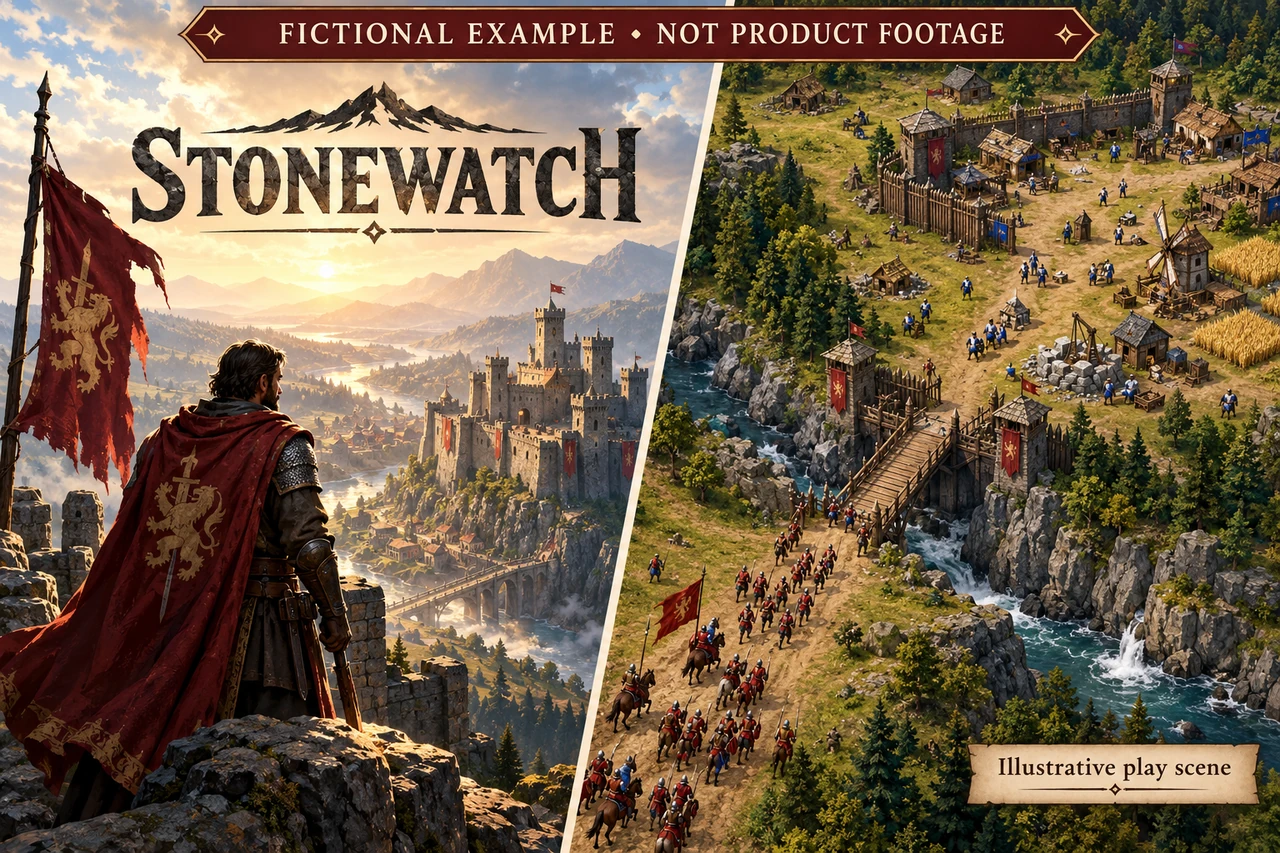
Two fictional treatments serve different jobs: recognition artwork and an explanatory play scene. Neither is a real game capture or an approved Steam asset. Original AI-generated editorial illustration.
Review the whole set for missing information
Lay out the proposed screenshot sequence and write one sentence about the player action each image communicates. Where two images say essentially the same thing, decide whether the second contributes a new mechanic, environment or state. Do not invent variety that the game does not have.
Then inspect the capsule exports independently. Does the title remain legible? Is the correct artwork in the correct slot? Has an outdated campaign message leaked into a base asset? Compare the actual export with the current official specification, not an old file’s dimensions.
A good review also looks for contradictory promises. A capsule suggesting multiplayer alongside screenshots of only solo interaction may leave a question unanswered. The remedy is accurate product communication, not automatically adding a multiplayer badge that the asset rules do not permit.
Finish with a production receipt
Your receipt should list the approved source revision, each destination slot, the exported file, the check performed and any remaining issue. “Prepared,” “reviewed,” “uploaded” and “publicly visible” are different states. A local export does not prove that the intended image is serving on the store.
When changes are authorized and published, compare the served assets with the approved files. Until then, the work is a prepared asset set. Keep live verification and store approval as separate steps.
The next useful action is a two-lane review of one capsule and one screenshot. If each has a clear purpose and traceable source, expanding the set becomes a controlled production task rather than a pile of almost-identical images.