How-To Guide
Rehearse your Steam Next Fest broadcast from the viewer’s side
A healthy encoder is not the same thing as a working store-page broadcast.
A healthy encoder is not the same thing as a working store-page broadcast. Before inviting viewers, rehearse the entire handoff: the intended footage reaches the intended page, a newcomer understands what is playable, and that person can find the demo and a feedback route.
This guide is for an indie team that has decided to broadcast its demo. Streaming is optional at Next Fest; Steam explicitly says developers without the time or experience can concentrate on the demo instead. A rehearsal is a delivery check, not evidence of better festival placement or more wishlists. Steam Next Fest
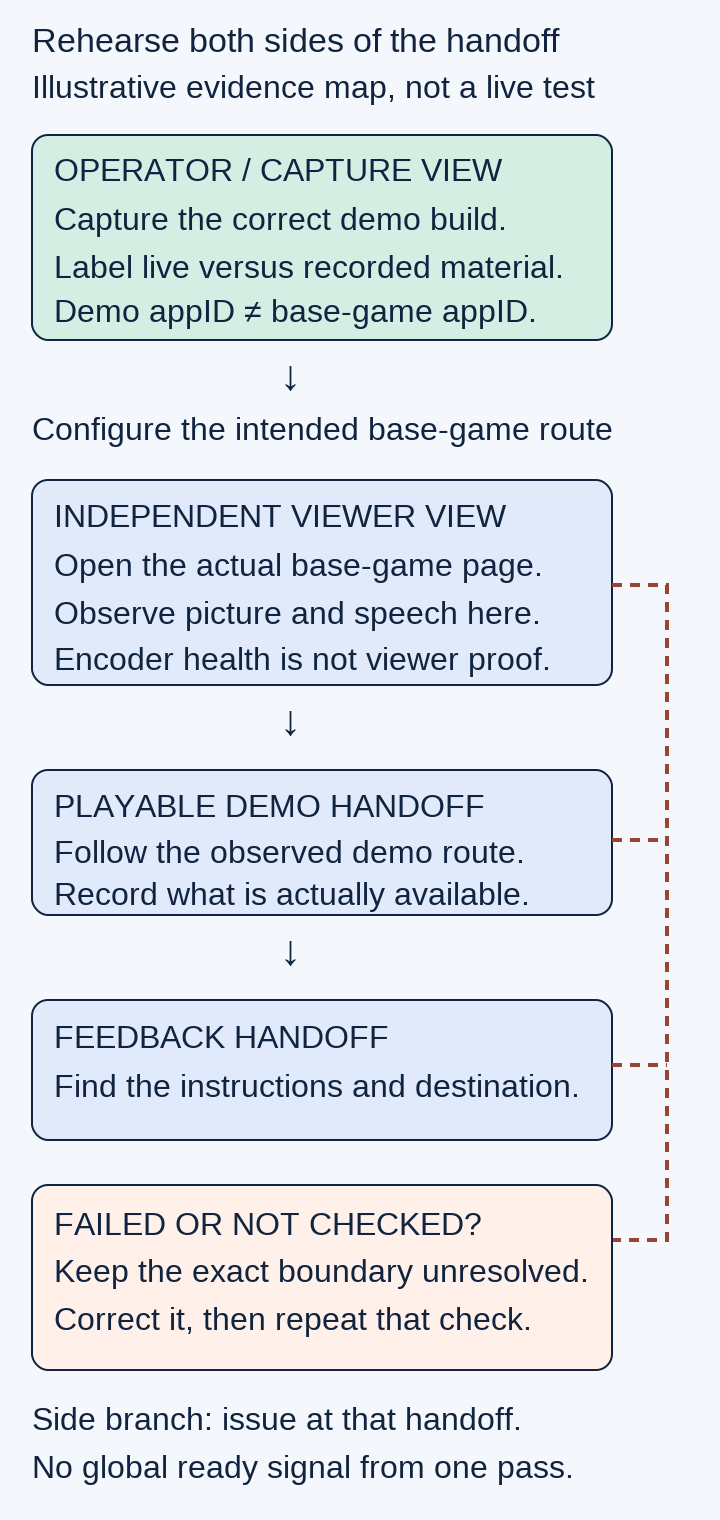
Original rehearsal map. These checks establish delivery and usability, not audience size or festival placement.
 Superdirector
Make it work for your brand
Find it. Remake it. Post it. Superdirector turns the viral formats in your niche into your brand's carousels, X posts and video scripts, and keeps the calendar full.
Write a viewer contract before opening the encoder
Use one sentence to say what this session demonstrates. For example: “A first run through the publicly playable puzzle demo, with commentary explaining how the rewind mechanic changes a failed attempt.” This is an illustrative editorial plan, not a tested campaign.
Then list three boundaries: the build shown, anything shown that is absent from the public demo, and whether the session is live or recorded. Label recorded material accurately. Do not let a polished sequence imply that players can currently access a feature that exists only in your development branch.
Pick one visible player decision for the opening. A newcomer should be able to see an action, its consequence, and why someone would try a different approach. Avoid spending the entire introduction on your studio history while the game remains on a menu.
A worked run-sheet example
For the illustrative rewind puzzle demo, use four rows rather than a loose promise to “show gameplay”:
- Opening: live introduction, current public demo build, explain the rewind decision.
- Demonstration: prerecorded failed attempt and retry, explicitly labeled as recorded, from the same identified build.
- Interaction: live play, repeat the decision without an edited cut, with a fallback note if the planned action fails.
- Handoff: live closing or clearly labeled recorded closing, direct viewers to the actual demo and feedback route.
Give each row an operator, capture source, on-screen label, expected transition and fallback. If the recorded segment contains an older mechanic, replace it or explain the difference before it appears. Rehearse the live-to-recorded transition itself: a working game capture does not prove the playlist uses the right clip. The example is a planning aid, not a receipt from a real game; replace its placeholders with your build and observations.
Separate the demo you capture from the destination you configure
Steam gives demos their own appIDs. Its demo-broadcast guide explains that a demo stream does not automatically appear on the full game’s store page. This route requires external streaming software, the base-game broadcast appID, an appropriately entitled broadcast account and store-page broadcast permission. Steam also warns against playing the demo on the broadcasting account, because the running game can override the configured destination. Follow the current account and configuration instructions rather than improvising around a missing permission. Steam demo broadcast setup
Keep a private setup record containing the base-game appID, demo appID, account roles and configuration owner. Do not put stream tokens, passwords or private account details in a shared rehearsal screenshot or marketing document.
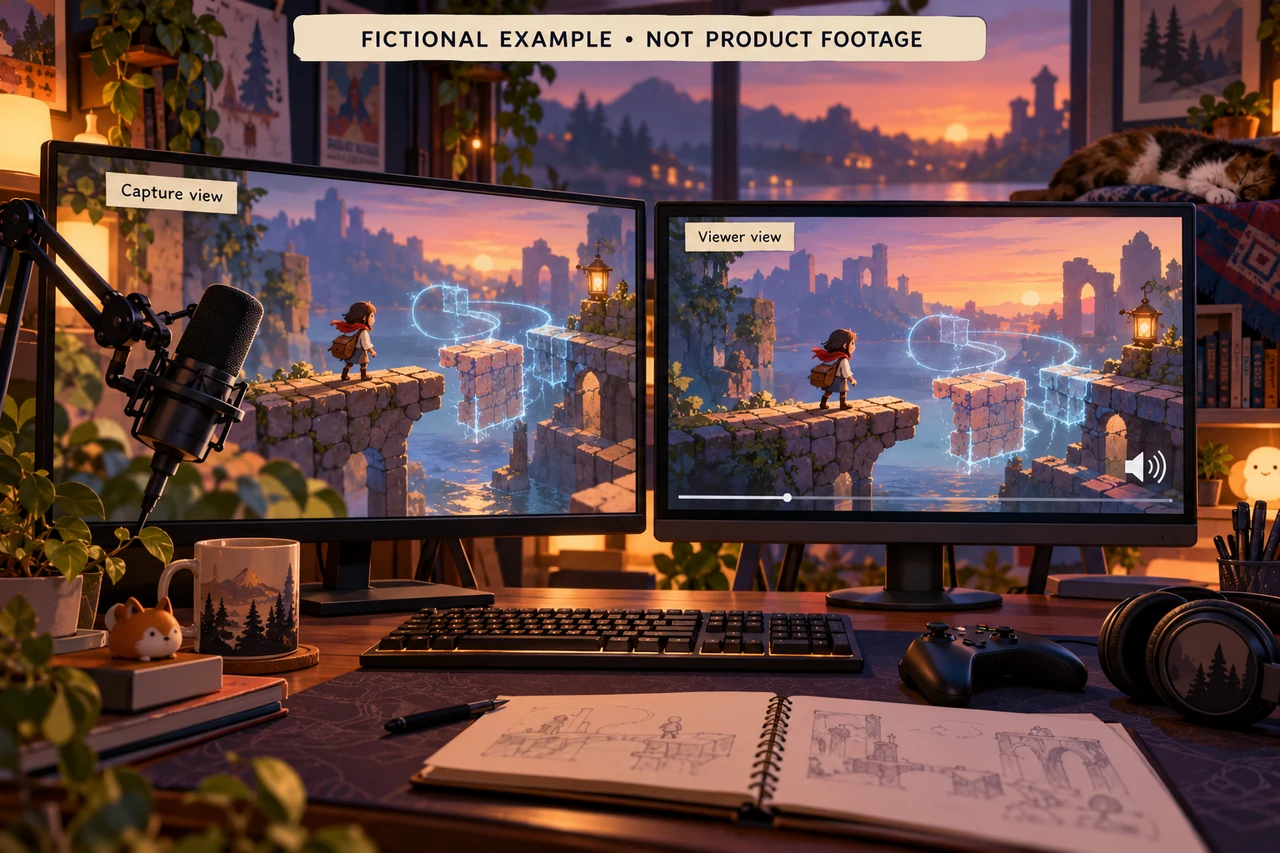
Two views of one fictional broadcast rehearsal: creator capture and the viewer’s player. No live stream or successful handoff is represented. Original AI-generated editorial illustration.
Run a rehearsal with two separate views
The operator watches the capture and encoder. A second reviewer watches the actual intended store page as a viewer. If one person does both jobs, switch explicitly between the two views and record which observation came from which view.
Use this proposed run sheet:
- Open the destination page and note its URL and observation time.
- Start the planned opening segment. Check that the visible build matches the viewer contract.
- Listen to a quiet segment and a noisy segment. Can speech still be understood? Record a concrete failure such as “the explanation of rewind is inaudible during combat,” not merely “audio bad.”
- Demonstrate the central decision without relying on developer shortcuts that the viewer cannot see.
- Follow the route a viewer would use to find the demo. Record what was actually available, rather than assuming a store-page button leads to a working download.
- Locate the feedback destination from the demo. Check that the instructions explain what useful feedback looks like.
- End and restart the rehearsal using the same documented setup. Note any step that depended on undocumented operator knowledge.
Steam recommends testing broadcasts ahead of the festival and making the demo and feedback route easy to find. Its tips distinguish this demo setup from ordinary livestreaming. Next Fest tips
Diagnose the failed handoff, not the whole campaign
Suppose the encoder is healthy but the store page is blank. That is an illustrative failure, not proof of a Steam outage. Preserve the time and destination, compare the account and appID configuration with the official guide, and repeat the viewer-side check after a specific correction. Do not mark the broadcast ready merely because the encoder stayed green.
If the stream works but viewers cannot tell whether the demonstrated feature is in the demo, revise the narration or footage. That is a communication failure, not necessarily a transport failure. Keeping those categories separate prevents a technical fix from concealing a misleading promise.
Make readiness a small, auditable decision
Create a record with build, destination, date, reviewer, picture result, speech result, demo-access result, feedback result and unresolved issue. Use “observed,” “failed” or “not checked.” Only call this particular rehearsal ready when its required checks are observed and its blocking issues are resolved.
After the session, compare actual viewer questions with the explanation you planned. Record broadcast delivery, demo use and useful feedback separately when your available reporting supports them. A rise in wishlists during a festival has multiple possible causes; this checklist does not isolate the stream’s effect.
Your next action is one viewer-side rehearsal record, not a longer streaming schedule. If you cannot produce that record without pulling effort away from a broken demo, improve the demo first.