How-To Guide
Prove what your Steam DLC adds before asking someone to buy it
An expansion trailer can show a new map clearly and still leave the buyer confused.
An expansion trailer can show a new map clearly and still leave the buyer confused. Is the base game included? Does the add-on unlock a menu item or deliver a file? Is the visible content already installed but unavailable to this account? A purchase button cannot resolve those questions by itself.
Before promoting an add-on, build a short evidence chain from the offer to the deliverable. Customers do not need to read your Steamworks configuration. Your explanation does need to agree with the package, the account state and the playable build.
This is a proposed developer workflow with fictional examples, not a test result for an existing product.
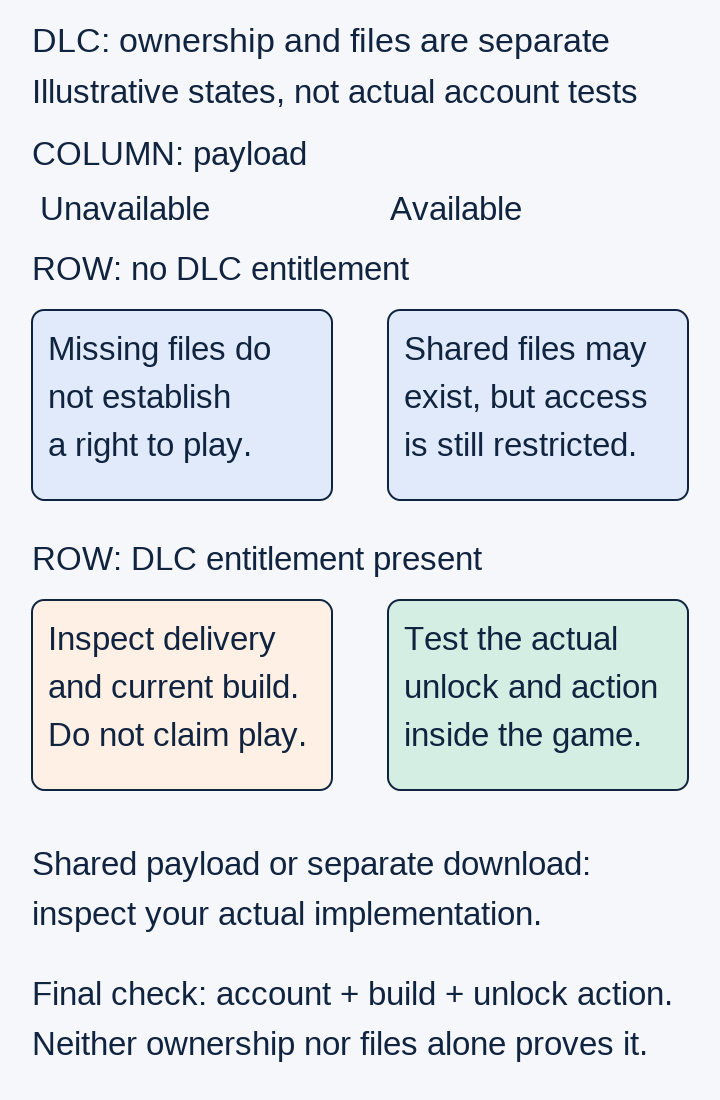
Original diagnostic model, not an implementation guarantee. A title may ship content in shared files or a separate download. “Payload available” means the necessary content is present for the tested build.
 Superdirector
Make it work for your brand
Find it. Remake it. Post it. Superdirector turns the viral formats in your niche into your brand's carousels, X posts and video scripts, and keeps the calendar full.
Separate four things that are easy to collapse
Write down the base game, the DLC entitlement, the delivered files and the in-product result as separate fields. Steam identifies DLC with its own app ID, and the game must check ownership. Content may be distributed with the base game's files or through a separate depot. Therefore, seeing files on disk is not the same evidence as seeing the intended content available to the correct account. Steamworks DLC documentation
Packages add another layer: a package is a collection of applications and depots, and it decides what a player may download and launch. Review the package actually associated with the offer, and do not rely on a similarly named entry in a planning document. Steamworks packages documentation
For the fictional “Harbor Routes” expansion, the internal offer note might say:
- Required product: the existing base game.
- New deliverable: an additional playable harbor map.
- Not included: a standalone copy of the base game.
- Access path: select the harbor from the map menu after the tested entitlement and installation state is satisfied.
Those are example fields. Replace them with observed product facts, and do not infer a package's contents from its marketing name.
Build an account-state comparison
Use existing authorized test accounts or the team's approved testing procedure. Do not buy extra copies for this checklist unless someone has authorized it.
Take one account that owns the base game but not the expansion, and another that holds the intended expansion entitlement. Record the exact build, branch and installation state for each, and keep account identifiers out of public screenshots.
For each state, open the same menu and attempt the same action. The first account should show the product's intended unavailable state, and the second should reach the promised content. If either behaves differently from the offer note, stop polishing the trailer and investigate the mismatch.
Three states matter: “not entitled,” “entitled but payload unavailable” and “entitled with payload available.” None of them alone proves that the final in-game action succeeds, so the final check still happens inside the product.
Capture the change the buyer is paying for
A good demonstration of the fictional expansion starts at a recognizable base-game menu, points out the additional map and follows the actual path into it. Put a short label stating the base-game requirement near the offer, so the requirement does not appear only in a closing disclaimer.
Keep the private uncut recording. The public edit can be short, but it has to keep the link between the named add-on and the content shown. If you use footage from an unreleased branch, say so. If progress requirements also apply, verify the exact rule in the build, then show or state it.
An artbook add-on needs different proof: show the file format and where the purchaser retrieves it. Gameplay footage gives context but does not show that an artbook was delivered. Steam handles game soundtracks with a separate type of app ID, so do not apply a DLC setup explanation to every digital extra. Steamworks DLC overview
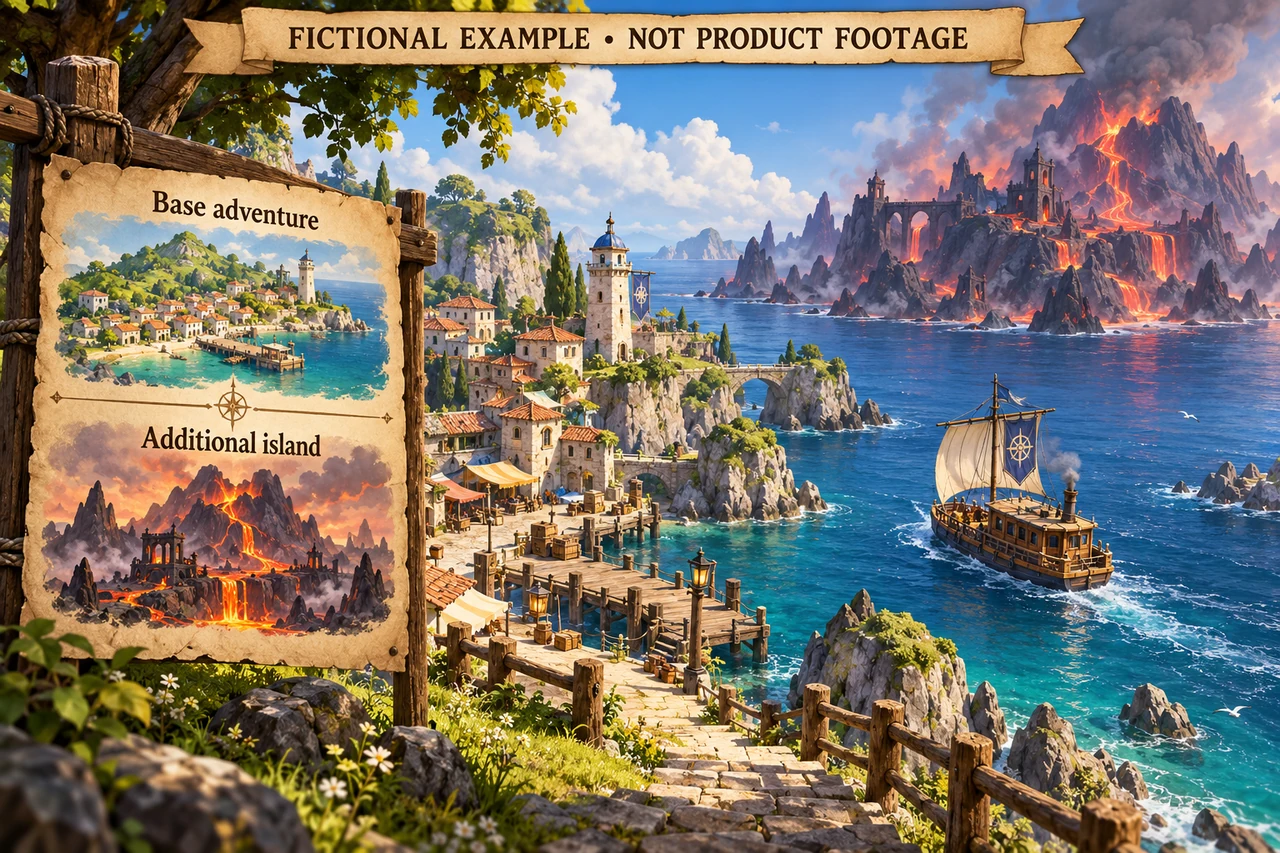
A fictional expansion example distinguishes the existing adventure from an additional island and its new play space. It does not establish entitlement or a purchase result. Original AI-generated editorial illustration.
Treat a failed test as a bounded diagnosis
Suppose the entitled test account cannot open the new map. Record what you can establish: entitlement observed, build identifier, payload state, menu behavior and error wording. Then send the next investigation to the layer where evidence is missing.
Do not tell every customer to reinstall, remove a game from their account or change security settings. The same visible error can have different causes, and a customer report shows a symptom without proving your preferred explanation.
The content team may simply need to hold the purchase walkthrough until the product owner resolves the discrepancy. Holding it beats swapping a failed screen for a clean mockup and calling the path validated.
Test whether the offer is understood
Before release, show the draft offer and demonstration to someone who has not worked on the configuration. Ask them to explain what they receive, what they must already have and where the new content appears. Record the answers and the exact revision shown.
If they believe the expansion is standalone, move the requirement next to the first mention of the deliverable and test again. If they expect extra levels from an artbook purchase, change the demonstration, because more small text will not fix that.
This is a proposed comprehension experiment, and it does not show a conversion uplift. After a separately approved release, track comprehension findings, support questions, purchases and refund reasons as separate observations. If you later report rates, give the denominators and observation dates.
What counts as done
Keep a compact release evidence packet: current offer text, exact package reviewed, test build, two account-state observations, an uncut demonstration and the viewer's restatement. Mark any unknown explicitly. A prepared clip is not a deployed page, and a deployed page is not an accepted purchase-to-deliverable journey.