How-To Guide
Make “digital file, not a shipped product” survive the social-to-Etsy handoff
A printable can look like a framed print, an invitation suite or a finished craft in a social post. That context helps someone imagine using it.
A printable can look like a framed print, an invitation suite or a finished craft in a social post. That context helps someone imagine using it. It also creates a risk: the buyer may interpret the pictured outcome as the thing being sold.
Solve that at the first visible promise. Name the delivered file, show a genuine preview, and keep the finished-use example visually separate. Do not depend on the last sentence of a description to reverse the impression created by the main image.
This guide addresses purchase understanding before checkout. Helping an existing buyer retrieve a file is a separate handoff.
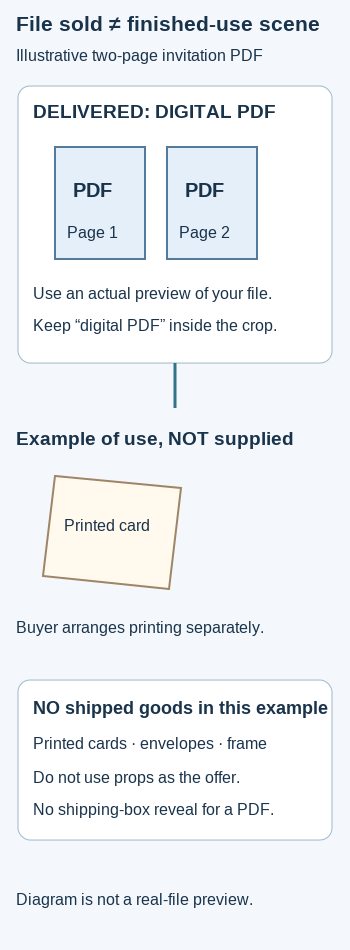
This original diagram explains the distinction. It does not substitute for a preview of the real file you sell.
 Superdirector
Make it work for your brand
Find it. Remake it. Post it. Superdirector turns the viral formats in your niche into your brand's carousels, X posts and video scripts, and keeps the calendar full.
Describe the deliverable before designing the scene
Write a plain inventory of what the customer receives. For an illustrative party invitation, that might be one PDF containing a two-page invitation layout. It is not printed cards, envelopes, a frame or a printing service unless those are genuinely included.
Next, write what the buyer must supply or do. If the file requires separate editing software or a print service, identify that dependency using your verified product facts. Avoid adding assumptions about universal compatibility. “Editable” does not explain which fields can change or where editing happens.
Only then choose the lifestyle scene. The scene should demonstrate use of the delivered file, not replace evidence of the actual content.
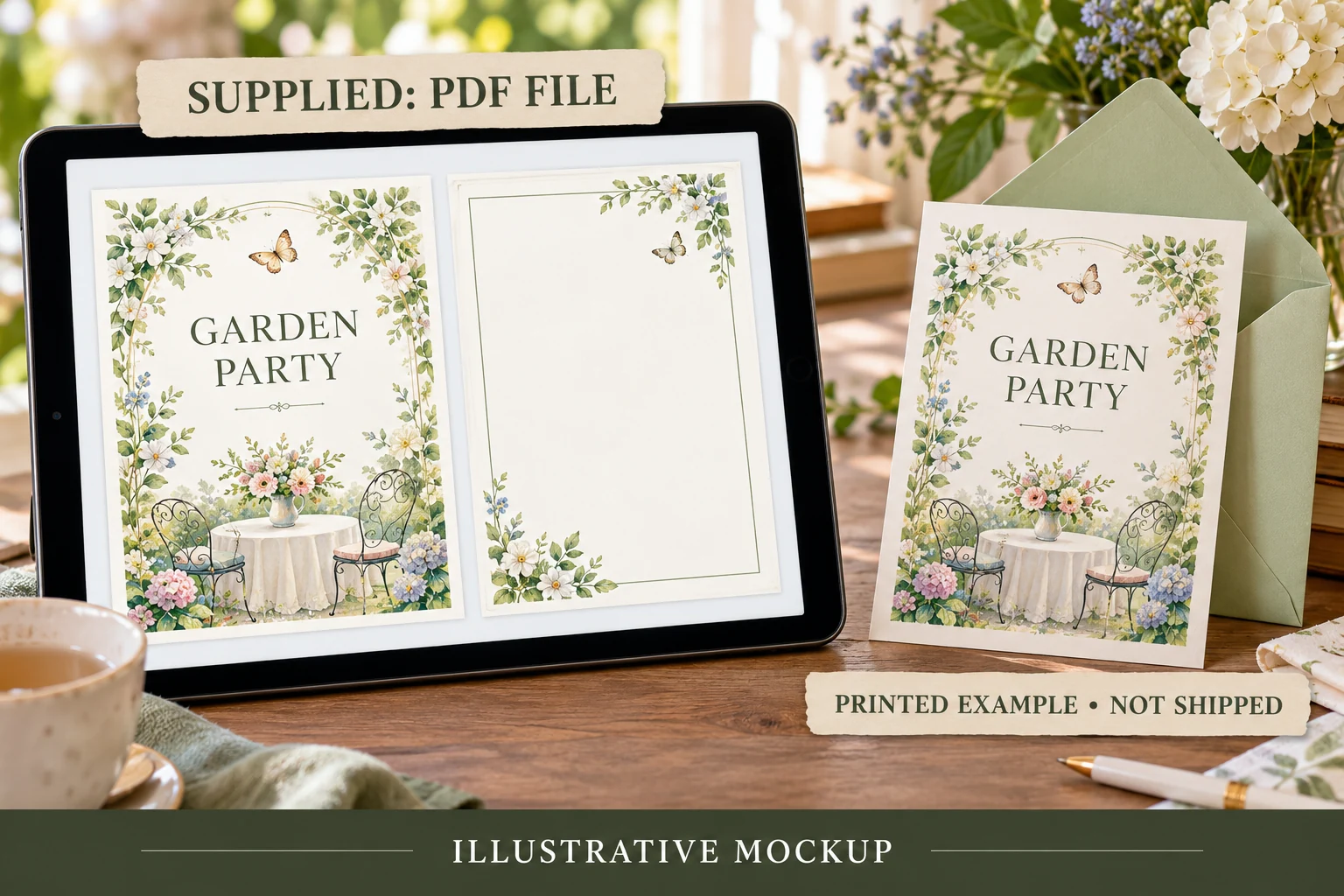
AI-generated illustrative mockup. The example deliverable is a PDF, not printed invitations or envelopes. The physical scene is a demonstration of use, not a shipment or an actual listing capture.
Use two visual roles, not one misleading collage
Etsy's current image rules say visual digital downloads should include a preview or excerpt. Its policy distinguishes those from nonvisual digital items and has separate requirements for finished-result products such as craft patterns. Check the rule for what you actually sell. Etsy listing image requirements.
For the invitation example, create two clearly named areas:
- Supplied: an actual preview of the PDF content, with its file type and page count.
- Example of use: a printed invitation on a table, labeled as a demonstration rather than an included physical item.
A small “digital” badge can help, but it should not have to compete with a large photograph that looks like a package of finished goods. Keep the deliverable label close to the content preview and readable at the size buyers will actually see.
Review the crop, not just the full-size design
Before sending a social visitor to the listing, inspect the actual creative revision in its intended placement. Ask what remains visible when the image is reduced or cropped. Do not assume the same crop or preview behavior across every channel.
Use an explicit check:
- Can the visitor identify the purchased file without opening the caption?
- Is the displayed finished result marked as an example?
- Does the landing listing promise the same deliverable as the post?
- Do any accessories in the scene appear to be included?
- Does the link lead to that exact digital product, not a similar physical version?
If the “PDF” label disappears in a narrow crop, reposition it or redesign the frame. Shrinking a long disclaimer is usually the wrong fix. The important distinction needs to survive before the buyer reaches the detail page.
A short video can establish the same separation in sequence: actual file preview first, an example of the printed result second, then a clear statement of what is delivered. Do not begin with a shipping-box reveal for a download-only offer.
Do not create an acknowledgement trap
Etsy's personalization help explicitly says not to use a personalization field to make buyers acknowledge that an item is digital. Use the correct listing classification and clear content instead of asking the buyer to type a confirmation phrase. Personalization guidance.
Etsy also distinguishes instant files from made-to-order digital products. Match your availability language to the configured listing rather than calling every downloadable product “instant.” Digital-listing setup.
This is not an argument for adding more friction. It is a reason to make the promise understandable before purchase. Do not invent a platform-wide checkbox, regional checkout behavior or refund exception that you have not verified.
A second example: a file used to fabricate an object
Suppose the product is an original 3D-print file rather than a manufactured toy. A photograph of a finished print shows the intended result, but the buyer still needs to know that equipment, materials and fabrication are not supplied.
Make the file the purchased deliverable in your first explanation. Keep the finished object as a distinct demonstration. If the photograph shows a painted finish but the file does not include painting instructions, do not imply the demonstrated finish is automatic.
That comparison is a useful test of the general rule: show the result honestly while naming the work or equipment between the supplied file and that result. It is not a promise that one image format will eliminate misunderstanding.
Accept the creative only when someone can explain it back
Ask an unfamiliar reviewer what would arrive after purchase. Then ask what they would need to do to produce the pictured result. Do not coach them with the answer first.
If their answer includes shipped cards or a finished object, identify the exact image or phrase that caused the interpretation. Revise that element and repeat the check on the cropped version. Keep the revision and the review result together.
After launch, classify digital-versus-physical questions separately from download-navigation questions. Compare them with eligible order counts rather than claiming success from a quiet inbox. These are proposed validation steps, not measured outcomes.