How-To Guide
Make Amazon A+ feature information readable where shoppers actually see it
A sharp source file can still become an unhelpful product explanation.
A sharp source file can still become an unhelpful product explanation. The shopper may be viewing a narrow placement, a different language version or an image whose small labels carry too much of the decision. An accepted upload does not answer whether that shopper can read the feature information.
For a small brand, the useful task is to connect one buying question to the actual A+ placement and then inspect the result. This guide proposes a bounded creative review, not a universal export recipe or a promise that changing an image will increase sales. References were checked on October 24, 2026. No seller account or live listing was changed.
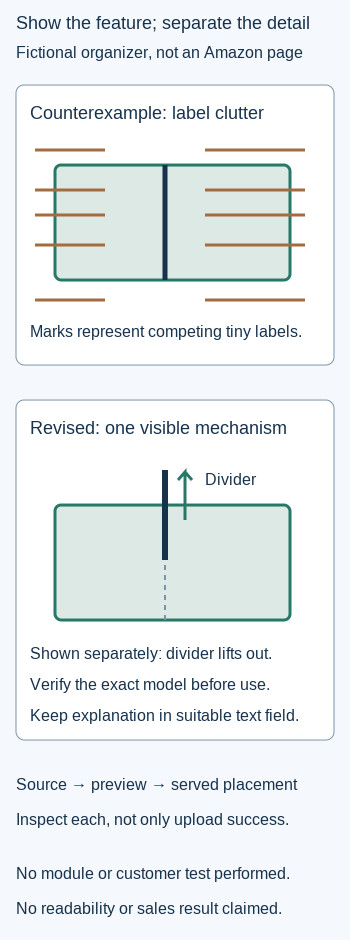
This original diagram is not an Amazon screenshot, a product photograph or evidence of a tested module. The small marks in its counterexample represent visual clutter, not hidden instructions the reader is expected to decipher.
 Superdirector
Make it work for your brand
Find it. Remake it. Post it. Superdirector turns the viral formats in your niche into your brand's carousels, X posts and video scripts, and keeps the calendar full.
Name the question before changing the export
Choose a decision that the image should help resolve. For a fictional household organizer, that could be whether its divider can be removed. A clear exterior beauty shot may establish appearance while leaving that question unanswered.
Write the intended answer using verified product facts. If the divider is removable only in one model, identify that model. If the mechanism has not been inspected, do not ask the designer to invent a convincing demonstration. A readable false claim is not an improvement over an unreadable one.
Separate three things in the brief: the feature the shopper needs to see, the words needed to explain it and the limitation that must remain attached. This reduces the temptation to put the entire specification sheet inside a single image.
Check the actual content surface
Amazon's current A+ overview distinguishes Basic, Premium and Brand Story content. Their capabilities differ. Its workflow applies content to selected products and submits it for review, with approved content appearing on the corresponding detail pages in the selected language.
That does not prove a particular module is available in your account. Record the chosen module, eligible product, marketplace and language before preparing a replacement. Use the current requirements shown for that module rather than a remembered specification from another placement.
The detailed public guideline page available during this research returned a JavaScript shell rather than readable specifications. Accordingly, this article does not prescribe one image dimension, file format, resolution setting or file-size target for all A+ content. That gap must be resolved through the actual authorized workflow before implementation.
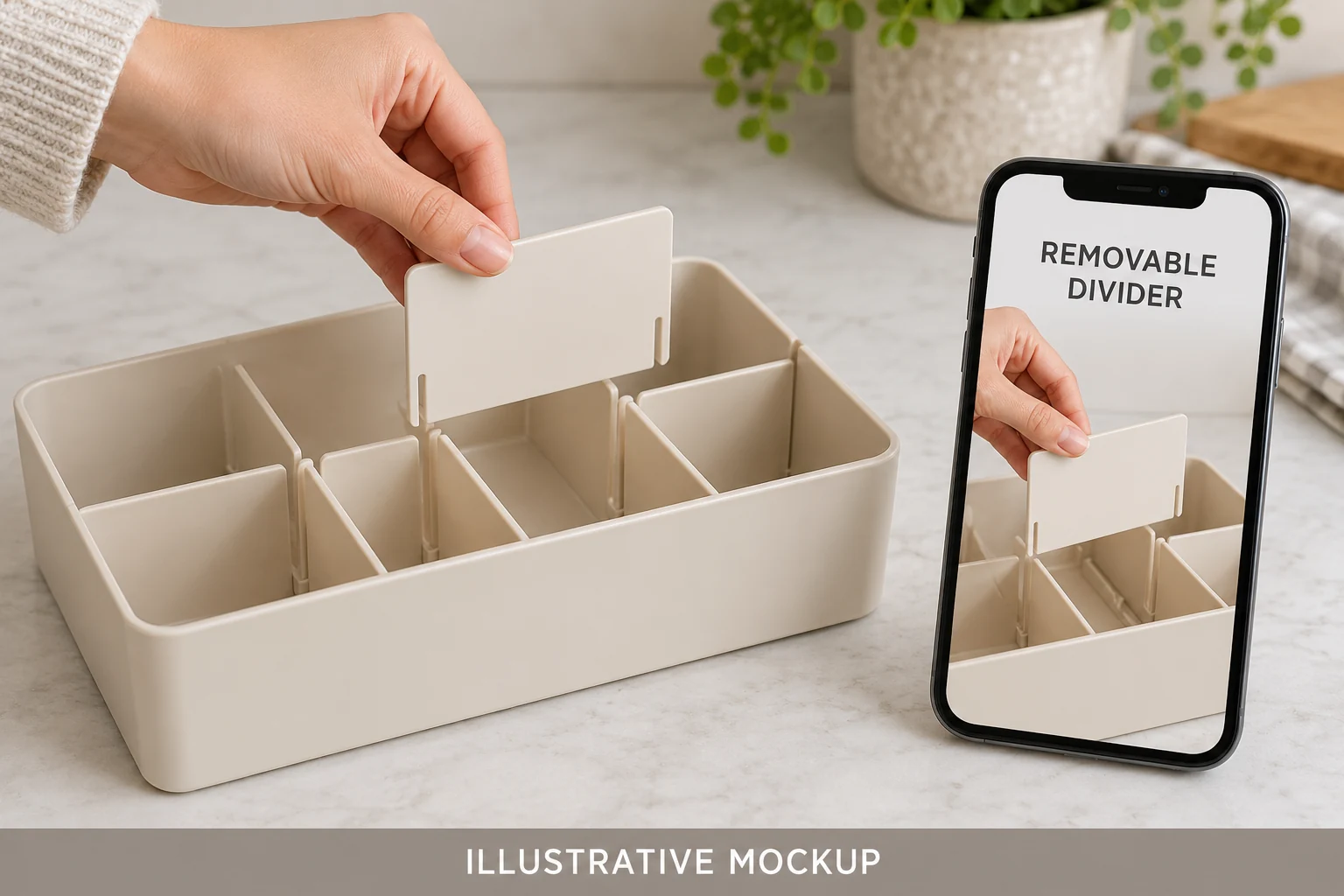
AI-generated illustrative mockup. The product action carries the visual explanation while brief text supplies the label. This is not an actual organizer, Amazon A+ preview or verified mobile rendering.
Give the image and text different jobs
Amazon's 2023 A+ guide recommends using module text fields, limiting text embedded in images and ensuring embedded lettering remains readable on mobile. Its illustrated example separates a prominent heading from smaller product-detail explanations. This is useful historical editorial guidance, not a substitute for current module rules.
For the fictional organizer, let the image show the divider lifted away from the tray. A concise label can identify the part. Put the explanation of which configuration is shown in an appropriate available text field, subject to the selected module's rules.
Avoid a decorative label cloud that forces every fact into the picture. Removing words from an image does not mean removing important information from the page. The goal is to distribute the explanation so the buyer can see the mechanism and read its scope without magnifying a dense graphic.
Record source, preview and served placement separately
Keep the approved source revision and export settings. Inspect whether the relevant edge, joint or label is clear in that file. Then capture the preview and, after authorized approval and release, the served product placement.
Use the same product and language when comparing observations. Record device, viewing width, browser or app, zoom and time. A desktop source file displayed at full size is not a fair visual comparison with a small phone placement.
Check the actual feature and its wording separately. The organizer's divider might be clearly visible while the sentence explaining its model restriction is not. Alternatively, the words may be readable while the crop hides the removable joint. Both matter to the buying question.
Do not mark the served check complete because the preview looks good. If the page is not yet available, record that state as pending. If a different version appears, preserve the mismatch instead of overwriting the evidence with the expected result.
Do not diagnose compression from a complaint alone
Two independent seller discussions describe clear source images appearing degraded in A+ placements. Their replies offer conflicting export suggestions. These are useful problem reports, not controlled tests establishing one cause or fix.
A different format, larger export, browser scale or selected module may be relevant to investigate. None should become a universal instruction merely because another seller reports success. Preserve the symptom and the viewing conditions first.
If the approved module requirements are satisfied and the issue remains, prepare a concise evidence packet for the responsible owner: original file, export details, selected module, exact product and language, preview observation and served observation. Any support contact should follow the seller's authorized process. No contact was made.
Change one defensible variable
Begin with the simplest correction supported by the evidence. If the feature is visible but embedded lettering is too small, shorten that lettering and move the necessary explanation into an appropriate text field. Keep the product depiction accurate.
If you test an export change, hold the placement and viewing conditions steady. Otherwise a different crop, module and device can make the comparison impossible to interpret. Record what changed and what remained the same.
A useful internal review asks a reader to identify the feature and explain its limitation without prompting. If they cannot, revise the hierarchy or wording. This proposed comprehension check is separate from a commercial experiment; no improvement in conversion, ranking or returns follows automatically from a clearer graphic.
Close the creative loop at the served page
The acceptance record should distinguish prepared source, reviewed export, approved content and observed served placement. Include an unresolved item wherever the evidence stops. An uploaded file is progress, but it is not the whole outcome.
Choose one real feature question and compare its source, preview and served explanation under recorded viewing conditions. Check the actual module requirements before implementing a replacement.