How-To Guide
Make a controller walkthrough that includes the screens your trailer skips
The character moves, the attack button works and the boss fight looks great. Then a new player reaches a nickname field that needs a keyboard.
The character moves, the attack button works and the boss fight looks great. Then a new player reaches a nickname field that needs a keyboard. A controller gameplay montage has not shown the experience that player expected.
For a launch tutorial, record the entire route from starting the game to leaving it. Menus, text entry and error recovery belong in that route. The output should tell a prospective player what was tested and where another input device is still needed, not turn a short clip into a universal compatibility promise.
This workflow is for a developer preparing truthful product footage. It does not award a Steam controller label or a Steam Deck rating.
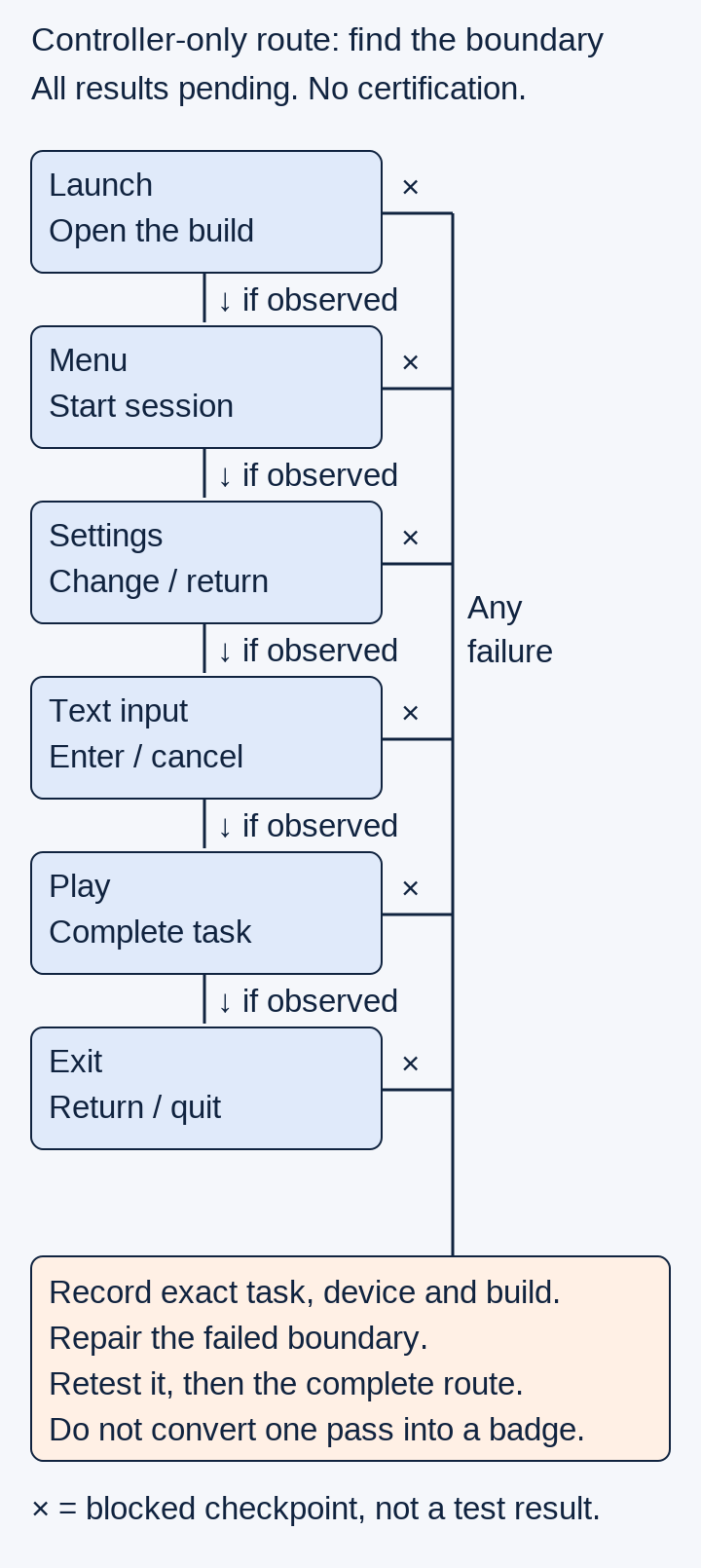
Example verification worksheet. These are pending tests, not a completed product check or certification.
 Superdirector
Make it work for your brand
Find it. Remake it. Post it. Superdirector turns the viral formats in your niche into your brand's carousels, X posts and video scripts, and keeps the calendar full.
Start with the missing screen
A developer's question about a nickname field illustrates the problem: their on-screen keyboard appeared in one environment but not on desktop, raising uncertainty about controller-only use. The post later included a reported Steam Support reply. That is the developer's account, not a support conversation we independently conducted. Use it as evidence of a real implementation question, not as a substitute for current documentation. Developer nickname-entry discussion
Valve's Steam Input developer overview explicitly addresses more than movement: controller-specific prompts, official configurations, text entry and launchers are part of its definition of full Steam Input support. That definition is useful for planning checks, but implementing an API is not automatic proof of every store compatibility label. Steam Input developer overview
The editorial decision is straightforward: if a screen interrupts the controller route, show it in the evidence rather than cutting around it.
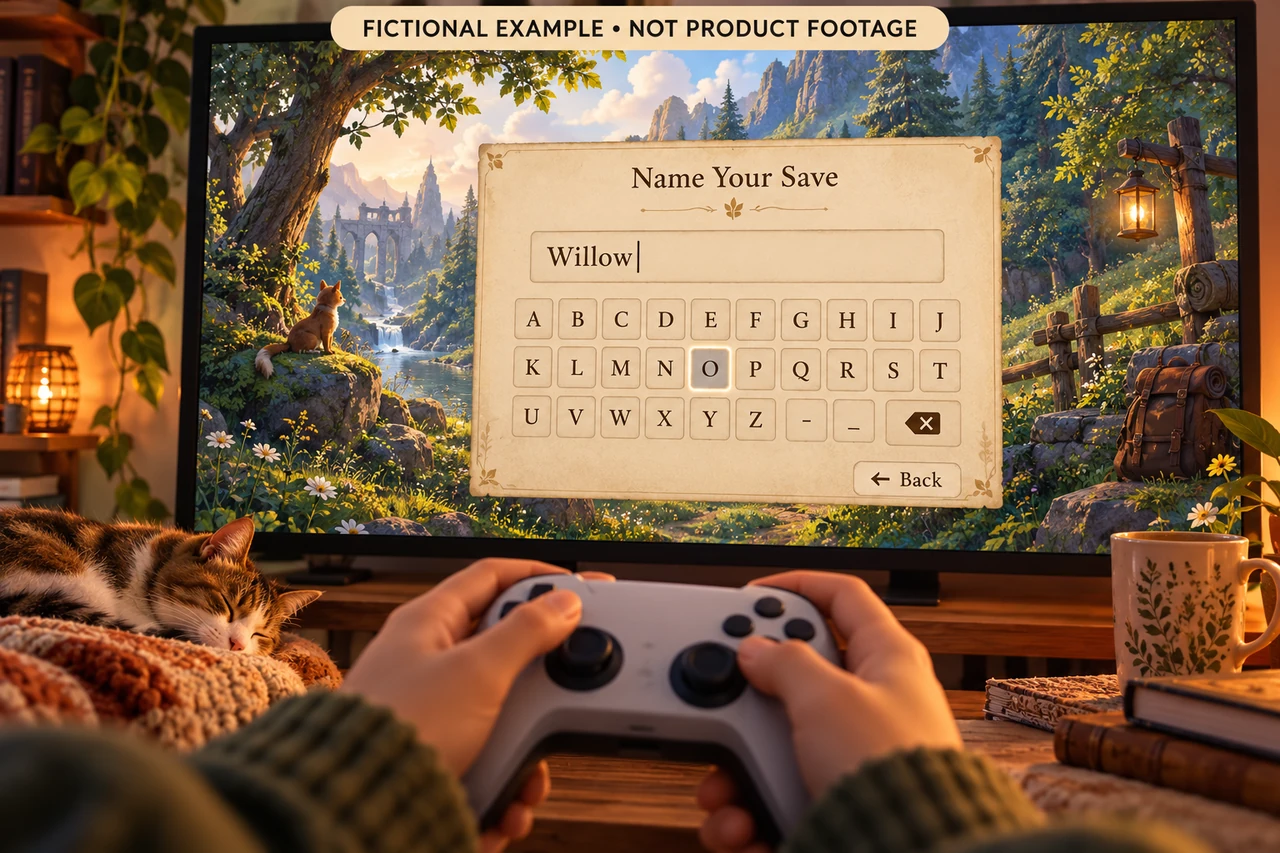
A fictional save-name screen highlights a controller task that an action montage can omit. Actual text-entry behavior still needs a recorded test. Original AI-generated editorial illustration.
Capture six checkpoints on one build
Use a route with six stops: launch, menu, settings, text entry, play and exit. Adapt the exact actions to your game, but keep the non-gameplay stops visible.
For a fictional workshop-management game, the proposed recording could be:
- Launch the game through the intended Steam mode.
- Start a new session from the main menu.
- Change an audio setting and return without touching the mouse.
- Enter and confirm a workshop name.
- Complete one order using the intended controls.
- Open the pause menu, return to the main menu and exit.
Do not write “passed” beside those actions before doing them. An empty row means untested, not failed. A failure should identify the first blocked action and the actual workaround, if one is verified.
Keep an uninterrupted recording for internal review. In the shorter public walkthrough, preserve the important transitions and disclose any keyboard or mouse requirement. A cut from the title screen directly into gameplay hides the very part this test is designed to investigate.
Name the configuration, not just the controller brand
Record the game build, branch, operating system, controller model, Steam Input setting and launch mode. A result from one combination should not silently stand in for another.
For the fictional menu-driven title, perform separate runs for desktop mode and Big Picture. If only one route works, the evidence card should say so. This is a proposed test design, not a claim about how all games behave in those modes.
A helpful receipt contains the checkpoint, observed result and recording timestamp. “Text entry blocked at 01:14; physical keyboard used” is more useful than “mostly works.” Likewise, “menu focus lost after closing Settings” gives the engineer a reproducible point to inspect. Avoid attaching an estimated repair time unless the owner has actually scoped it.
Check what the text-input call actually did
Valve documents ShowGamepadTextInput as a Big Picture text-entry dialog and states that its return value depends on the Big Picture overlay running. The separate floating keyboard API also reports whether it was shown. A call in source code is therefore not enough evidence that the player saw and used the intended keyboard. Steam text-input API reference
For the nickname example, inspect both the return result and visible behavior. Can the player enter text, correct it, cancel and confirm with the intended device? Does focus return to the game afterward? These proposed checks turn an integration claim into an observable route.
Do not prescribe one API as a universal fix for every engine or environment. The developer must choose the appropriate implementation and validate the resulting build. The content team's job is to avoid showing a repaired mockup as if it were the tested product.
Convert results into honest footage
Imagine the fictional game's combat controls work, but the naming screen still requires a keyboard. Three different states must remain separate:
- A workaround is documented: the player can proceed using the named extra device.
- A fix is prepared: code has changed but the complete route has not been rerun.
- The fix is observed: the revised build completes the tested route with the specified setup.
Only the last state supports changing the corresponding walkthrough claim. Even then, keep the scope of the test visible. Do not convert one observed route into “every controller works,” and do not use a platform badge that has not been granted.
For a launch edit, place the setup note close to the first demonstration. If an unsupported screen is essential to starting play, disclose it before the call to action rather than hiding it in the final frame.
Ask whether the viewer can predict the setup
Show the draft tutorial to a person who did not build the game. Ask whether they expect to need a keyboard, which launch mode was demonstrated and what remains untested. Record their answers against the exact edit shown.
If the viewer thinks the tutorial guarantees a Steam Deck rating, remove the ambiguous badge-like language. If they miss the keyboard requirement, improve the explanation and repeat the check. This is a proposed comprehension exercise, not a measured conversion experiment.
Retest the route after relevant menu, launcher or input changes. Keep the recording date and build in the evidence packet so old footage cannot silently certify a new interface. Track technical observations separately from tutorial views, qualified visits and purchases.