How-To Guide
Keep a replenishment reminder tied to the product it is about
A customer buys a refill, then returns to buy a storage tray. The second order is real, but it does not establish that the refill has been replaced.
A customer buys a refill, then returns to buy a storage tray. The second order is real, but it does not establish that the refill has been replaced. A reminder that treats every purchase as the same event can lose the product-level question it was supposed to answer.
For a consumable seller, the useful design task is to preserve the qualifying product, check whether that product was purchased again, and explain the remaining choice without pretending to know what is left in someone's home. Deciding to send a message is a separate, authorized action.
This is an original planning and validation method based on documentation read on October 24, 2026. It is not a configured flow, a sending instruction or a claim that reminders increase repeat purchases.
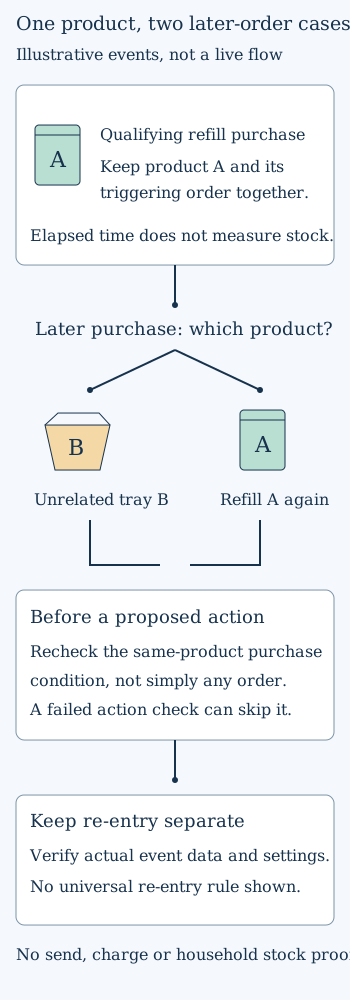
The drawing is a logical example, not a platform screenshot. Its arrows represent evidence to evaluate, not a live automation or a guaranteed customer journey.
 Superdirector
Make it work for your brand
Find it. Remake it. Post it. Superdirector turns the viral formats in your niche into your brand's carousels, X posts and video scripts, and keeps the calendar full.
Start with three different kinds of information
A purchase record is evidence of a transaction. An estimated replenishment interval is a hypothesis about when another purchase might be useful. A date chosen by the customer is an expressed preference. None is interchangeable with measured remaining stock.
A gift, a spare pack, irregular use or a different household can make a purchase-based estimate unsuitable. Do not write “you have run out” merely because a timer expired. A customer can also need nothing at all, even if previous customers commonly reordered.
Record which basis the proposed reminder uses. If the customer chose a date, keep that choice distinguishable from a date inferred by the merchant. Do not silently turn a one-time suggestion into a subscription or automatic payment. Shopify's subscription customer-experience documentation describes a separate recurring-purchase arrangement and its customer controls; those commitments are not created by a replenishment idea.
Name the product that qualifies the purchase
For an illustrative refill A, write the eligible product or variant and the actual event field that identifies it. Keep the identifier's meaning explicit: a parent product, a variant and a text label may describe different scopes. Verify the integration's real event data rather than assuming a field exists because a tutorial shows one.
Klaviyo's current replenishment guide describes product-filtered purchase entry and a same-product reorder check before messages. Its example limits the subsequent purchase condition to the relevant product so an unrelated order does not suppress the reminder. These are documented capabilities, not confirmation that your account has the correct properties or configuration.
Create a small planning record with the qualifying item, triggering order reference, timing basis, relevant later-order condition and intended product destination. Keep customer details within the authorized system; a public article or creative brief does not need identifiable order data.
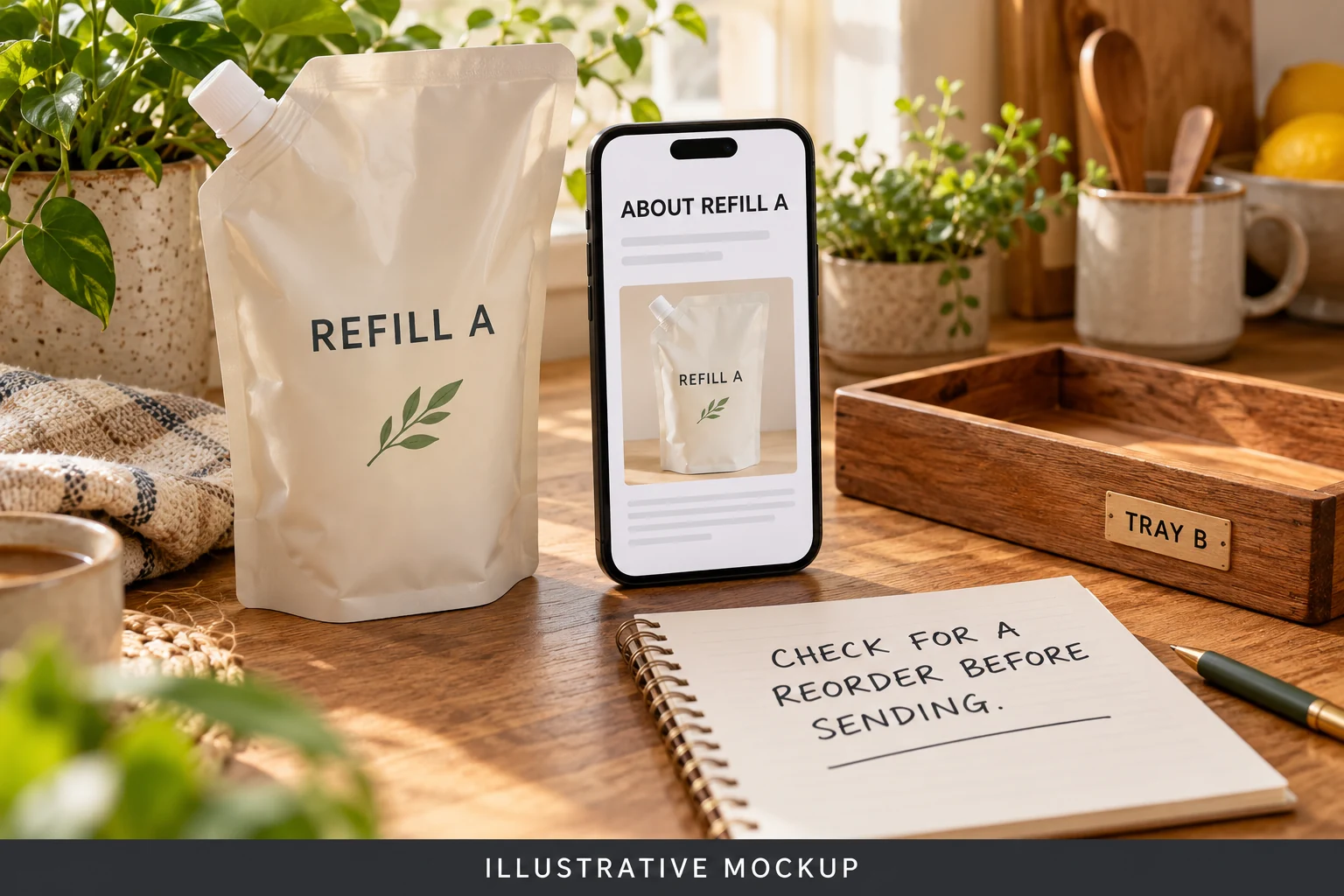
AI-generated illustrative mockup. The two-product example is fictional. An unrelated purchase does not establish replenishment of A; eligibility, reorder checks and actual message context require account-specific evidence.
Follow the two-product example through time
Imagine a fictional customer purchases refill A and later purchases tray B. The proposed A reminder should still be examined as an A task. The tray does not prove another refill was purchased, and its image should not automatically become the replenishment message's subject.
Now consider a second fictional path: the customer buys A again before the old reminder action. That is materially different evidence. The old action needs to be checked against the new A purchase. A new qualifying event may have its own entry treatment, depending on the chosen settings. Do not assume every new event creates a fresh message, or that every skipped action removes the customer permanently.
Separate entry, action checks and re-entry
Klaviyo's trigger and filter documentation makes a useful distinction: metric trigger filters evaluate the triggering event at entry, while profile filters are checked at entry and before flow actions. A failed profile check before an action skips that action; the person can continue to later steps where it is checked again. Re-entry criteria are a separate entry control.
That distinction prevents two misleading summaries: “the filter removes everyone who reorders” and “the first check makes every later message safe.” Neither describes the documented behavior precisely.
Before any authorized implementation, specify the intended result for each case: A only, A then unrelated B, A then A again, and an event whose product field cannot be verified. Add a case for a customer-selected date if the proposed design supports one. A missing field or ambiguous product match should remain unresolved, not be treated as a successful exclusion.
This case list is an editorial validation design. It does not prescribe a universal re-entry setting or authorize changing a live flow. The correct setting depends on the intended repeat-purchase behavior, the available data and the actual account.
A preview can show the wrong example without proving a wrong send
An April 2026 operator discussion describes a product-specific reminder whose preview appeared to use the latest order. After several exchanges, the original author clarified that they were referring to the preview and said they would try the suggested test. The thread does not establish a completed successful send.
Use that distinction in your own review. Record the event selected for the preview, the product rendered, the qualifying event expected for the flow, and the evidence actually inspected. A screenshot of a preview is not proof that a customer received that content. A vendor reply is not an account test.
If an approved test is available, its record should separately show entry qualification, action eligibility, rendered product and destination, and delivery evidence where relevant. Without authorization to send or place an order, stop at read-only inspection or a permitted non-sending preview and label the remaining behavior untested. Do not activate a campaign just to make the validation record look complete.
Keep timing and usefulness open to evidence
Do not copy a forum's interval into a different product. Use the actual product's purchase history and customer context to form a testable timing hypothesis, while acknowledging that purchase intervals do not reveal consumption directly. A customer-chosen reminder can be a different design, not a more sophisticated depletion prediction.
One historical merchant request sought reminders for specific consumable supplies. The author's later follow-up said the implementation worked technically but produced poor results and was stopped. A separate customer-date request asked for shoppers to select their own reminder date. Neither establishes a generally effective cadence or current demand volume.
At review, distinguish a correctly qualified action, a correctly rendered product, any authorized delivery, a customer response and an actual repeat purchase. Do not report a timer firing as retention, or an attributed order as proof that the reminder caused an incremental sale.
The next small action is to trace one real product through the four non-sending cases above and document the unresolved fields and settings. If that trace cannot distinguish a refill purchase from an unrelated accessory purchase, adding more reminder copy is not the useful next step.