How-To Guide
Explain the download after the download in your mobile game
A player taps Open after installing your game and meets another progress screen.
A player taps Open after installing your game and meets another progress screen. That can be a legitimate delivery design, but it should not contradict the promise that brought them there. The store installation, an additional asset transfer and a playable level are different states.
For a small developer, the useful launch task is to explain what becomes available at each stage. Do that with an actual content map and observed behavior, not a single small number borrowed from the store listing.
This guide focuses on games using Google Play Asset Delivery, with one explicitly scoped Unity API example. Its puzzle and adventure scenarios are fictional. No download size, completion time or successful test is claimed.
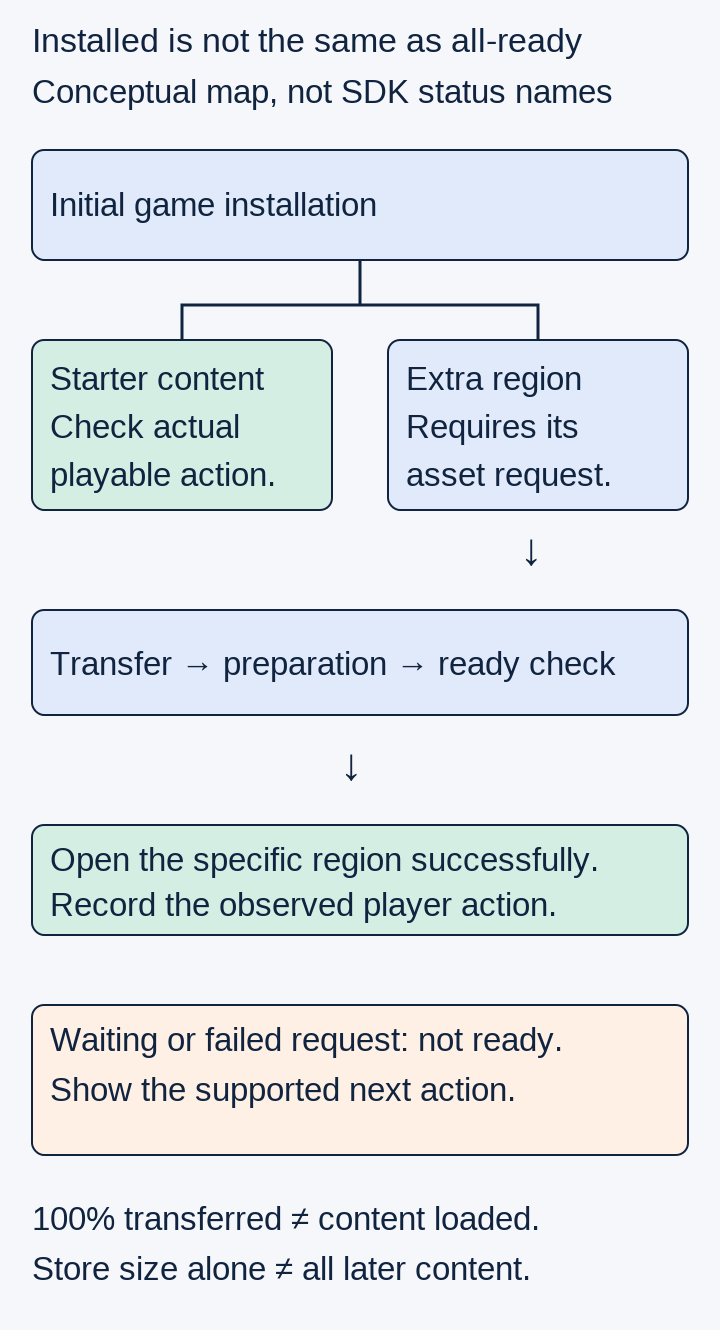
Original conceptual delivery map. Labels describe evidence boundaries, not one universal SDK state machine.
 Superdirector
Make it work for your brand
Find it. Remake it. Post it. Superdirector turns the viral formats in your niche into your brand's carousels, X posts and video scripts, and keeps the calendar full.
Map the first playable task to its assets
Imagine a puzzle game whose starter room is included in the initial installation. The second region uses an additional on-demand asset pack. A player can solve the starter room while the second region is unavailable, assuming the actual implementation supports that separation.
The launch record should identify which assets are needed for the first meaningful action, which arrive later and what the player can do while waiting. “The app opens” is not enough if the advertised first puzzle still needs another download.
A simple record for the fictional game is:
- Starter room: included with the initial installation; its controls and completion path still need testing.
- Second region: requires an additional asset request; availability must be checked before entry.
- Waiting behavior: starter-room access remains available only if the real build supports it.
- Unverified: pack size on the tested device, network-dependent transfer time and recovery after interruption.
Do not populate those unverified fields with a developer-machine estimate and label it a customer result.
Name the delivery model accurately
Google's Play Asset Delivery overview distinguishes install-time, fast-follow and on-demand packs. Install-time packs arrive with installation and contribute to the listed Play Store size. Fast-follow packs download automatically after installation without requiring the app to open; on-demand packs download while the app runs. The latter two do not contribute to that listed size.
That distinction is enough to reject an unconditional “the whole game is this small” claim based only on the listing. It does not tell you the final storage requirement of your own title. Inspect the actual configuration and observed delivery rather than adding a generic multiplier or borrowing another game's numbers.
The overview also warns that later packs cannot simply be assumed to exist across sessions and describes a possible update state where the binary is updated before asset patching is ready. A return visit therefore deserves its own check, not just a replay of the first-install screenshot.
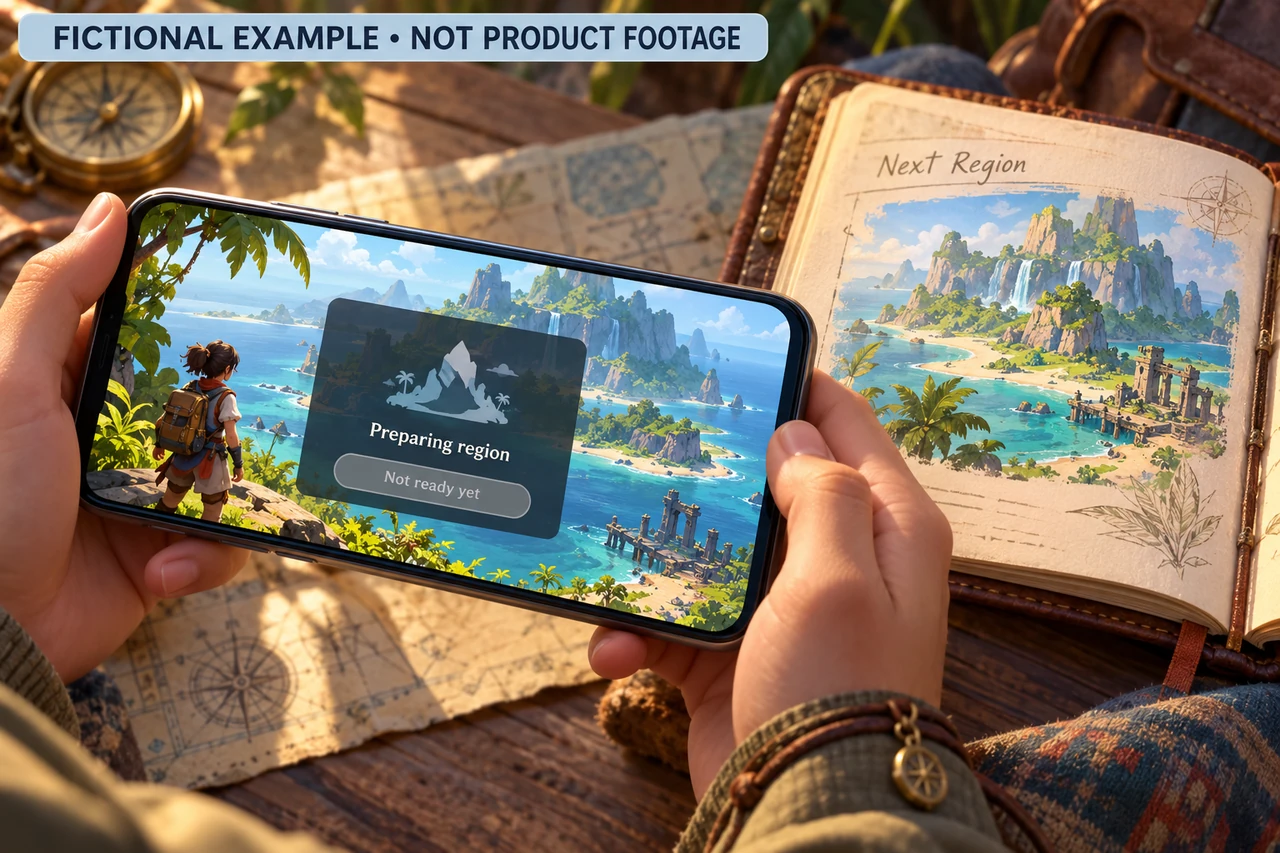
A fictional mobile adventure distinguishes a region being prepared from a ready-to-play state. No actual download or preparation time is represented. Original AI-generated editorial illustration.
Write status text around the next useful action
For the puzzle example, a region entry could say: “This region needs an additional download. The starter room remains available.” Use that second sentence only if the current build really allows it.
During transfer, explain that content is downloading. When transfer has finished but preparation remains, distinguish that state rather than leaving a completed bar beside an unexplained disabled button. If an error occurs, state the supported next action and retain enough non-sensitive diagnostic context for support.
Avoid countdowns that imply a known completion time when you have not measured or implemented a reliable estimate. Do not auto-accept a mobile-data confirmation on the player's behalf. Do not present clearing all app data as a routine first recovery step, especially when it could affect progress.
An older Unity developer report describes download progress completing while retrieval did not reach the expected loaded state. Its later replies do not establish a universal resolution. It illustrates why the distinction matters, not a currently confirmed defect in your version.
A separate 2026 operator question distinguishes remotely managed resource groups from PAD-managed assets. Do not merge all of your project's delivery systems into one status explanation without checking which system owns the affected content.
Rehearse one honest first session
Use the actual authorized test distribution route and a recorded configuration. Check a new installation, the first required content request, a waiting or declined-download state where supported, and entry into the specific advertised activity. Include a return after an update if asset availability can change.
The evidence record should connect build, device, delivery route, content dependency, displayed message, observed state and completed player action. Record an interrupted test as interrupted. A successful fast connection is not proof of a universal loading time or an offline-ready game.
For launch footage, capture the real transition before shortening it. If you omit a long wait, label the edit where that omission would otherwise imply instant availability. The goal is not to make a download screen the star of the campaign. It is to avoid promising a first session that the delivery design cannot supply.
Your next action is to trace one advertised level from store installation to usable content, then correct the earliest misleading message. That small check can produce a clearer launch explanation without inventing performance results or rebuilding the entire asset pipeline.