How-To Guide
Explain browser-game saves without promising cloud sync
A visitor finishes a level in your playable browser game and sees “Saved.” Where did that progress go?
A visitor finishes a level in your playable browser game and sees “Saved.” Where did that progress go? The answer may be storage associated with that browser and site, not a file in Downloads and not an account they can open on another device.
Before promoting a long browser demo, make the save promise specific. Distinguish three mechanisms: progress held in the browser, an explicitly exported file, and progress synchronized through an implemented account service. A successful page reload proves much less than all three.
This guide is about browser-local persistence and its presentation on a playable page. It is not a demo-to-full-game migration guide. The examples are illustrative, and no supplied game's save system has been tested for this article.
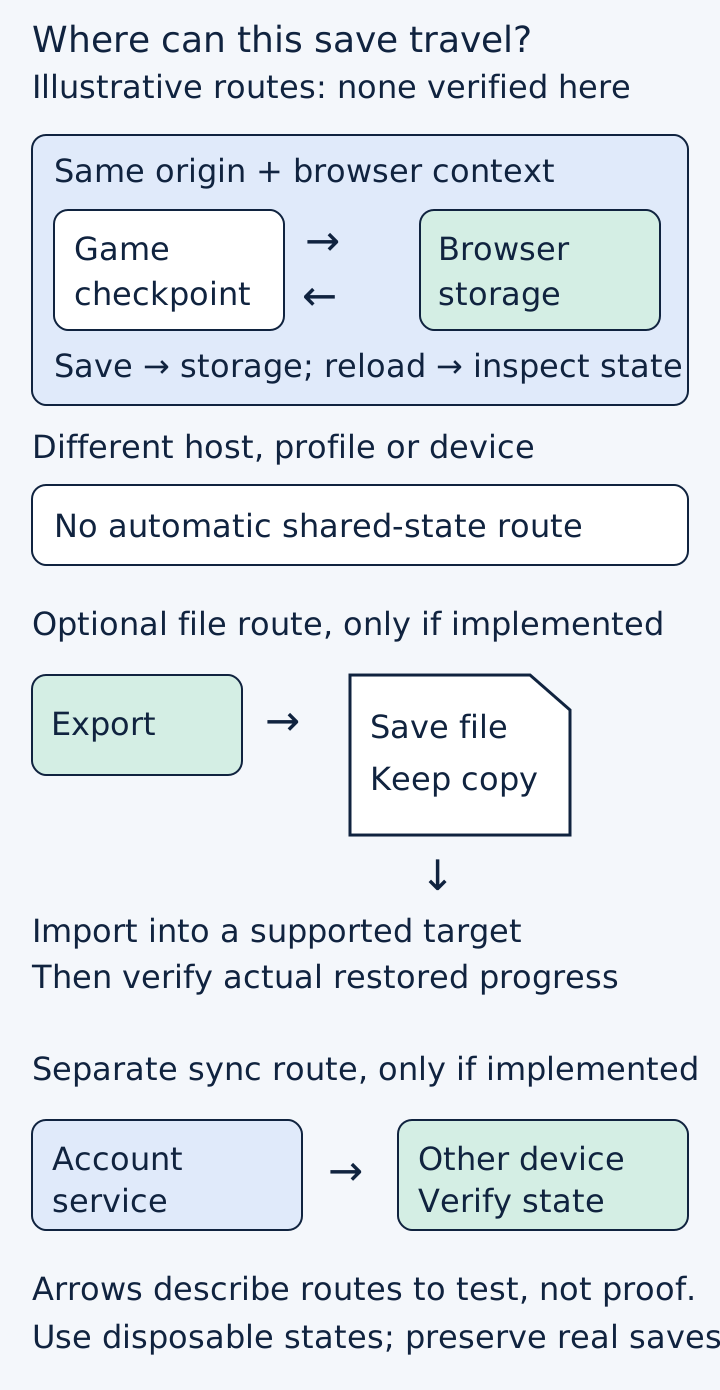
Original conceptual diagram. Optional routes are not claims that a named game already provides them.
 Superdirector
Make it work for your brand
Find it. Remake it. Post it. Superdirector turns the viral formats in your niche into your brand's carousels, X posts and video scripts, and keeps the calendar full.
Name the storage route you actually ship
Start with the implementation, not the desired headline. Ask the developer responsible for persistence where the release build writes progress, when the write completes, and which visible message corresponds to that result. If the game uses local browser storage only, do not label it “cloud save” because the page itself is hosted online.
MDN's browser-storage explanation describes storage management by origin, including the site's scheme, host and port. It also distinguishes default best-effort storage from persistent storage and notes private-browsing differences. Embedded contexts can add further partitioning. These distinctions make “the same game somewhere on the web” an unsafe substitute for the actual tested host and browser context.
For browser-managed data, best-effort storage may be evicted under storage or browser conditions, private-session data is usually removed when private mode ends, and a persistent-storage grant is not a backup against user deletion. Exact handling depends on the storage mechanism and browser; do not assume identical quotas or behavior across engines and APIs.
A changed domain, a different browser profile or another device is a separate test, not an automatic continuation of the first result. Do not prescribe a blanket browser-settings change to force persistence. Record the normal supported conditions and investigate the precise failure.
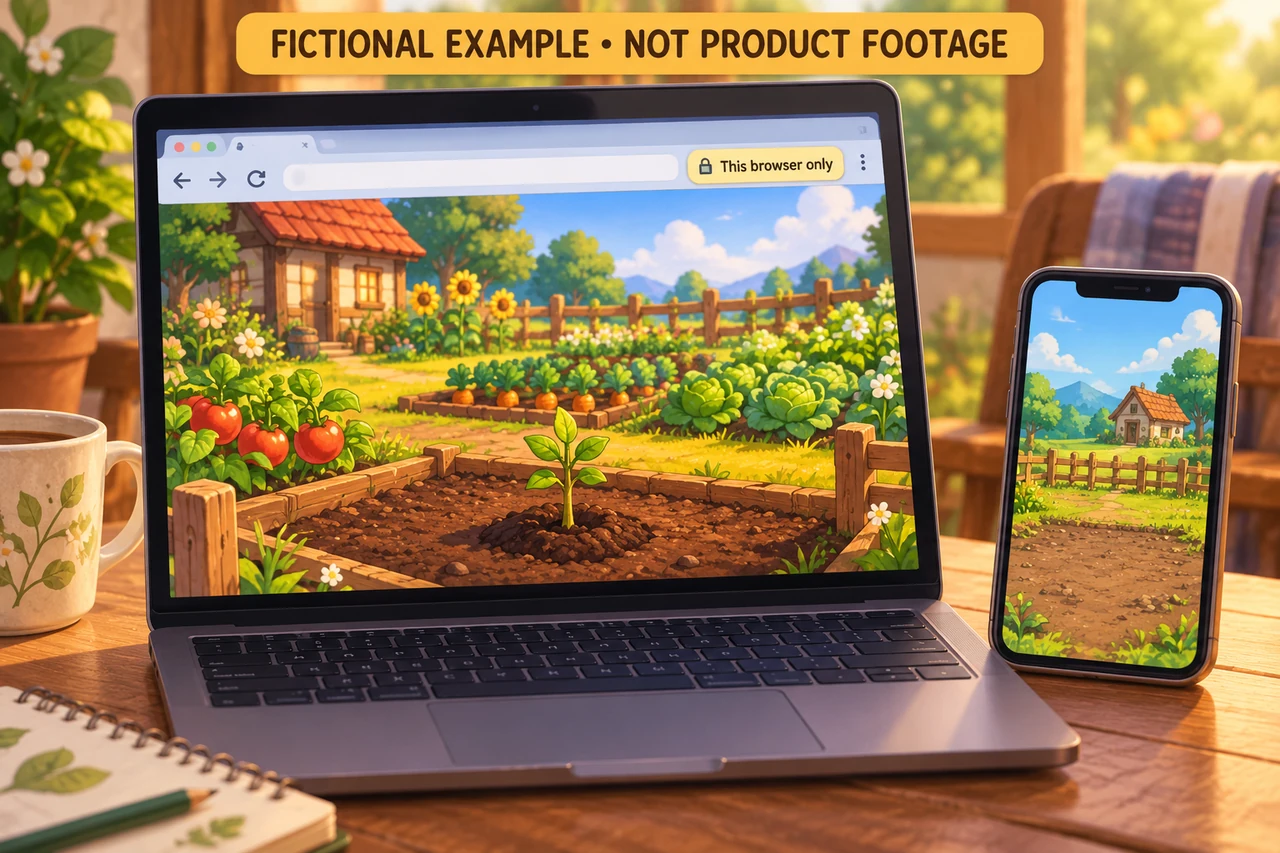
The fictional orchard ties a planting action to a browser-local persistence question. It does not demonstrate a save or cross-device synchronization. Original AI-generated editorial illustration.
Treat a save indicator as a claim to verify
Imagine a fictional orchard game that saves after planting a tree. Use a disposable test profile or save slot, not the only copy of someone's real progress. Record the build identifier, hosted page, browser version and ordinary or private session mode.
For the first narrow check:
- Start from a known test state and reach the planting checkpoint.
- Note the exact state expected to persist, such as tree placement and inventory.
- Trigger the implemented save action or checkpoint and observe the game's feedback.
- Reload the same hosted page in the same normal browser context.
- Compare the restored state with the recorded expectation.
That result supports a same-context reload observation. It does not establish permanent retention, recovery after clearing site data or access from another laptop. Close-and-reopen behavior is another useful check, but it still does not turn local storage into an account service.
If you need destructive storage-reset tests, use isolated disposable data and retain a known copy through a mechanism the game actually supports. Do not instruct players to clear their site data as the first troubleshooting step when it may remove their only progress.
For Godot web builds, inspect persistence rather than guessing from a path
Godot's web-export documentation connects persistent user:// storage to browser storage capabilities and discusses embedded and private-browsing limitations. It also warns that its persistence check can return a false positive. A positive capability result therefore cannot replace saving and reopening actual game state.
A developer's web-save question is instructive because the author later clarified that user:// was already being used. Treat that clarification as part of the evidence. Do not repeat the initial uncertainty as proof that the game was writing to a desktop path, and do not infer that correcting a path solved the issue.
A separate student-developer discussion shows a related implementation question, but it is not evidence of commercial buyer demand. These conversations help identify a task to explain; neither supplies a measured popularity score or a verified outcome for your game.
Offer export only when there is something real to export
An exported save file can be useful, but mentioning it in an article or adding a download-shaped icon does not implement the feature. If export and import exist, test them as a pair using a disposable state:
- Export after a known save and confirm that a file is actually produced.
- Keep the original test state intact while checking restoration in the supported target context.
- Confirm the restored progress, not merely that the import dialog accepted a file.
- Check the user-facing response to an unsupported or damaged test file without risking real progress.
Label the exact supported route. A file export is a user-managed copy, not automatic synchronization. If import works only under particular conditions, state those conditions rather than showing an unrestricted device-to-device arrow.
If export does not exist, the honest next step is clearer local-save wording and a product decision about portability. Do not advertise an unbuilt backup feature to soften the limitation.
Write the save notice from observed behavior
For the fictional orchard game, a draft notice might explain that progress is stored in the current browser context and is not automatically available on other devices. That is only a starting point. The final wording must match the game's actual implementation and test results.
Place the explanation where it matters: near the first save confirmation, in help, and before actions that could knowingly replace or remove progress. Avoid an absolute permanence promise. Also avoid a warning so broad that it conceals a reproducible defect the team could fix.
If account synchronization exists, test that route separately with authorized test accounts and supplied permissions. Verify which account owns the progress and what happens on the second device. Do not infer synchronization from a sign-in button or a hosted database appearing in the architecture.
Close the loop with a small evidence record
Keep one row per tested context: page origin and embedding context, build, browser/profile type, save trigger, expected state, restored state, observation date and remaining limitation. Retain failures as well as successes. After a hosting or persistence change, repeat the affected routes rather than carrying an old pass forward.
Ask a fresh reviewer what they think “Saved” means after reading the proposed notice. If they expect cross-device access that does not exist, revise the wording and retest understanding. Record observations without claiming conversion lift or universal comprehension.
The immediate goal is a truthful storage promise backed by a repeatable check. Actual retention duration, cross-device behavior and user outcomes remain unmeasured until the corresponding product routes are tested.