How-To Guide
Explain a gift subscription before asking someone to buy it
A gift subscription has two audiences with different worries.
A gift subscription has two audiences with different worries. The giver wants to know what they are paying for. The recipient wants to know what arrives, which controls they have, and whether accepting the gift creates another payment obligation. A beautiful unboxing video can leave all three questions unanswered.
Build the launch explanation around the end of the gift, not just its first delivery. Then work backward to the payment, recipient notification and account controls. The goal is a buyer who can describe the arrangement correctly without asking the giver to interpret it.
This guide concerns physical-product subscription gifts and their creative handoff. It does not assess subscription law or recommend buying a new subscription platform. Provider references were checked on October 24, 2026; the real offer still needs its own validation.
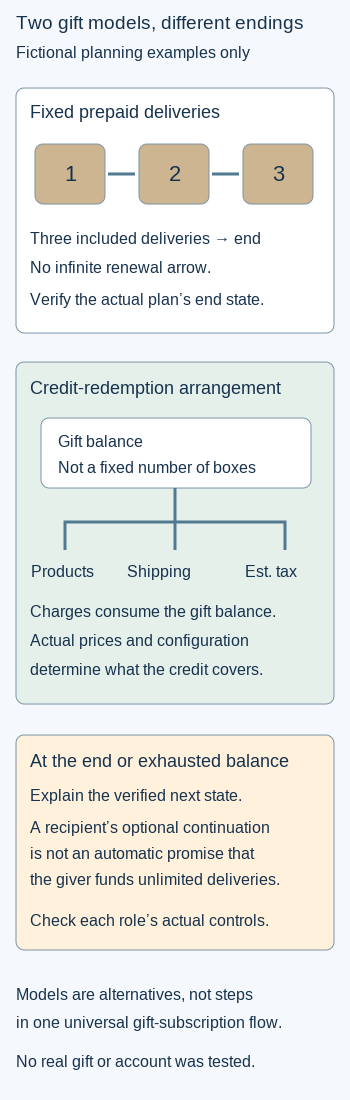
The original diagram is a planning aid, not a screenshot of a configured store. Replace its generic labels with the verified offer details before adapting it into customer-facing content.
 Superdirector
Make it work for your brand
Find it. Remake it. Post it. Superdirector turns the viral formats in your niche into your brand's carousels, X posts and video scripts, and keeps the calendar full.
Start with the ending
Write one internal sentence answering: “After the last included delivery or the exhaustion of the gift balance, what happens?” Possible answers include the gift ending, a recipient choosing to continue with a payment method, or another arrangement verified by the store owner. These are alternatives, not interchangeable marketing labels.
An illustrative tea gift might contain three deliveries and end after the third. That is a fictional planning example, not a tested merchant offer. Its storyboard should show three deliveries followed by an explicit end state. Avoid an infinite looping arrow: it communicates repetition without a stopping condition.
A different gift might provide credit rather than a fixed physical shipment count. Its storyboard needs a balance and redemption step. Do not show three identical boxes simply because the gift was named “three months.” Establish that the actual balance covers the advertised experience before producing that visual.
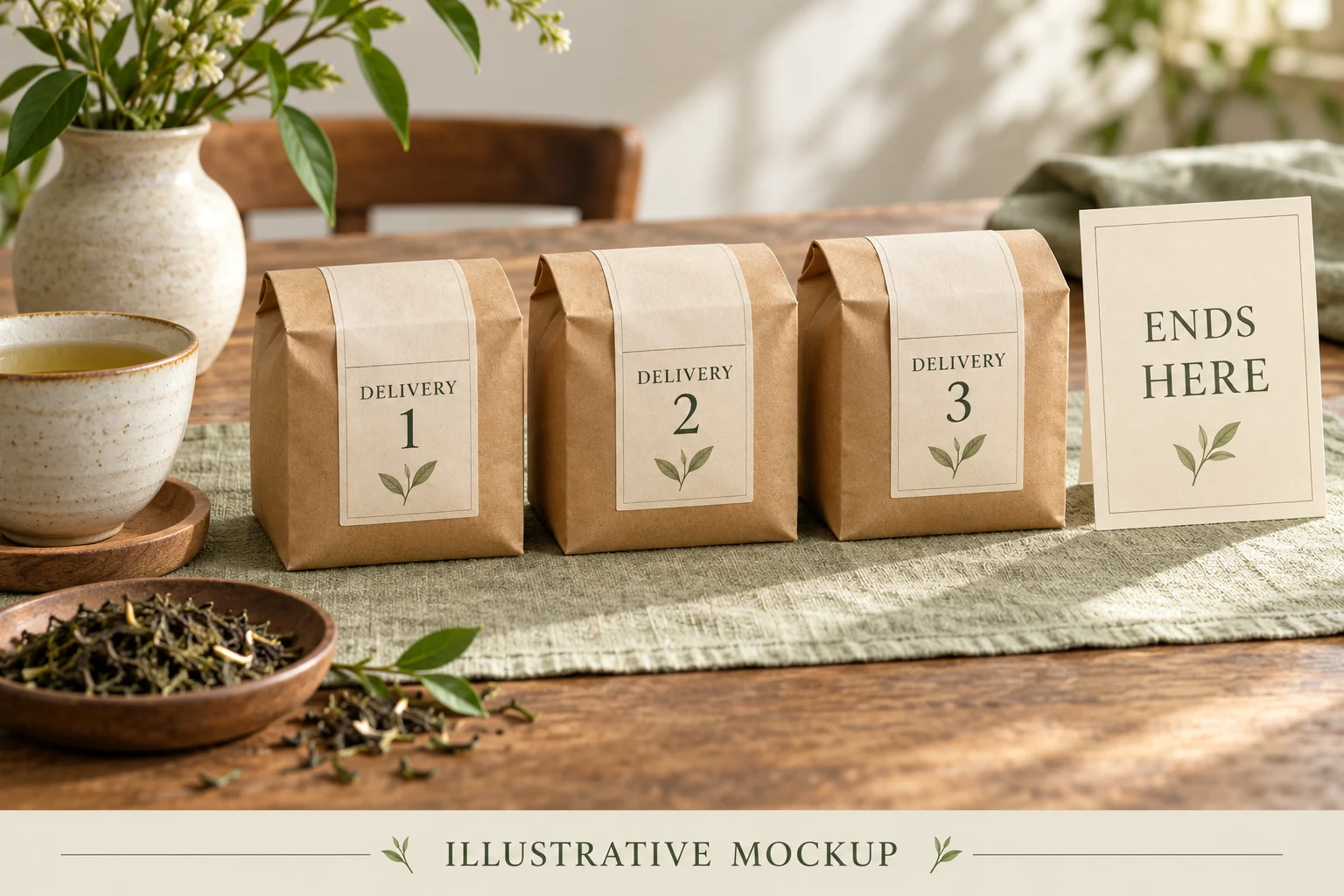
AI-generated illustrative mockup. The three-delivery plan is fictional. Real gift creative must explain the verified payment, recipient and ending behavior rather than implying automatic continuation.
Compare documented models without blending them
Loop's gift-subscription guide describes its gift feature as nonrenewing prepaid, with Shopify Plus and Loop Pro eligibility. Recipient controls depend on merchant settings. That supports a provider-specific explanation, not a promise that every gift subscription expires automatically.
Recharge's gift configuration guide describes a credit-redemption flow. Shipping and estimated taxes consume the gift balance, so the configured gift price needs to account for them. Continuing after credit exhaustion can require the recipient to add a payment method through a supported route. Refunding the sender's original order does not itself cancel gift credits.
These differences matter to the script. “Three prepaid deliveries” and “credit toward a subscription” should not be treated as stylistic variations of the same sentence. Choose the model supported by the actual plan and configuration.
Map three roles before recording screens
Create a role sheet with giver, recipient and store operator. For each, record the actions actually available: selecting the gift, receiving messages, choosing products, changing an address, adjusting timing, asking for help and handling cancellation or refunds.
Use screenshots captured from the appropriate role, with personal details removed. An administrator's button is not evidence that a recipient has the same control. Likewise, a recipient's ability to adjust a shipment does not establish access to the giver's payment information.
Ask the operator to verify uncertain cells instead of filling them with familiar behavior from another app. A blank labeled “not yet verified” is useful production information. An invented checkmark can turn into a customer promise across the entire campaign.
Build an explanation for both people
For the giver, assemble a short sequence:
- The exact gift option selected.
- What the purchase includes and which costs remain outside it, if any.
- Who receives the first notification and when.
- What the recipient must do next.
- The verified end-of-gift state.
For the recipient, create a separate sequence: recognize the gift, redeem or access it, review available choices, find help and understand the ending. Do not compress the recipient's required action into an animation that appears automatic.
The two sequences should share product names and delivery terminology. If the giver sees “seasonal collection” while the recipient sees an unexplained SKU, provide enough context to connect them. That is an editorial consistency check, not a claim about a particular platform's default emails.
Make the visual answer a decision
A useful product video can pair a real box opening with a simple timeline. Show the actual contents and then the number or value of what remains. A close-up of premium packaging supports appearance; it cannot prove how many future orders are covered. Keep those evidence types separate in the edit.
Test the explanation without leading the viewer
Give a reviewer the draft asset without the production notes. Ask who pays, who receives the product, what the recipient needs to do and what happens at the end. Record the answer in their own words.
If they say “I assume it renews,” do not merely add a smaller footnote. Identify the visual or phrase that produced the assumption. If they cannot tell whether shipping uses the gift balance, bring that distinction into the main explanation where it affects the purchase decision.
This is a proposed validation method, not a reported user test. No customer comprehension result has been collected for this example.
Acceptance checklist
Accept the creative only when the selected offer, payer, recipient steps, included value and ending match the current store evidence. Keep the source capture date and configuration version with the final script. Recheck after plan, price, shipping or portal changes.
Validate one actual gift plan, then replace the illustrative sequence with that plan's payment, recipient-action and end-of-gift details.