How-To Guide
Explain a Canva template buyer’s access and export requirements before promising a finished design
A buyer can open an editable template, change its text, and still encounter a premium-content requirement when preparing the finished design.
A buyer can open an editable template, change its text, and still encounter a premium-content requirement when preparing the finished design. Those are different stages of the experience. A seller’s paid account is not evidence that every recipient can complete every stage under the same conditions.
Before advertising an editable template as ready to use, separate three questions: can the seller create the supported delivery link, can the recipient access and edit the template, and what content entitlement is needed for the promised output? Show the answers for the exact design rather than relying on a general “works with Canva” label.
This article proposes a review and demonstration workflow. No buyer account, export or purchase was tested for it. Canva references were checked on October 24, 2026. The discussion is about accurately presenting requirements, not certifying a design’s legal compliance.
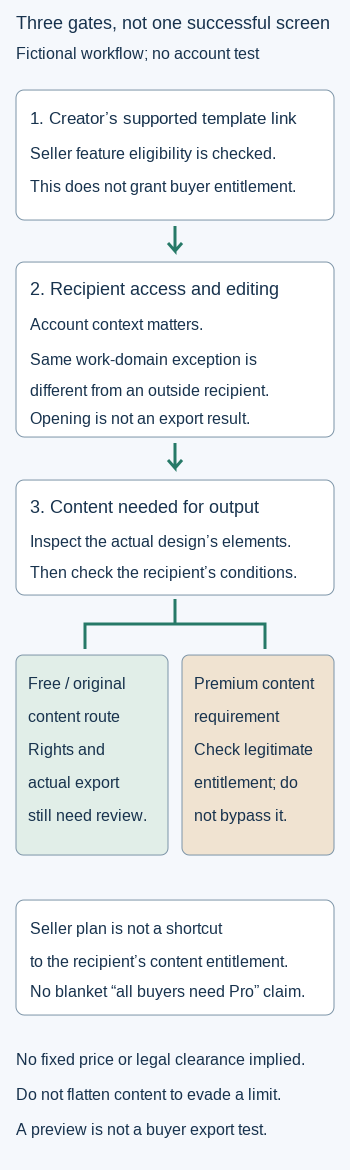
Original decision diagram, not a Canva interface screenshot or an account test. Actual link access, editing and export remain to be checked.
 Superdirector
Make it work for your brand
Find it. Remake it. Post it. Superdirector turns the viral formats in your niche into your brand's carousels, X posts and video scripts, and keeps the calendar full.
Keep the creator’s feature separate from the recipient’s access
Canva’s template-link help page lists the plans that can create and share template links. It separately describes recipient access. In particular, it identifies a paid-plan condition for recipients sharing the creator’s work-email domain, while saying that general email domains and people outside the organization are not affected by that condition. Canva template-link guidance
That distinction matters when planning a test. A colleague’s account on the same work domain may not represent the intended outside customer. Conversely, a successful external opening does not establish every internal account’s access. Record the relevant account context without exposing the person’s email address in promotional footage.
Use the supported template-delivery route for the actual offer. Do not substitute shared editing access to the seller’s master design merely because it seems easier to demonstrate. Link behavior and permissions are part of the product handoff, not an interchangeable detail.
The source also says deleting a template link makes its URL inactive and creating another produces a new URL. A demonstration or delivery document therefore needs to reference the current approved link. No links were created, changed or deleted for this article.
Inspect the content behind the finished appearance
Choose one representative template revision and identify the elements on which the promised output depends. Distinguish assets you created from Canva library content, and distinguish Free from Pro content using current platform information. Keep an asset record rather than assuming that everything visible in the seller’s account has the same status for the buyer.
Canva’s watermark help explains that premium elements can be watermarked for Free users. It describes legitimate content-purchase or subscription routes and notes that the account, team and design in which content was purchased can matter. This does not support the blanket claim that every buyer must subscribe to Pro. Canva watermark guidance
Nor does a seller’s clean preview prove that the recipient has the same entitlement. For a fictional invitation, the text might be editable while one decorative illustration introduces a separate requirement. The sales explanation should disclose that dependency rather than presenting the seller’s export as the buyer’s observed result.
Do not advertise a specific additional price without checking the applicable current route. This guide has not verified an amount for any design or account.
Demonstrate three gates, not one success screen
Use an original, non-sensitive example. First identify the supported template link created under the seller’s account conditions. Next inspect the recipient’s access and editing experience under an authorized, representative account context. Finally check the intended output and any content requirement that appears.
Keep those observations separate in the recording. A clip that ends when the editor opens has not shown the output stage. A clip recorded only in the seller’s account has not shown a recipient’s experience. An export that omits a premium element is not the same finished design shown in the listing unless the alternative is explicitly described.
If existing authorized account access is insufficient to perform the representative test, record the gap. Do not create a new account, buy an element or change permissions merely to make the demonstration appear complete. The unresolved condition belongs in the review record until the appropriate action is authorized.
Offer an honest alternative rather than a workaround
A seller might prepare a separate version using original artwork or other content whose use and recipient requirements have been checked. That version needs its own review: the visual appearance, editability and output must match what is advertised. It is not enough to remove an element and keep showing the richer original preview.
Do not flatten premium content into an image as a technique for avoiding a recipient’s requirement. Canva’s licensing explanation distinguishes content use from redistribution and describes a specific boundary for templates created for use on Canva. A brief article cannot establish that an individual design satisfies every applicable condition. Consult the current terms for the actual content and intended use rather than treating an export as permission. Canva’s licensing explanation
Similarly, do not promise that original artwork removes every possible issue. The seller still needs appropriate rights to the material, a supported delivery route and accurate product claims. Keep legal uncertainty separate from a technical observation that a file exported.
Write the requirement beside the promise
Describe what the customer receives and what remains necessary to produce the advertised output. Distinguish the purchased editable design from any separate Canva content purchase or plan requirement that actually applies. Avoid burying that condition after a broad “no extra costs” claim.
For the fictional invitation, a useful review question is: can the buyer obtain the displayed finished appearance under the account conditions stated in the listing? If the answer is unknown, the claim is not ready. If there is a separately reviewed alternative, show which appearance belongs to which version.
Use a short screen recording only after the corresponding observations exist. Include the relevant account context in a privacy-safe label, demonstrate an ordinary text edit, and show the output condition. Do not expose customer details, invoices or unrelated designs in the recording.
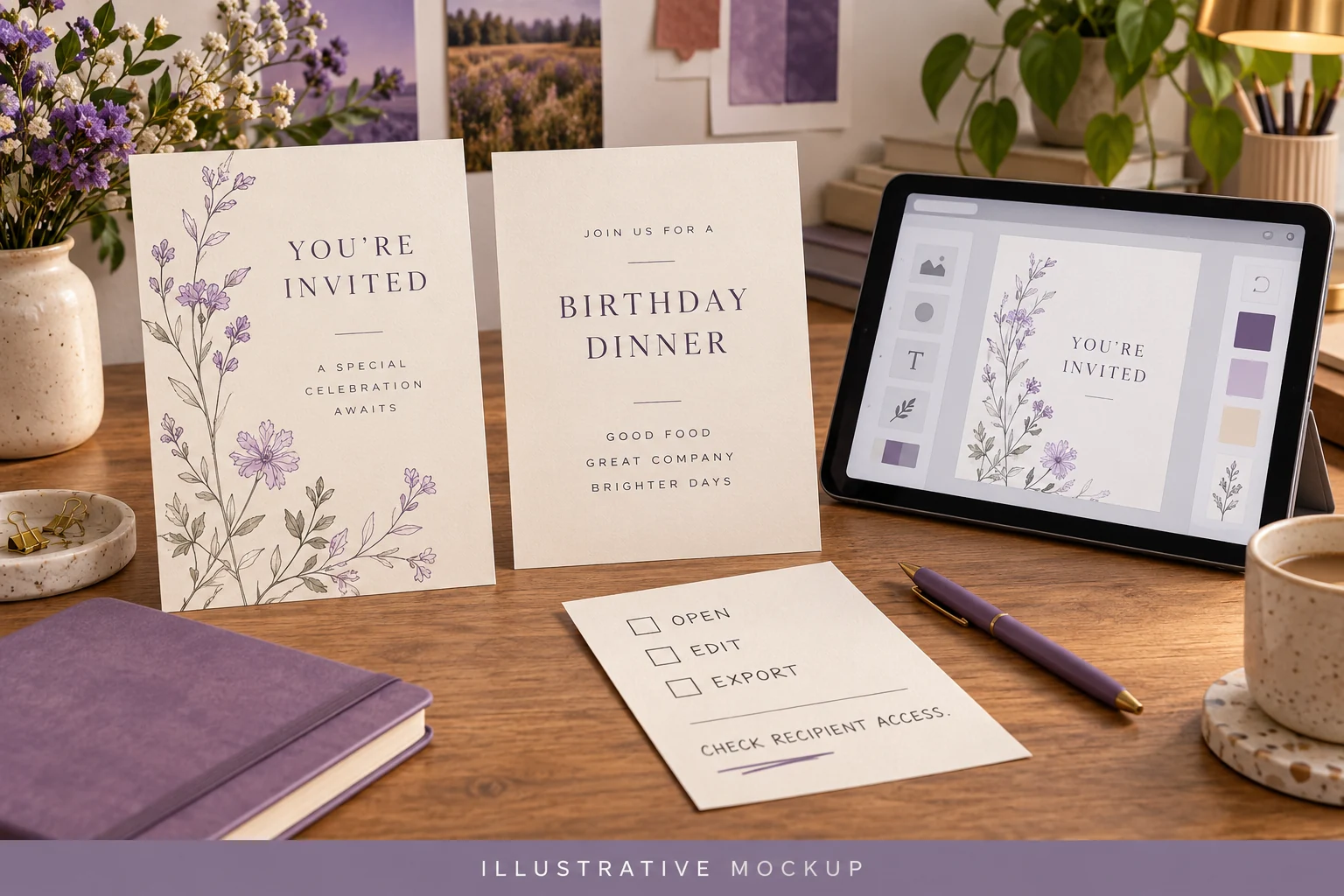
AI-generated illustrative mockup. A polished seller preview does not establish the buyer’s editing or export access. The checklist represents checks still to perform in the actual recipient context, not a Canva account test.
Check what the viewer understood
Ask a reviewer to explain the creator requirement, recipient access and content-output requirement without coaching. Then ask whether buying the template itself was presented as covering all other charges. If they merge those ideas, revise the explanation before publishing.
A seller question about premium elements and recipient watermarks and an older report of customer watermark questions illustrate the concern. These are unverified seller accounts, not policy authorities or evidence of how often the problem occurs.
The deliverable is a clear, evidence-matched explanation of the path from purchased template to intended output. A prepared diagram, a documented platform rule, an actual account test and a published listing are separate results. Keep each visible rather than letting one successful screen stand in for all four.