How-To Guide
Etsy personalization pricing: separate the stocked item, the custom text and the charge
Inventory-linked choices belong in variations.
By the Superdirector editorial team.
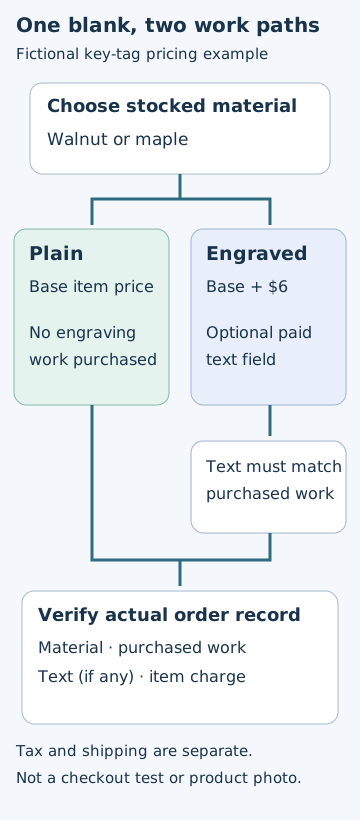
The diagram explains the review process. It is not product photography and should not replace the required finished-item image.
 Superdirector
Make it work for your brand
Find it. Remake it. Post it. Superdirector turns the viral formats in your niche into your brand's carousels, X posts and video scripts, and keeps the calendar full.
A customer should not have to solve your production process to order a personalized gift. Make three things distinct: which physical version they are buying, what they want written on it, and whether that writing adds a charge. Then check that the listing images, fields and order record tell the same story.
This guide is for a seller preparing one personalized listing, not for acquiring bespoke commissions. It proposes a practical review method, not a measured conversion improvement.
Start with the choice, not the dropdown
Etsy currently supports paid add-ons through optional text-based Custom options fields. Add-on pricing is set up and managed on Etsy.com; this is not a claim that all Custom options editing is web-only. Inventory-linked choices belong in variations. Etsy's September 2026 update also announced a third variation, so older discussions about unavailable personalization pricing or only two variations should not determine a new setup. Current personalization help and September updates.
Before editing anything, take a sheet of paper and list what the maker needs to fulfill an order. Put every decision into one of three groups:
- Pick: something already stocked, such as the blank's material or size.
- Make: information that changes the finished work, such as a name.
- Quote: a request too open-ended to promise through the standard offer.
The distinction prevents an attractive picture from promising work the selected price does not cover. It also gives the packing team a cleaner handoff than a long buyer note containing stock selections and engraving instructions together.
A worked example: an engraved key tag
The following is an invented demonstration, not a real shop, price recommendation or tested account configuration.
Suppose you sell a key tag in walnut or maple. The base item can be bought plain. A short name engraving costs an additional $6. Font choice does not change the blank you pick.
Your production record needs four answers: material, whether engraving was purchased, engraving text, and the matching lettering style. Do not begin by adding four fields automatically. First decide whether offering two fonts is worth the extra decision. For an initial listing, one lettering style may make the offer easier to produce and verify.
Keep walnut versus maple in the stocked-item selection. Use a specifically named optional text field for the paid engraving. Make the instructions explain the intended engraving position and your actual production limit. If your design only fits eight characters, do not accept a paragraph because the platform allows a longer entry.
Do not apply this example blindly to products where personalization is compulsory or where each extra line has a different charge. Those are different offer structures. Establish the full product price and supported field behavior before writing the promotional copy.
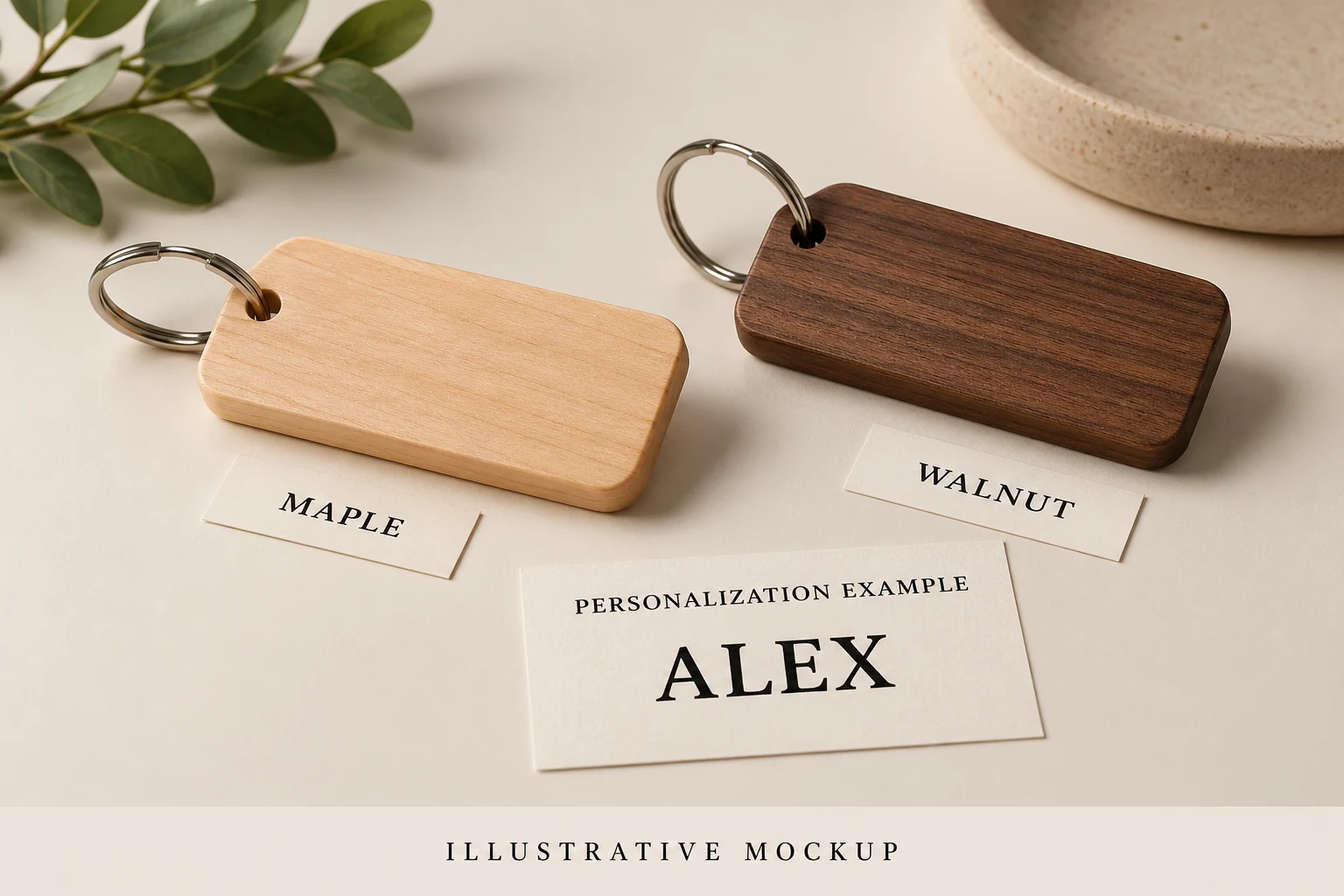
AI-generated illustrative mockup. Material choice and personalized text are separate decisions; the paper text proof does not demonstrate actual engraving, stock or a quoted offer.
Give each image one job
Use the first photograph to establish the real finished product. Etsy requires a finished personalized item, rather than a blank or placeholder-text mockup, as the primary image for personalized commercial products. Additional explanatory visuals can help; image labels should match the available fields. Etsy image guidance.
Etsy’s image policy also requires an unedited actual-item photo for most products, with product-type exceptions. Check the applicable category rather than treating a generated diagram as product evidence. Listing image requirements.
Plan the rest of the sequence around the buyer's unresolved questions:
- Material comparison: show walnut and maple under comparable lighting. Repeat the exact material names used in the selector.
- Engraving close-up: show the actual placement and the amount of space available. Caption it as an example rather than implying the sample name is shipped to everyone.
- Choice explanation: distinguish the plain version from the optional engraving. Avoid a decorative collage in which every sample looks like an included item.
- Scale or use: show enough physical context for the buyer to understand the object, without introducing unlisted accessories.
A short video can follow the same sequence: finished sample, material comparison, engraving detail, then a clear selection instruction. Do not show a fake checkout or invented receipt. If you record the real listing later, remove customer information and make sure the screen matches the current revision.
Walk the two buyer paths separately
Reviewing only the personalized path misses the customer who wants the base item. In a preview or other permitted test environment, write expected results before checking actual behavior:
- Plain path: choose the material, leave the optional engraving unused, and check the item amount shown.
- Engraved path: choose the material, enter a valid name, and check the added amount and resulting item total.
- Correction path: change or remove the text and inspect what the interface actually does. Do not assume its state resets correctly.
- Limit path: try the maximum name length your production process can handle and inspect how the instructions appear on a narrow screen.
Keep shipping and tax separate from the example's item-price arithmetic. Record the chosen material, entered text, displayed amount, device and revision with a screenshot. A correct preview is still not proof of the received order record; that requires a separately authorized end-to-end test or a real order you are permitted to inspect.
Close the production handoff
Ask someone who did not write the listing to reconstruct the intended item from the evidence. Can they identify the blank, locate the engraving and distinguish the purchased work from an example photograph? If they need an oral explanation, fix the ambiguous field or image before adding more promotional copy.
Use any later genuine orders to check whether the same information reaches production. Log missing-detail questions by cause: unclear material, unclear text placement, unclear charge or unsupported request. Compare like-for-like periods and keep order counts beside the issue counts. A handful of cleaner orders is useful feedback, not proof of a general sales lift.
What this guide does and does not establish
Seller discussions describe missing information and confusion between choices, but those reports predate later Etsy changes. They motivate this checklist; they do not prove a current platform defect or a popular search query. See the May seller discussion.
The next useful action is small: review one real listing across its two purchase paths, then revise the one image or field that fails. This guide does not report a test of your shop, a purchase or a commercial result.