How-To Guide
Etsy digital downloads: explain the phone handoff without blaming the phone
If an Etsy buyer cannot find a purchased file in the app, the first instruction should not be “find a computer.” Etsy's current help distinguishes the…
By the Superdirector editorial team.
If an Etsy buyer cannot find a purchased file in the app, the first instruction should not be “find a computer.” Etsy's current help distinguishes the app from the browser: digital purchases cannot be downloaded through the Etsy app, but a mobile browser can be used. Etsy download help.
For a digital seller, the practical job is to help the buyer cross that small gap, then open the right file. Build your guidance around the buyer's purchase type and access route, not around a long list of everything that can go wrong with a phone.
Choose the right branch before giving instructions
Etsy distinguishes instant files, available once payment is confirmed, from made-to-order files delivered after completion. Signed-in buyers can use Etsy.com → Purchases → Download Files. Guest buyers of an instant download use the link in their receipt email. Buyer access routes.
Those branches should shape your creative:
- Ready-made product: explain the browser route and file contents. Do not promise access before payment confirmation.
- Guest instant purchase: point to the receipt route rather than insisting the buyer must locate an existing purchase account.
- Custom digital product: distinguish order confirmation from the finished file. State the actual agreed completion window rather than borrowing the word “instant” from other listings.
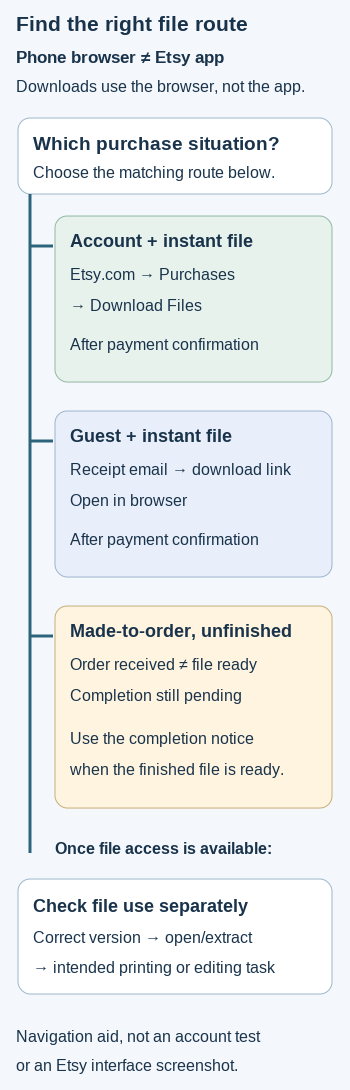
The diagram is an original navigation aid, not an Etsy interface screenshot. Its labels describe the workflow rather than promising that a particular account has been tested.
Original visual by the Superdirector editorial team. Creation date not recorded.
A worked example: a printable weekly planner
Imagine an original planner sold as two PDFs, one sized for A4 and one for US Letter. This is an illustrative product, not a claim about an existing shop.
The pre-download image has one main message: “Downloading on a phone? Open Etsy.com in your browser.” Under it, show a simple choice between an account purchase and a guest receipt. Keep the labels large enough to read without zooming. Do not imitate an Etsy button if you have not checked the current interface; a plain navigation explanation is less likely to become a misleading screenshot.
Etsy’s image policy calls for a preview or excerpt for visual digital downloads. Include an actual planner preview, not only this navigation diagram. Listing image requirements.
The description states that the purchase contains digital PDFs and identifies both paper sizes. Its file-use section tells the buyer to choose the version that matches their paper. Give the files deliberate names, such as WeeklyPlanner_A4.pdf and WeeklyPlanner_USLetter.pdf, before upload. That is a proposed naming convention, not an Etsy-required format.
The downloaded guide can then explain how you intend the pages to be used. It does not need to reteach the full purchase journey. If you also supply a ZIP archive, identify it explicitly and provide suitable extraction guidance; Etsy notes that ZIP contents must be extracted before use. ZIP troubleshooting.
Do not imply that downloading successfully proves printing will succeed. File access, opening the file and producing a usable print are separate checkpoints.
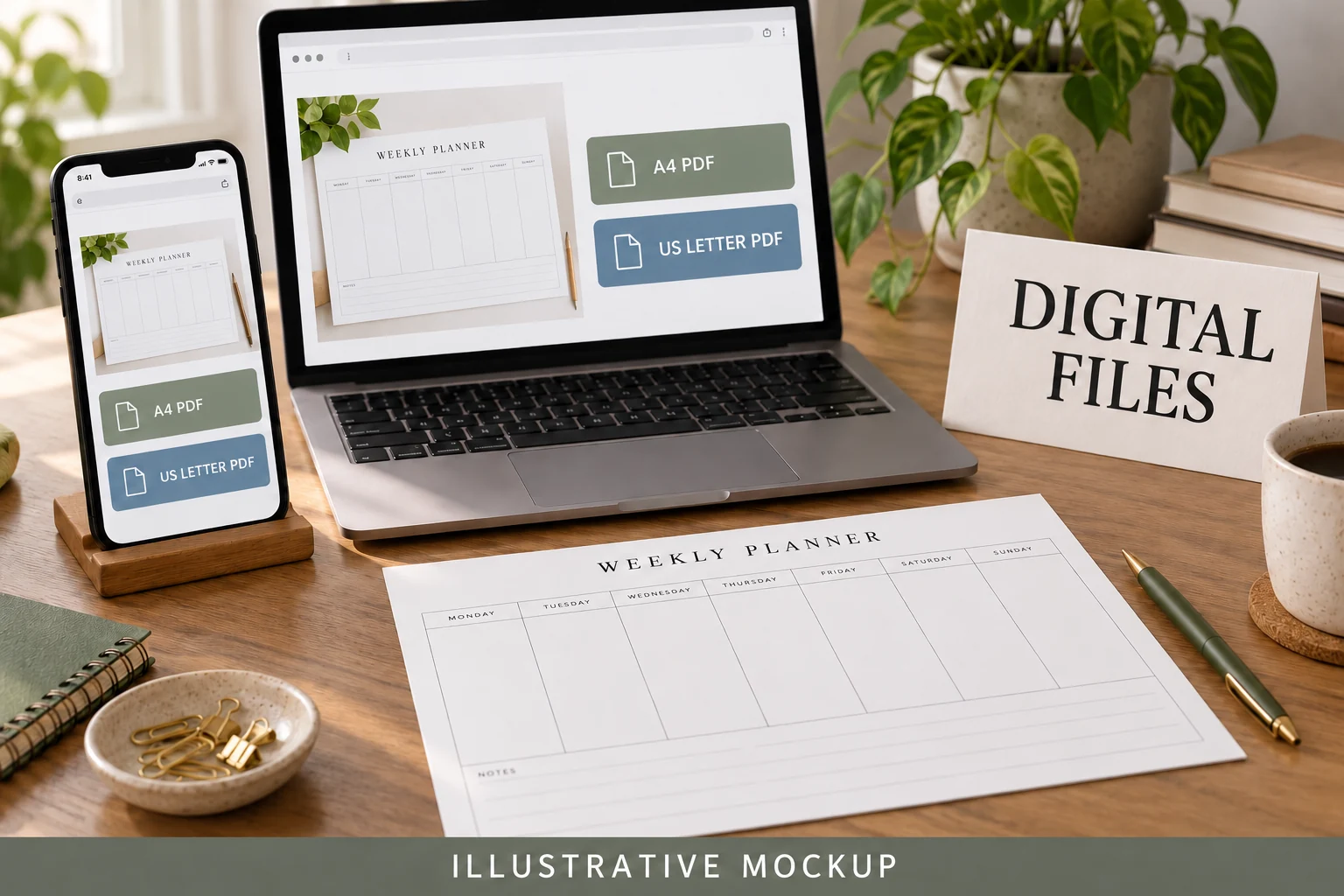
AI-generated illustrative mockup. The fictional planner offers two PDF sizes. Navigation, file access and printing are separate tasks; this is not an Etsy interface capture or a verified download.
Illustrative mockup by OpenAI image generation, editorial direction for this article. Created 2026-10-24.
Contrast that with a custom sign
For a made-to-order wedding sign, a receipt can exist while the designer is still preparing the artwork. An “instant download” support message would send the customer searching for something that is not ready.
Use a three-state explanation instead: order received, artwork in progress, completed file available. Put the promised completion timing beside that sequence. If a proof review is part of your real service, explain it; do not add a proof approval step just because it makes the diagram look more complete.
For production, confirm that your final filename identifies the intended size or version without exposing unnecessary personal information. The buyer should not have to compare multiple near-identical files called Final2 or NewFinal to guess which one is usable.
Test comprehension without inventing a completed order
Give a reviewer only the listing copy and guidance image. Ask them to explain what they would do if they had bought through the app. Then ask how the answer changes for a guest purchase or an unfinished custom item.
If they answer “I need a laptop,” revise the app-versus-browser distinction. If they expect the custom file immediately, revise availability language. If they can find the order but cannot identify which file to open, improve the file naming and post-download note.
For a real workflow test, use an existing purchase you are authorized to inspect or an approved test arrangement. Do not make a purchase merely to fill an evidence checklist. Record the actual path and keep personal details out of screenshots. A mock diagram is preparation; it is not evidence that the buyer's account works.
Measure the right support problem
After making an approved change, classify incoming questions into navigation, availability, file opening and file use. Keep the number of eligible orders and the observation period beside each count. “Fewer questions” is not informative if fewer people bought the item that week.
Historical seller discussions motivate this issue, but they do not establish current demand volume or a universal failure rate. This article proposes a clearer handoff. Whether it reduces support in your shop remains a question to test, not a result to advertise.