How-To Guide
Diagnose a stale browser-game build before telling players to clear data
You deploy an update, open the playable page, and still see the old menu. “Clear your browser data” may appear to be a quick answer. It can also erase…
By the Superdirector editorial team.
You deploy an update, open the playable page, and still see the old menu. “Clear your browser data” may appear to be a quick answer. It can also erase useful evidence, disrupt a player's session and put locally stored progress at risk without fixing the actual problem.
Start with a narrower statement: this visit appears to be running a different build from the one expected. Establish which build is present, compare contexts, and investigate the first supported explanation. An old-looking screen is not proof of a cache defect.
This is a proposed diagnostic workflow for a developer maintaining a browser-game launch destination. It is not a live incident report, and no deployment, browser storage or game save has been changed for this article.
Record the mismatch before changing anything
Write down the intended public URL, expected build identifier, observed identifier or distinctive behavior, observation time, browser and whether the tab was already open before the release. If the game lacks a visible version, use an existing build manifest or another reliable identifier available to the responsible developer. Do not infer a version from an unchanged title screen alone.
Separate the release artifact from the current request. A successful upload receipt does not prove that this page references the new artifact, that the host serves it, or that the browser has started using it.
Preserve the existing session while investigating. If progress is unsaved, stop before recommending a reload. If the game has a real save or export route, verify its documented behavior with test data rather than assuming a screenshot of a save icon is a backup.
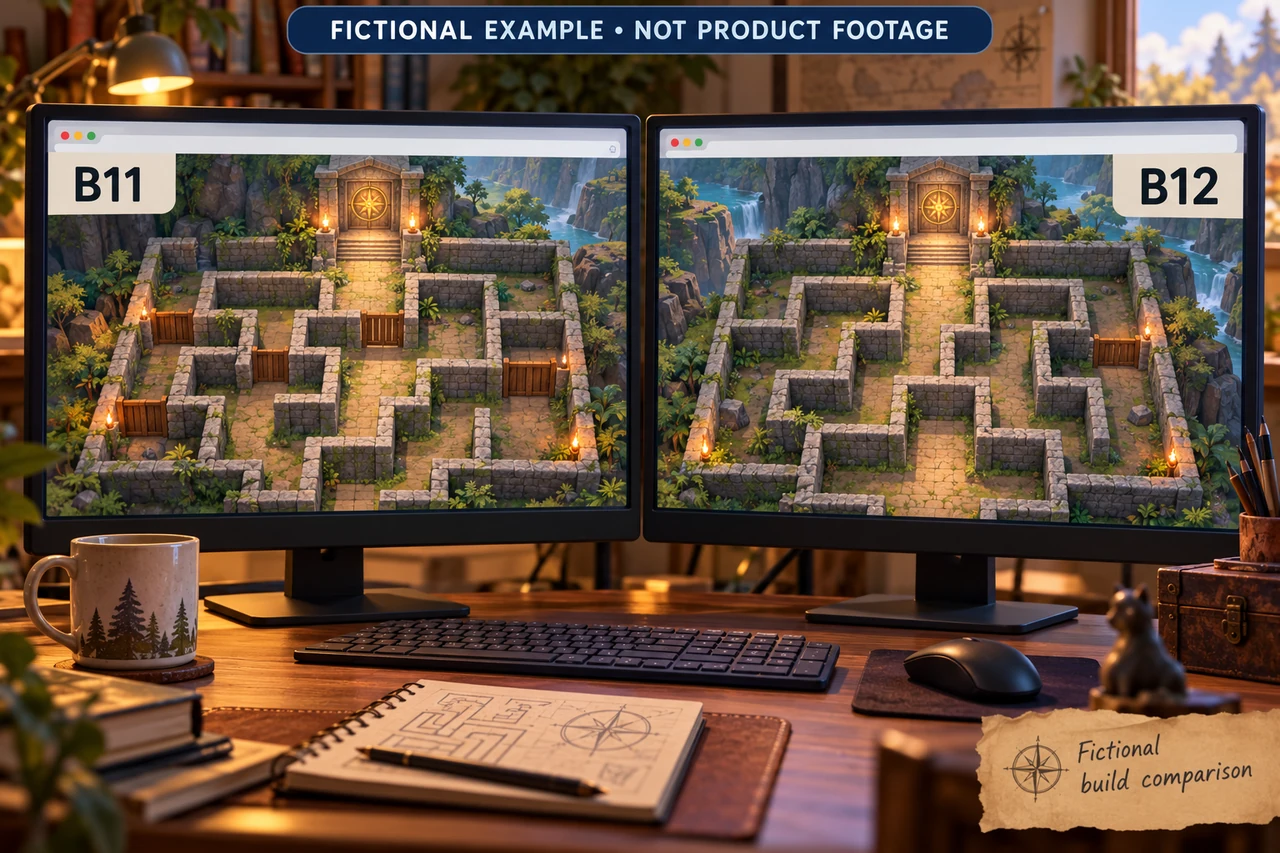
The fictional B11/B12 maze comparison shows a hypothetical mismatch without deciding whether caching, export or another cause explains it. Original AI-generated editorial illustration.
Original visual by Original editorial illustration generated with OpenAI’s built-in image tool. Created 2026-10-24.
Compare the same destination in an isolated test context
Imagine a fictional maze game whose expected build is B12 while an existing tab reports B11. Open the same public destination in a separate disposable test context that does not contain the player's only progress. Record its result separately.
- If both contexts show B11, inspect the uploaded artifact, page reference, export configuration and hosting response before blaming the original browser.
- If the fresh context shows B12 and the existing context shows B11, investigate the differences in session and caching behavior. That comparison narrows the problem; it does not prove which layer caused it.
- If the contexts differ in URL, authentication, embedding or deployment target, reconcile those differences before treating the comparison as controlled.
A private window can have different storage and capability behavior, so it is not interchangeable with every normal session. Use a disposable normal profile when appropriate, record the choice, and do not transfer its result to untested browsers.
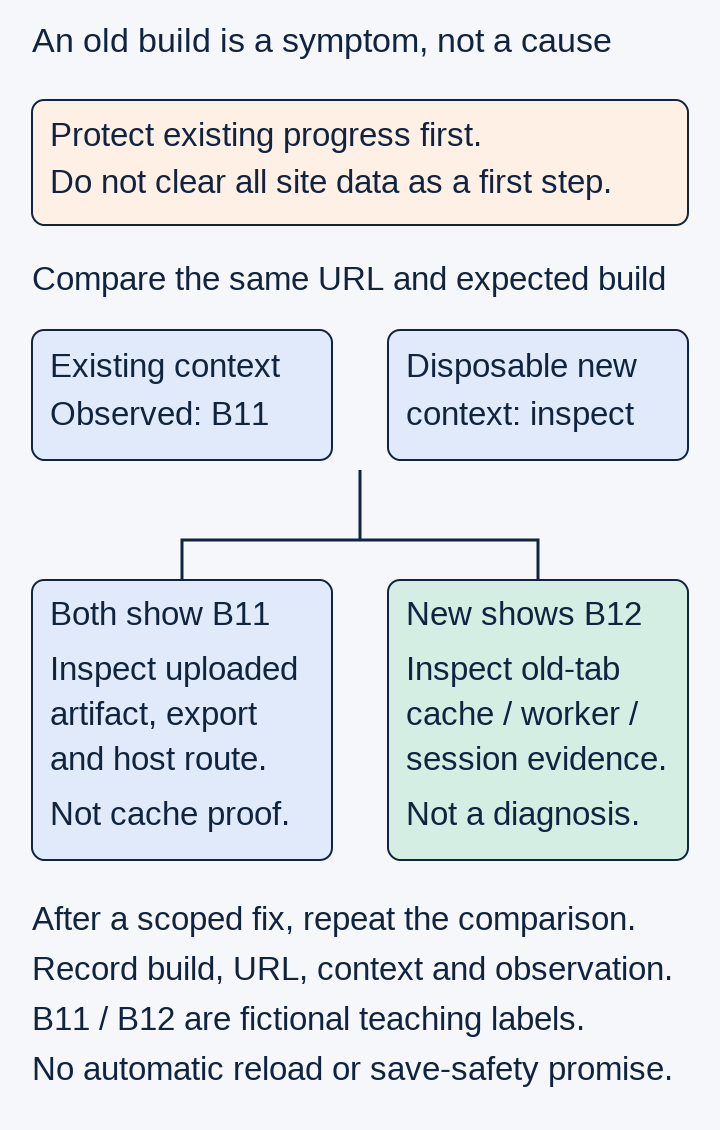
Original diagnostic tree. The B11/B12 versions are fictional, and neither branch establishes a cause without further evidence.
Original visual by the Superdirector editorial team. Creation date not recorded.
Distinguish HTTP caching from a service worker
MDN's HTTP caching guide explains revalidation and versioned resource URLs. A browser's HTTP cache, an intermediary cache and a service worker's response handling are not one interchangeable mechanism. The relevant owner should inspect the actual response and versioning strategy rather than applying a generic “disable cache” instruction everywhere.
If the site uses a service worker, inspect its state. MDN's lifecycle explanation distinguishes a newly installed worker that is waiting from an active worker still controlling open pages. Under the described default lifecycle, a new worker can wait while older clients remain open. An installation event alone therefore does not prove that the current game session uses the new worker.
Do not add immediate activation and automatic reload as an unreviewed universal fix. A game may be mid-action, and its page, worker and asset versions must remain compatible. Identify a safe application point and test the actual update flow with disposable progress before writing player instructions.
Keep the export explanation alive
A Godot developer's wrong-scene report is a useful counterexample. Cache was proposed early, but the author reported that refreshing did not solve the problem. The later explanation concerned selected export resources and missing imported files, followed by a reported working result.
That conversation does not establish the cause of your incident. It shows why “looks old” should not terminate the investigation. Check whether the intended scene and required resources are actually in the exported release, and whether the public page points to that release. A browser cannot retrieve a corrected resource that was never included in the uploaded artifact.
If an export correction is needed, preserve the failing artifact and record the specific change. Retest the original route after the authorized correction rather than declaring success from the editor alone.
Plan updates around a real safe point
A June 2026 AllByte Studios development account describes separating update detection from applying a reload at an in-game title screen. It is a first-party report of one implementation, not a tested prescription for your architecture or proof that its stated outcomes generalize.
The transferable question is simple: what can this game verify before replacing the active page? A title screen may be suitable in one design and unsuitable in another. Establish whether progress has been committed, whether a network action is pending and what the user will see if the update fails. Keep those checks tied to the actual product.
Do not promise that returning to a menu always makes a reload safe. The evidence must come from the game's implementation and observed test, not the name of the screen.
Write the smallest justified player instruction
A support instruction should describe a specific supported action and its conditions. If the tested solution is to finish saving, close the affected game tabs and reopen the same destination, say that only after confirming the route works for the affected build and browser. Do not bundle clearing all site data into an otherwise non-destructive refresh instruction.
If a storage reset is genuinely required, first establish what it removes and whether a working recovery route exists. That is a separate consequential step, not an invisible synonym for refreshing the page. Prefer isolated test data during diagnosis and preserve the player's original context until the implications are understood.
Close the incident with the original comparison
Retain the expected and observed build identifiers, URLs, context differences, evidence from the relevant cache or export layer, authorized correction and repeat-test result. Revisit the previously failing route, not just a clean new session.
Track unresolved cases explicitly. A second browser passing does not erase the original failure, and an updated page screenshot does not prove that game assets, progress and subsequent interactions remain sound. No such outcomes have been measured here. The immediate deliverable is a narrower diagnosis and a support instruction that does not sacrifice player data to hide uncertainty.