How-To Guide
Demonstrate journal export before explaining account deletion
The deliverable is an export-custody record beside a separate deletion explanation.
A downloaded archive, a signed-out screen and a completed account deletion are three different observations. A privacy-conscious journal user needs to know what they can keep outside the service and what the exit process actually changes. A launch demonstration should explain those boundaries without using real diary entries or destroying a real account.
The deliverable is an export-custody record beside a separate deletion explanation. It is not a security audit, legal certification or completed deletion test.
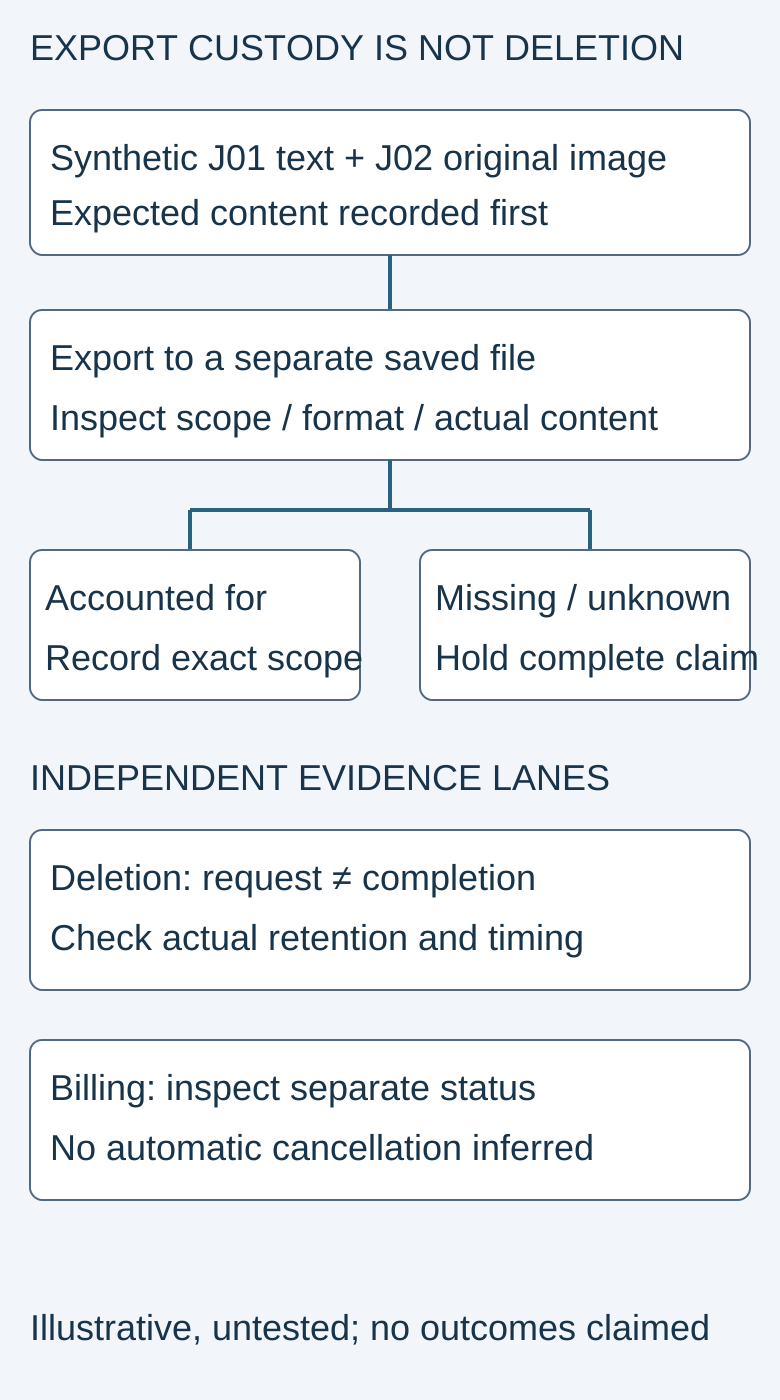
The archive and status fields are illustrative and unverified. No user data was exported or deleted for this article.
 Superdirector
Make it work for your brand
Find it. Remake it. Post it. Superdirector turns the viral formats in your niche into your brand's carousels, X posts and video scripts, and keeps the calendar full.
Start with a small synthetic journal
Create two unmistakably fictional fixtures: J01, a short text entry with a unique test phrase, and J02, an entry containing an original harmless image. Record the expected date, text and attachment for each. Keep protected originals outside the exercise so a mistaken export or test cannot destroy the only copy.
Use a disposable account only when its setup and any eventual deletion are expressly authorized. For initial content planning, a storyboard and read-only inspection are enough. Do not demonstrate irreversible deletion on a customer account, your founder's journal or a workspace containing other people's information.
The exact artifact matters. A readable document, a structured migration archive and a cloud backup can serve different purposes. Choose the supported format for the intended promise rather than calling every export “your complete journal forever.”
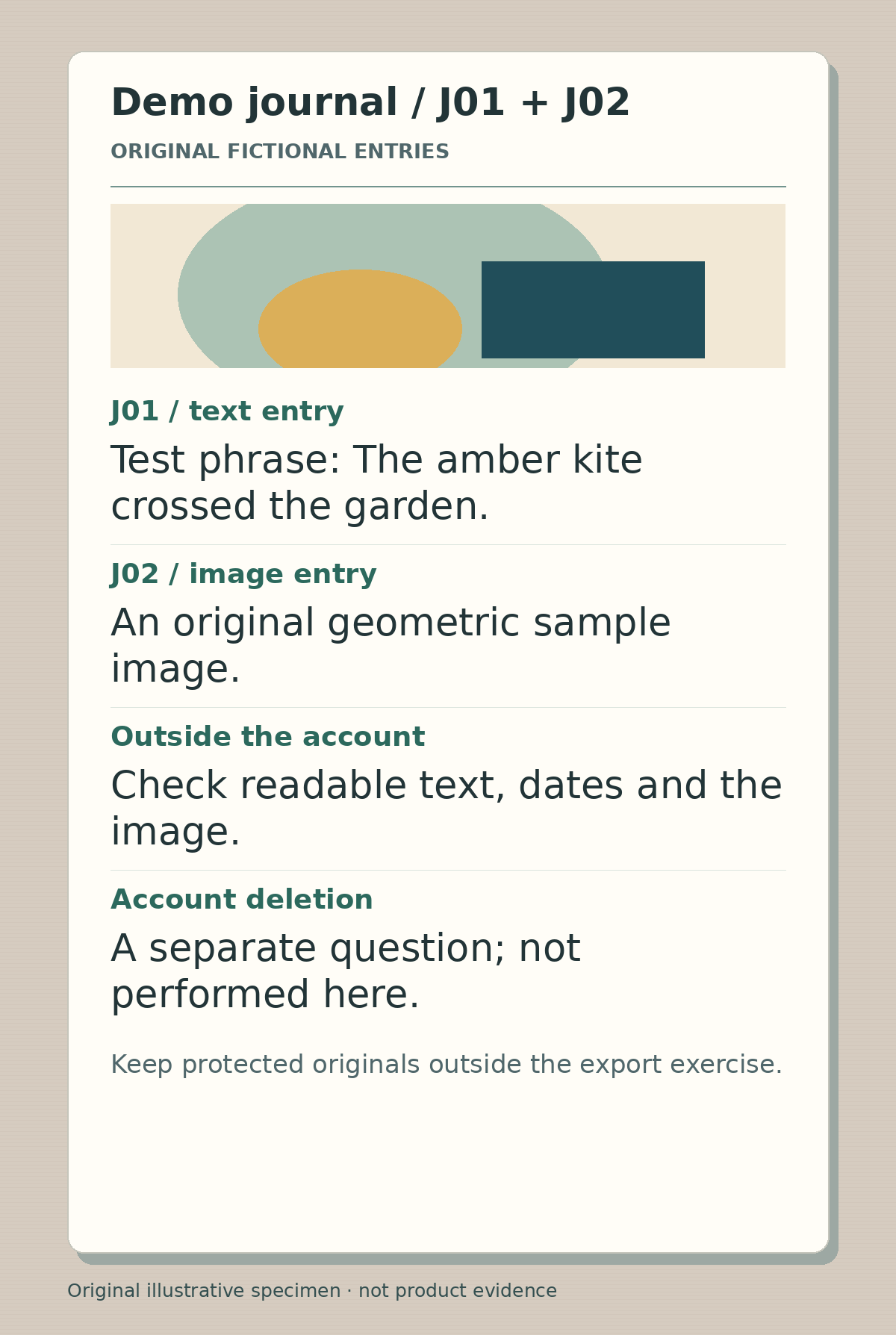
Original synthetic journal specimen, with a harmless test sentence and original geometric artwork. It does not show an exported customer journal or a completed account deletion.
Follow the data out of the account
Record the selected export scope and actual saved file location. A notification saying an export started is not evidence that a file reached a destination the user controls. Open the file with an appropriate supported tool and check J01 and J02 against their expected content. Record missing or unreadable items rather than silently changing the example.
An actual journal user's export report describes an apparently empty archive and a web download problem. The support discussion asks about scope, version and the viewer used to inspect the archive. The report is not proof that all exports fail, and its exact date is uncertain. It supports the practical distinction between creating a file and understanding what it contains.
A separate historical portability question asks how journal entries remain accessible if the service changes or disappears. That is an authentic concern, not proof that a chosen file format will be accepted by every future app. Avoid promising universal import compatibility.
Explain deletion using the actual product's policy
Apple's account-deletion guidance requires apps supporting account creation to let people initiate deletion in the app. Mere deactivation is not the same thing. Its guidance also calls for clear information about additional completion time, billing and any information retained under applicable obligations. That is a platform starting point, not a legal determination for your service.
For a concrete product-specific example, Day One's account-management guide tells users to export entries and store the copy outside Day One before deletion. It distinguishes account deletion from cancellation of App Store or Google Play subscriptions. Do not transplant those implementation details into a new journaling app without checking its own behavior.
Policies and grace periods can change. Check the current Day One deletion guide when describing Day One, and the actual product policy when describing another app. Record the observation date beside any timing claim.
Film two honest scenarios
Scenario one is a proposed successful export demonstration. Show the synthetic entries, the chosen export scope, the external file and the inspected content. Only after that evidence exists should the script say those specific fixtures are present in the exported copy. Keep the deletion explanation in a separate beat, including what the interface confirms and what remains pending.
Scenario two deliberately tests a gap: J01 is accounted for but J02's media is not yet located. The correct story is not “everything is safe.” Mark the archive unresolved, inspect the selected scope and format, and withhold the completeness claim. Do not proceed to an irreversible action merely to finish a video.
A historical account-removal discussion describes confusion when entries remained visible after a removal action. A visible or empty screen alone does not establish backend retention. Your explanation needs the actual product's completion evidence and policy, not an inference from one UI state.
Review custody, deletion and billing independently
Use the journal-exit worksheet. Keep three rows: the external copy and its inspected contents; the deletion request and confirmed completion state; and any ongoing subscription or cancellation route. Do not draw an arrow that implies exporting automatically deletes an account or deleting automatically stops all billing.
Ask an independent reviewer to explain what survives outside the service, what action initiates deletion, and which result has actually been observed. If they cannot distinguish a request from completion, revise the captions. Do not hide unresolved retention or missing-media questions behind a reassuring padlock image.
After publishing the explanation, track useful exports and understood exit steps separately from page views. Start with a safe synthetic export inspection, not a production account deletion.