How-To Guide
Check the whole signup route before promoting an iOS app link
Test the exact destination with and without the app installed before you give creators the link.
By the Superdirector editorial team.
A campaign link promises what the visitor can do next. If an Instagram demonstration promises a particular signup flow, arriving at an unrelated home screen is a failed handoff. Test the exact destination with and without the app installed before you give creators the link.
This guide describes a rehearsal and reports no passing app. It splits the check into association, screen routing and task completion, so a founder can decide what the campaign may honestly promise.
Define the link and the promise together
Write down the exact URL proposed for the creator brief, including its path and non-sensitive campaign parameters. Beside it, write the visitor action: for example, “Reach the signup screen for the demonstrated product and understand what happens next.” Use a synthetic test identity where an account is needed. Do not place personal information, credentials or private invitation tokens in a public checklist.
Keep the bare domain as a control, and test the full URL as well. A developer's reported Flutter problem described a root URL that worked while URLs with paths and parameters opened both the app and the browser. That is one reported case. It does not diagnose your app, and it does not show the problem is widespread. The useful lesson is to test the URL that users will actually receive.
Separate three questions
First, is the website associated with the installed app? Second, does the incoming URL reach the intended screen? Third, can the visitor complete the promised action there?
Expo's universal-link guide describes the website and native-app sides of association. A valid association alone does not show that your signup experience works. Record the three results separately, and never offer a passing configuration screenshot in place of a failed screen or form.
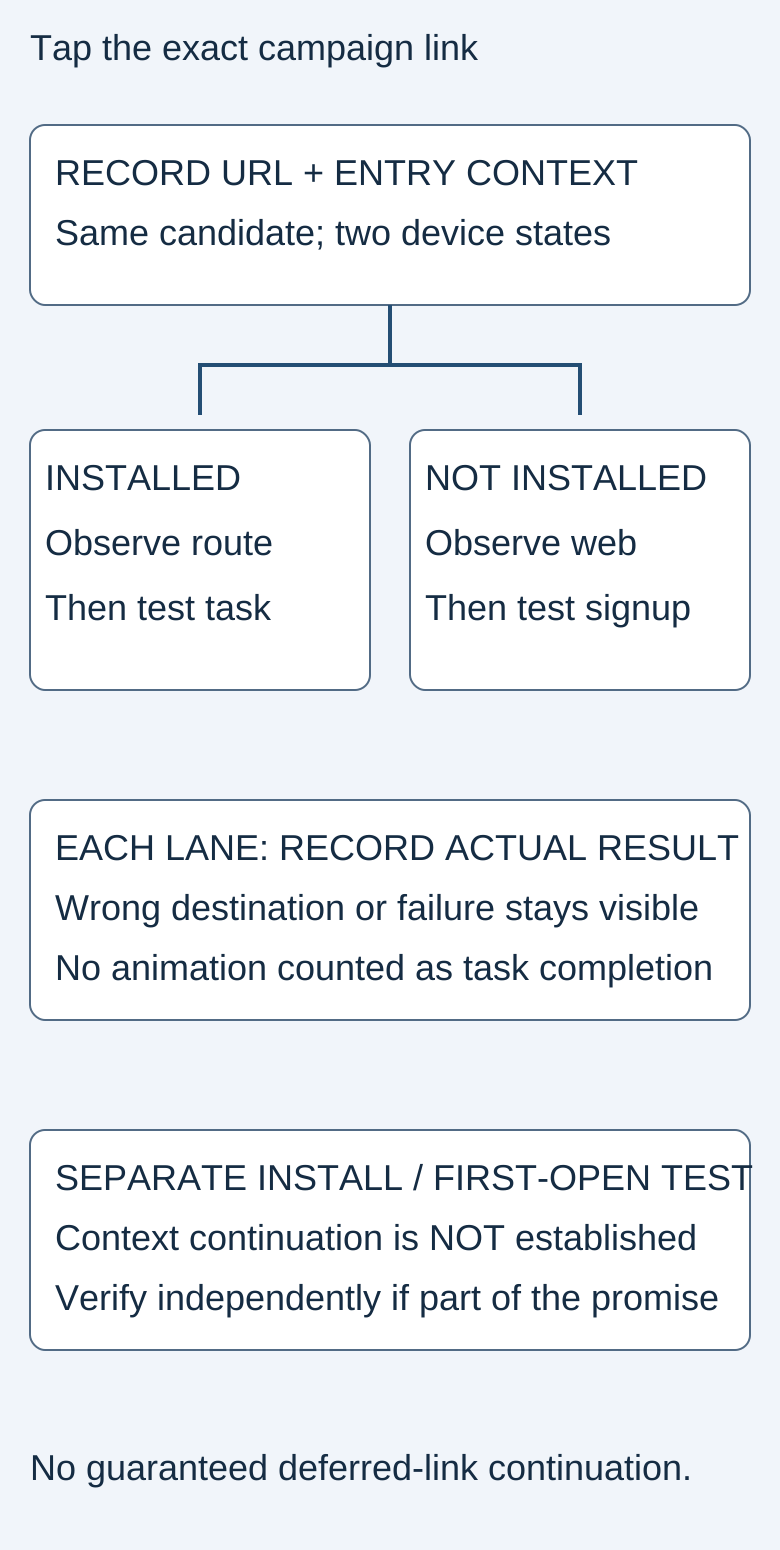
The diagram is a planning aid, not a recording of any production build.
Original visual by the Superdirector editorial team. Creation date not recorded.
Tap from a real entry context
Use a controlled test message or note containing the exact link. Record device, iOS version, build, installed state, current account state and entry app. Then tap the link and watch the complete transition, including any second browser or app opening.
Apple's TN3155 debugging guidance says that typing a URL in the browser address bar never opens the app, because the browser treats it as a direct visit to the site, so it tells you nothing about what a tapped universal link does. Apple also describes pasting a link into Notes and long-pressing it to see the destinations on offer; the option you choose becomes the device's default for that domain. Record that default. If you reset it, say so in the results, because the new run no longer shows what an untouched visitor would see.
After the controlled rehearsal, test the actual approved campaign entry surface. A passing Notes result is useful but does not establish how a particular social app's embedded browser handles the route.
Run installed and uninstalled lanes
For the installed lane, check whether the intended screen appears, the displayed offer matches the creator's wording, and the visitor can take the next action. Include signed-out and signed-in states if both are within the intended audience. If account creation is unavailable in the tested build, mark that step untested. An app opening does not count as a conversion.
For the uninstalled lane, use a test device that does not have the app, so you never delete a personal installation and risk its data. Apple documents that the link opens in the default web browser when the app is absent. Inspect the actual web destination: does it explain the product, offer an honest next step and keep enough context for a new visitor to understand the promise?
Do not assume that installing from this page will preserve the original destination or every campaign parameter. Installation followed by first launch is a separate route. If deferred routing is required, record it as an additional test with its own evidence and owner. An untested first-launch path stays unknown.
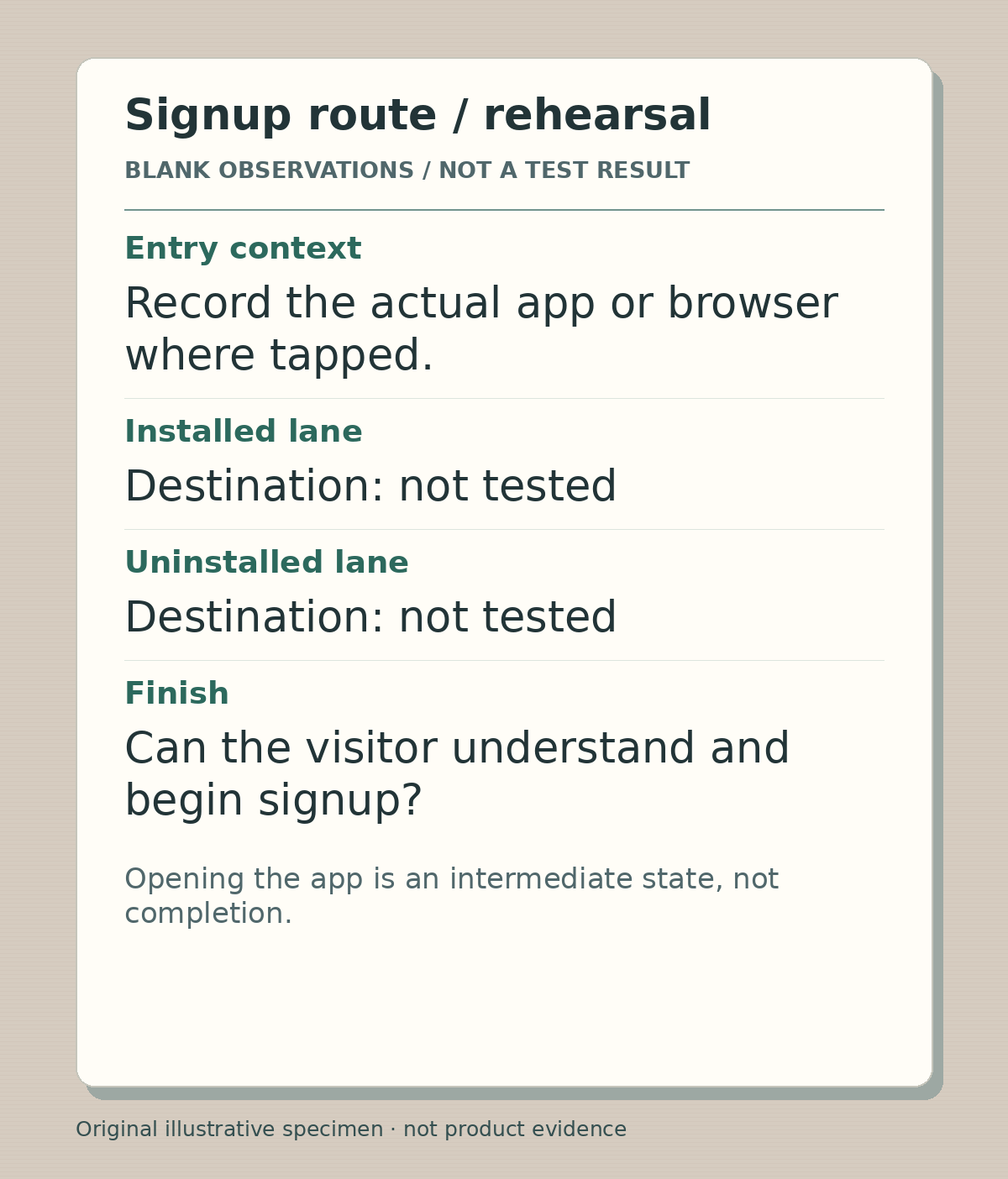
Original route-rehearsal specimen. Both destination observations are explicitly untested; no link was opened or signup completed to create this image.
Illustrative worked example by Editorial assistant, original text and raster artwork. Created 2026-10-24.
Make the failure useful to engineering
Capture what happened and leave the guessing about why to engineering. A useful report names the exact safe URL, entry context, device and build, installed and account states, expected destination, observed sequence and the first point where they diverged. Say whether the failure appears only with the campaign path or parameters.
Apple also notes that same-domain browser navigation can remain in the browser. Do not automatically label that behavior broken. Compare the intended experience with the entry context before requesting configuration changes. Keep diagnosis separate from production changes such as domain associations, SDK additions or account resets.
Accept the task, not the animation
Use the blank route checklist to give every required lane a result: pass with evidence, fail with a reproducible observation, or unknown. A pass needs the promised destination and the next useful action, and an app-open event alone does not qualify.
If only the installed lane passes, narrow the creator instructions to that verified audience or hold the link until the fallback is usable. Do not publish a broad “works for everyone” statement to conceal an incomplete route. Keep the final exact URL attached to the reviewed creator brief so a later parameter change triggers another check.
After an authorized campaign starts, track link visits, successful destination arrivals and completed signup separately, with dates and denominators. A rehearsal does not establish conversion lift. Compare failure reports against the tested contexts before attributing a drop to the creative or the product.
Evidence and limits
This guide uses Apple and Expo technical documentation plus one anecdotal developer report. The report does not establish the cause of a failure in your app. Validate the actual entry surface, installed state and first-launch route before making campaign claims.