How-To Guide
Check an iOS rating request without counting the API call as a review
Keep those states separate before using review activity as launch proof.
A recorded request to show Apple's rating interface is not evidence that the interface appeared, and a visible prompt is not evidence that someone submitted a rating. Keep those states separate before using review activity as launch proof.
For an app founder, the useful deliverable is an environment-specific evidence ledger and a non-manipulative request rule. This guide uses a fictional scan-to-PDF app to explain the method. No prompt, review, customer result or production experiment was generated here.
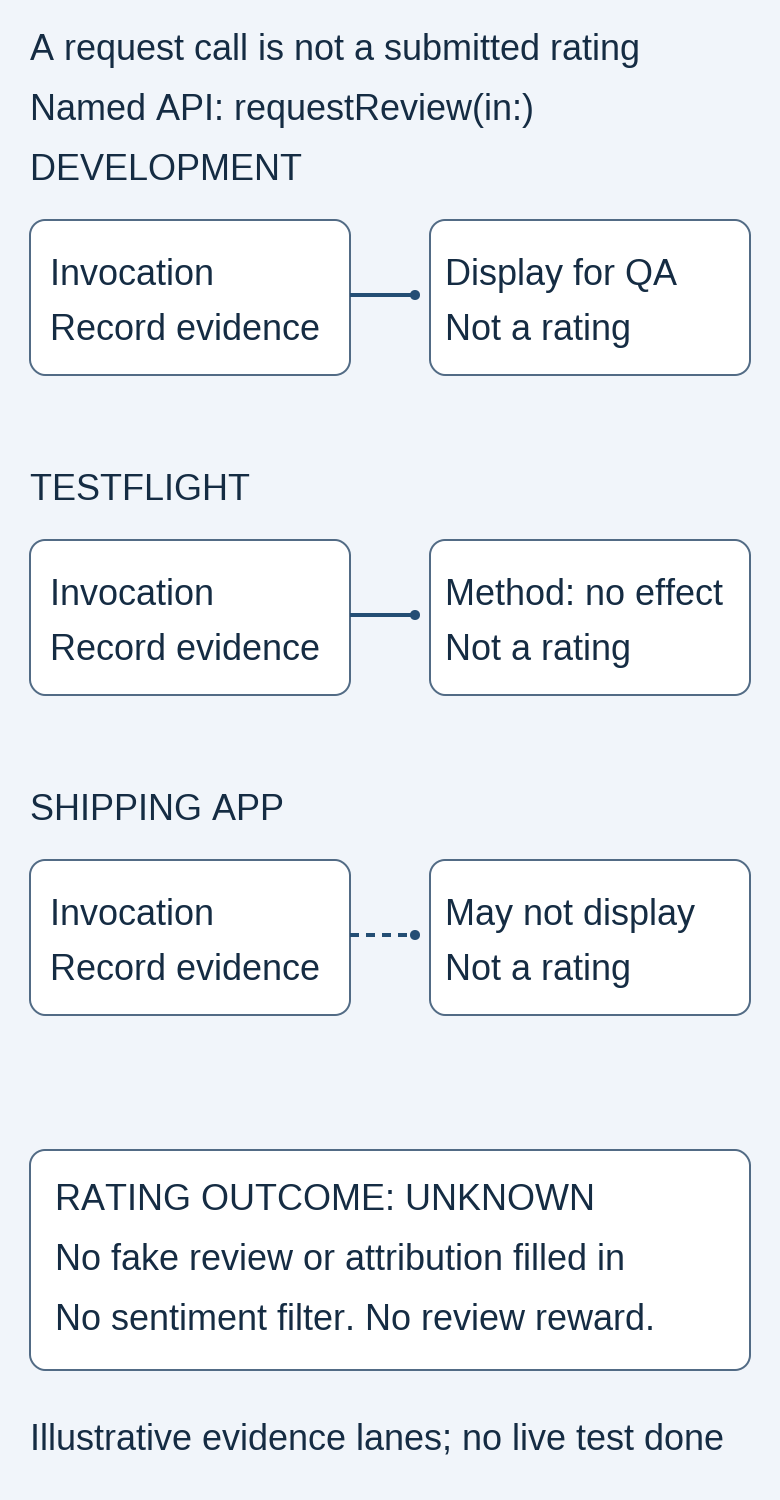
This is an illustrative ledger, not a screenshot of an app or a claim that a production prompt appeared.
 Superdirector
Make it work for your brand
Find it. Remake it. Post it. Superdirector turns the viral formats in your niche into your brand's carousels, X posts and video scripts, and keeps the calendar full.
Finish the person's task before considering the request
Choose a meaningful, completed action in the real product, such as saving a usable document. Do not interrupt scanning, editing or an unresolved export to ask for a favor. Apple's ratings guidance recommends appropriate timing after completed activity and making support easy to find.
Write down the proposed eligibility rule before looking at individual feedback. For the fictional example, reaching an appropriately chosen completed-task milestone makes the request eligible for consideration. The rule does not first ask whether the person is happy, then send only positive answers toward the public review route.
The milestone is an editorial design choice to test, not a promised review-rate improvement. A completed task also does not prove satisfaction. Keep support available whether someone likes the app, declines to rate it or encounters a problem.
Reject the sentiment fork and reward lock
Apple's App Review Guidelines require the provided review API rather than custom review prompts and prohibit manipulating feedback through filtering, incentives or fabrication. Do not build a five-star pre-screen, reserve the public route for happy users, or unlock content in return for a review.
A counterexample makes the boundary clear: “Enjoying the app?” sends Yes to a review request and No only to support, followed by a discount for leaving a review. That is not a harmless way to improve timing. It selects feedback and ties a benefit to a review.
A better product plan keeps the native request, an ordinary support route and any product access decision separate. Review the actual screens and routing logic, not merely the intended policy in a document.
Test each environment for the evidence it can supply
The current StoreKit requestReview(in:) discussion says the system controls presentation in a shipping app. The call may not show an alert. The same documentation describes display in development mode and no effect for this method in TestFlight-distributed apps. Those distinctions concern the named API; verify the API used by your own candidate rather than generalizing from an unrelated wrapper.
Do not treat the lack of a TestFlight prompt as proof that your application code never reached the request. Conversely, do not use a development screenshot to claim production visitors will see the prompt. Record the environment, build and exact API beside every observation.
Apple also distinguishes this request from a persistent link to the App Store review page. A user-facing review link and a system-controlled in-app request are different routes. Do not promise that a “Rate now” button will force the native prompt to appear.
Build two useful QA scenes
Scene one follows the fictional PDF task. Start with an owned sample document, perform the actual scan/export sequence and verify the saved file. At the chosen noninterrupting point, record whether the app's eligibility condition and request invocation occurred. Preserve an absent prompt as an observation, not an invitation to fake one in the video.
Scene two examines the measurement handoff. Use separate cells for task milestone reached, request invoked, interface observed and later store-reported ratings. A blank rating cell stays unknown. Do not create a fake reviewer account, submit a test public rating or assign an individual rating to a particular request just to complete the sheet.
These are different checks. The first concerns timing and behavior; the second prevents an analytics label from becoming an invented business result. Use the blank request-evidence worksheet to preserve their scope.
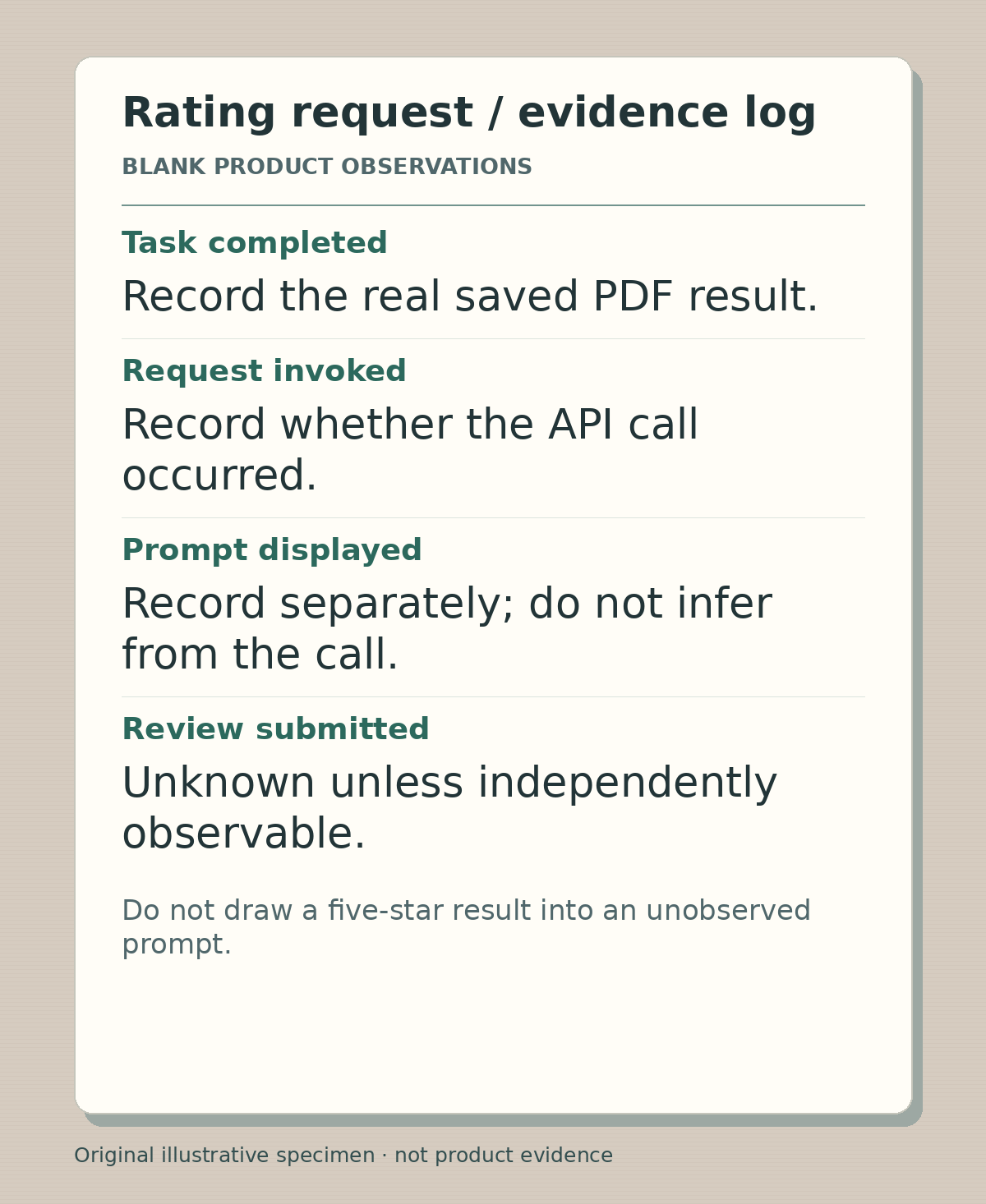
Original blank observation ledger. It is not an App Store rating dialog, an API trace or evidence that a prompt or review occurred.
Learn from operator questions without borrowing their outcomes
One app founder asks how to increase genuine feedback without annoying users. Another operator discussion asks about scheduled prompts and incentives. Their reported download and rating totals are not benchmarks for your product; replies are not substitutes for Apple's policy.
The useful research question is whether your flow respects the user's task and records what actually happened. If feedback reveals a defect, fix and verify it. Do not suppress the public review route as a substitute for improving the product.
Keep marketing claims downstream of real evidence
Before using a rating in launch content, check the current rating and its relevant storefront. Apple says review text requires the reviewer's permission for marketing reuse. A public review is not automatic permission to turn it into an advertisement.
Track request logic, observed presentation, aggregate ratings, useful product work and paid adoption separately. A before-and-after rating change does not by itself establish causation. Test the exact API and build in the relevant environment before describing its behavior.