How-To Guide
Approved custom product page not showing? Verify the page, destination and ad separately
An approval screen is not a launch rehearsal.
By the Superdirector editorial team.
An approval screen is not a launch rehearsal. Before sending people to a custom product page, answer three separate questions: is this the approved version, does its exact link show the intended page, and is the associated ad eligible to run?
This guide gives a small app team a reproducible check, not a promise that an approved page will become available within a particular number of hours. Start with evidence from your own app. Do not redesign the screenshots or restart every campaign merely because one surface looks wrong.
First, check whether a live test is possible
Apple says creating a custom product page requires the app to be Ready for Distribution in at least one country or region. Apple’s overview also says apps available for pre-order can use custom product pages. Verify your actual account status and pre-order availability rather than treating “prelaunch” as automatically ineligible. If the live route is not available for your app, prepare the worksheet but label those checks not yet testable. A prototype preview is not public-page proof. Apple configuration guide
Apple’s pre-order eligibility statement complements the configuration requirements above.
The practical goal is one verified route for one audience, not dozens of page variations. For a meal-planning app aimed at busy household cooks, choose a real feature that exists in the build, such as creating a shopping list from a saved meal plan. If your build cannot do that, choose something it can. Do not borrow a customer success claim to fill the gap.
Keep three evidence lanes
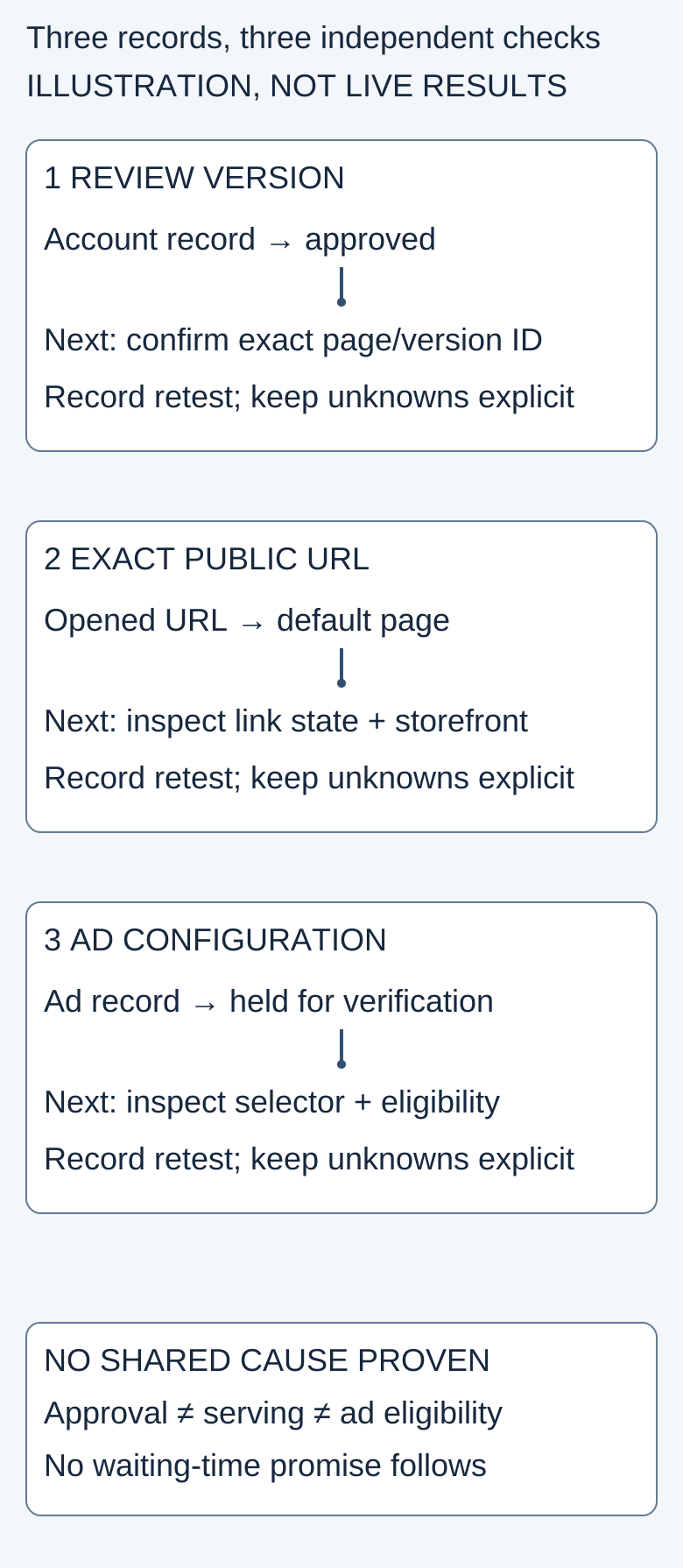
An approval, a working destination and an eligible ad are different observations. This original diagnostic map is not a screenshot or a receipt of campaign activation.
Original visual by the Superdirector editorial team. Creation date not recorded.
Use the blank verification worksheet. Create one record containing the page name, exact URL, app/build version, intended storefront and language, device/OS, observation time with timezone, expected result and actual result. Give each lane its own outcome: observed as expected, mismatch, or not tested. Avoid a single green “ready” label that hides an untested destination.
Lane 1: Confirm which page you are checking
Copy the page reference from the current account record rather than a chat message or an old presentation. Save a private screenshot of the visible review state, without credentials or personal customer data. Write down the version you meant to check. If the owner and tester are discussing different revisions, resolve that mismatch before interpreting the results.
Apple's page system supports separately tailored screenshots, previews and promotional text, with unique URLs. App deep links are a separate destination mechanism supported on iOS/iPadOS 18 and later. That distinction matters: a store-page screenshot check does not demonstrate that opening the app reaches the right feature. Apple custom product pages overview
Lane 2: Follow the exact public route
Custom product pages require iOS/iPadOS 15 or later; the app deep-link route has the separate 18-or-later minimum noted above. Apple configuration guide
Open the recorded link on the intended test device and record what actually appears. Compare a distinctive, factual element in the intended page with the observed page, rather than relying on memory of its overall appearance.
Apple documents default-page fallback for disabled or deleted custom-page links. Its configuration guide also separates page approval from deep-link approval and recommends testing the deep link itself. A default-page result therefore deserves inspection, but does not by itself identify the cause. Apple configuration guide
For a read-only link-state check, inspect App Store Connect → app → Custom Product Pages → intended page → Product Page URL. “Enable Link” indicates a disabled link. Record the setting; do not automatically enable or delete anything. Apple configuration guide
For the meal-planning example, use a real screenshot from your own build as the expected reference. Record whether the public page shows that same feature and localization. If an app-opening destination is part of the route, test it separately and record whether it reaches the intended screen. Write “not tested” if you lack the appropriate device or installed build. Do not substitute a designer's mockup for the observed result.
Lane 3: Inspect the ad without activating it
Check the exact ad group and capture the displayed status. Apple's troubleshooting guide identifies unapproved or deleted pages as possible reasons for missing choices. It also documents country, region or device asset incompatibility and disabled pages as reasons an ad can be held. After some repairs, the ad remains paused until activated. Apple Ads troubleshooting
Treat fixing a configuration and authorizing spend as different decisions. If a campaign was intentionally paused, preserve that state while testing. Send the owner the evidence and proposed correction; do not turn a diagnostic exercise into an unapproved launch.
A worked diagnostic example, not a customer result
Suppose your approved meal-planning page is intended to show the shopping-list feature in German. Your test opens the generic page, while the ad selector offers no matching page. This is an illustrative situation, not a report about a real app.
The useful record would read:
- Expected: the actual shopping-list screenshot and the intended localization.
- Observed: generic page at the copied URL; matching page unavailable in the ad selector.
- Still unknown: whether the link state, selected revision or ad configuration explains either result.
- Next action: the account owner checks those settings against the saved identifiers, records any authorized correction, and repeats the same test.
Do not conclude that better copy, a different image or a fixed waiting period will solve both symptoms. Keep the original result alongside the retest. If only one lane changes, leave the others unresolved.
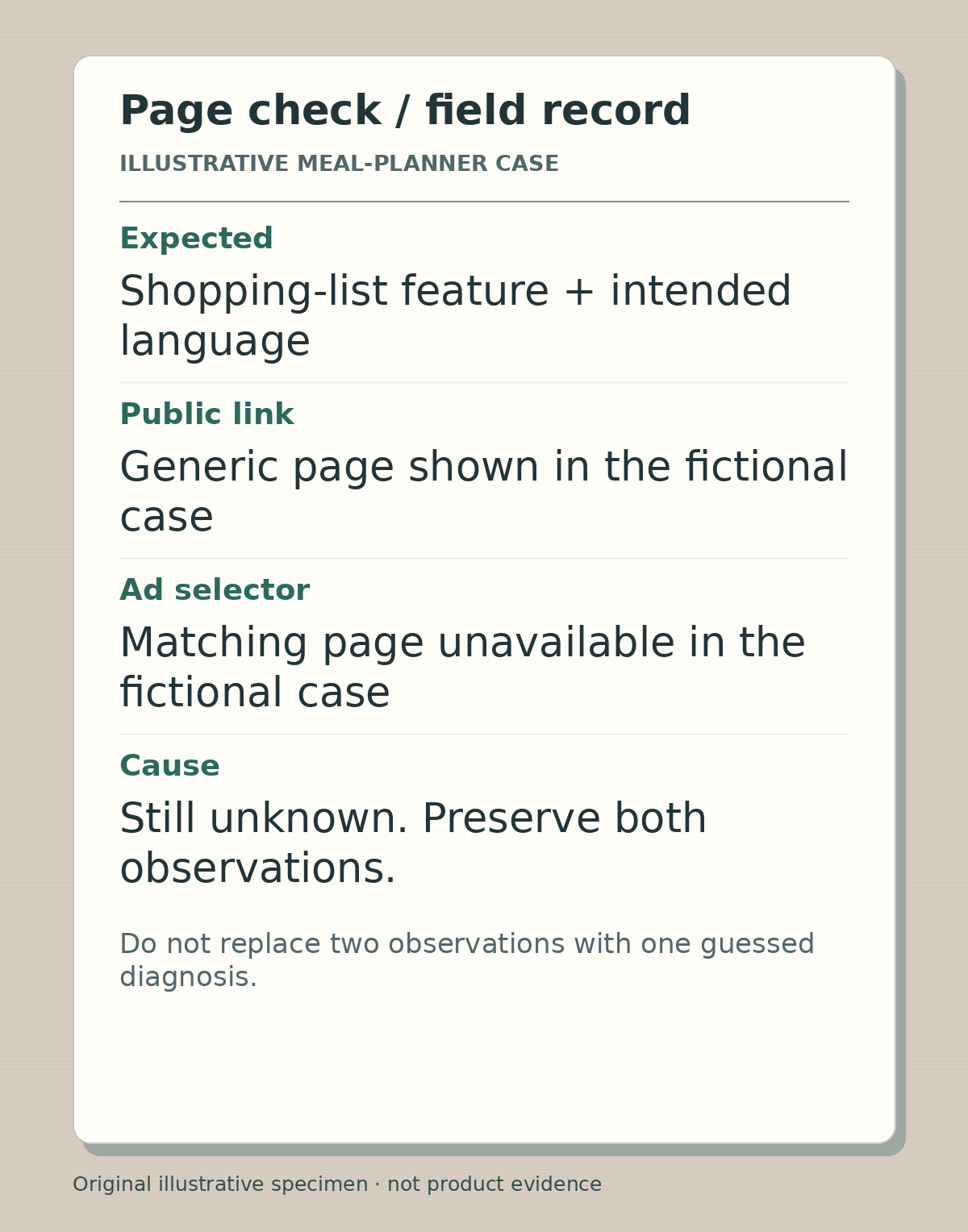
Illustrative field record from the article’s fictional meal-planner case. These are teaching observations, not screenshots or findings from a live Apple account.
Illustrative worked example by Editorial assistant, original text and raster artwork. Created 2026-10-24.
What the public questions establish, and what they do not
Two developers using different public handles described this operational problem: BenjyTec reported an approved page missing from Apple Ads, while Casfaber_ reported both selector and destination problems. The latter later said the page appeared but still had issues.
These are useful examples of the question, not measurements of its popularity. Their displayed dates conflict with search metadata, and neither thread establishes a universal service timeline. A support response relayed by a commenter is not a published Apple service commitment.
Finish with a reproducible handoff
If the mismatch remains, prepare a short support packet: app and page identifiers, exact reproduction steps, timestamp/timezone, device/OS and storefront, expected versus observed destination, current ad status, and the changes already tested. Keep account-only information private and use the appropriate support channel when authorized.
Your done-when is simple: another teammate can repeat the check and understand which observations are verified, which are blocked, and who owns the next action. Only then evaluate the creative itself. A delivered page is not proof of conversion lift, a useful installation or a paying customer.