How-To Guide
Answer an App Store complaint without turning it into a roadmap command
A low-star review creates two different decisions.
A low-star review creates two different decisions. What can you truthfully say about the reported experience? What product work, if any, does the report justify? Combining them invites a hurried promise: build the requested feature, give something away, and hope the rating changes.
Instead, prepare a public-response decision and an internal product decision separately. Link them only through evidence you actually have. This guide uses fictional app situations, not customer messages to copy or replies ready to send.
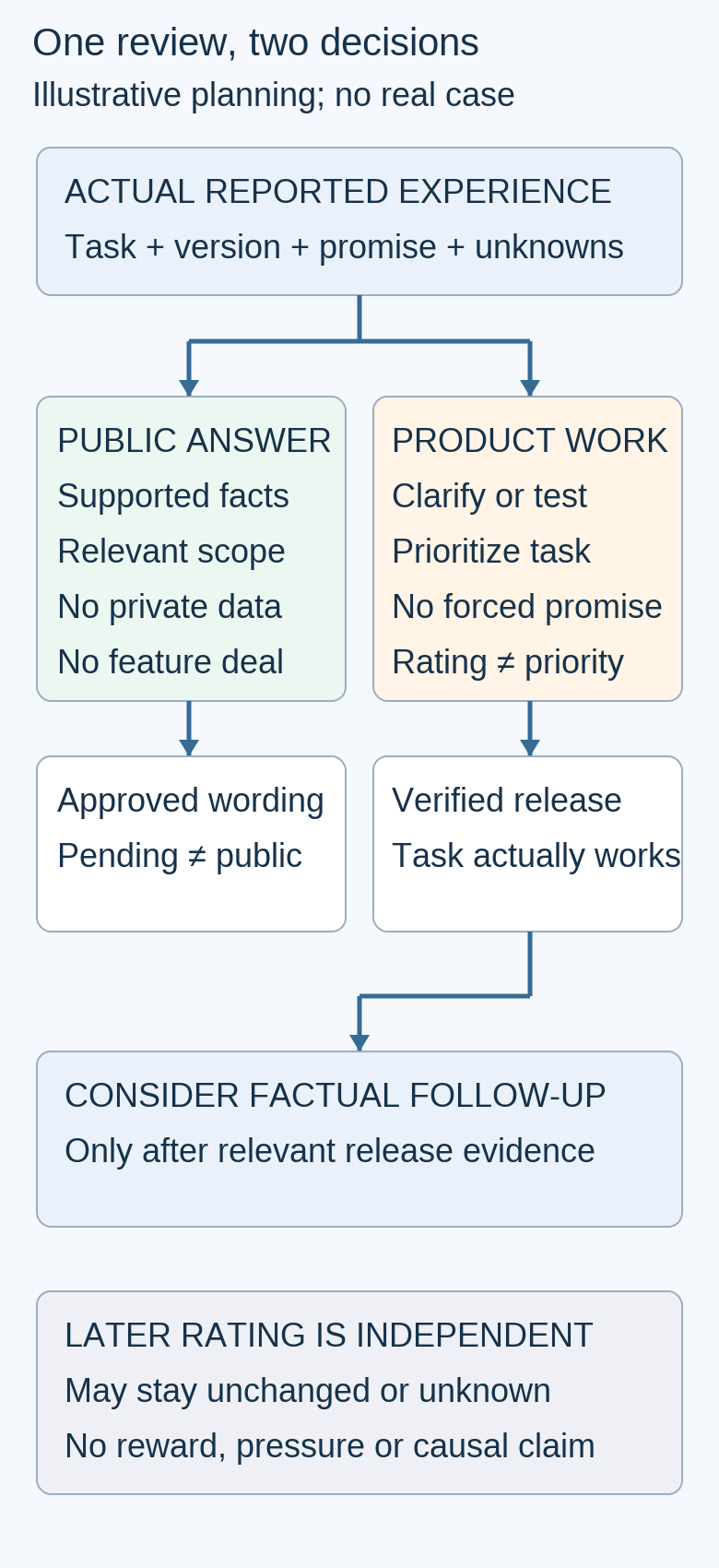
Original planning illustration. No real review, response, feature commitment or product result is represented.
 Superdirector
Make it work for your brand
Find it. Remake it. Post it. Superdirector turns the viral formats in your niche into your brand's carousels, X posts and video scripts, and keeps the calendar full.
Read the complaint before deciding what the star means
Start with the review's actual words and the relevant product context. Does it describe a failed task, request a capability, question the offer, or provide too little information to identify a problem? Preserve uncertainty. A low rating does not prove a defect, a malicious reviewer or a reason to change the business model.
Check the current version and the promise the person may have encountered. If a store description implies a capability the build lacks, defending the implementation misses the communication problem. Conversely, a request for a genuinely new capability does not establish that the existing app is broken. Neither classification can be made from the star alone.
Record only the information needed for the decision. Do not try to identify a reviewer through unrelated personal records or include private account details in a public response. Where more information is necessary, use an existing appropriate support route rather than asking for sensitive details in the review thread.
Two operator discussions show why response and result must stay separate
One iOS app operator describes frustration with a review about paid functionality. In a later reply, the author describes a free portion and paid additions. A commenter questions the website's free-use wording, but that allegation was not independently verified here. The useful lesson is to inspect your own promise before replying, not to declare that either person was right.
A different operator asks about handling a low-star review and later says the effect of public responses on overall ratings is hard to determine. The same author rejects another person's offer to counterbalance the review with five stars. These are qualitative contexts, not measured evidence that a response increases downloads or changes a rating. The screenshots attached to both discussions were not inspected, so this article does not judge their exact review or response wording.
Worked case: an unclear failure in ClipShelf
Imagine a fictional saved-clips app, ClipShelf, receives a nonspecific report that something does not work. The team cannot identify the failed task from the review. The response decision is not “announce a fix.” It is to acknowledge the reported difficulty accurately and, if appropriate, identify the existing route for supplying the missing task context.
The internal decision is different: what minimum information would allow a useful investigation? A task description and affected version may help; an unrelated personal history does not. Keep that investigation bounded. Do not label the reviewer dishonest because the team has not reproduced the behavior, and do not call the problem confirmed simply because it was reported.
If the team later reproduces a defect, create the normal product work item. A prepared patch, a successful isolated test and a released repair are different states. The public explanation must not run ahead of the state that has actually been verified. This fictional case contains no performed reproduction or customer-support exchange.
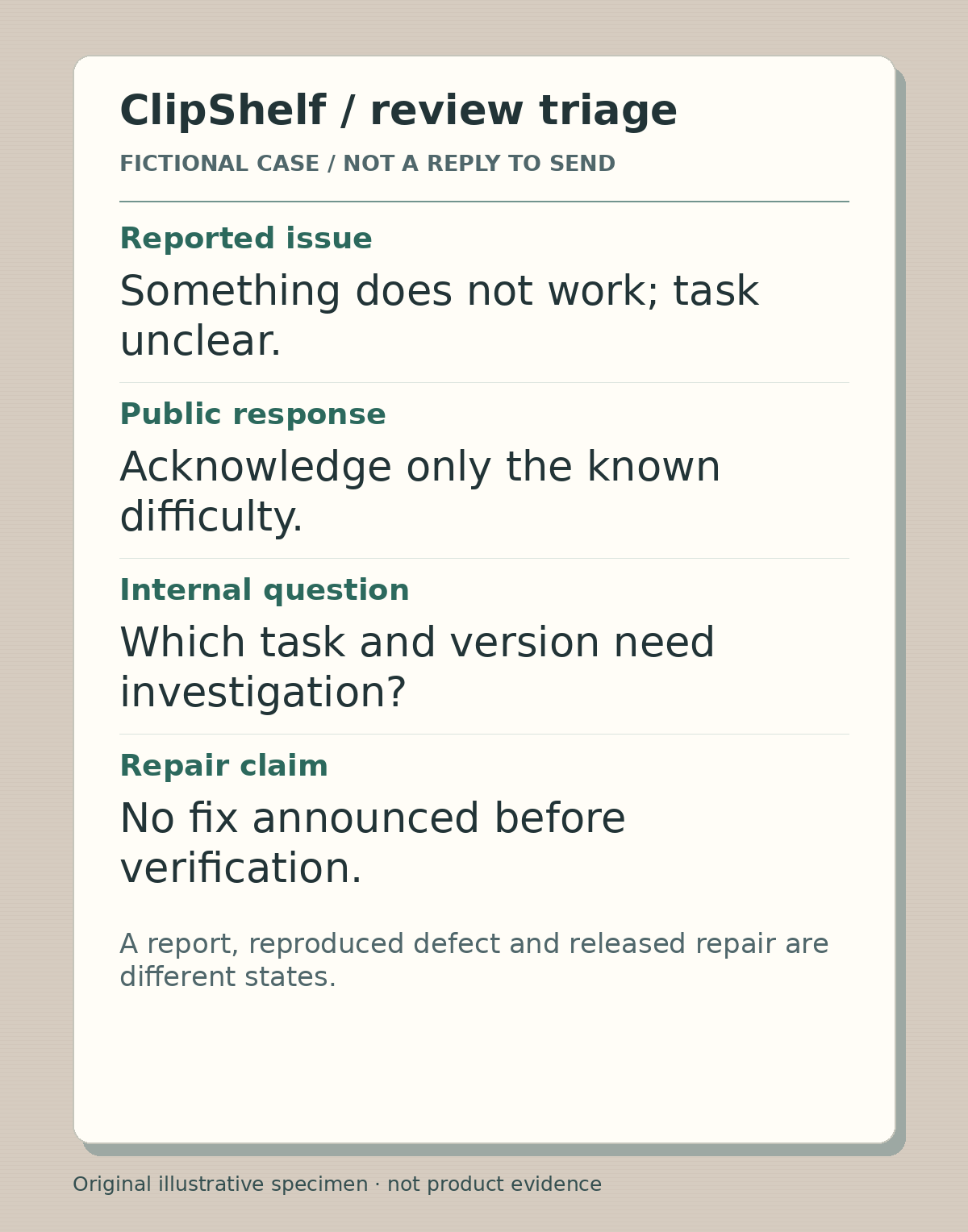
Original fictional ClipShelf triage record. It is not a real customer review, a prepared response to publish or evidence of a reproduced or repaired defect.
Worked case: a requested capability in PageTray
Now imagine PageTray, a fictional document app, receives a request for batch export. Its intended offer describes single-file export. Before deciding the request is outside scope, inspect the actual listing, onboarding and current build. An old screenshot or ambiguous phrase could create a different expectation.
If the promise is accurate and batch export is genuinely additional, record the request without converting it into a delivery commitment. Consider the task it would enable, relevant existing feedback and the cost of maintaining the capability. A strong rating attached to a request is not a substitute for that decision, and neither is a low one.
If the request later becomes approved work, keep its product justification independent of any desired rating change. If a shipped version eventually supports the task, verify the real behavior before preparing a factual follow-up. The reviewer might never return or revise the rating. That does not make a valid repair false, nor does a changed rating prove the feature was the right investment.
Keep the public answer relevant and the product promise bounded
Apple's review guidelines require respectful, relevant responses without personal information, spam or marketing. They also prohibit manipulation of the review experience. Do not exchange a benefit for a higher rating, threaten a reviewer, or turn a response into a keyword-filled advertisement.
A useful internal review asks whether every factual statement is supported today. Does the app actually offer the named route? Has the relevant change shipped? Is the person authorized to make the commitment? If not, remove the commitment rather than adding a confident date. Avoid dismissing a complaint with a canned explanation that contradicts the actual product.
Have the appropriate owner review the final response for factual accuracy, privacy and any commitment before it is submitted. A private draft is not a posted response.
Follow up on verified changes, not on hoped-for ratings
Apple's ratings and reviews guidance says reviewers are notified when a developer responds and may update their review. It recommends describing relevant fixes after release, including in release notes. An option to update a review is not a promise that the person will do so. For downloading or billing problems, Apple identifies its support route; do not turn those cases into speculative product promises.
The App Store Connect response guide distinguishes a pending response from one visible on the store. Only one response per review is displayed, and edits are identified. Keep the approved wording, submission observation and public observation separate. Do not claim a response is live merely because someone drafted it or selected Submit.
If the product changes again, inspect whether the explanation is still accurate. That is ordinary factual maintenance, not a strategy for repeatedly nudging someone to raise a rating. Keep support available regardless of whether a person changes their public feedback.
Close the loop with the right evidence
Use the blank response-and-product worksheet. It separates the reported issue, verified promise, unknowns, response decision, product decision and later release evidence. A reviewer can reject a premature promise without blocking a legitimate investigation, or reject an unnecessary feature without dismissing the person's experience.
For a future authorized evaluation, track what was investigated, what actually changed, whether the public explanation became visible, and whether the relevant task works in the released version. Record a later rating only if it is observed, without assigning a cause. Downloads, qualifying buyers and repeated useful work are separate outcomes, not automatic consequences of a courteous reply.
The operator discussions are anecdotal and do not establish representative demand or the effect of replies on ratings. Start with one real case whose review, current product promise and available support route can be checked.