How-To Guide
A restock signup is not a reserved product: make the difference visible
Before launching the creative, decide what the button actually does.
“Save my spot” can sound like an inventory promise even when a form only records an email address. For a limited-stock product, that mismatch can begin in an Instagram caption, continue through the signup confirmation and reappear when an alert leads to an already sold-out variant.
Before launching the creative, decide what the button actually does. A notification signup asks to hear about availability. A reservation requires a separately verified allocation mechanism. A preorder is an order under stated terms. The design should communicate the state the system creates, not the state that sounds most persuasive.
This guide develops one restock-notification explanation. It is not a reservation-system implementation or legal assessment of marketing consent. Current provider references were read on October 24, 2026.
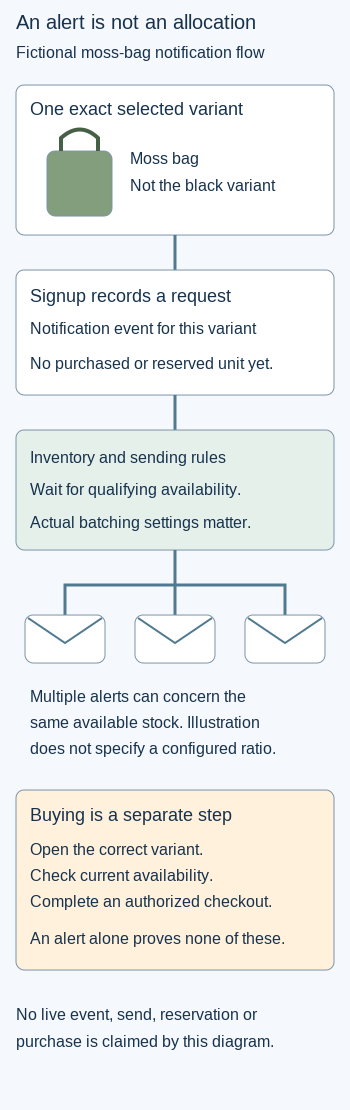
The original visual is an explanatory model, not a live campaign receipt. It intentionally avoids showing inventory ownership at the signup stage.
 Superdirector
Make it work for your brand
Find it. Remake it. Post it. Superdirector turns the viral formats in your niche into your brand's carousels, X posts and video scripts, and keeps the calendar full.
Follow the event beyond the success screen
Klaviyo's back-in-stock flow guide describes a signup event followed by an inventory-dependent wait and a notification. Its rules can notify multiple subscribers per restocked unit and can release notifications in batches. That is not evidence that an item has been reserved for each subscriber.
Klaviyo's form guide separates the form from the sending flow and associates the button with the selected out-of-stock variant. It also describes an optional promotional-email checkbox alongside email restock registration. These documented behaviors need to be checked against the merchant's real integration and configuration.
The practical question is therefore not just “Did the form work?” It is “What exact event occurred, for which variant, and what later action does it enable?”
Choose a concrete product and variant
Use an illustrative limited-run canvas bag to plan the walkthrough. Suppose the buyer selects the moss color while black is still available. The example is fictional, not a report of a real store or campaign.
Your screen sequence should preserve the selected color through the button, form, confirmation and later landing destination. Do not cut from a moss product shot to a generic alert and assume that the relationship remains obvious.
Ask the owner for the actual variant identifier and current stock state behind the visible label. Similar product names are not enough. If a customer subscribes to one variation and the alert opens another, a polished announcement will not fix the underlying mismatch.
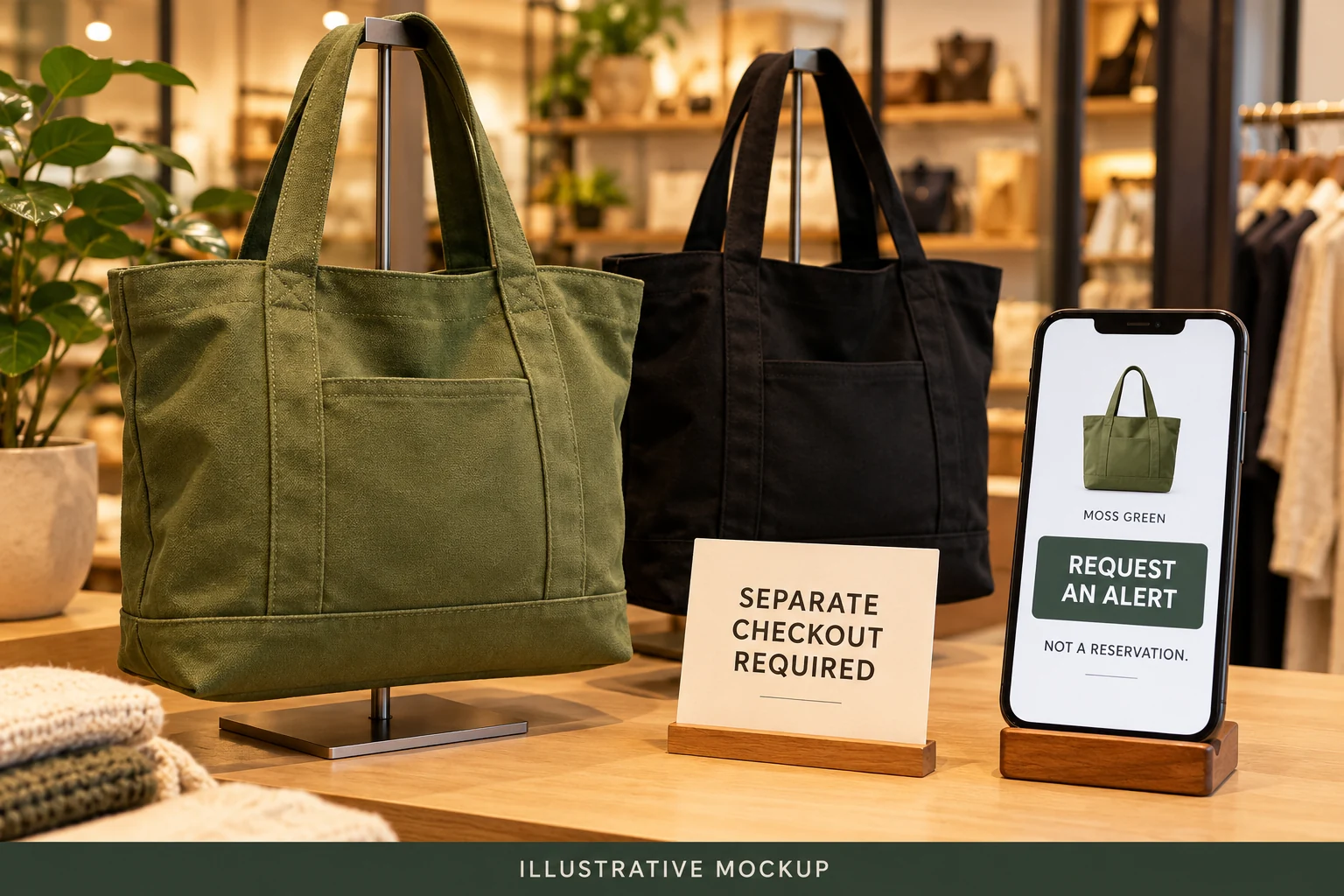
AI-generated illustrative mockup. This fictional alert concerns the moss variant. Requesting a notification, receiving it and buying the item are separate events; no real signup or stock allocation is shown.
Replace allocation language with accurate action language
For a notification-only flow, draft the button around being notified. Reserve words such as “reserved,” “allocated” or “guaranteed” for a mechanism that the owner can demonstrate and approve.
The success message should confirm the recorded request without implying checkout completion. An illustrative message could state that the request concerns the moss bag and that buying still requires a separate checkout when stock is available. Adapt the language to the actual behavior; do not paste a promise that the configured flow cannot fulfill.
If the launch uses a genuine reservation or preorder, stop using this notification template and document its different terms. The same attractive button design should not conceal three different transaction states.
Explain limited stock without inventing urgency
A notification can reach several interested people while stock is limited. The provider's batching controls illustrate why receiving a message is not the same as holding a unit. Do not claim a customer's place in a queue, exclusive access or a protected purchase window unless those claims are independently verified.
For the fictional bag example, a useful explanatory frame shows notification signup, alert and checkout as separate steps. It does not need an invented countdown or “only two left” badge. Actual stock assertions belong to a current inventory source, not a creator's estimate.
If the merchant changes notification settings, record the date and assess whether the customer-facing explanation still matches. A historical screenshot of one configuration is not ongoing proof of the next campaign's behavior.
Keep promotional email choices understandable
Where the actual email form offers a separate marketing checkbox, show it as a separate decision rather than visually merging it into the restock request. Explain the purpose of each field in the creative handoff.
This article does not prescribe consent language or evaluate jurisdictional compliance. It also does not generalize the documented email option to SMS or WhatsApp, which have different provider requirements. Have the responsible owner review the applicable channel and wording before activation.
No real addresses need to appear in the tutorial. Use an authorized test identity in the actual validation and redact it from production captures.
Create an evidence-led three-frame asset
Frame one should show the actual product variation and the request action. Frame two should show the verified notification state, with the destination and product label visible. Frame three should show that a purchase is a separate action, without fabricating an order confirmation.
For an Instagram carousel, keep the distinctions on the main cards rather than hiding them in the final caption. For a YouTube tutorial, pause at the success screen and explain what it proves and what it does not. The same evidence can support both formats without making either claim a completed sale.
Validate the chain and measure distinct outcomes
Use an approved test workflow to check the selected variant, event, waiting state, configured sending status and destination link. Where external sending or inventory changes require permission, obtain it before testing. Do not activate a flow simply to make the walkthrough look complete.
Keep counts for signups, alerts sent, visits and orders separate. A signup is useful evidence of a request; it is not revenue. An email in a sending queue is not proof of delivery. An opened product page is not an accepted purchase.
Trace one real variant from signup to destination, then adapt the explanation to the behavior actually observed. Keep notification signup separate from inventory allocation and purchase.