Category Guide
AI Marketing Agent for Organic Growth Campaigns
Use an AI marketing agent to decide which organic growth campaign is worth testing, then turn brand and product signals into hooks, scripts, and creator-ready briefs.
By Bell Chen, founder of Superdirector — how the analysis works.
Lean teams need to decide which organic campaign is worth testing before they commit to production or creators. Start with selected references and a campaign goal, review your brand context, and prepare a brief the team can assess before starting work.
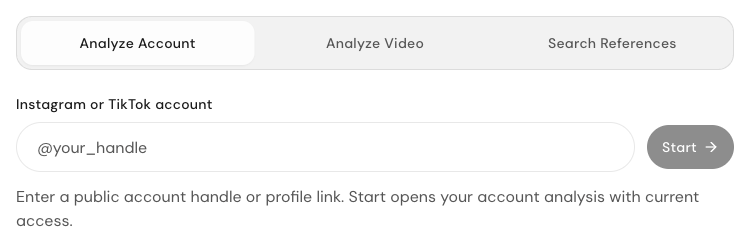
Superdirector. Public reference intake with account, video and reference-search tabs.
Signal to brief
Start with the campaign decision
Most social tools assume the team already knows what to post. A better planning flow starts earlier: what buyers are asking in search, which objection keeps appearing in comments, which proof can the product show on camera, and which social format can carry that proof without feeling like a catalog.
That matters because organic content still has a cost. Founder filming time, creator samples, editing cycles, review rounds, and audience trust are limited resources even when there is no media spend.
Brief anatomy
What the handoff needs to preserve
01
The buyer language
Use the words people already search, say in comments, or use when they describe the problem. A brief written in campaign slogans loses the market signal.
02
The objection
Name the doubt the first scene has to answer. If the audience hesitates on quality, setup time, price, or trust, the video has to meet that hesitation directly.
03
The visible proof
Choose the demo, comparison, teardown, customer context, or workflow that can actually be filmed. The proof shot should decide the script, not follow it.
04
The creator constraint
Leave the person filming with the hook, shot order, must-keep claim, and boundary they should not violate. That is the difference between a caption prompt and a production brief.
What an AI marketing agent should do before deployment
The useful job is not simply generating captions or filling a posting schedule. A stronger agent starts by reading the market: what formats are working, which hooks fit the audience, what proof the product can show, and which campaign idea is specific enough to brief a founder, social media manager, UGC creator, or micro-influencer.
That planning layer matters because organic growth spend is still spend. Even if a founder films internally or pays a nano creator instead of a Meta campaign, weak briefs waste time, samples, and audience trust.
Where Superdirector fits
Superdirector brings reference context and campaign planning into the Canvas. Start with a reference and a goal, set up a campaign brief, and review the available workflow, access and usage before requesting work. A brand, product, profile or video URL supplies context; the team still needs to choose and review its creative direction.
That makes it useful for founder-led brands, ecommerce sellers, personal brands, and social teams that already create content but need sharper decisions, cleaner handoff, and faster creative direction.
A quick campaign example
Planning example: a founder with a Shopify store compares two organic angles before raising the ad budget. Use product details, buyer questions and selected reference videos to brief a founder-on-camera explainer and a creator clip that shows the product in use.
The team can compare the evidence, choose one angle, and list the script beats, proof shots and approval checks it needs. Set up that request in Superdirector and review the available workflow and usage before starting work.
The agent interface keeps the read-and-plan loop in one place
Keep the research references and campaign decisions with your Agent's work. Review the source material and available analysis or content workflow before asking for the next draft.
For a weekly review, choose the observed pattern you want to test, explain the evidence and agree the next task. Keep the decision with its sources so the next review can compare what you planned with what actually happened.
Where execution tools still fit
Creator marketplaces, product seeding, publishing calendars, and analytics tools still matter after the plan is ready. They help with sourcing, shipping, scheduling, and measuring the work.
Superdirector focuses on the step before that: improving the quality and speed of campaign planning before the team commits budget or creator effort.