How to Set Up a Home Studio for Consistent Video
A home studio designed for repeatability, not perfection: fix echo at the source, set permanent camera and light marks, and make the space ready in five minutes so the real win is the videos you actually film.
Turn this page into a campaign built for your brand.
Connect Superdirector to ChatGPT and it adds current social-video references, public-video analysis, Brand DNA, and a ready-to-send campaign brief.
By Bell Chen, founder of Superdirector — how the analysis works.
Short Answer
How do you set up a home studio for consistent video?
Design for repeatability rather than perfection. Choose the room for its sound, not its look: take the smaller, softer room over the big echoey one, because room echo is the hardest problem to fix in post and the easiest to avoid up front. Then treat the room to kill echo at the source, with soft furnishings or acoustic panels behind and around the speaking position, so the microphone captures voice instead of reflections. Set permanent marks for the camera, key, fill and chair, so the studio rebuilds identically in minutes and every video matches the last one. Build the lighting soft and repeatable rather than dramatic, and aim for a space that is ready in five minutes — the real win is the videos you actually make in it.
- Pick the room for sound: the smaller, softer room beats the big echoey one. Echo is cheaper to avoid than to fix.
- Treat echo at the source — soft furnishings or acoustic panels behind and around where you speak.
- Set permanent marks for camera, key, fill and chair so the setup rebuilds identically every time.
- Keep the lighting soft and repeatable; consistency across videos matters more than a dramatic single frame.
- Optimise for a five-minute setup, because the return is the videos the space makes it easy to shoot.
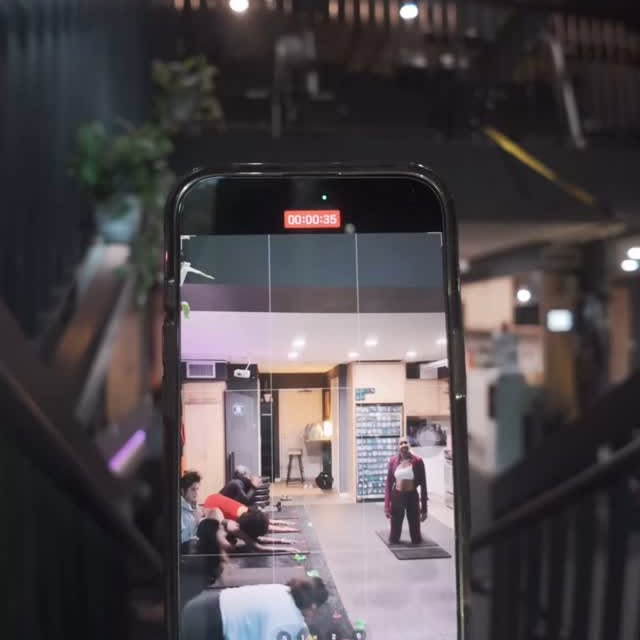
Fred van Leeuwen, writing in Fstoppers (fstoppers.com), put the principle that should drive a home studio in one line: "Technically speaking, you can have a terrible-looking video, but if you have decent sound, there's still a chance you can get away with it," per van Leeuwen. A home studio that gets the sound right and the rest merely decent will outperform a beautiful set that echoes, which is why the first design decision is the room, not the camera.
The studio below is built for repeatability rather than perfection. Its real job is not to look impressive in one shot; it is to be ready in five minutes so you actually film on schedule. The single biggest return on a home studio is the friction it removes, and the design choices that matter most, acoustics and permanent marks, are the ones that make every future shoot fast and identical.
What You'll Need
- A small room or corner you can leave set up
- An external microphone and one soft light
- Some soft furnishings or acoustic panels for the room
Time: Half a day to set up once
Why a studio is about consistency, not one perfect shot
The trap is treating a home studio as a one-time aesthetic project: buy a nice camera, build a pretty background, shoot once, and then never rebuild it because it takes an hour to set up. A studio optimized for a hero shot but not for fast, repeatable setup gets used a handful of times and abandoned. The value of a studio is measured in videos shipped, not in how it photographs.
So the design priorities invert: fix the room sound first because echo is unfixable in post, set permanent marks so the space rebuilds identically, and optimize the whole thing for a five-minute setup. A studio you can switch on quickly is a studio you will actually use, and consistent output is what compounds.
Step by step
- 01
Step 1. Pick the room for its sound, not its look
Choose the smaller, softer room over the large, impressive, echoey one. Room reflections are the single hardest problem to remove after recording, per the van Leeuwen audio-first principle, so the room choice is really an audio decision. A modest, carpeted room with soft furnishings will sound better untreated than a big hard-walled room ever will.
Deliverable
A room chosen for acoustics, not square footage.
- 02
Step 2. Treat the room to kill echo at the source
Add soft surfaces around and behind the speaking position: curtains, a rug, a bookshelf, or dedicated acoustic panels. The goal is to absorb the reflections that create echo before they reach the microphone, because fixing echo in editing is far harder and never as clean as preventing it. Keep the mic close to the subject for the same reason.
Deliverable
A treated speaking position with reflections controlled.
- 03
Step 3. Set permanent marks for camera and lights
Mark fixed floor and stand positions for the camera, the chair, and each light, so the studio rebuilds identically every time rather than being re-eyeballed each shoot. Identical marks mean every video matches and setup takes minutes, which is the difference between a studio you use weekly and one you dread re-rigging.
Deliverable
Taped or noted marks for every element.
- 04
Step 4. Build a soft, repeatable lighting setup
StudioBinder's three-point lighting guide (studiobinder.com) gives the standard to lock in place: a softened key about 45 degrees off the subject, a fill at roughly 50 to 75 percent of the key to soften shadows, and a backlight for separation. Set these in fixed positions so you never rebuild the lighting from scratch; the point of a studio is that the good setup is the default, not a fresh decision each time.
Deliverable
A fixed soft key plus fill plus backlight in marked spots.
- 05
Step 5. Make it ready in five minutes
Optimize the whole space for fast startup: cables managed, lights on a single switch where possible, the chair and mic where they live. The studio's real value is removing the friction that stops you from filming, and a five-minute setup is what keeps a content cadence alive on a busy week.
Deliverable
A studio that goes from off to rolling in five minutes.
What a working studio enables
A working home studio is judged by consistency, not by a single beauty shot. Follower growth tracks publishing consistency before it tracks production polish, and three to five publishes per week is the band most teams hold; a five-minute-ready studio is what makes that cadence survivable. The design brief is repeatability: a studio optimized for a fast, boring, consistent setup is what keeps the cadence alive.
Consistency also matters more because reach is scarce. Buffer's State of Social Media Engagement in 2026 (buffer.com), built on 52 million posts across ten platforms, and Metricool's 2026 Social Media Study (metricool.com), built on 39,762,999 posts with a 35% recorded drop in Reels reach, both read the same way: engagement has gotten harder to win on several major platforms. When each post does less, volume at a steady quality bar matters more, and the studio is the infrastructure that makes steady volume possible.
The failure modes
Buying the camera before treating the room. A pristine image recorded in an echoey room sounds amateur; the budget order is room and mic first, light second, camera last.
A studio that takes an hour to set up. If switching the studio on is a project, it gets used a handful of times and abandoned. Optimize ruthlessly for fast startup.
No permanent marks. Re-eyeballing the camera and lights each shoot wastes time and makes videos inconsistent. Mark everything once.
What to track
Time from walking in to rolling, with a five-minute target, because setup friction is the real predictor of whether the studio gets used.
Shoots per month in the studio, the outcome that justifies building it at all.
A pre-record audio check for echo, the one quality gate that catches the most common home-studio failure.
Where a planning-first tool fits
The room, acoustics, lights, and marks are physical setup; none of that needs software. The place a planning tool fits is what you bring into the studio: a batch of scripted, shot-planned videos so a studio session produces several finished pieces rather than one improvised take. A planning-first tool that turns a brand profile into a batch of scripts and shot plans is one option, alongside a written shot list. Superdirector is the planning-first tool I built around this kind of batch planning.
Disclosure by Bell Chen, founder of Superdirector: the planning features referenced above are part of the product I build. The procedure on this page is platform-agnostic and the tool choice is a workflow preference, not a quality requirement; the craft guidance is sourced from Fred van Leeuwen in Fstoppers and StudioBinder, and the benchmarks from the Buffer and Metricool reports, all cited inline.
Frequently asked questions
What matters most when setting up a home studio?
How do I stop my home videos from sounding echoey?
Why set permanent marks for the camera and lights?
Do I need an expensive camera for a home studio?
Get a campaign brief built for your brand in 30 seconds
Plan a batch of videos for your studio day